
 View on Asset Store (opens in new tab)
Package details
- Latest version
- 1.0
- Last updated
- First released
- Unity version
- 6000.3.0 or later
- Package size
- 333 KB
- Files
- 62
- Favorites
- 1
- Views in the past week
- 6
Price tracking
- Last checked
- Tracked since
- Lowest recorded
- $7.50 on
Keywords
Bunny Sprite
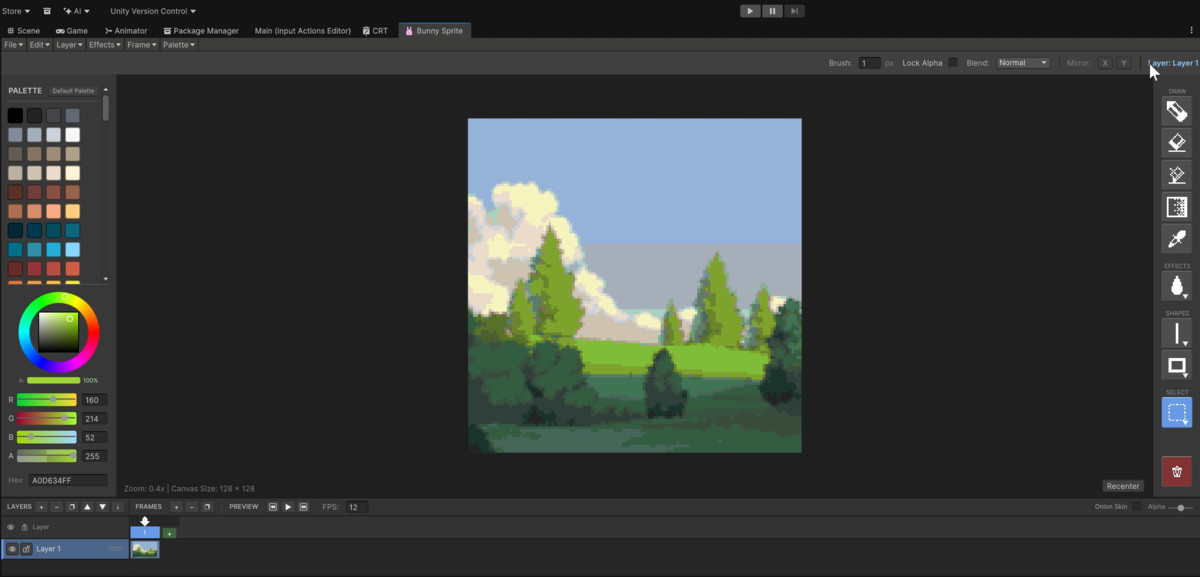
BunnySprite is a pixel art editor built directly into the Unity Editor. Create sprites, animate them, and export to PNG, spritesheet, or Aseprite format without leaving Unity.
Affiliate link · Purchases support this site
Price history
Last 6 months
USDAsset preview
1 / 6
Bunny Sprite screenshot 1
About this asset
Join our Discord: https://discord.gg/6Ys5QQZz
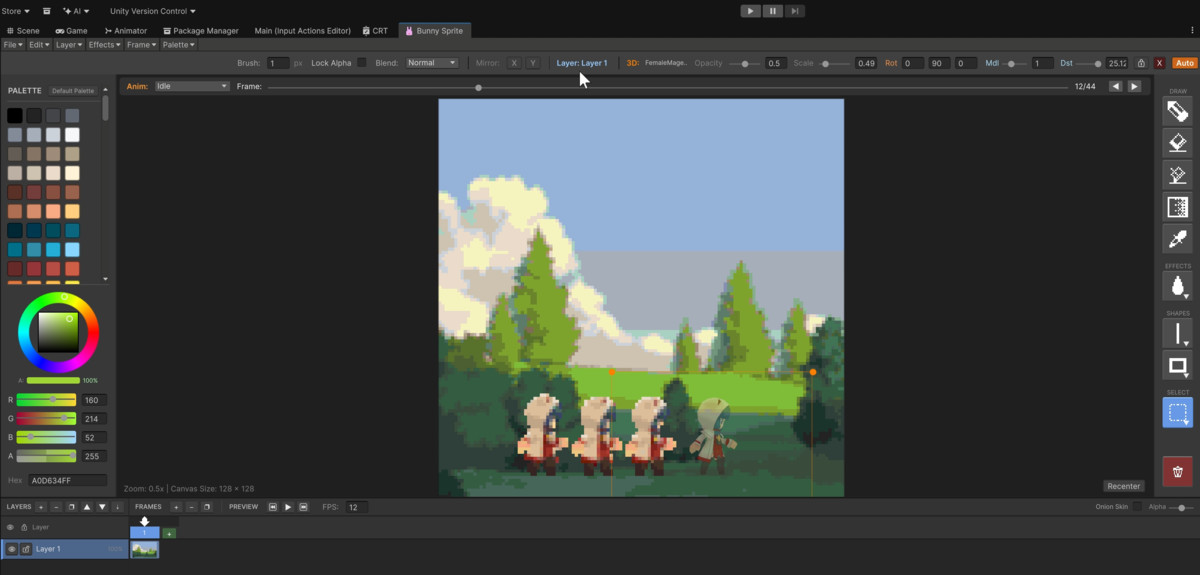
A fully-featured pixel art editor that lives inside Unity as a native Editor window. No more switching between external tools and your game engine. Draw, animate, and export your sprites in the same environment where you build your game.
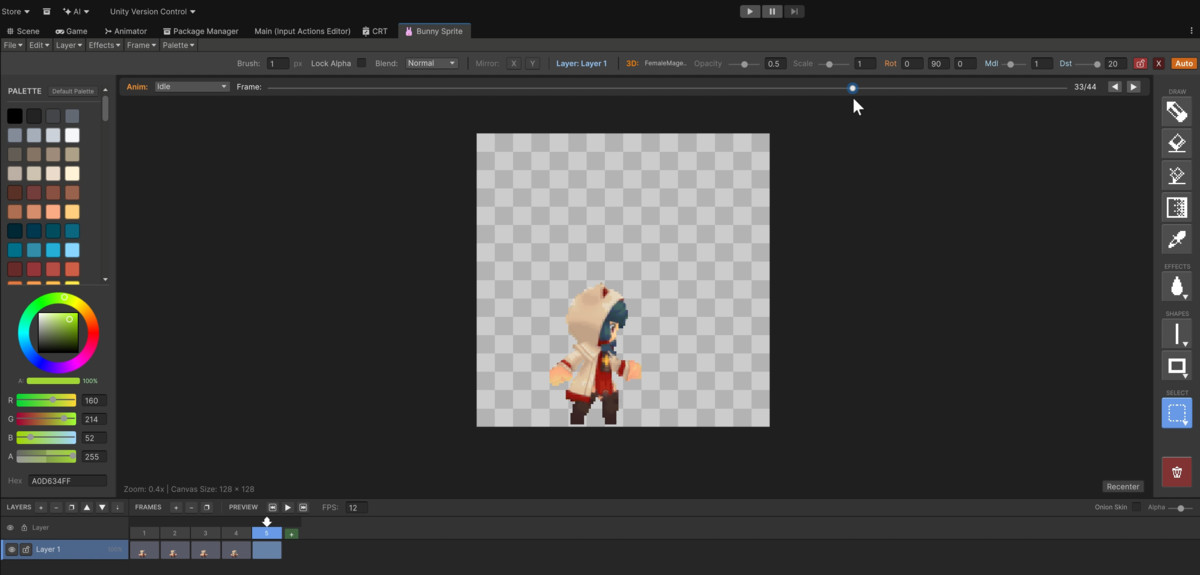
The editor supports a proper layer system with opacity and blend modes, letting you separate background, characters, and effects just like any professional image editor. Animation is handled through a timeline panel with frame management, onion skinning for smooth motion, and adjustable playback speed. Need to trace over concept art or match a 3D model pose? Import reference images or even drag in 3D prefabs as overlays, rotate them to the angle you need, and draw directly on top.
Drawing tools cover the essentials: pencil, eraser, bucket fill, shapes, lines, curves, and gradients with multiple dither patterns. Selection tools include rectangle, lasso, and magic wand with tolerance control. Filters like blur and smudge help with shading and softening edges. Mirror mode lets you draw symmetrical sprites in real time.
Projects save in a native format that preserves everything, or export to PNG, spritesheet grids, and Aseprite files for compatibility with other pipelines. The Aseprite support means you can move work between BunnySprite and Aseprite without losing layers or frames.
From the publisher's Asset Store listing.
Technical details
- Built with UI Toolkit (UIElements), no IMGUI
- Runs entirely in-editor, no runtime dependencies
- Layer-based compositing with blend modes
- Frame-based animation system with timeline UI
- Aseprite file format import/export (indexed and RGBA)
- 2D/3D reference overlay system with render texture capture
- Undo system with state snapshots
- Core Unity modules only, no external packages
- Unity 6 compatible, requires Editor platform only
Compatibility
| Unity version | Built-in | URP | HDRP | Custom |
|---|---|---|---|---|
| 6000.3.0f1 | Compatible | Compatible | Compatible | Compatible |
BunnySprite is developed and tested in URP, but since it is only dependent on the core UI Toolkit, it should work across all render pipeline.
As listed on the Asset Store.