
 View on Asset Store (opens in new tab)
Package details
- Latest version
- 1.2.0
- Last updated
- First released
- Unity version
- 2021.3.45 or later
- Package size
- 177 KB
- Files
- 45
- Favorites
- 22
- Views in the past week
- 12
Price tracking
- Last checked
- Tracked since
- Lowest recorded
- $8.50 on
Keywords

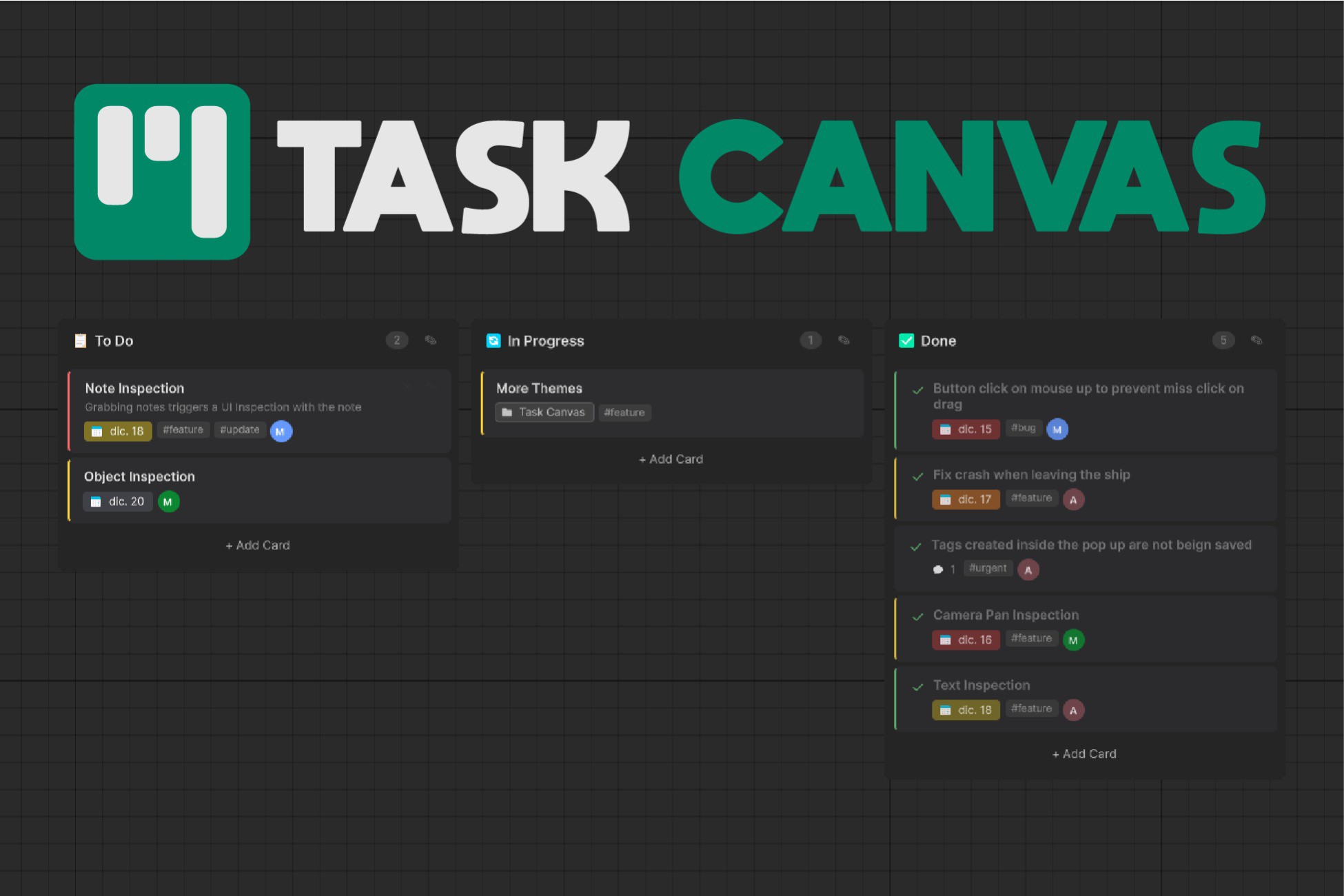
Task Canvas - Project Management & Kanban Board
Visual Kanban board. Drag-drop tasks, Git-friendly, templates, time tracking and more! Boost your productivity! Now everything stays in Unity.
Affiliate link · Purchases support this site
Price history
Last 6 months
USDAsset preview
1 / 5

Task Canvas - Project Management & Kanban Board screenshot 1


About this asset
Task Canvas is a Kanban board that lives inside the Unity Editor. No more alt-tabbing to Trello or Notion.
I built this because I was tired of losing focus every time I needed to update a task. Going to update the task in Trello and ending by watching a YouTube video.
What makes it different:
Each card and column is stored as a separate JSON file. This means when you and your team use Git, you won't get merge conflicts on a giant monolithic file. Cards merge cleanly.
Performance was a priority. The board uses lazy loading and an LRU cache, so even if you have hundreds of cards, only the visible ones are loaded.
What you can do:
Drag cards between columns (with smooth animations)
Add tags, assignees, due dates, and checklists to cards
Track time on tasks with the built-in timer
Link Unity assets to cards - click to select them in Project
Press Ctrl+T to create cards without opening the main window
Start from templates: Kanban, Sprint, Bug Tracking, or empty
Setup:
Open Window > Task Canvas or use Ctrl Alt T to open the Task Canvas window and create your first board. Cards are saved to a configurable folder (default: Assets/TaskCanvasData). Change it in Settings if you prefer another location.
Nothing is included in your builds.
For bug reports or anything else, feel free to contact me!
From the publisher's Asset Store listing.
Technical details
- Visual Kanban board with intuitive drag-and-drop for cards and columns
- Git-friendly storage: each card and column saved as separate JSON files to minimize merge conflicts
- Lazy loading with LRU cache for optimal performance on large projects
- Built-in time tracking with start/stop timer per card
- Rich card content: tags, assignees, priorities, due dates, checklists, comments
- Unity asset linking: drag-drop project assets directly onto cards
- Quick Create window (Ctrl+T) for rapid card creation from anywhere
- 5 board templates: Blank, Kanban, Sprint, Bug Tracking, Feature Development
- Filter bar with tag, assignee, and priority filtering
- External file change detection for seamless Git workflow
- Configurable boards folder location with migration support
- Dark theme
- Keyboard shortcuts configurable via Unity's Shortcut Manager
- No external dependencies, no internet required, editor-only tool
Compatibility
| Unity version | Built-in | URP | HDRP |
|---|---|---|---|
| 6000.3.8f1 | Compatible | Compatible | Compatible |
| 2021.3.45f2 | Compatible | Compatible | Compatible |
As listed on the Asset Store.