
 View on Asset Store (opens in new tab)
Package details
- Latest version
- 1.0.1
- Last updated
- First released
- Unity version
- 2021.3.45 or later
- Package size
- 47 KB
- Files
- 16
- Favorites
- 5
- Views in the past week
- 7
Price tracking
- Last checked
- Tracked since
- Lowest recorded
- Free on
Keywords

Locked Prefab Tools
Simple Prefab Lock System for Unity Editor
Affiliate link · Purchases support this site
Price history
Last 6 months
USDAsset preview
1 / 2
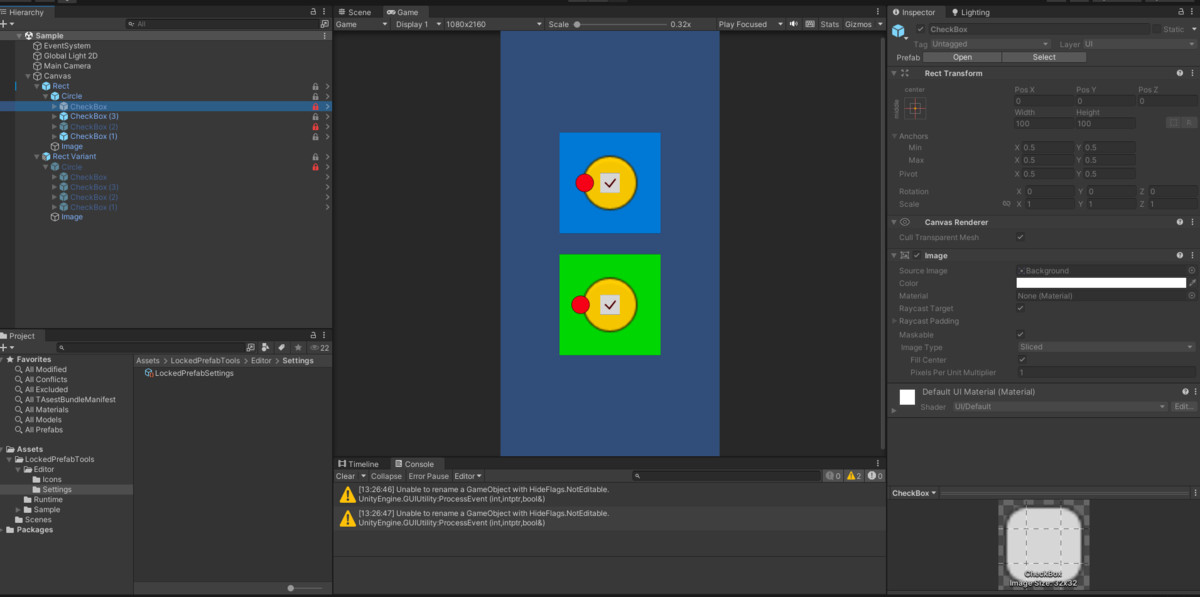
Locked Prefab Tools screenshot 1
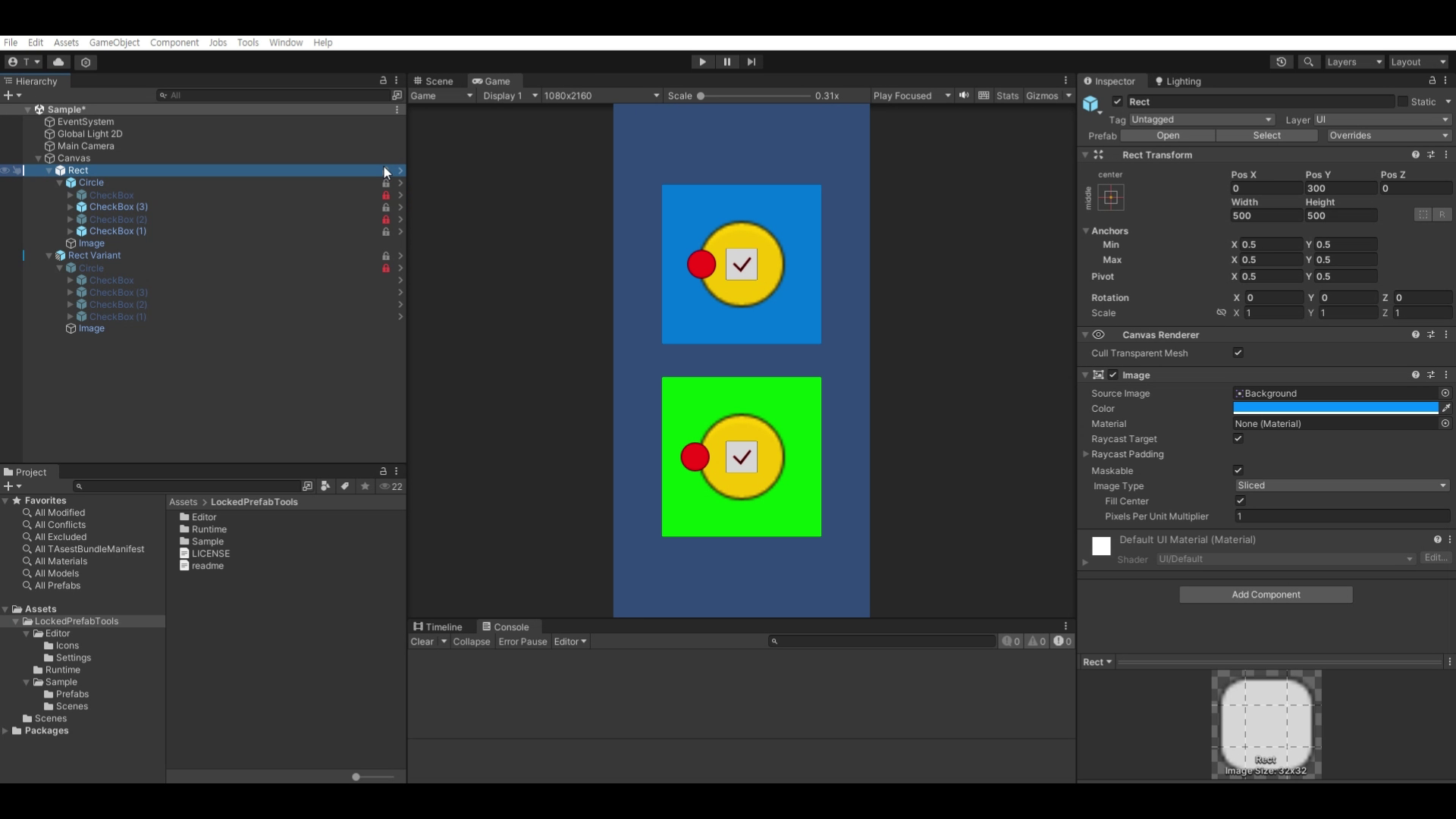
About this asset
Simple Prefab Lock System for Unity Editor (Unity 2019+)
LockedPrefabTools is a lightweight editor utility that prevents accidental modifications to Prefab Instances in the Unity Editor. With a single click in the Hierarchy, you can lock or unlock an entire prefab instance.
This tool is especially useful for UI layouts, level prefabs, and any shared prefab structure frequently touched by multiple team members—helping prevent the all-too-common “Who broke the prefab again?” situations.
✅ Supported Unity Versions: Unity 2019.4 or later
From the publisher's Asset Store listing.
Technical details
⭐ Key Features
✔ Lock / Unlock Icon in the Hierarchy
- Displays a Lock / Unlock icon next to Prefab Instance Root GameObjects.
- Clicking the icon toggles the lock state immediately.
- Icon texture and color change based on the current lock state.
✔ Lock the Entire Prefab Instance Hierarchy (Root + Children)
When locked, every GameObject in the prefab instance is set to HideFlags.NotEditable, preventing:
- Moving / deleting objects in the Hierarchy
- Modifying components in the Inspector
- Changing child object structure
This enforces the intention: “Do not modify this prefab” at the editor level.
✔ Automatic Lock Inheritance From Parent Prefabs
- If any parent transform has an active LockedPrefabInstance, children are automatically treated as locked and do not display a separate icon.
- Locking the parent protects the entire nested hierarchy.
✔ Automatic Settings Asset (ScriptableObject)
- When the asset is imported, a Settings ScriptableObject is created automatically.
- Access via: Tools → Locked Prefab Tools → Settings
- You can customize:Lock / Unlock icon textures
Icon colors
You can easily replace the icon style to match your project theme.
✔ Editor-Only — No Runtime Impact
- Works only inside the Unity Editor.
- Does not affect builds, performance, or runtime behavior.
🛠 Installation & Usage
1. Installation
- Import the asset into your project under Assets/LockedPrefabTools/.
- Unity automatically generates LockedPrefabSettings.asset.
- Access the settings: Tools → Locked Prefab Tools → Settings
2. How to Use
- Select a Prefab Instance Root placed in the scene.
- In the Hierarchy, a lock icon appears on the right side of the item.
- Click the icon:
Unlocked → Locked Adds or enables the LockedPrefabInstance component and locks the entire hierarchy.Locked → Unlocked Disables the component and unlocks the hierarchy.
Compatibility
| Unity version | Built-in | URP | HDRP | Custom |
|---|---|---|---|---|
| 2021.3.45f2 | Compatible | Compatible | Compatible | Compatible |
As listed on the Asset Store.