
 View on Asset Store (opens in new tab)
Package details
- Latest version
- 1.0.0
- Last updated
- First released
- Unity version
- 2022.3.62 or later
- Package size
- 1.6 MB
- Files
- 11
- Favorites
- 3
- Views in the past week
- 4
Price tracking
- Last checked
- Tracked since
- Lowest recorded
- $9.99 on
Keywords

BuildOptimizerPro
Optimize your builds instantly. Build Optimizer Pro scans your project for large textures, audio issues, physics errors, and coding hazards. Features one-click fixes and dual-mode analysis.
Affiliate link · Purchases support this site
Price history
Last 6 months
USDAsset preview
1 / 3
BuildOptimizerPro screenshot 1
About this asset
Build Optimizer Pro is your automated Quality Assurance partner inside Unity.
Are you struggling with large build sizes or performance drops? Stop checking files manually. Build Optimizer Pro scans your project to identify common performance bottlenecks and helps you fix them with a single click.
Features a robust Dual-Mode system:
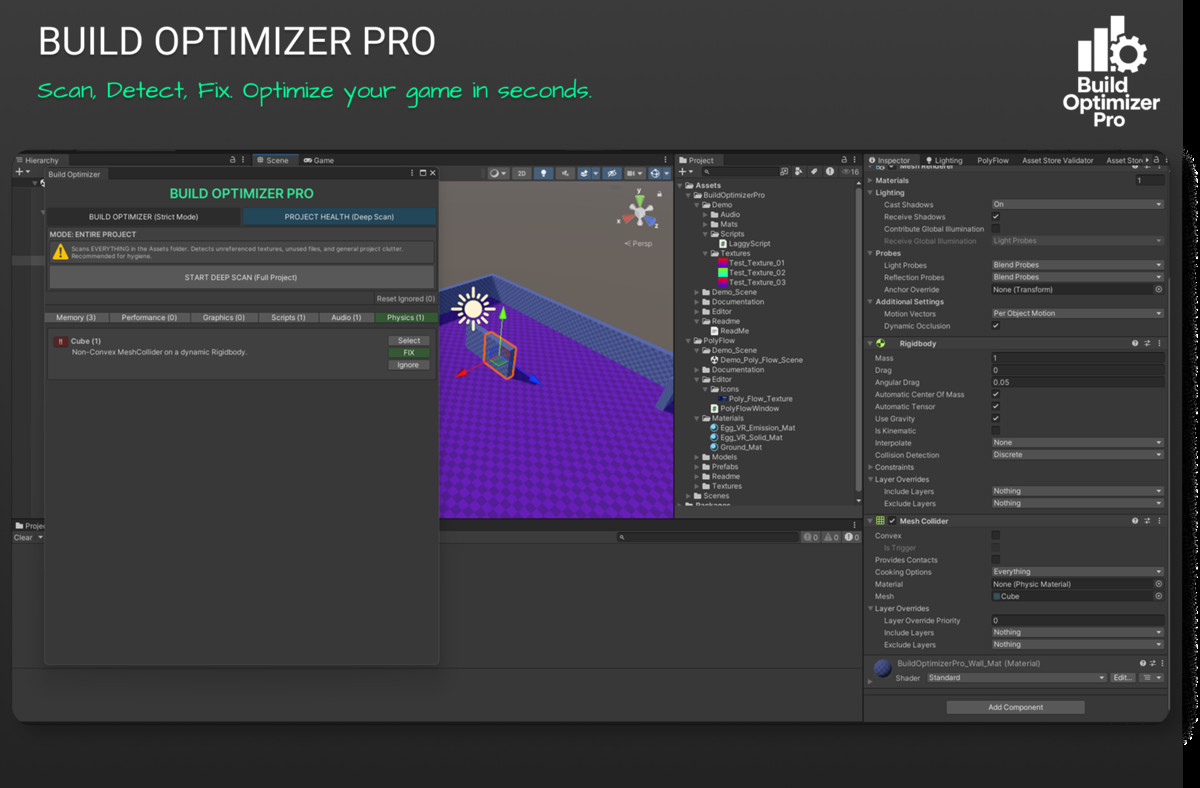
1. Build Optimizer (Strict Mode): Scans ONLY the assets included in your build settings. Perfect for final optimization before release.
2. Project Health (Deep Scan): Scans your entire Assets folder to find unused heavy files, unoptimized textures, and project clutter.
✨ CORE FEATURES:
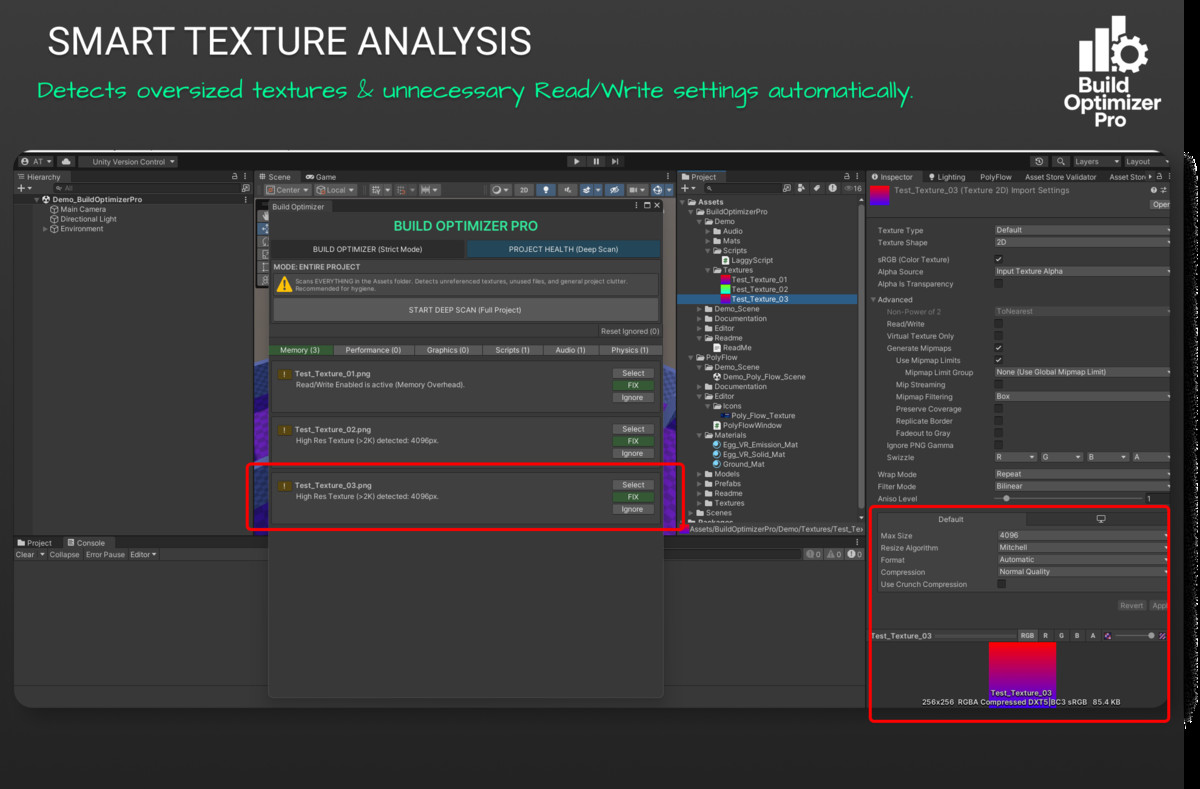
• Smart Texture Analysis: Automatically detects textures larger than 2048px or those with unnecessary "Read/Write" enabled.
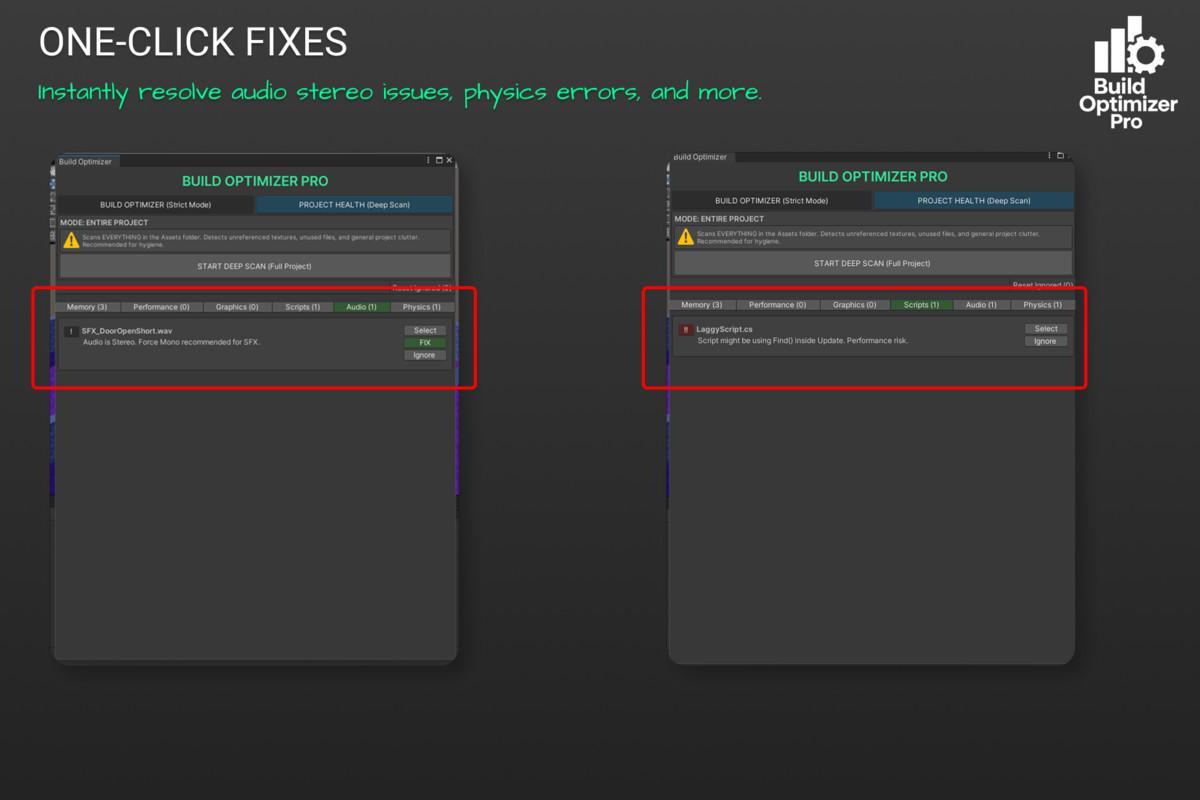
• Audio Optimization: Identifies stereo sound effects that should be forced to Mono to save memory.
• Physics Validator: Finds dangerous Non-Convex Mesh Colliders on dynamic Rigidbodies that cause physics errors.
• Code Safety: Scans scripts for performance killers like "GameObject.Find" inside Update loops.
• One-Click Fixes: Fix issues instantly directly from the dashboard.
• Safe Revert: Made a mistake? Revert fixes instantly.
• Ignore System: Mark specific assets to be ignored in future scans.
📂 INCLUDES:
- Complete Source Code (Namespaced).
- Demo Scene with example issues to test the tool.
- PDF Documentation.
Perfect for Mobile, VR, and Desktop projects where performance matters.
From the publisher's Asset Store listing.
Technical details
- Type: Editor Window Tool
- Compatibility: Unity 2020.3 and higher
- Render Pipeline: Built-in, URP, and HDRP compatible
- Scripting Backend: Mono & IL2CPP supported
Key Capabilities:
- Texture Import Settings Scanner
- Audio Import Settings Scanner
- Mesh Collider Validation
- Script Performance Analysis (Regex based)
- Persistent "Ignore List" using EditorPrefs
- Auto-Fix and Revert functionality
Compatibility
| Unity version | Built-in | URP | HDRP |
|---|---|---|---|
| 2022.3.62f3 | Compatible | Compatible | Compatible |
As listed on the Asset Store.