
 View on Asset Store (opens in new tab)
Package details
- Latest version
- 1.0
- Last updated
- First released
- Unity version
- 2021.3.19 or later
- Package size
- 167 KB
- Files
- 7
- Favorites
- 1
- Views in the past week
- 11
Price tracking
- Last checked
- Tracked since
- Lowest recorded
- $7.50 on
Keywords

PolyBrush & Scene Decor, Prefab Brush Tool
Accelerate your workflow with PolyBrush! Paint prefabs directly onto scenes with grid snapping, randomization, surface alignment, and physics-based dropping for natural object placement.
Affiliate link · Purchases support this site
Price history
Last 6 months
USDAsset preview
1 / 4

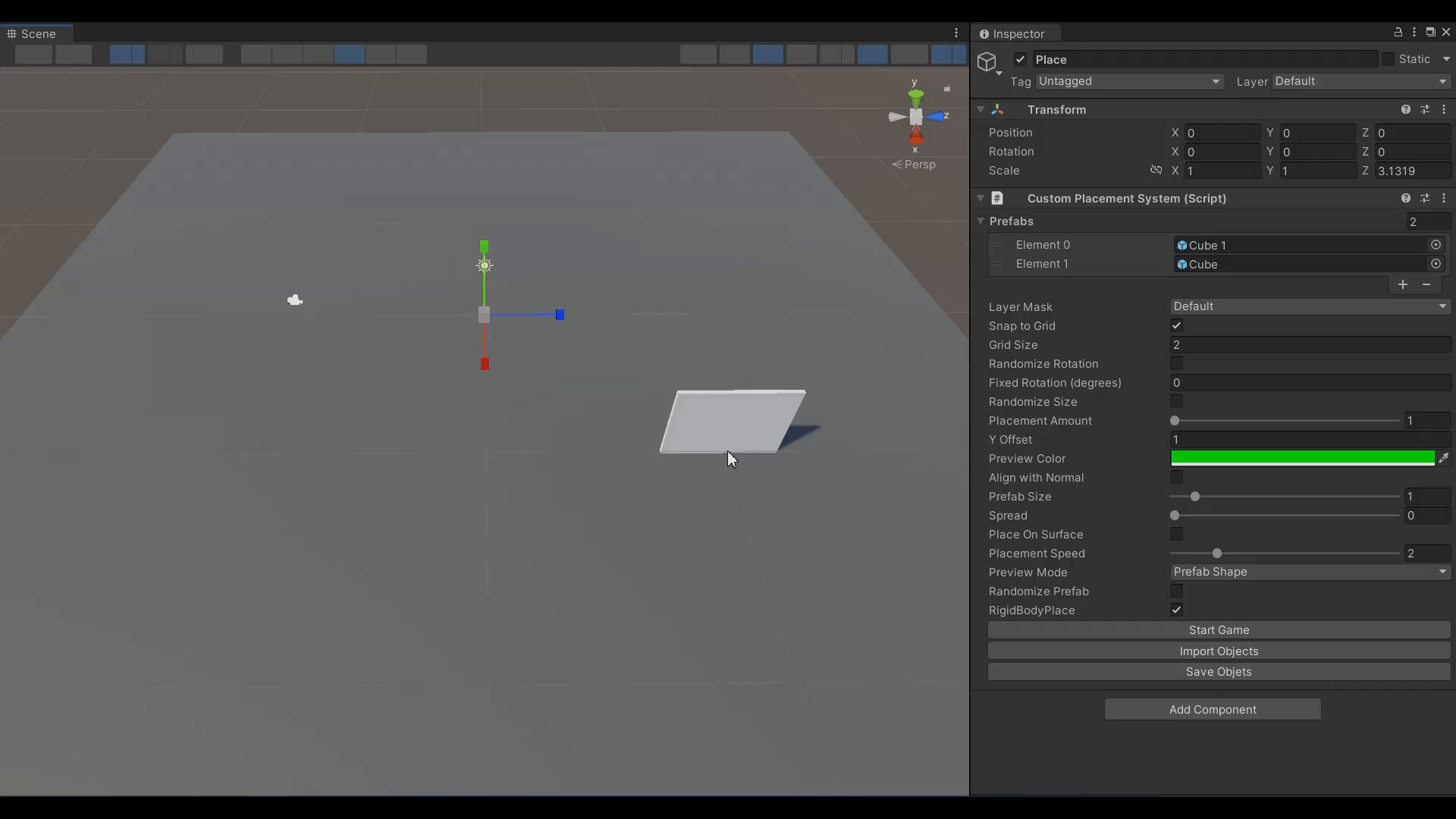
PolyBrush & Scene Decor, Prefab Brush Tool screenshot 1


About this asset
🎨 PolyBrush & Scene Decor: Stop dragging prefabs one by one. Start painting your world.
PolyBrush & Scene Decor is a lightweight yet powerful editor extension designed to speed up level design in Unity. Whether you are building precise architectural layouts or scattering organic nature assets, this tool gives you complete control over how objects are placed in your scene.
✨ Key Features
🖌️ Intuitive Brush System
- Paint & Scatter: Place single objects or scatter multiple instances with a customizable brush radius.
- Prefab Palette: Quickly switch between objects using number keys (1-9) or cycle through them with arrow keys.
- Eraser Mode: Hold Shift to instantly remove placed objects.
📐 Precision & Alignment
- Grid Snapping: Perfect for modular kits and dungeon building. Snap positions to your defined grid size.
- Surface Alignment: Automatically rotate objects to match the normal of the terrain or surface beneath them.
- Smart Offsets: Adjust Y-offset or use "Place On Surface" to calculate mesh bounds and prevent objects from clipping into the ground.
🎲 Natural Randomization
- Variation: Automatically randomize Rotation (Y-axis) and Scale (Min/Max) for every placed object to break repetition.
- Randomize Prefabs: Let the brush pick a random prefab from your list for every click to create diverse environments instantly.
⚛️ Physics-Based Placement
- Simulate & Settle: Don't waste time manually adjusting pile of rocks or debris. Use the RigidBody Mode to spawn objects, let them fall and settle with Unity's physics engine, and then Save their positions back to the editor.
🎮 Workflow Hotkeys
- Left Click: Paint
- Shift + Click: Erase
- R: Rotate Brush Preview
- 1-9: Select Prefab
- Arrows: Cycle Prefabs
Build faster, smarter, and more naturally with PolyBrush & Scene Decor.
From the publisher's Asset Store listing.
Compatibility
| Unity version | Built-in | URP | HDRP | Custom |
|---|---|---|---|---|
| 2021.3.19f1 | Compatible | Compatible | Compatible | Compatible |
As listed on the Asset Store.