
 View on Asset Store (opens in new tab)
Package details
- Latest version
- 1.0
- Last updated
- First released
- Unity version
- 6000.2.5 or later
- Package size
- 512 KB
- Files
- 4
- Favorites
- 6
- Views in the past week
- 4
Price tracking
- Last checked
- Tracked since
- Lowest recorded
- $7.50 on
Keywords

UI Thumbnails
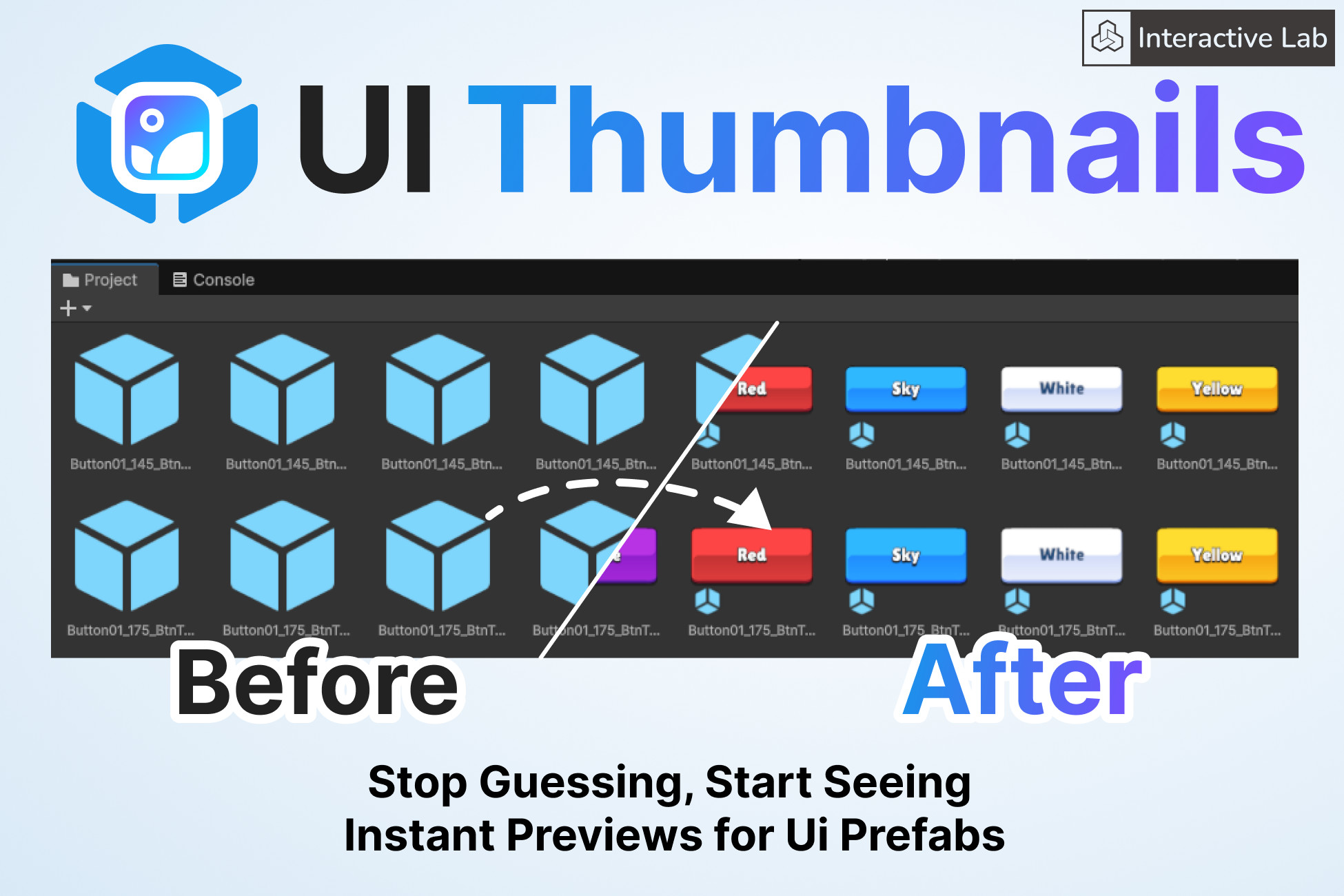
Replaces standard Prefab icons with real-time snapshots of your UI elements, allowing you to find the exact asset you need at a single glance without interrupting your workflow.
Affiliate link · Purchases support this site
Price history
Last 6 months
USDAsset preview
1 / 2
UI Thumbnails screenshot 1
About this asset
👋 Say Goodbye to Generic Blue Cubes!
Are you tired of searching through dozens of identical default Prefab icons just to find one specific button or popup?
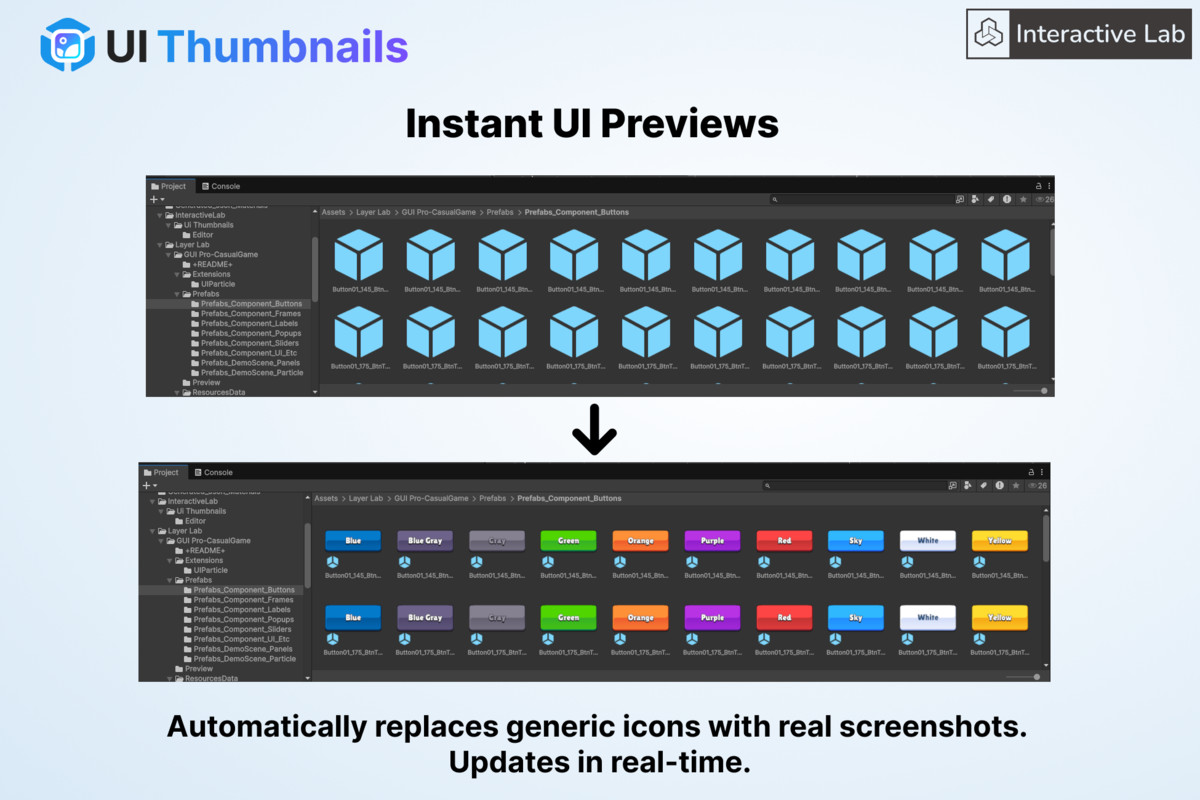
UI Thumbnails creates a visual workflow for your User Interface assets. It automatically generates high-quality preview images for your UI Prefabs directly in the Project View, allowing you to identify your assets at a single glance.
✨ Key Features
- 👁️ Instant Visual Identification See exactly what your UI looks like without opening the Prefab or adding it to the scene. Distinguish between different button styles, panels, and icons instantly.
- ⚡ Fully Automatic Just work as usual. When you create, save, or modify a UI Prefab, the icon is updated automatically in the background. No manual clicks required.
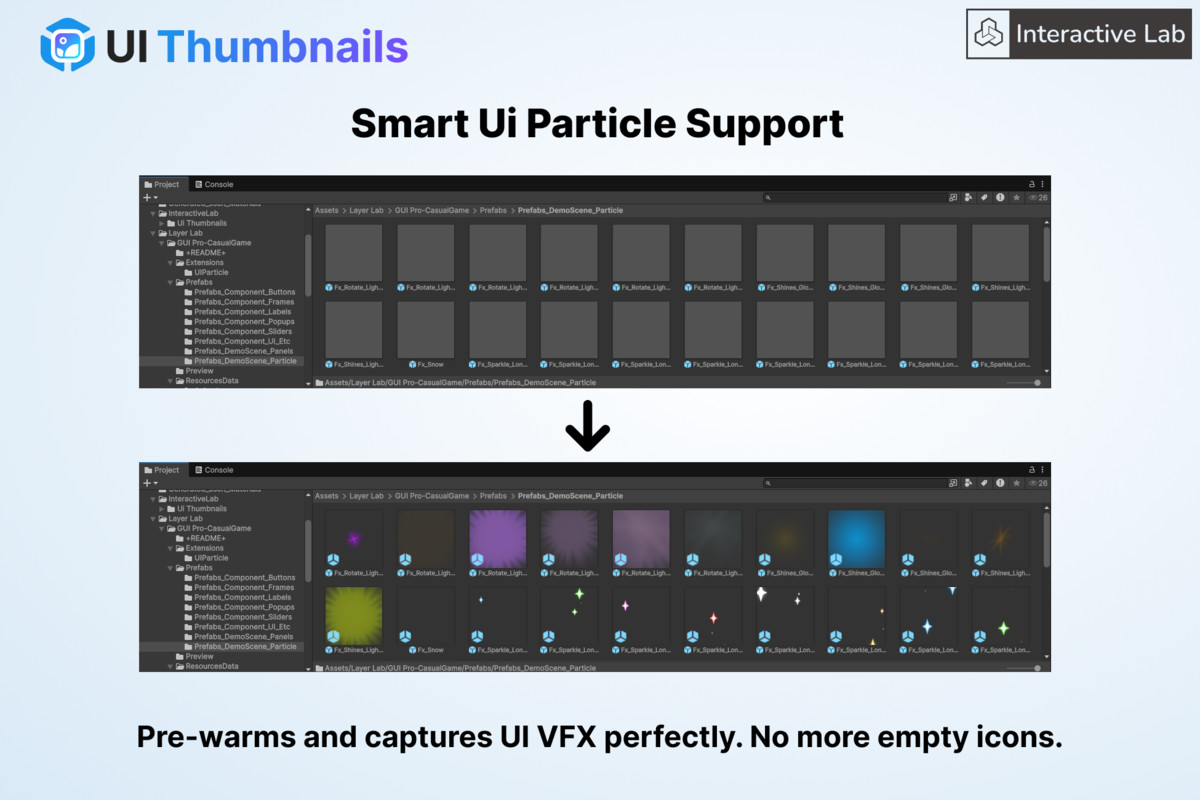
- ✨ Particle System Support UI Thumbnails simulates particle systems before capturing, ensuring your VFX, sparkles, and glowing UI elements are fully visible.
- 🛡️ Zero Project Clutter (VCS Friendly) We know how important a clean project is.
- Thumbnails are stored in Unity’s local Library cache.
- No extra image files are added to your Assets folder.
- No conflict with Git, SVN, or PlasticSCM.
- Each team member generates their own local cache automatically.
- 🚀 Optimized Performance Generation happens during Editor idle times to ensure your workflow remains smooth and uninterrupted.
🛠️ How It Works
- Import the asset.
- Enjoy!
From the publisher's Asset Store listing.
Technical details
Technical Requirements
- Root RectTransform Required: To be identified as a UI element, your Prefab must have a RectTransform component on its Root object. Prefabs with a standard Transform at the root (even if they have UI children) are ignored to preserve your 3D asset icons.
Documentation
https://docs.google.com/document/d/1IrKl_uRSEIMPkgBJwZX2zJj0NWs3G4uV0lMZ0hxCAhs
Compatibility
| Unity version | Built-in | URP | HDRP | Custom |
|---|---|---|---|---|
| 6000.2.5f1 | Compatible | Compatible | Compatible | Compatible |
As listed on the Asset Store.