
 View on Asset Store (opens in new tab)
Package details
- Latest version
- 4.9.0
- Last updated
- First released
- Unity version
- 2022.3.62 or later
- Package size
- 34.4 MB
- Files
- 705
- Favorites
- 316
- Views in the past week
- 252
Price tracking
- Last checked
- Tracked since
- Lowest recorded
- $29.50 on
Keywords

Asset Inventory 4 - Find Every Asset in Your Library
Find assets inside everything you ever purchased without importing and bring single files in with just a click. Your asset workflow on steroids: a lightning-fast search for assets from all sources.
Affiliate link · Purchases support this site
Price history
Last 6 months
USDAsset preview
1 / 23

Asset Inventory 4 - Find Every Asset in Your Library screenshot 1








About this asset
UNITY AWARDS 2024 BEST DEVELOPMENT TOOL RUNNER-UP / NOMINEE
Put your Unity asset workflow on steroids and say goodbye to the Package Manager as you know it. Asset Inventory is your ultimate asset companion: a lightning-fast, project-wide and library-wide search engine for the assets you already own, downloaded, backed up, created, or collected.
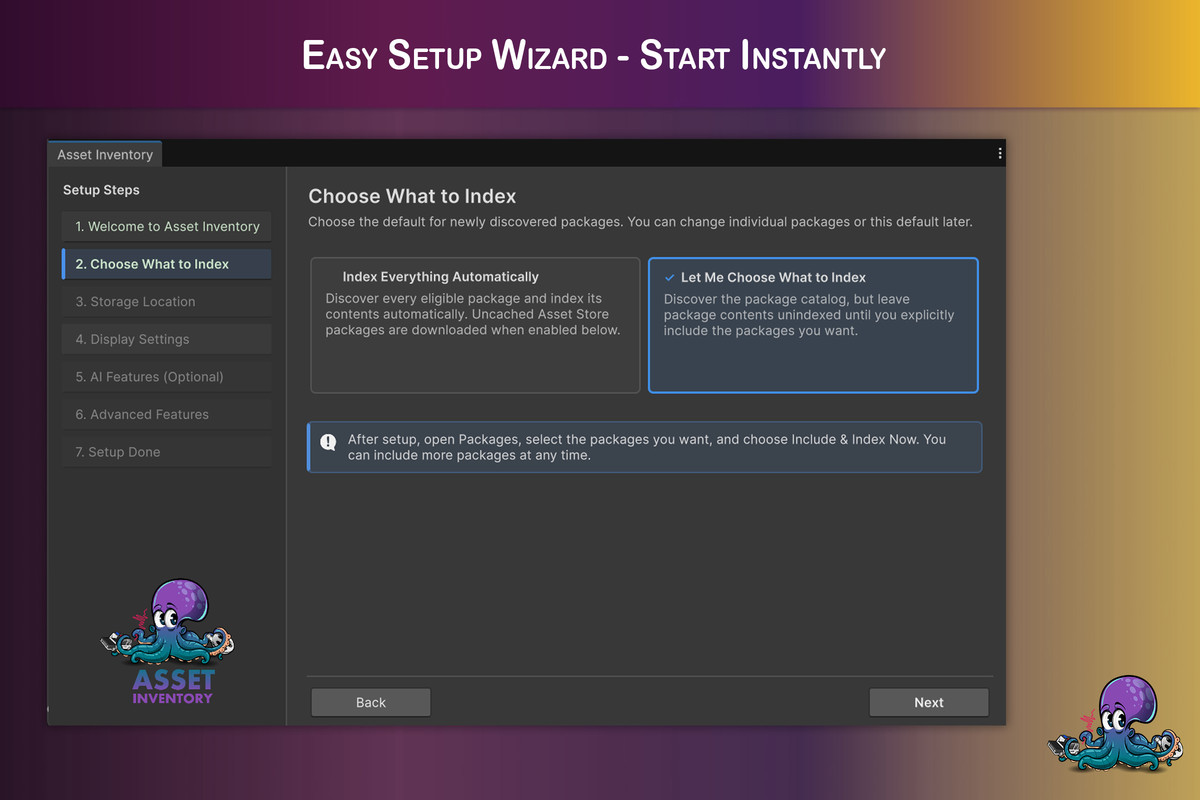
Find content inside Asset Store purchases, registry packages, Unity Cloud Asset Manager projects, local folders, media libraries, zip/rar/7z archives, and custom Unity packages without importing everything first. Bring in only the file you need, with dependencies, previews, tags, metadata, and cleanup tools built around real production workflows.
Asset Inventory turns your asset library into a searchable, previewable, AI-enhanced database.
Web & Documentation | Discord | Forum | Roadmap
➤ Powerful Search
Browse and find anything inside your purchased assets before importing. Search by file name, path, package, publisher, category, tags, asset type, image dimensions, audio/video length, file size, vertex count, render pipeline compatibility, price, colors, preview state and more. Use exact phrase search, exclusions, saved searches, package searches, workspaces and expert SQL search when you need full control.
➤ Beautiful Previews
Generate high-quality previews for prefabs, models, FBX animations, UI, VFX, particles, fonts, videos, materials, textures and more. Animated previews play directly in search results and can also appear inside Unity’s Project window after import. The custom preview pipeline is designed to solve Unity’s limited 128x128 default previews, poor SRP lighting, missing animation previews and unsupported asset types.
➤ AI-Enhanced Discovery
Use AI captions to find assets that have bad, generic or misleading file names. A model named “Car_11” can become searchable as an ambulance, police car, sports car, or whatever the preview actually shows. Supports local AI workflows including Ollama and LM Studio, configurable prompts, variables, batching, cancellation and timeout handling.
➤ Unity MCP / AI Tool Integration
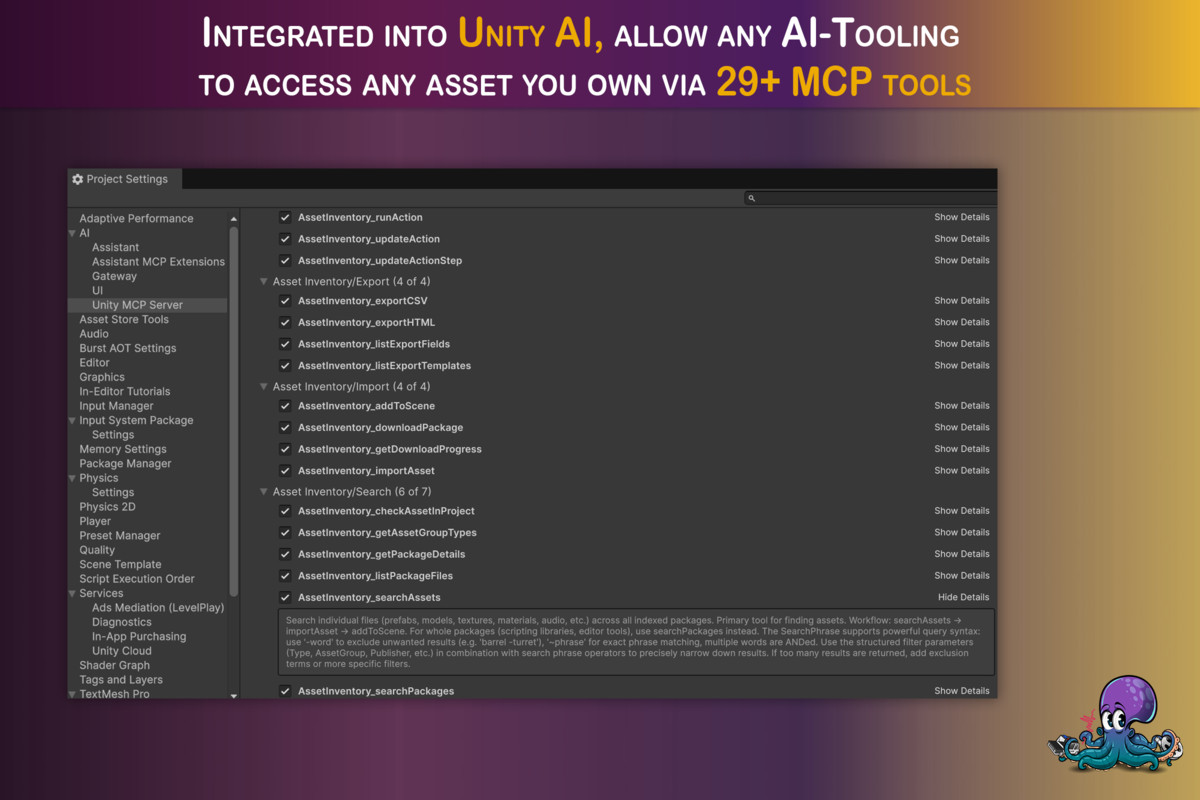
Asset Inventory can expose custom Unity MCP tools so AI assistants can search your library, inspect packages, download missing assets, import individual files, tag content, run custom actions and export data. Prototype scenes faster by letting AI work with the assets you already own instead of only the assets already imported into the current project.
➤ Current Project Mode
Search your current Unity project with the same familiar Asset Inventory tools, without indexing it first. Filter to current-project assets only or merge them with your full library. See where assets are used, identify package origins, remove individual imported files with dependencies, and clean up projects more confidently.
➤ Intelligent Import & Export
Import only what you need instead of an entire package. Asset Inventory determines dependencies for prefabs, materials, scripts, FBX files and scenes, including extended script and asmdef analysis. Bulk import packages, place models and audio by dragging directly into the Scene or Hierarchy, keep imports in a custom sub-folder, export files for reuse, generate CSV/HTML/template exports, and support SRP packages with automatic URP conversion.
➤ Many Sources
Automatically index Asset Store purchases, Unity registry packages, Unity Cloud Asset Manager assets, the local Unity asset cache, package cache, Unity projects, custom folders, dev packages, media libraries, zip/rar/7z archives and packages from other stores or bundles. Missing Asset Store packages can be downloaded on demand.
➤ Organize Everything
Import Asset Store labels automatically, create hierarchical tags, tag packages or individual files, assign colors, add custom metadata fields, hide irrelevant files/folders/extensions, group by publisher/category/state/tags, edit package data, attach custom preview images, and perform bulk operations across thousands of assets.
➤ Package Management & Updates
Handle Asset Store packages and Unity registry packages in one holistic UI. See updates, compatibility, installed state, deprecated/disabled packages, duplicates, download state, custom registry packages, sub-packages and backup status. Add, update or remove registry packages and uninstall imported package content selectively.
➤ Backup, Reporting & Maintenance
Back up Asset Store packages automatically so you still have access if a package is deprecated or removed. Back up the Asset Inventory database and configuration, scan for soon-to-be unavailable packages, export license/package data, detect orphaned content, inspect used and unidentified files, and maintain large libraries with dedicated validation and cleanup tools.
➤ Fast, Scalable, Cross-Platform
Works out of the box with SQLite and can optionally use MySQL/MariaDB for shared professional setups. Indexing, downloads, backups, dependency analysis and previews are designed to run in the background where possible. Works on Windows, macOS and Linux. Supports Unity 2021.3 and higher, with newer Unity integrations available where supported.
➤ Constant Updates & Support
Asset Inventory is actively maintained with regular feature updates, performance improvements and workflow polish. Join the Discord community to discuss ideas, get support, and help shape future improvements.
You might also want to check my whole asset catalog:
Asset Inventory - Your Asset Workflow on Steroids
Audio Tools - Easily Cut/Trim/Normalize Right Inside Unity (free)
Chart Guru - Swift Charts in Unity
LED Studio - Realistic LED Walls in Minutes
Mock Magic - Quick Test & Fake Data Creation (free)
Text Studio - Text Animations on Steroids
Text Studio 3D - Professional-Grade 3D Text
From the publisher's Asset Store listing.
Technical details
- Search index powered by SQLite
- You will need a good amount of hard disk space during the indexing process and for storing preview images & cache (100Gb+ recommended)
- Use database simultaneously from multiple projects, even at the same time
- Asset Store and custom locations
- Incremental indexing: start, stop and resume at any time
- Hassle-free process
- Easy one-window solution
- Configurable result size and quick paging
- Editor tooling, no runtime API
- Third-party ready with ready-made search windows and texture heuristics via editor API
- Full source-code included
Limitations
- Dependencies can only be calculated in packages that use text/yaml serialization. A few legacy packages still use binary serialization. These packages also work to a big extend, but not if prefabs reference scripts.
- Importing scripts is experimental and can produce console errors if the script requires other scripts to run.
Used Third-Party
- SQLite - Public Domain
- SQLite-Net - MIT license
- EditorAudioUtils - MIT license
- Package2Folder - MPL2 license
- SharpCompress - MIT license
- LibGit2Sharp - MIT license
- Scriban - BSD-2-Clause license
- ImageSharp - Apache 2 license
- MySQLConnector - MIT license
Compatibility
| Unity version | Built-in | URP | HDRP | Custom |
|---|---|---|---|---|
| 2022.3.62f3 | Compatible | Compatible | Compatible | Compatible |
This asset compatible to Unity from 2022.3 and tested with all minor versions up until 6.7. Tested on Windows/Mac/Linux.
Some features require newer Unity versions and will be unavailable in older versions. See complete feature matrix in the documentation (Unity compatibility section).
As listed on the Asset Store.