
 View on Asset Store (opens in new tab)
Package details
- Latest version
- 1.1.4
- Last updated
- First released
- Unity version
- 2022.3.62 or later
- Package size
- 123 KB
- Files
- 58
- Favorites
- 56
- Views in the past week
- 18
Price tracking
- Last checked
- Tracked since
- Lowest recorded
- $9.50 on
Keywords

Easy Effect/UI Viewer
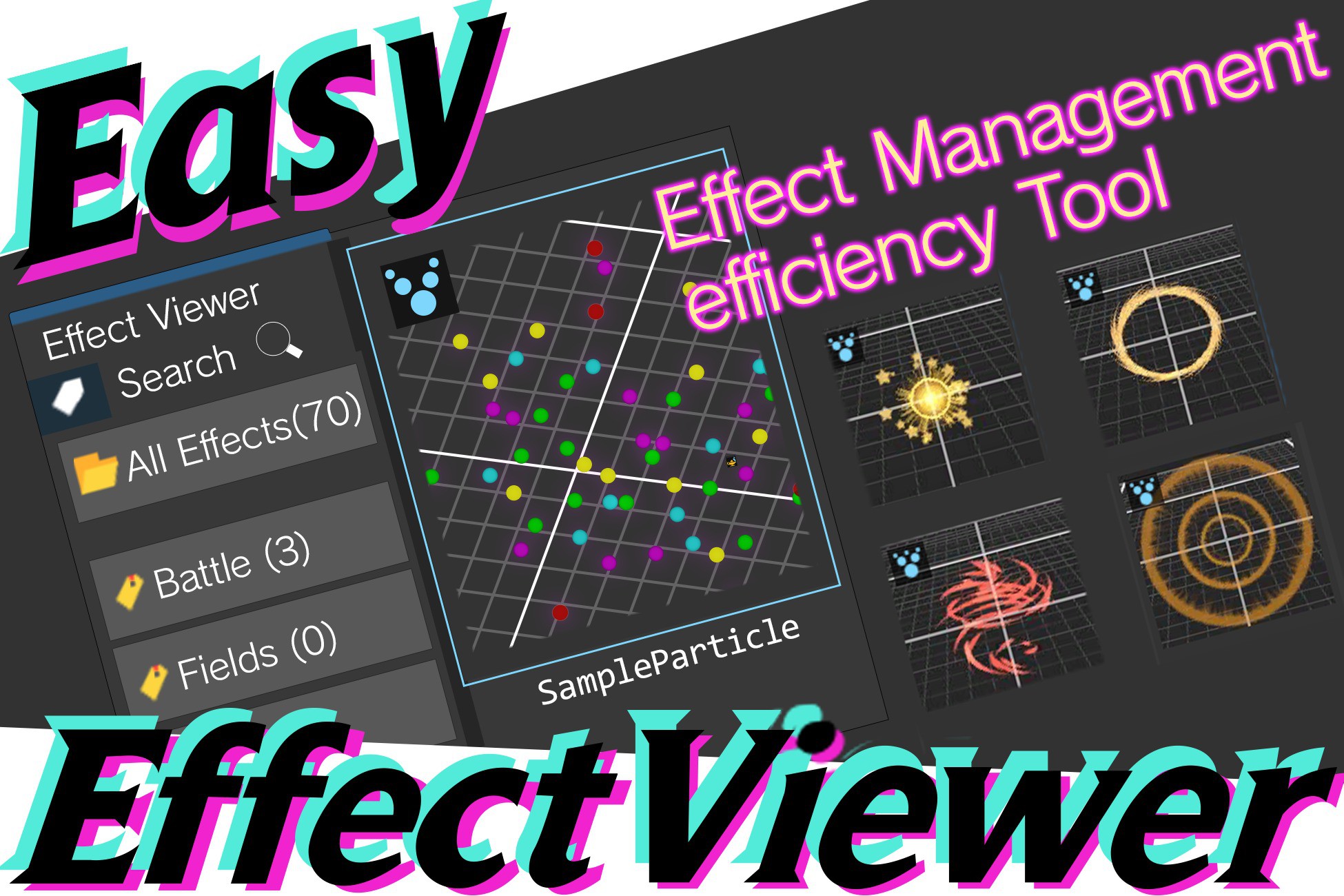
Easy Effect Viewer displays Particle System, VFX Graph, and UI Prefab assets as thumbnails in your Project window. Preview and play effects right in the Inspector — no scene setup needed.
Affiliate link · Purchases support this site
Price history
Last 6 months
USDAsset preview
1 / 6
Easy Effect/UI Viewer screenshot 1

About this asset
Easy Effect Viewer is a tool designed to make effect and UI asset management within your projects smarter.
🔍 Key Features
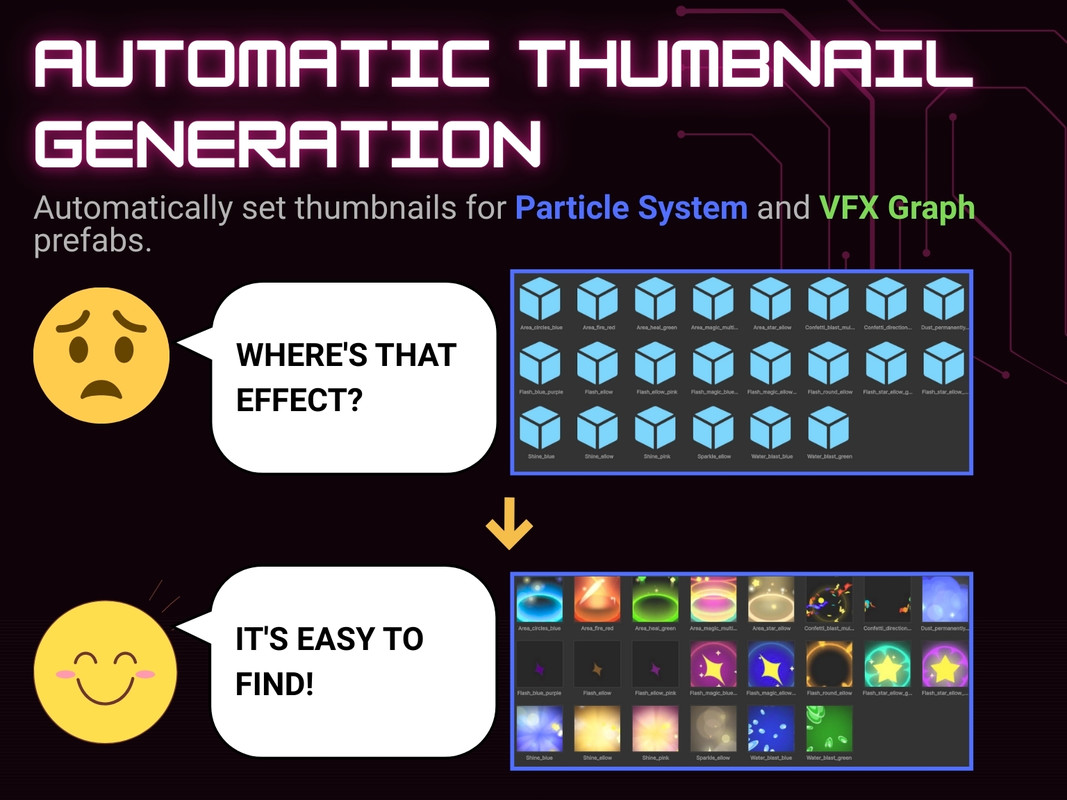
■ Automatic Thumbnail Generation & Listing (ParticleSystem / VFX Graph)
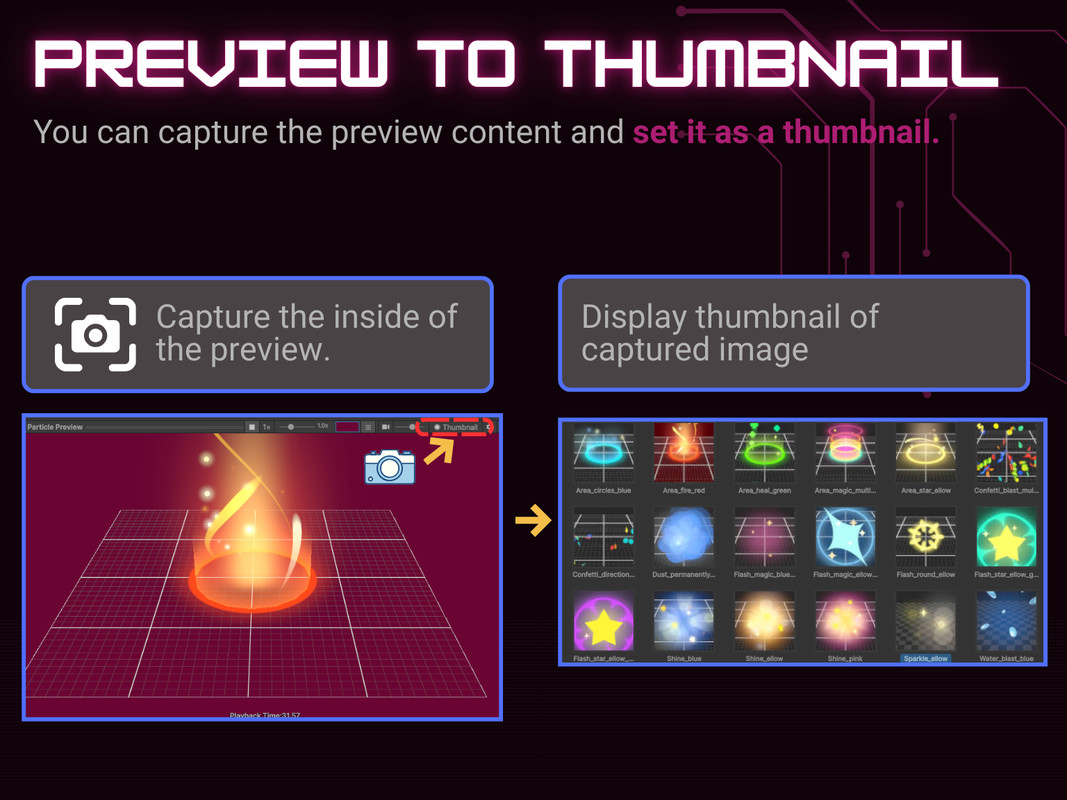
Automatically detects ParticleSystem and VFX Graph assets in your project, captures thumbnails of the effect during playback, and displays them as a list. With thumbnails, you can find the effect you want at a glance — a real boost to development efficiency.
■ UI Prefab Thumbnail Display (New in v1.1.0)
Render your UI Prefabs — buttons, panels, full-screen canvases — as thumbnails directly in the Project window, so you can browse your UI assets visually without opening each prefab.
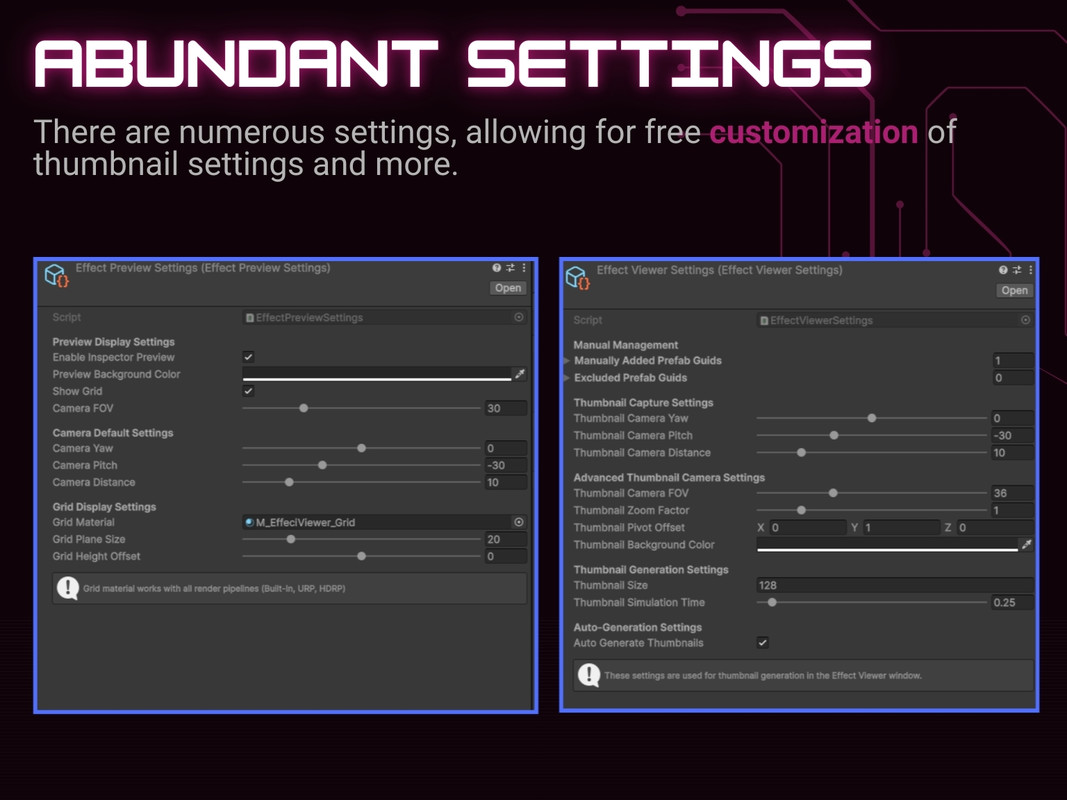
- Automatic generation — thumbnails are generated and refreshed automatically when a UI prefab is imported or modified (toggle on/off in settings).
- Manual generation — right-click any prefab and choose UI Viewer ▸ Generate Thumbnail (or Clear Thumbnail) for on-demand control.
- Batch regeneration — regenerate every UI thumbnail in the project at once from Tools ▸ UIViewer ▸ Regenerate All UI Thumbnails.
- Smart UI detection — any prefab whose root is a RectTransform and that contains a Canvas, Image, Button, Text, or TextMeshPro element is recognized as UI. Full-screen Canvas-root prefabs are captured at higher resolution for crisp previews.
- Live Inspector preview — selecting a UI prefab shows a "UI Preview" tab at the bottom of the Inspector. The preview re-renders automatically when the source prefab changes, and can be refreshed manually with the Update button.
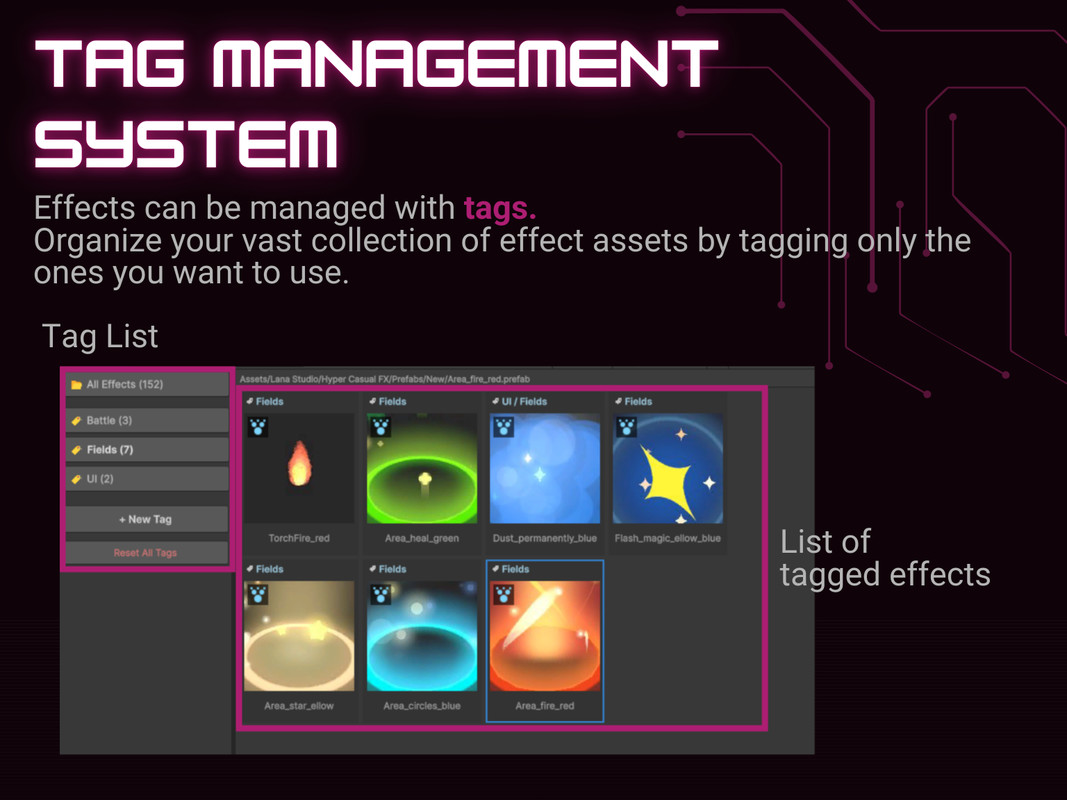
■ Tagging & Filtering
Freely assign tags based on how you use each asset. Classify effects into categories like "Explosion," "Sparkle," or "For UI," then narrow down to exactly what you need with a single click on a tag. Tagging works via drag-and-drop or right-click, keeping the workflow intuitive.
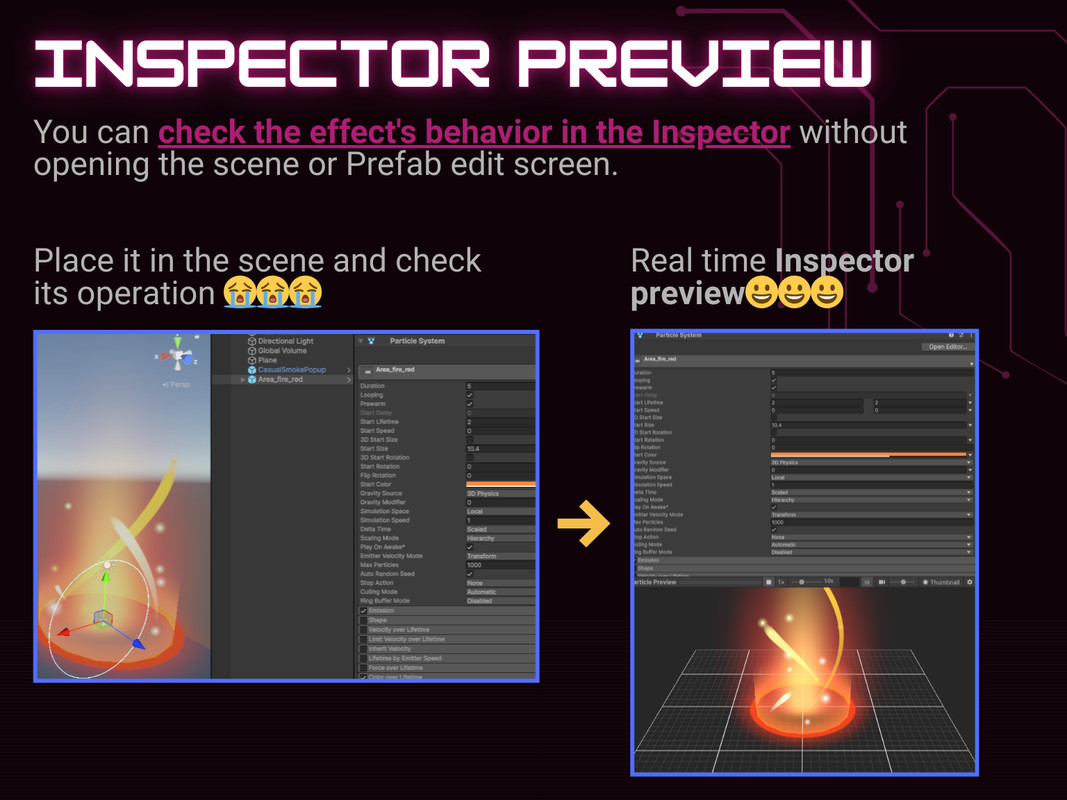
■ Inspector Preview & Playback
When you select a Prefab in the Project window, you can play its effect directly at the bottom of the Inspector — no need to drop it into a scene first. Supports:
- Playback control (play / stop) and adjustable playback speed
- Camera operations: zoom, rotate, and pan
- Capturing the current preview frame and setting it as the asset's thumbnail
This makes verifying effects fast and friction-free.
🎯 Recommended For
- Teams using many imported assets who want to find the right effect quickly in a crowded project.
- Studios who want to organize effects and UI in a shareable way across artists, designers, and engineers.
- Anyone who picks assets by their visual atmosphere — something text search alone can't capture.
🧰 Supported Environments
Supports Built-in, URP, and HDRP.
From the publisher's Asset Store listing.
Technical details
✅ Works on Unity 2022.3.62f1 through Unity 6.
⚠️ May not be compatible with Unity versions earlier than 2022.3.62f1
Compatibility
| Unity version | Built-in | URP | HDRP |
|---|---|---|---|
| 2022.3.62f2 | Compatible | Compatible | Compatible |
As listed on the Asset Store.