
 View on Asset Store (opens in new tab)
Package details
- Latest version
- 1.0
- Last updated
- First released
- Unity version
- 6000.2.6 or later
- Package size
- 44 KB
- Files
- 7
- Favorites
- 4
- Views in the past week
- 2
Price tracking
- Last checked
- Tracked since
- Lowest recorded
- $10.00 on
Keywords

Data Sync Pro
Sync CSV data directly to ScriptableObjects. Features type-safe parsing for Lists/Enums, visual error reporting, and bi-directional export. Zero dependencies.
Affiliate link · Purchases support this site
Price history
Last 6 months
USDAsset preview
1 / 3
Data Sync Pro screenshot 1

About this asset
Game Balancing, Solved.
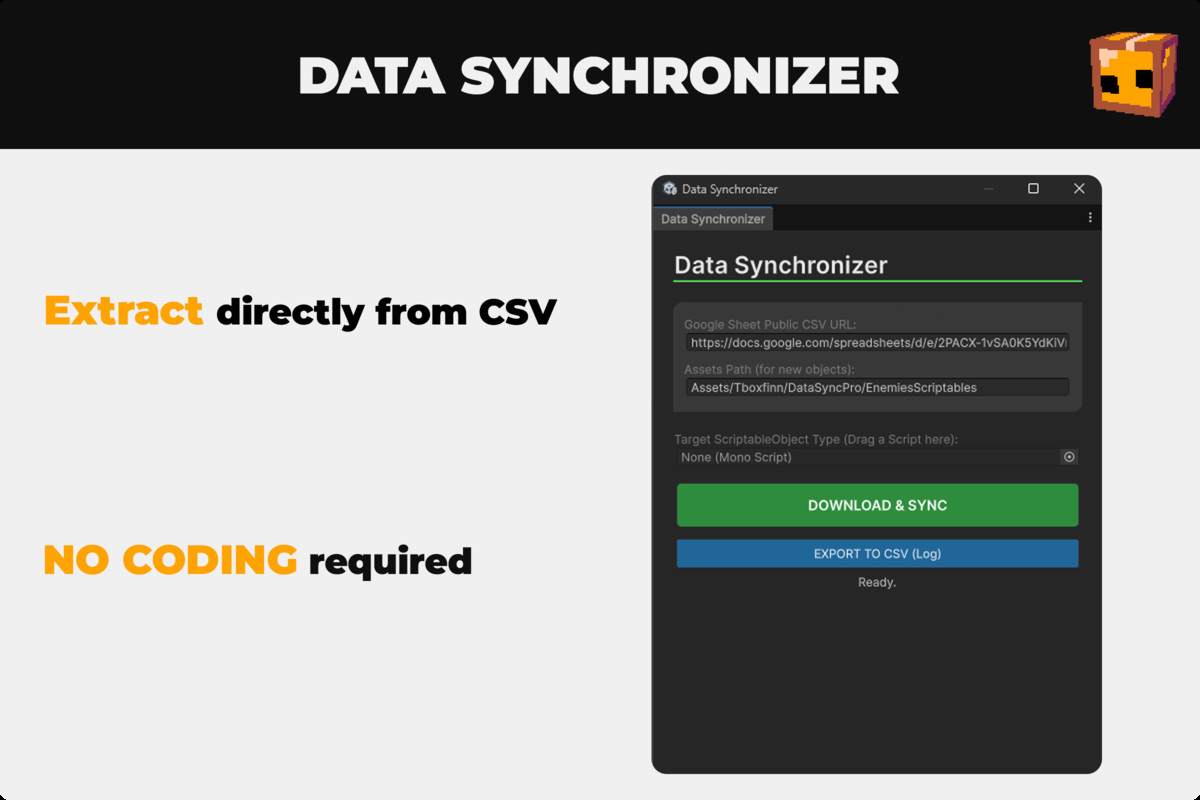
Stop wasting hours manually updating hundreds of ScriptableObjects in the Inspector. DataSyncPro bridges the gap between your spreadsheets and Unity, allowing you to manage game data (stats, items, prices) in Google Sheets and sync them to your project in seconds.
Unlike basic parsers, DataSyncPro is designed for production workflows. It handles complex data types, catches formatting errors before they break your game, and even allows you to export changes made in Unity back to CSV.
✨ KEY FEATURES
🚀 Smart Type-Safe ParsingDon't worry about casting types. The tool automatically detects and converts:
- Primitives: int, float, string, bool.
- Complex Types: Enums (Case insensitive) and Arrays/Lists.
- Culture Invariant: Smart handling of decimal separators (dots vs commas) to prevent regional errors.
🛡️ Visual Error ReportingNever dig through console logs again. If a cell has invalid data (e.g., text in a float field), a dedicated UI Error Panel appears inside the tool, highlighting exactly which Row and Field caused the issue.
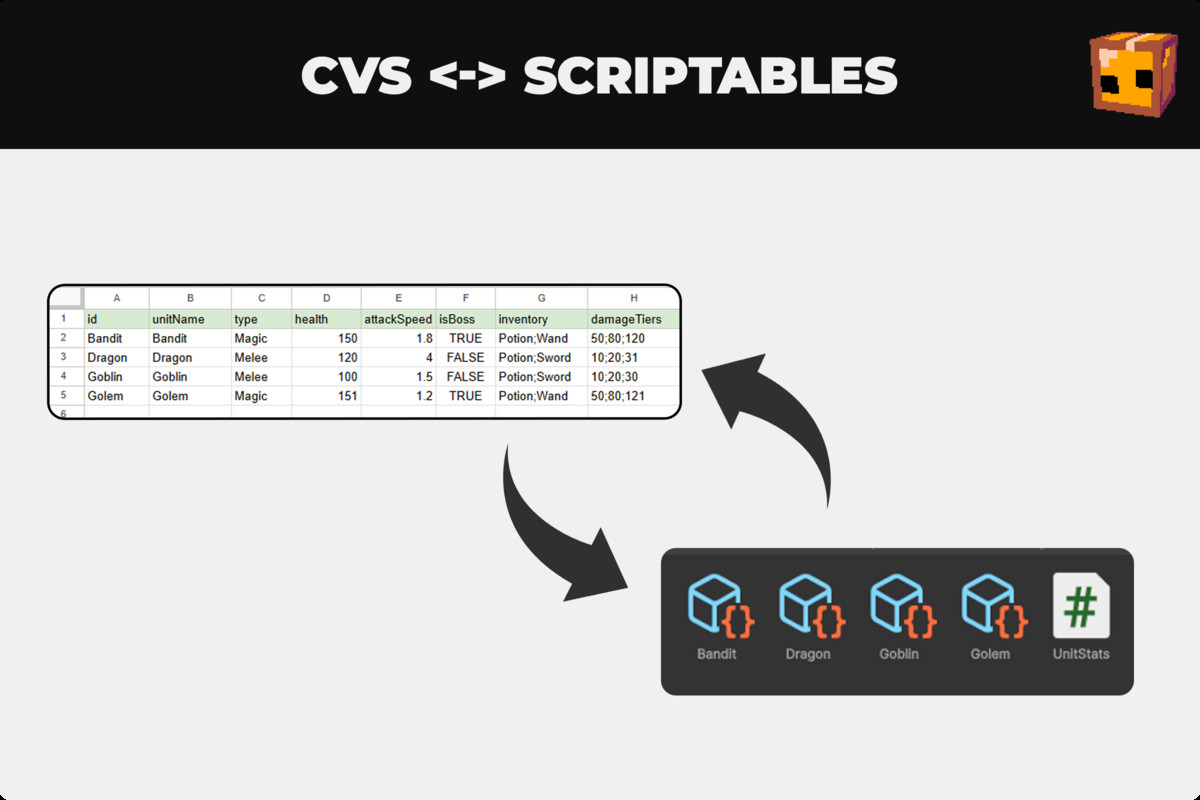
🔄 Bi-Directional Workflow (Round-Trip)Did you tweak values in Play Mode or the Inspector? Use the Export to CSV feature to save your Unity data back to a file, keeping your spreadsheet perfectly in sync.
🎨 Professional UI Toolkit EditorBuilt with Unity's modern UI Toolkit, the editor window is dockable, responsive, and integrates seamlessly with the dark/light editor theme.
🛠️ Zero Dependencies
- No DLLs or external libraries.
- No Google API SDK required (uses direct CSV streams).
- Full Source Code included.
HOW IT WORKS
- Publish your Google Sheet to the web (CSV format).
- Map your ScriptableObject type in the tool.
- Click Sync. DataSyncPro matches headers to variables and populates your assets instantly.
Perfect for RPGs, Card Games, Strategy games, or any project heavily reliant on data.
From the publisher's Asset Store listing.
Technical details
Requirements:
- Requires Unity 2021.3 LTS or higher (UI Toolkit support).
- No external packages required.
Code Architecture:
- Reflection-based Mapping: Automatically matches CSV headers to C# field names.
- Recursive Parsing: Supports Lists of Enums, Arrays of Floats, etc. using semicolon separators (e.g., item1;item2).
- Editor Coroutines: Handles web requests asynchronously without freezing the editor.
Included Files:
- EasyDataSyncEditor.cs: Main editor window logic.
- Documentation (PDF/Text): Complete setup guide and troubleshooting.
Limitations:
- Currently supports public fields in ScriptableObjects.
- Nested classes/structs are not supported in this version (Arrays/Lists of primitives/Enums are fully supported).
Compatibility
| Unity version | Built-in | URP | HDRP | Custom |
|---|---|---|---|---|
| 6000.2.6f2 | Compatible | Compatible | Compatible | Compatible |
As listed on the Asset Store.