
 View on Asset Store (opens in new tab)
Package details
- Latest version
- 1.0
- Last updated
- First released
- Unity version
- 6000.2.7 or later
- Package size
- 4.7 MB
- Files
- 22
- Favorites
- 6
- Views in the past week
- 6
Price tracking
- Last checked
- Tracked since
- Lowest recorded
- $4.99 on
Keywords

Sprite Warp
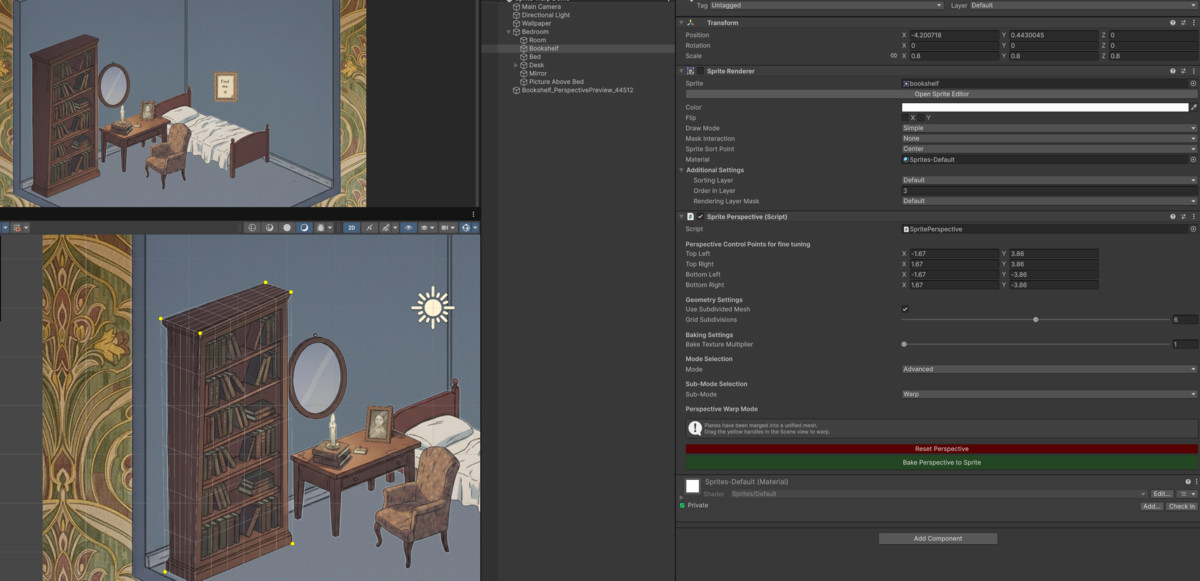
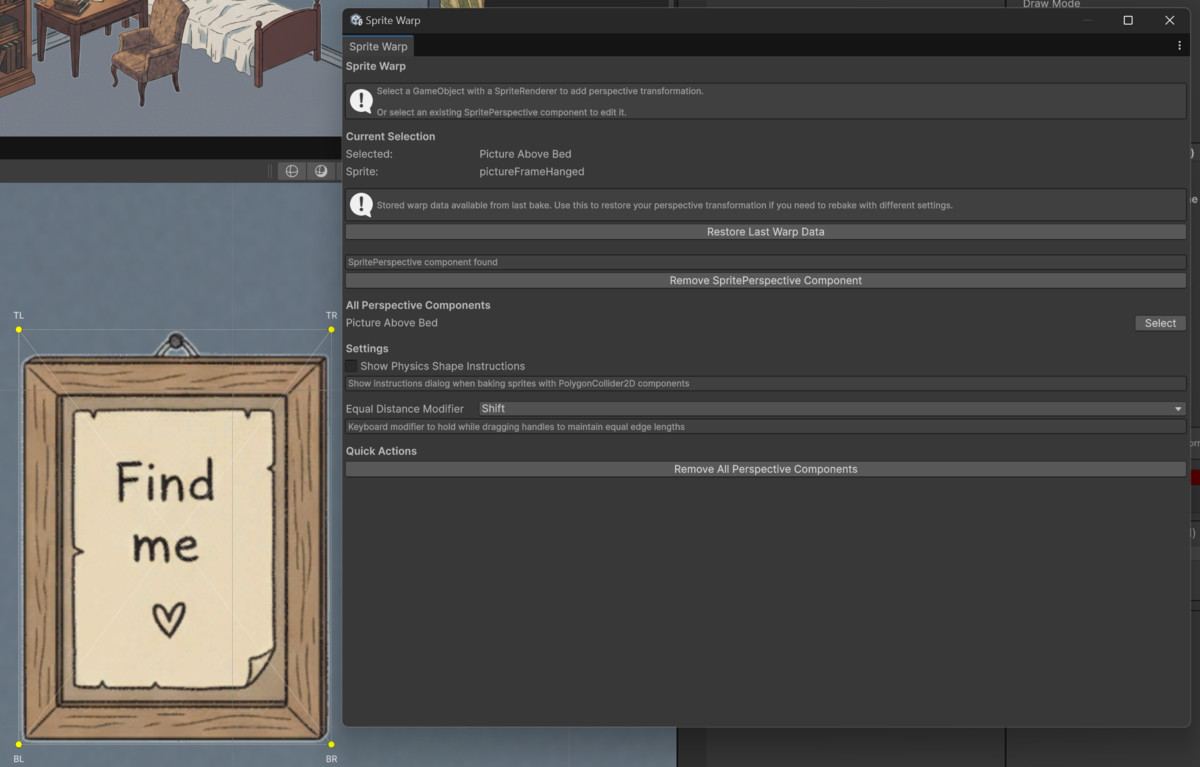
Sprite Warp allows you to warp the perspective of 2D sprites in the Unity Editor, similar to Photoshop's perspective warp tool.
Affiliate link · Purchases support this site
Price history
Last 6 months
USDAsset preview
1 / 5
Sprite Warp screenshot 1

About this asset
- Fast perspective changes with a process that takes less than a minute
- Easy and intuitive to learn and use with documentation and videos available
- No coding required to use 100% of the features
From the publisher's Asset Store listing.
Technical details
Supported Unity Versions
Sprite Warp has been tested to work in 2022.3.62f2 LTS and above on Windows and OSX.
View installation videos for 2022.3.62f2 LTS and 6.3 LTS here
If you encounter an issue in 2022.3.62f2LTS and above, please contact [email protected] before leaving a review and I will help you.
Features
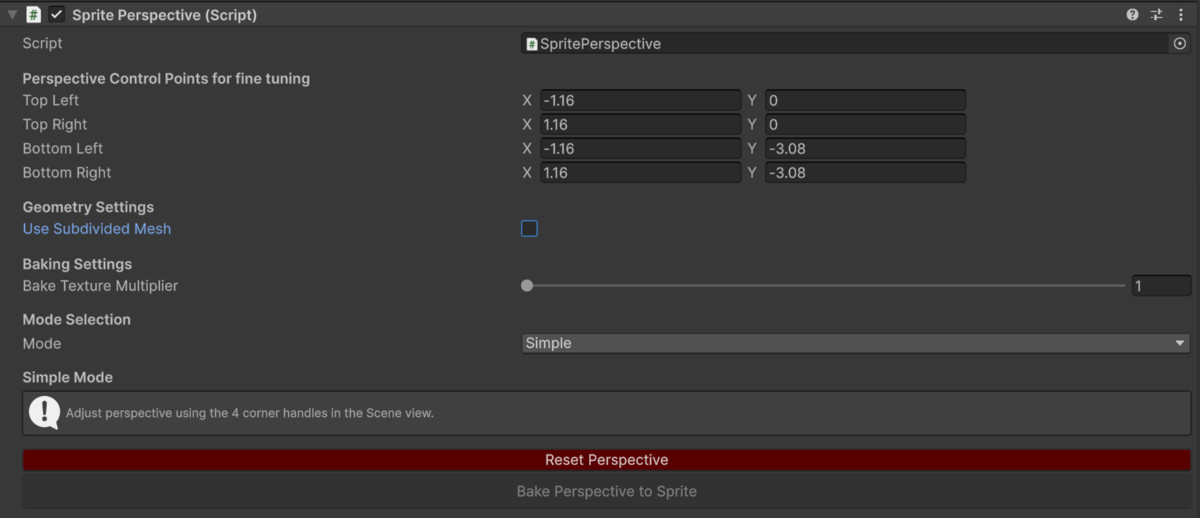
> Simple Mode
Use Simple Mode for quick 1-faced perspective changes with 4 adjustable corner handles
> Advanced Mode
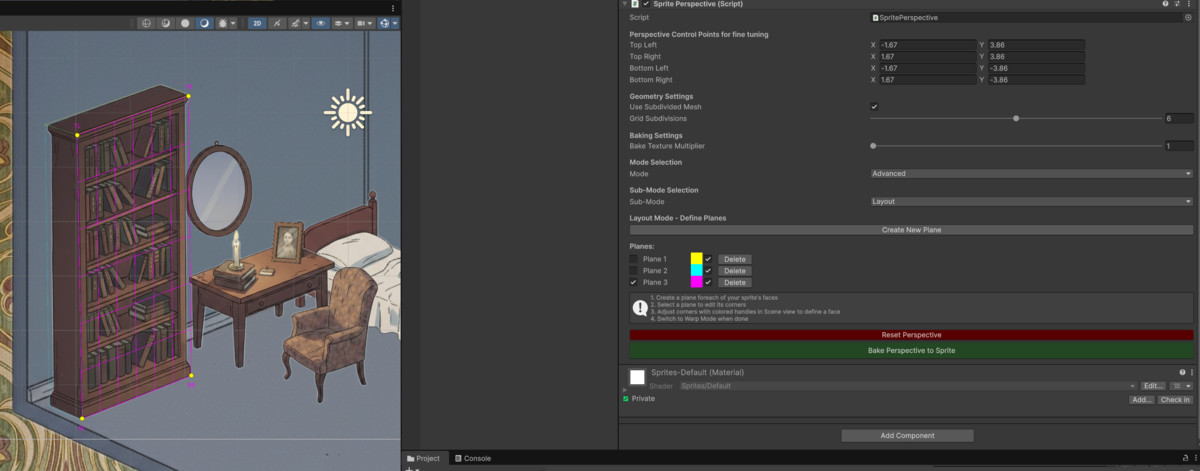
Use Advanced Mode for custom multi-faced perspective changes with 4 adjustable corner handles for each face
> Simple & Subdivided Mesh
Disable subdivided mesh to enable TL & BR corner handles to have a different warp behavior that allows you to "fold" textures over themselves
Enable subdivided mesh to place a grid over your sprite and use a slider to increase or decrease grid subdivisions to gain consistent behavior from each corner handle for a more classical warping experience similar to Photoshop
> Cut out smaller sprites from bigger ones
You can draw a plane over an area of a sprite and cut it out to create a new one
> Set your file size
Use a slider to increase or decrease .png file size
> Undo/Redo Support
Edits are recorded so you can ctrl+z and ctrl+y
> Autosave
Saves warp after baking so you can easily reload the last warp by pressing a button
Why Sprite Warp over similar assets?
-There are no similar assets at the time of writing and I have plans to bring in more Photoshop-like features into the unity editor
-See how an experienced unity developer has created a system you're interested in to apply it in another project you're working on
-Author of this asset is a game dev with over 6 years work XP
-Documentation and email support
Current Limitations
-Supports .png creation only
-The tool uses Unity's Texture2D.EncodeToPNG() method for PNG encoding. This encoder creates a "clean" PNG containing only essential image data chunks (IHDR, IDAT, IEND). If your original PNG contains other chunks, those chunks will NOT be preserved in the baked output. Learn more here
Coding
-No coding is required to easily warp your sprites in the unity editor using this tool
Music from the trailer not included.
Art assets are provided as-is and are intended to demo warping functionality, you will be responsible for providing your own assets and ensuring they're production ready.
Compatibility
| Unity version | Built-in | URP | HDRP |
|---|---|---|---|
| 6000.2.7f2 | Compatible | Compatible | Not listed |
As listed on the Asset Store.