
 View on Asset Store (opens in new tab)
Package details
- Latest version
- 0.9
- Last updated
- First released
- Unity version
- 2022.3.62 or later
- Package size
- 40 KB
- Files
- 30
- Views in the past week
- 5
Price tracking
- Last checked
- Tracked since
- Lowest recorded
- $10.00 on
Keywords
Files Converter
Professional Unity Editor tool for batch converting images, audio, and video files between multiple formats by using FFmpeg.
Affiliate link · Purchases support this site
Price history
Last 6 months
USDAsset preview
1 / 7
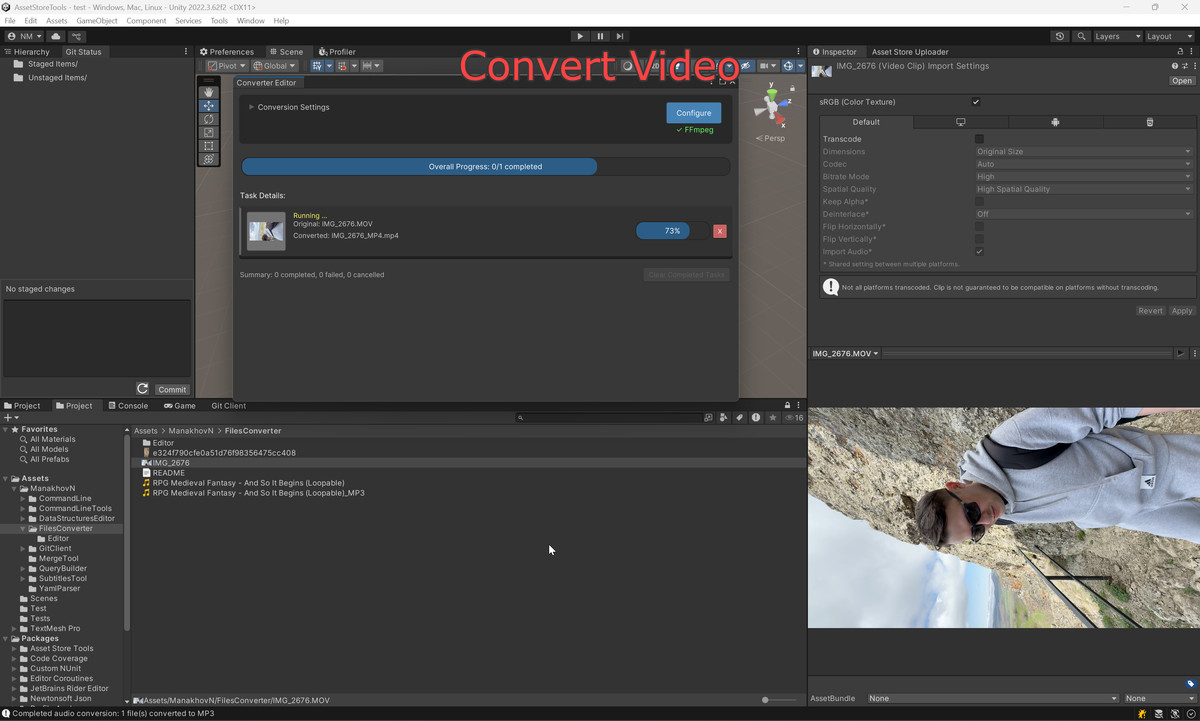
Files Converter screenshot 1
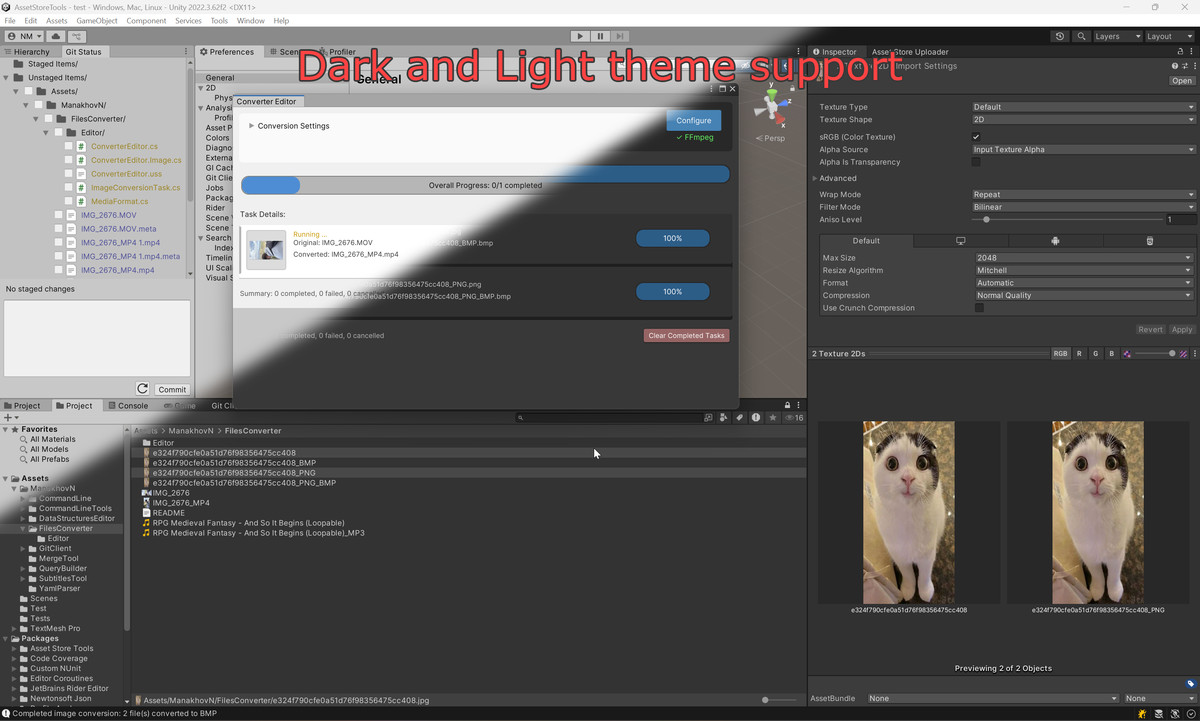
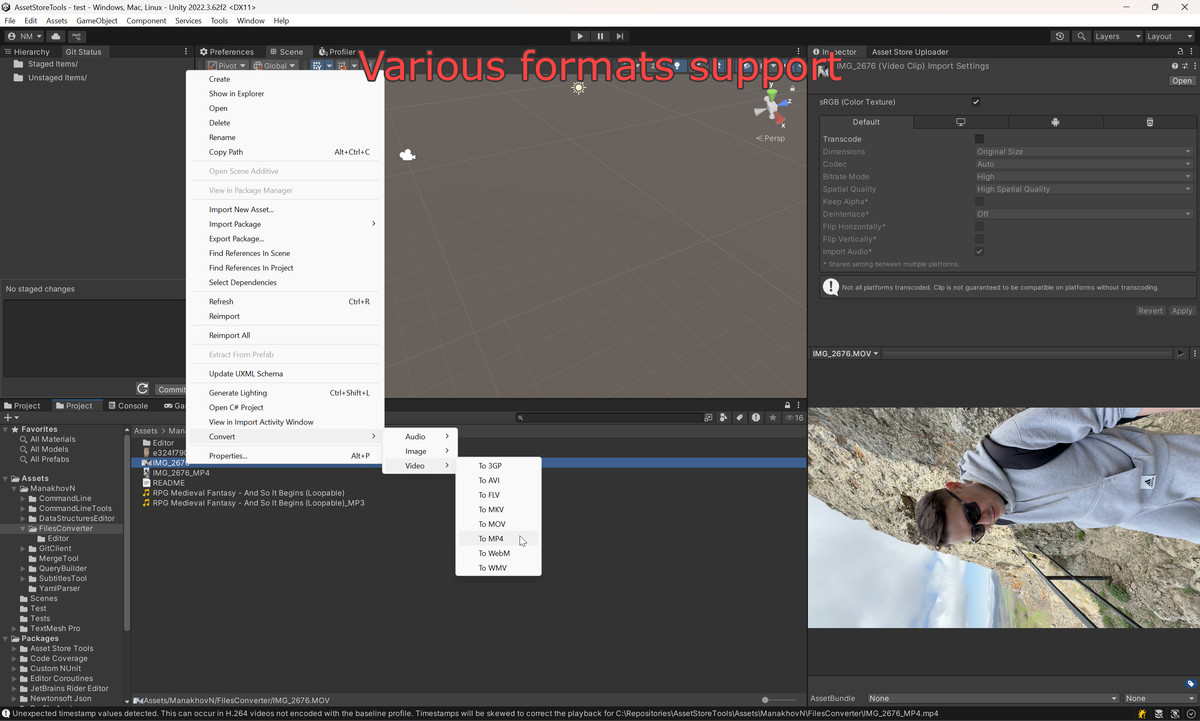
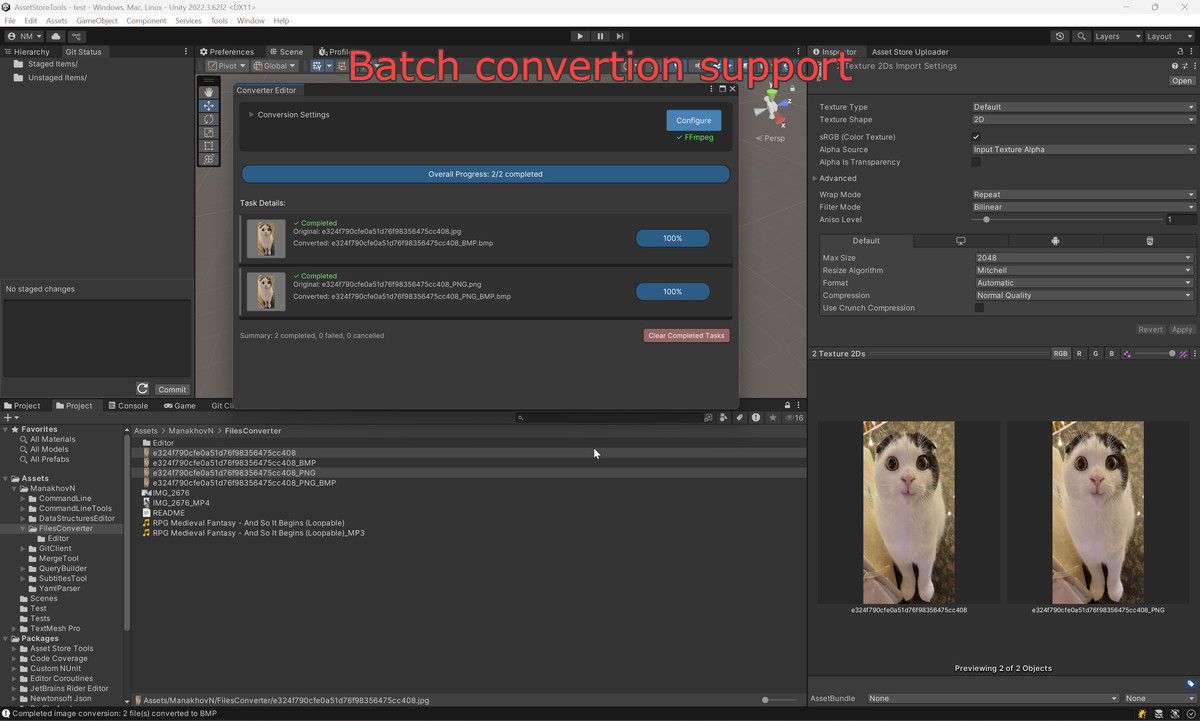
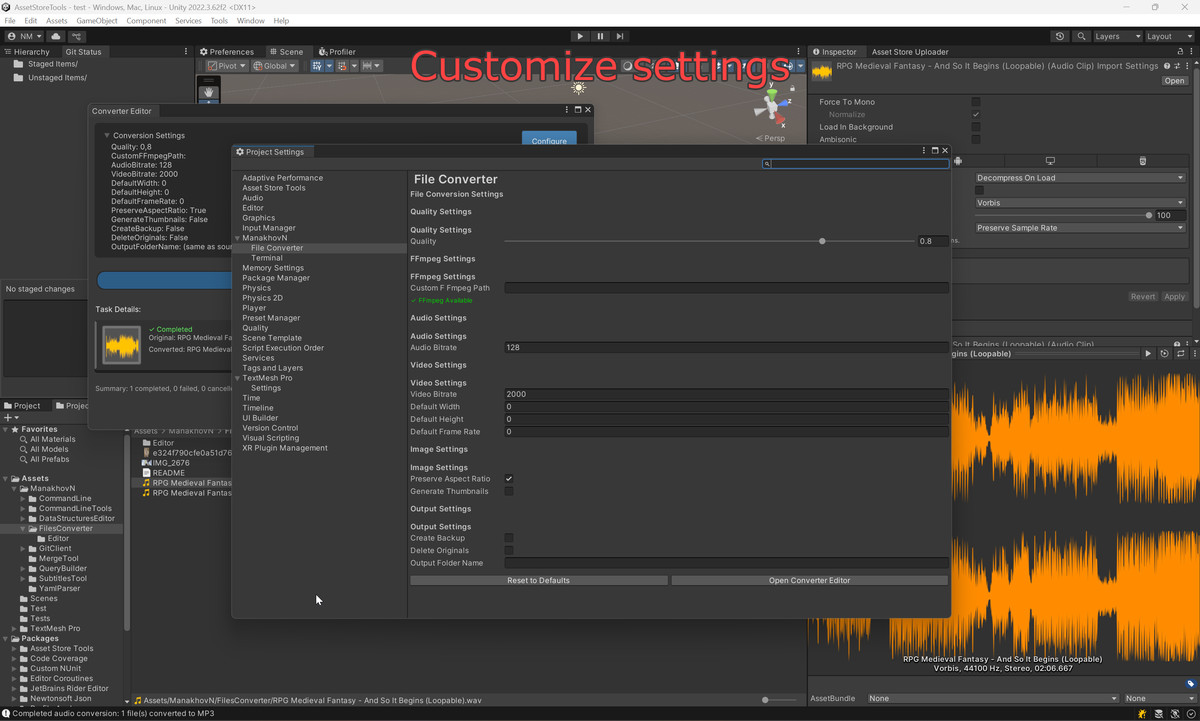
About this asset
Files Converter is a powerful Unity Editor tool designed to streamline your asset workflow by providing comprehensive batch conversion capabilities for images, audio, and video files directly within the Unity Editor.
What Makes This Package Special
- Convert multiple file types without leaving Unity
- Professional-grade conversion quality with FFmpeg integration
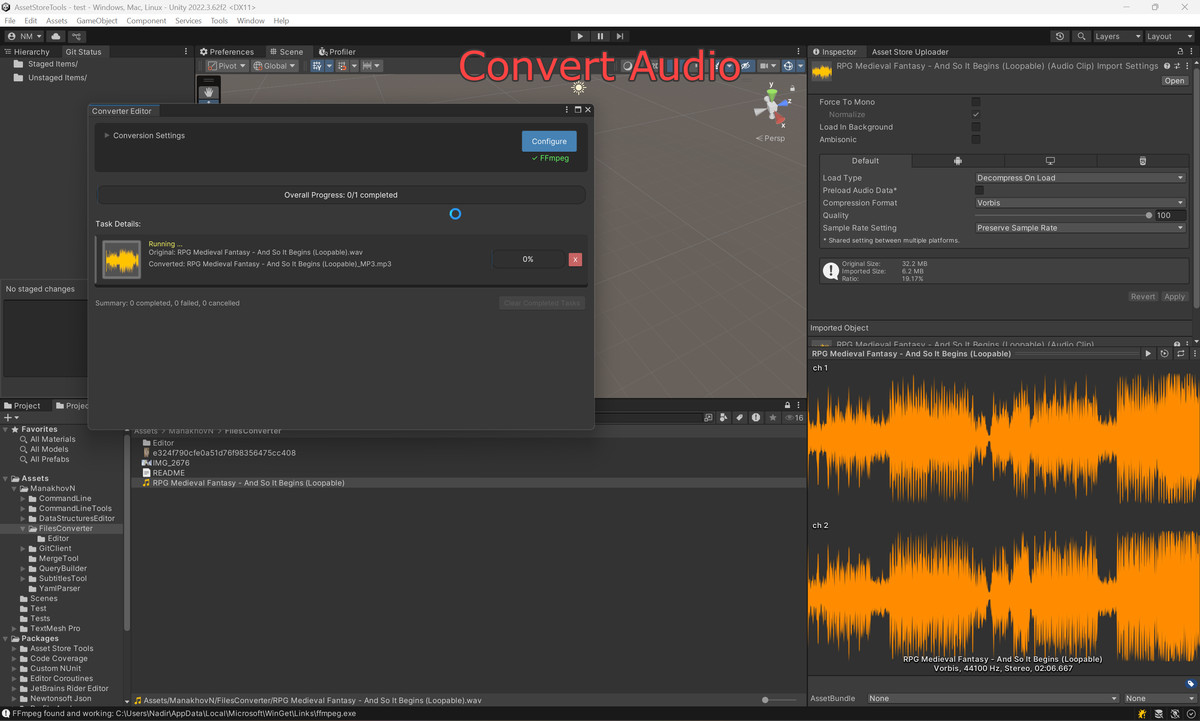
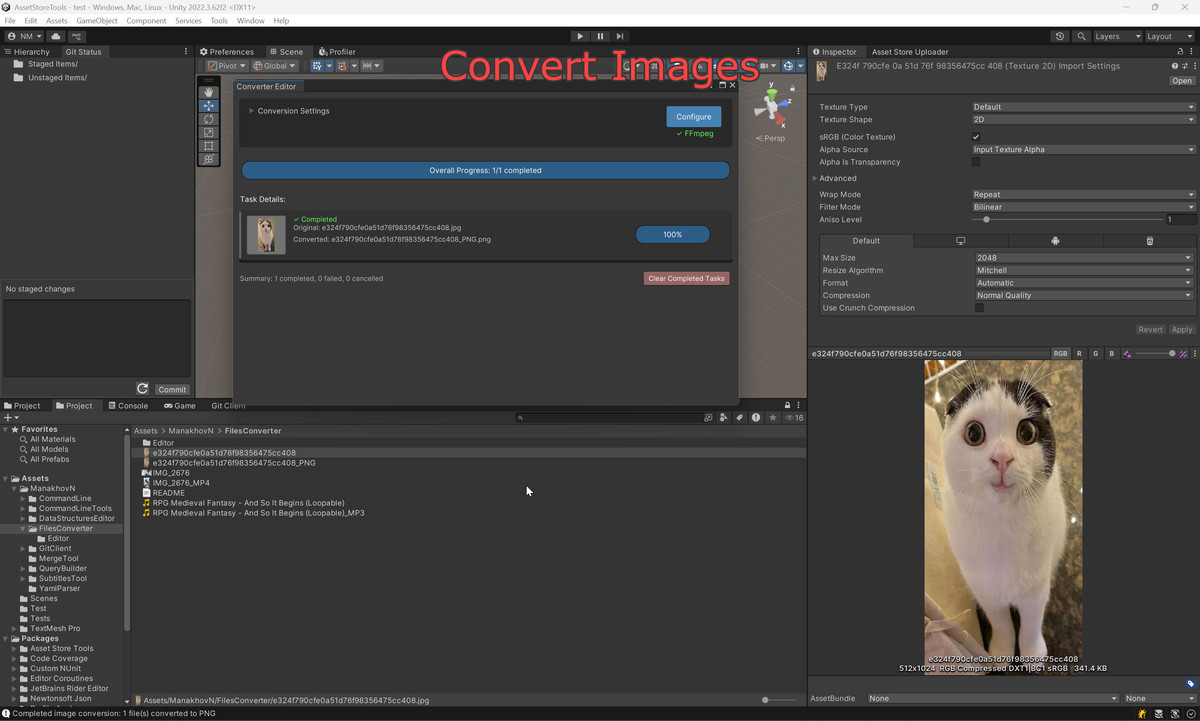
- Intuitive UI with real-time progress tracking
- Automatic format validation and compatibility checks
Content Customization
This package is fully customizable and suitable for any Unity project genre. Whether you're working on mobile games, AAA titles, indie projects, or educational applications, Files Converter adapts to your workflow needs. All conversion settings are adjustable, including quality presets, output formats, and file organization options.
Key Benefits
- Save time with batch processing instead of manual conversions
- Maintain quality with professional conversion algorithms
- Organize assets with automatic subfolder creation
- Preview files before conversion with thumbnails and audio info
- Cancel operations at any time with progress tracking
Supported Formats
- Images: PNG, JPG, TGA, EXR, BMP, TIFF, WEBP, GIF, PSD
- Audio: MP3, WAV, OGG, AIFF, FLAC, M4A, WMA, AAC
- Video: MP4, AVI, MOV, MKV, WMV, FLV, WebM, 3GP
Perfect for developers who need efficient asset management and format optimization without external tools.
From the publisher's Asset Store listing.
Technical details
FFmpeg installation is required for audio and video conversion. Tested on Windows only.
Key Features:
• Multi-Format Support: Images (PNG, JPG, TGA, EXR, BMP, TIFF, WEBP, GIF), Audio (MP3, WAV, OGG, AIFF, FLAC, M4A, WMA, AAC), Video (MP4, AVI, MOV, MKV, WMV, FLV, WebM, 3GP)
• Quick & Batch Conversion Right-click context menu for single files, dedicated batch windows for multiple files with preview thumbnails and progress tracking
• Advanced Features Format validation, transparency checks, configurable quality settings, automatic texture handling, file size estimates, optional subfolder organization
• Technical Specs Unity 2020.3+, Editor-only, asynchronous processing, UIElements-based interface, assembly definition support
Compatibility
| Unity version | Built-in | URP | HDRP | Custom |
|---|---|---|---|---|
| 2022.3.62f2 | Compatible | Compatible | Compatible | Compatible |
FFMpeg installation required for this Editor Tool
As listed on the Asset Store.