
 View on Asset Store (opens in new tab)
Package details
- Latest version
- 0.9
- Last updated
- First released
- Unity version
- 2022.3.62 or later
- Package size
- 191 KB
- Files
- 141
- Favorites
- 1
- Views in the past week
- 11
Price tracking
- Last checked
- Tracked since
- Lowest recorded
- $30.00 on
Keywords

VCSClient: Version control for git repositories
Powerful tool to control your git repositores inside of Unity Editor. Manage branches, view commits, resolve conflicts, and handle all git operations without leaving Unity.
Affiliate link · Purchases support this site
Price history
Last 6 months
USDAsset preview
1 / 6
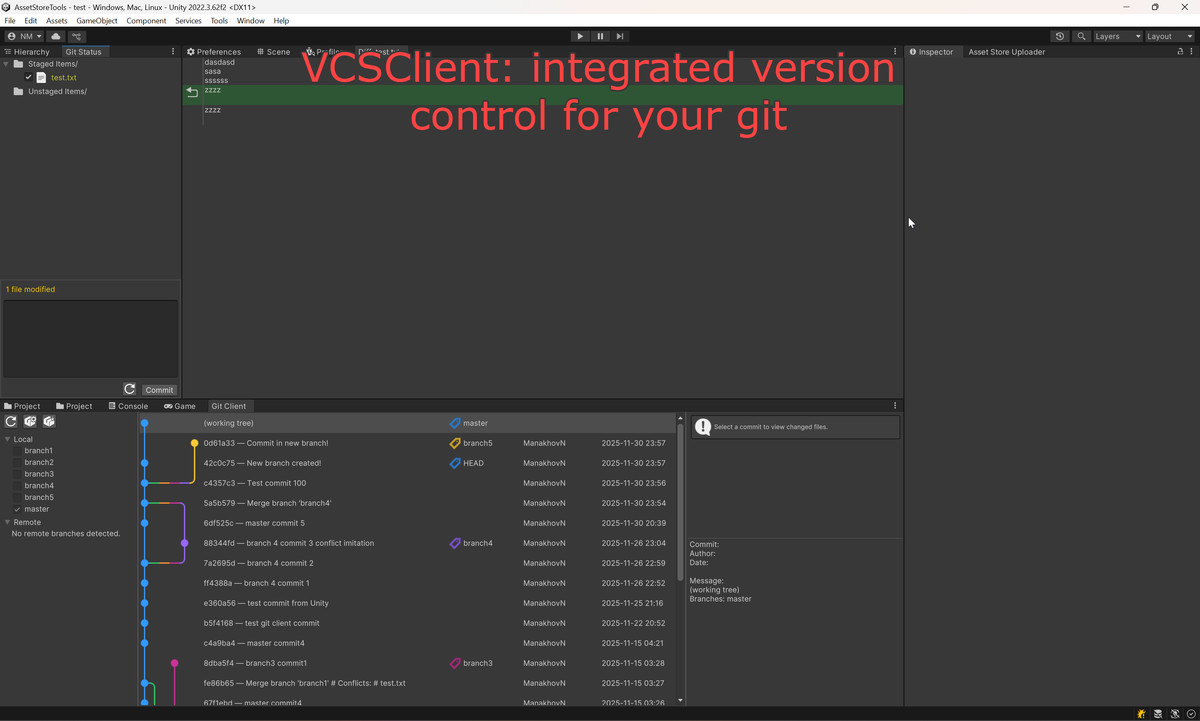
VCSClient: Version control for git repositories screenshot 1
About this asset
VCSClient is an all-in-one git solution built specifically for Unity developers. It brings a full git interface directly into the Unity Editor, letting you manage version control without switching to external tools.
Overview
VCSClient turns Unity into a complete git workspace with visual commit history, branch tools, conflict resolution, and diff viewing — all integrated seamlessly into your workflow.
Key Features
Git Client Window
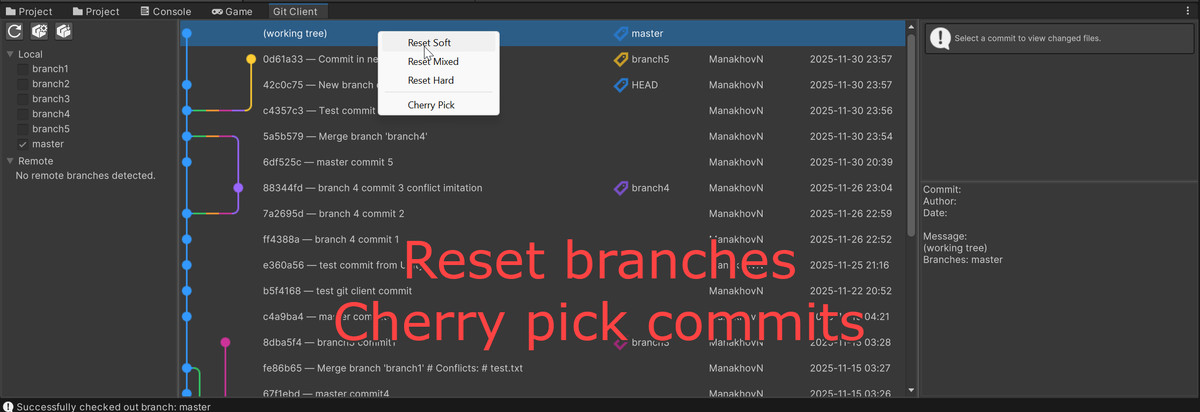
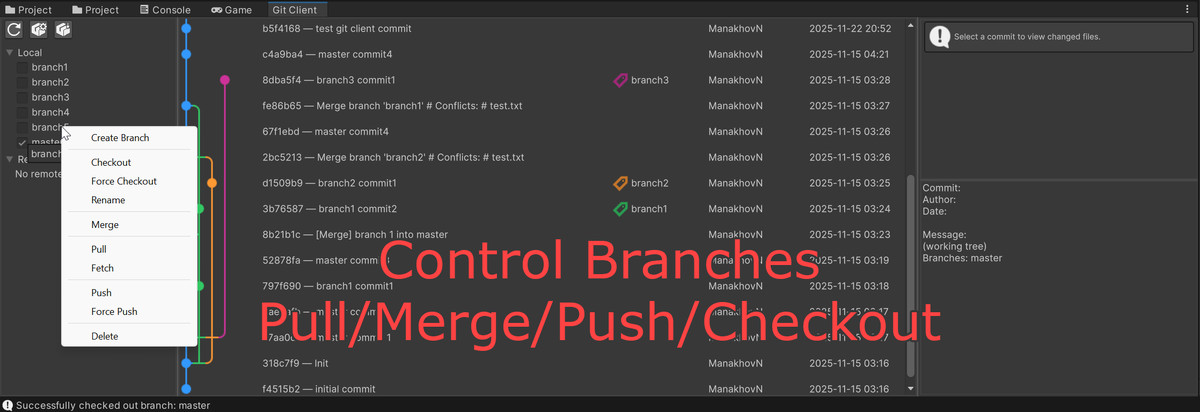
Visual commit graph, branch management (local & remote), and file history — all in one central hub.
Git Status Window
View staged/unstaged/conflicted files in a clean tree view. Stage/unstage with checkboxes, write commit messages, and resolve merge conflicts directly inside Unity.
Git Diff Viewer
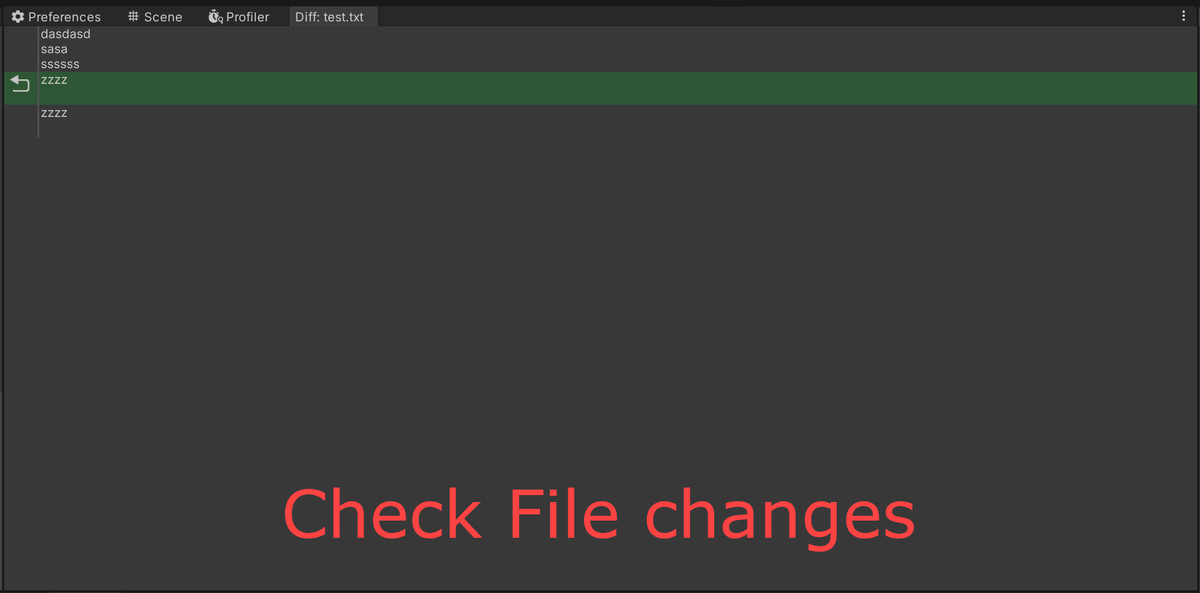
Line-by-line diffs for any file. Compare working directory, staging, and past commits. Revert specific lines or hunks.
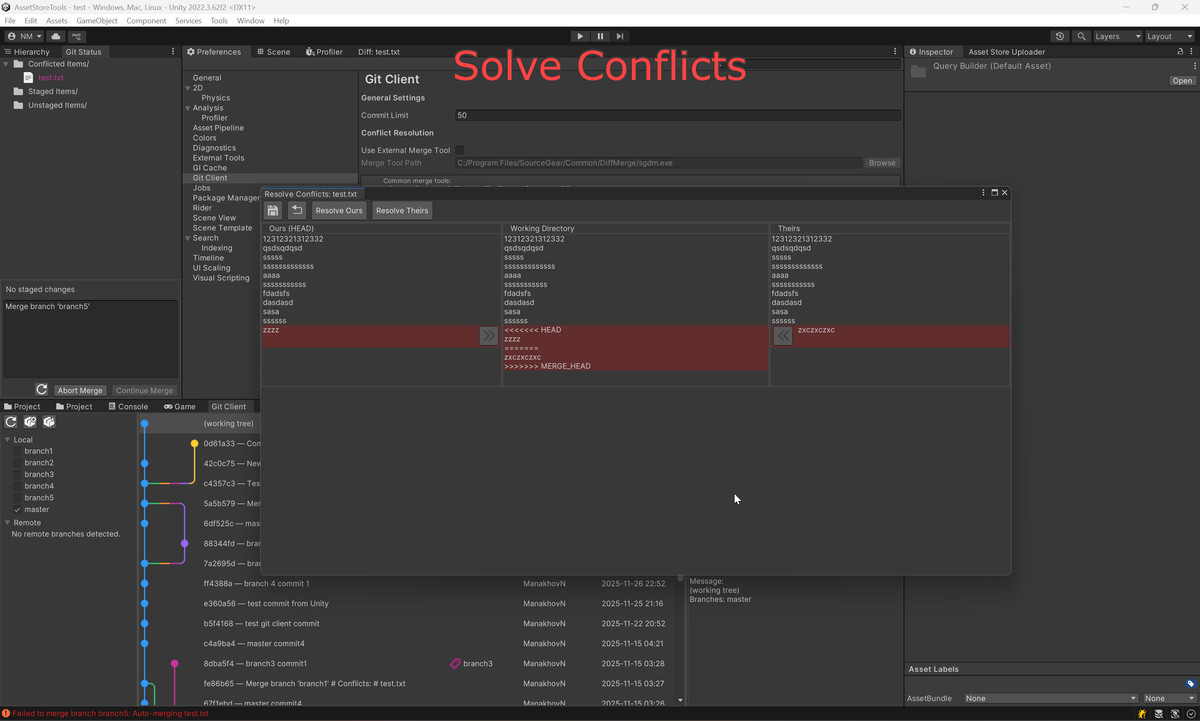
Conflict Resolver
Advanced 3-way merge tool showing ours, theirs, and working versions side-by-side with synchronized scrolling and conflict navigation.
Branch & Advanced Operations
- Create, checkout, rename, delete, push, pull, fetch
- Merge with automatic conflict detection
- Cherry-pick, reset (soft/mixed/hard), abort/continue merges
- Revert changes at file or line level
- Git LFS initialization and pull
User Interface
Built with UI Elements:
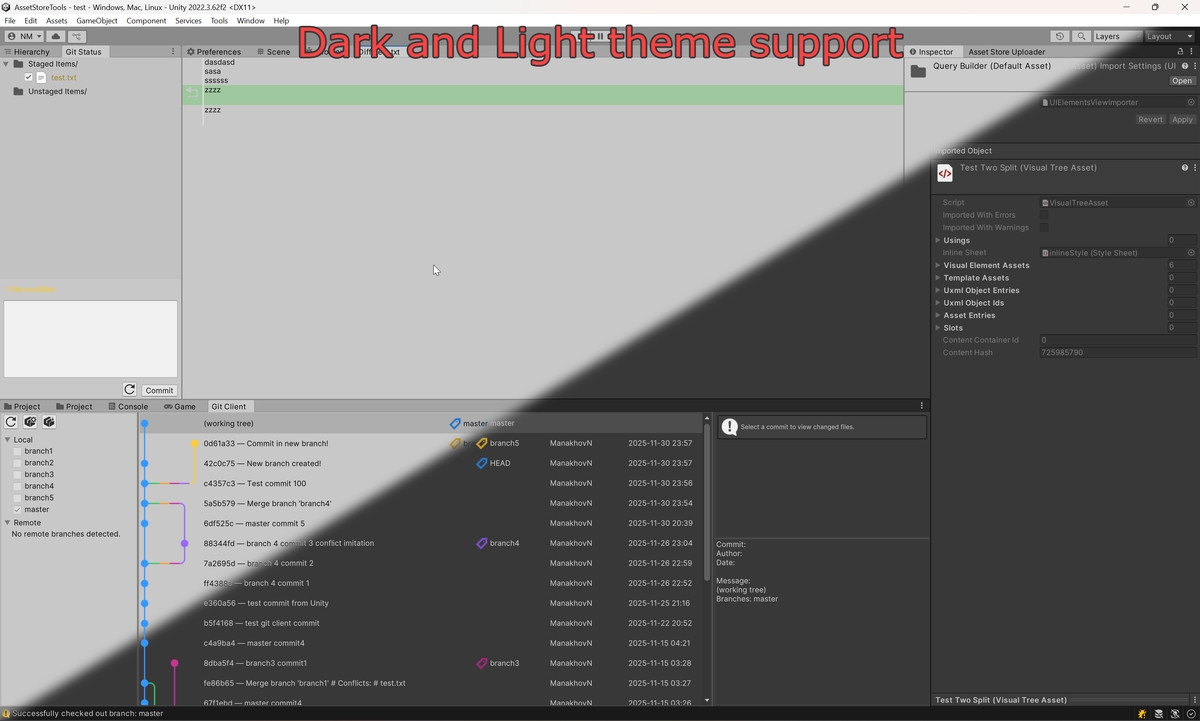
- Auto dark/light theme
- Resizable panels & split views
- Context menus
- Tree views
- Color-coded commit graph
- Synchronized scrolling in compare windows
Customization
Fully integrated into Unity (no dependencies beyond Git). Clean MVC architecture makes it easy to extend or modify.
Perfect For
- Unity developers of any level
- Solo creators and teams
- Any Unity project: games, apps, VR/AR, simulations, prototypes
- Should work with all platforms: Windows, macOS, Linux. But was tested only in Windows for now.
Requirements
- Unity 2020.3 LTS+
- Git installed and available in PATH
- Git-initialized Unity project
Benefits
- Stay inside Unity for all Git tasks
- Instantly understand project history
- Resolve conflicts fast
- Preview diffs before committing
- Navigate files and commits quickly
VCSClient makes Git feel native to Unity — powerful, visual, and effortless to use.
From the publisher's Asset Store listing.
Technical details
Core Tools:
Git Client Window, Status Window, Diff Viewer, Conflict Resolver (3-way merge)
Supported Operations:
Branch create/checkout/rename/delete, push/pull/fetch, merge, cherry-pick, reset, stage/unstage, revert/discard, view diffs, resolve conflicts, Git LFS init/pull.
UI:
Built with UI Elements, auto dark/light theme, resizable split views, tree views, context menus, color-coded commit graph.
Architecture:
MVC, modular controllers, async Git commands, event-driven updates.
Platform Support:
Designed to work on Windows, macOS, and Linux.
Currently tested only on Windows.
Implementation:
Uses CommandLineTools for Git execution, parses Git log/status/diff, custom Unity YAML handling, file-type icons.
Editor Integration:
Tools > VCSClient> Git Client; auto repository detection; real-time state monitoring; dockable Unity windows.
Performance & Stability:
Async loading, optimized parsing, commit limit option, detailed error reporting, path validation, command timeouts.
Compatibility
| Unity version | Built-in | URP | HDRP | Custom |
|---|---|---|---|---|
| 2022.3.62f2 | Compatible | Compatible | Compatible | Compatible |
Should work with all platforms: Windows, macOS, Linux. But was tested only in Windows for now.
As listed on the Asset Store.