
 View on Asset Store (opens in new tab)
Package details
- Latest version
- 1.0
- Last updated
- First released
- Unity version
- 6000.0.63 or later
- Package size
- 381 KB
- Files
- 8
- Favorites
- 1
- Views in the past week
- 3
Price tracking
- Last checked
- Tracked since
- Lowest recorded
- $22.49 on
Keywords
- Search for Development Tools
- Search for play mode
- Search for Time Saver
- Search for workflow tool
- Search for dev utility
- Search for Scene Management
- Search for unity productivity
- Search for quick switch
- Search for testing tool
- Search for Scene Switcher
- Search for Level Switcher
- Search for Unity Editor

Quick PlayMode Scene Switcher
Quick PlayMode Scene Switcher: Switch scenes instantly during Play Mode without stopping. Save 20-30 seconds per switch, maintain testing flow, boost productivity. Essential Unity tool.
Affiliate link · Purchases support this site
Price history
Last 6 months
USDAsset preview
1 / 8

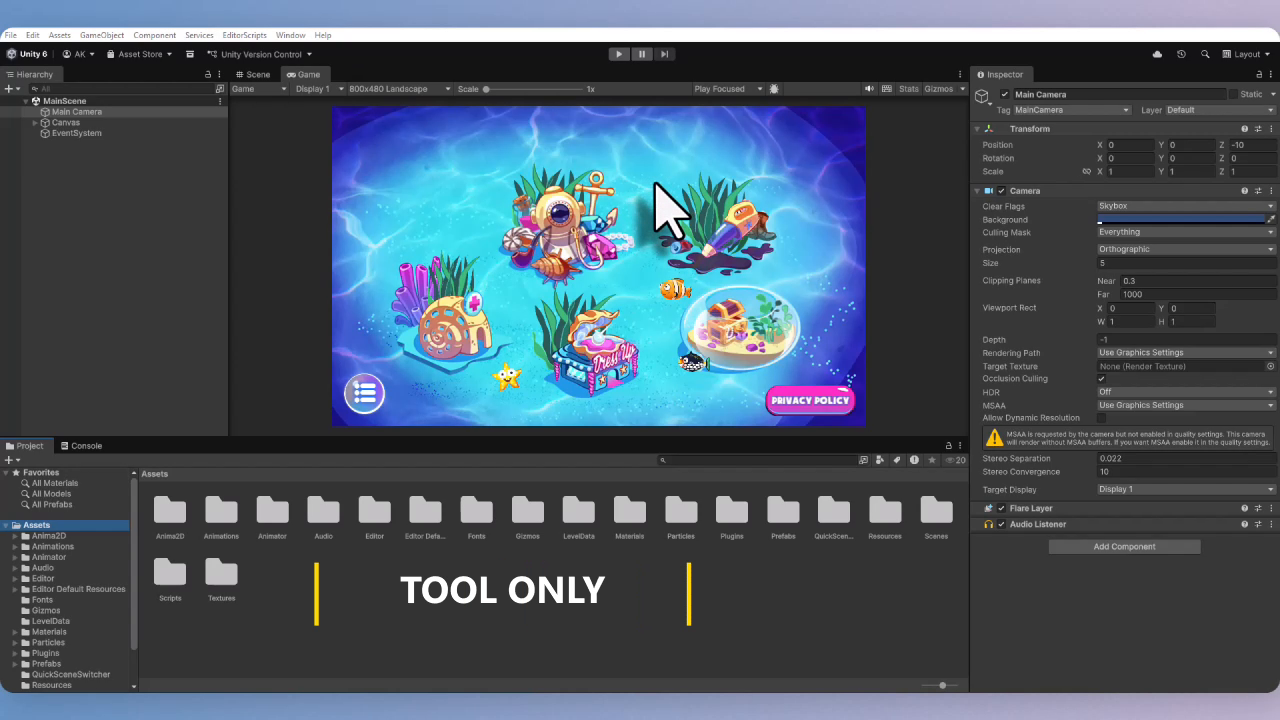
Quick PlayMode Scene Switcher screenshot 1


About this asset
Quick PlayMode Scene Switcher – Instant Scene Switching Without Stopping Play Mode!
Eliminate Workflow Interruption – Save 20-30 Seconds Every Scene Switch!
⚡ Revolutionize Your Unity Testing Workflow:
Traditional Method: Stop Play Mode → Load Scene → Restart Play Mode (30+ seconds lost)
With Quick Switcher: Click Scene → Continue Testing Instantly (2 seconds!)
🎯 What This Asset IS:
A Professional Editor Extension Tool that supercharges your Unity development workflow by enabling instant scene switching during Play Mode.
📦 Package Contents:
✅ Complete Source Code – Full C# implementation
✅ Settings System – Configurable ScriptableObject
✅ Documentation – Setup guide & best practices
✅ Example Setup – Ready-to-use configuration
🚫 What This Asset Is NOT:
❌ No pre-made scenes/games included – Works with YOUR existing projects
❌ No game assets/art included – Pure workflow optimization tool
❌ No runtime components – Editor-only tool (zero game build impact)
🎮 Universal Tool for Every Project Type:
- Game Development: Rapid level testing, environment switching
- UI/UX Prototyping: Instant menu flow validation
- Architectural Visualization: Seamless section navigation
- Educational Apps: Quick lesson module switching
- Any Genre, Any Style – 100% Project Agnostic!
✨ Pro Features Included:
✅ One-Click Scene Switching – Change scenes while Play Mode keeps running
✅ Favorites System – Pin up to 20 frequently used scenes for instant access
✅ Smart Auto-Open – Window automatically appears when entering Play Mode
✅ Customizable Hotkeys – Ctrl+Shift+S by default, fully configurable
✅ Build Settings Integration – Automatically lists all your scenes
✅ Performance Optimized – Minimal editor overhead, efficient caching
✅ Multi-Scene Support – Experimental additive loading for complex setups
🛠️ Fully Customizable to Your Workflow:
- Adjust window size, colors, and behavior
- Configure auto-refresh intervals (0-60 seconds)
- Enable/disable toolbar integration
- Choose display preferences (show paths, alphabetical sort)
- Set favorite colors and active scene highlighting
🚀 Perfect For:
- Indie Developers wanting faster iteration cycles
- Studio Teams needing standardized testing workflows
- Technical Artists requiring quick environment comparison
- QA Testers navigating between bug reproduction scenes
- Educators creating interactive learning experiences
- Everyone who hates interrupting their creative flow!
📊 The Productivity Math:
10 switches/hour × 30 seconds saved = 5 minutes saved hourly
× 8-hour day = 40 minutes daily × 5-day week = 3.3 hours weekly
= Over 4 work weeks saved annually!
📋 Requirements:
- Your existing Unity project with scenes in Build Settings
- No additional assets needed – works immediately after import
- Editor-only – zero impact on final game builds
🎯 Why This Is Essential:
"Once you experience instant scene switching, you'll wonder how you ever worked without it. This isn't just a tool – it's a fundamental workflow upgrade that pays for itself in saved time within the first week of use."
Note: This is an editor extension tool – it enhances your existing workflow but does not include pre-made scenes, games, or art assets. It works seamlessly with your current projects right after import.
From the publisher's Asset Store listing.
Technical details
🔧 Technical Details:
✅ Unity Compatibility: 2019.4 through 2023+
✅ Render Pipelines: Built-in, URP, HDRP – All supported!
✅ Platforms: Windows, Mac, Linux – Full editor compatibility
✅ Source Code: Complete C# source included
✅ No Dependencies: Pure Editor extension – nothing extra needed
✅ Works With: Any existing Unity project, any scene setup
Compatibility
| Unity version | Built-in | URP | HDRP | Custom |
|---|---|---|---|---|
| 6000.0.63f1 | Compatible | Compatible | Compatible | Compatible |
As listed on the Asset Store.