
 View on Asset Store (opens in new tab)
Package details
- Latest version
- 1.0
- Last updated
- First released
- Unity version
- 6000.2.6 or later
- Package size
- 63 KB
- Files
- 26
- Views in the past week
- 2
Price tracking
- Last checked
- Tracked since
- Lowest recorded
- $4.99 on
Keywords
EZHierarchyOrganizer
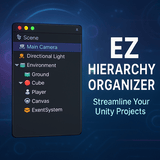
A visual hierarchy organizer that lets you color-code, bookmark, and categorize GameObjects with custom headers – making messy Unity scenes actually navigable.
Affiliate link · Purchases support this site
Price history
Last 6 months
USDAbout this asset
Hierarchy Organizer is the tool I built because I was tired of scrolling through chaotic hierarchies trying to find that one camera or manager buried somewhere. It lets you add visual headers, color-coded categories, and bookmarks right in your hierarchy - no more guessing where things are.
What You Can Do With It
Organize with Visual Headers - Drop in colored category headers (like "━━━ GRAPHICS ━━━" or "━━━ AUDIO ━━━") to section off your hierarchy. Comes with 8 presets (Graphics, Logic, Audio, UI, Managers, World, Lights, Effects), but you can create unlimited custom categories with your own names, colors, and icons.
Bookmark Important Stuff - Mark critical GameObjects so they stand out. Great for things like your main camera, player controller, or that one manager you always need to tweak.
Pick Icons Visually - Forget typing "Camera Icon" and hoping it works. There's an actual icon picker that shows you what's available with live preview.
Quick Actions via Right-Click - Everything's accessible through context menus. Group objects, add categories, bookmark things - all without opening extra windows.
Keep It Clean - Toggle debug logging on when you need it, off when you don't. The console stays quiet unless you're troubleshooting.
Who's This For?
Anyone who works with Unity scenes that have more than 20 GameObjects (so... everyone?). Especially useful if you:
- Work on small teams and need consistent scene organization
- Jump between multiple scenes frequently
- Build complex levels with lots of systems
- Just want your hierarchy to not look all grey
Customization
Everything's tweakable – colors, icons, category names, whatever. The presets are just starting points. You're not locked into any specific workflow or naming convention.
From the publisher's Asset Store listing.
Technical details
Key Features
- 8 Preset Categories - Graphics, Logic, Audio, UI, Managers, World, Lights, Effects with pre-configured colors and icons
- Unlimited Custom Categories - Create your own with custom names, colors, and icon selection
- Visual Icon Picker - Browse and select from 24+ Unity icons with live preview
- Bookmark System - Mark important GameObjects with priority levels (0-10)
- Context Menu Integration - All features accessible via right-click in hierarchy
- Component Icon Display - See which components are attached at a glance
- Prefab Highlighting - Visual indicators for prefab instances
- Group/Ungroup Tools - Organize or flatten GameObject structures quickly
- Collapsible Inspectors - Clean, organized component editors with tooltips
- Debug Logging Toggle - Enable/disable console output on demand
- Assembly Definitions - Proper runtime/editor code separation for fast compilation
- Comprehensive Test Suite - Full PlayMode and EditMode test coverage included
- Non-Destructive Organization - Objects stay as siblings, hierarchy structure preserved
- Persistent Settings - Configuration stored in scriptable object (version control friendly)
- Color Customization - Customize all header and bookmark colors globally
- Add to Existing Categories - Easily add more objects to previously created custom categories
Compatibility
| Unity version | Built-in | URP | HDRP |
|---|---|---|---|
| 6000.2.6f2 | Compatible | Compatible | Compatible |
As listed on the Asset Store.