
 View on Asset Store (opens in new tab)
Package details
- Latest version
- 1.0
- Last updated
- First released
- Unity version
- 6000.2.14 or later
- Package size
- 97 KB
- Files
- 11
- Favorites
- 1
- Views in the past week
- 5
Price tracking
- Last checked
- Tracked since
- Lowest recorded
- $5.99 on
Keywords
Simple AI Code for Unity
Unity Editor extension for AI-assisted C# script generation, code questions, and basic code optimization within the Unity Editor.
Affiliate link · Purchases support this site
Price history
Last 6 months
USDAsset preview
1 / 6
Simple AI Code for Unity screenshot 1


About this asset
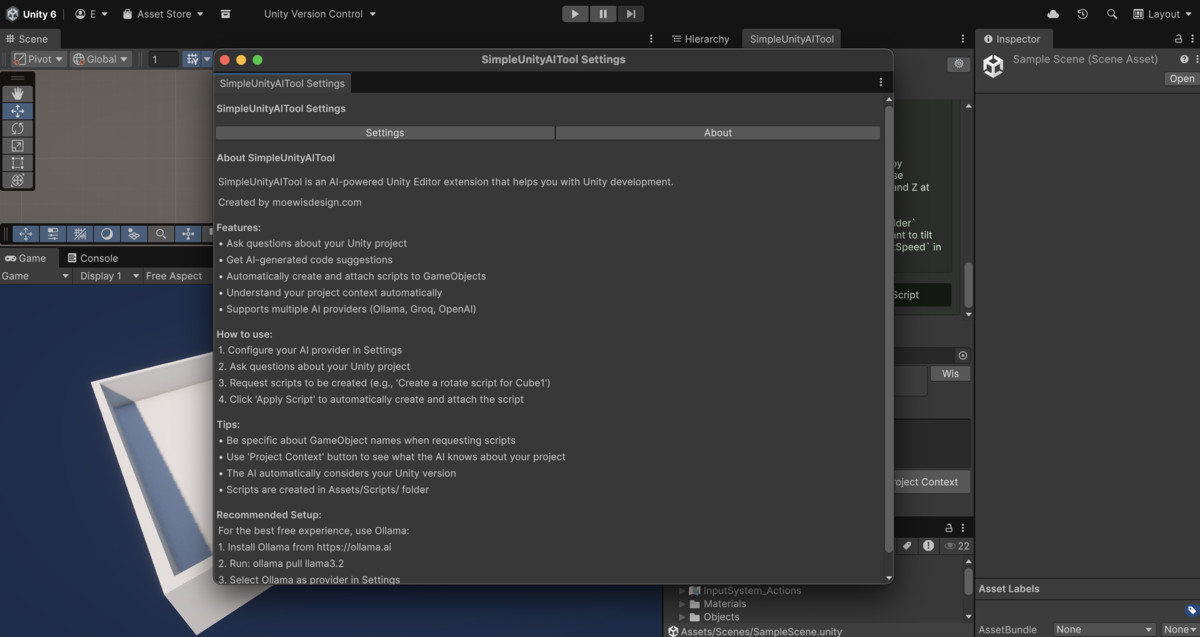
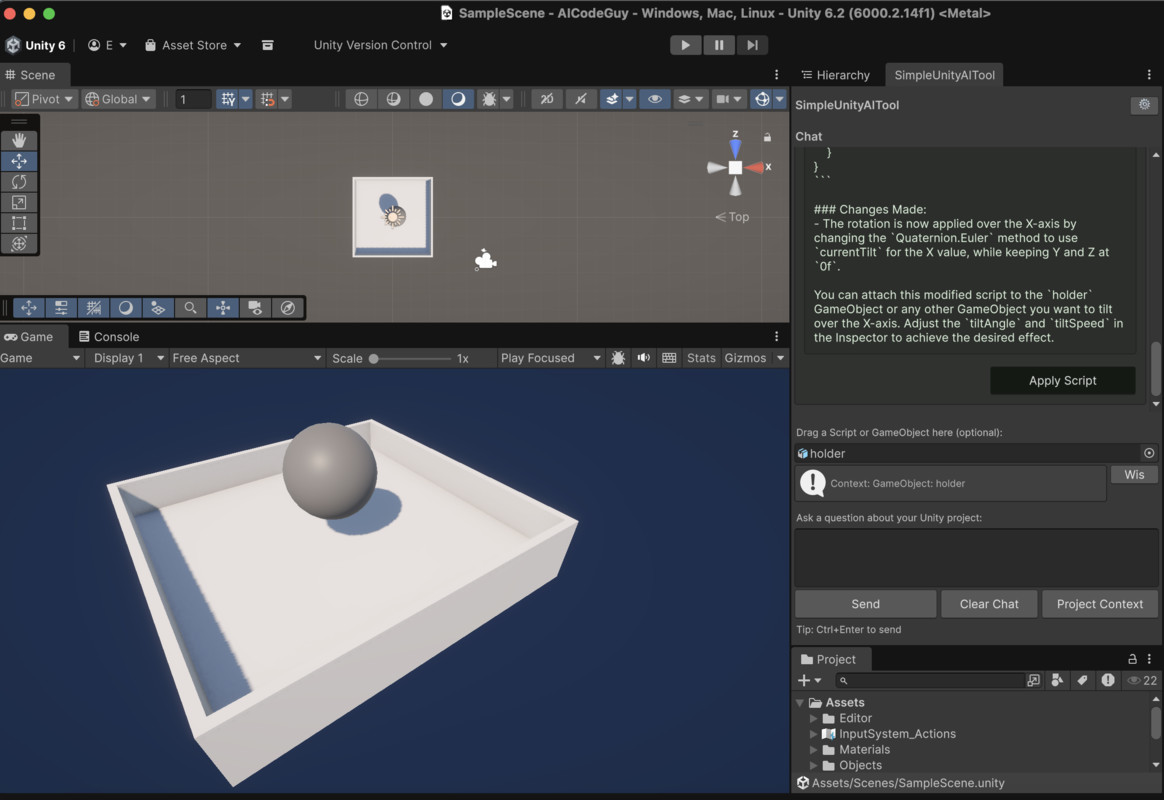
Simple Unity AI Tool is a Unity Editor extension that allows developers to interact with AI models directly inside the Unity Editor. The tool can be used to generate C# scripts, ask Unity-related questions, and assist with code optimization using natural language input.
Key Features
AI-Assisted Script Generation
- Generates C# scripts based on user input
- Detects and extracts C# code blocks from AI responses
- Creates scripts directly in the Unity project
- Supports automatic attachment of scripts to GameObjects
Project Context Awareness
- Accesses information about the current Unity project
- Considers existing scripts, GameObjects, and scene structure
- Takes the active Unity version into account when generating code
- Supports drag and drop of GameObjects or scripts for additional context
Multiple AI Provider Support
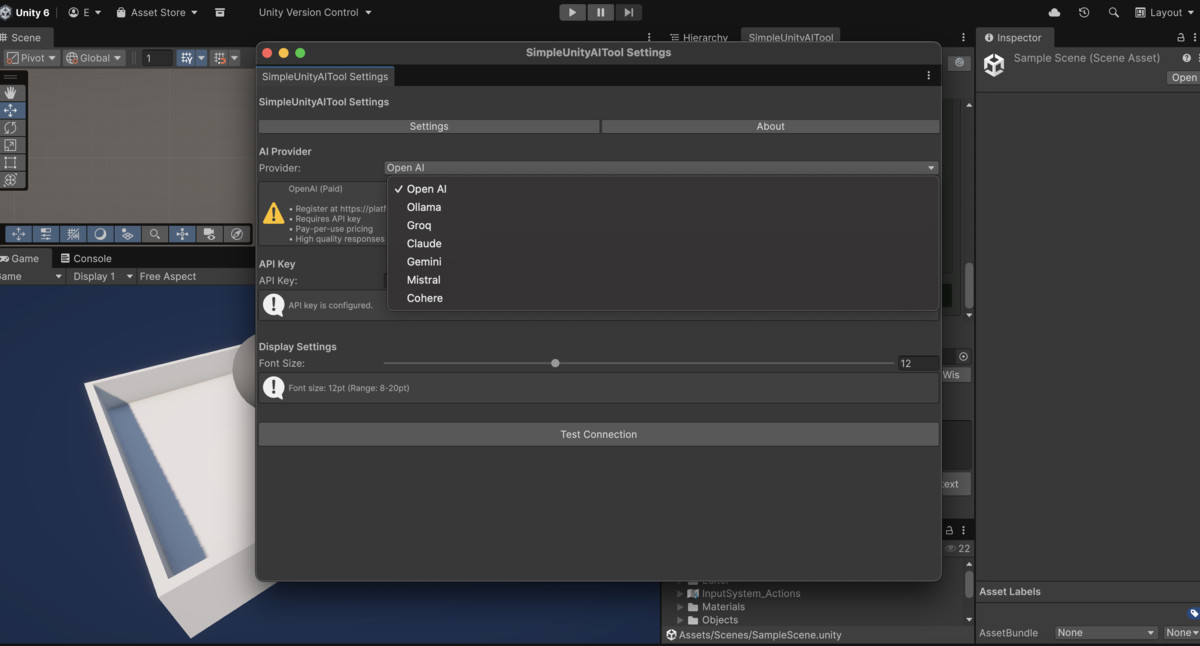
- Ollama (local installation, no API key required)
- Groq (cloud-based, free tier available)
- OpenAI
- Claude (Anthropic)
- Google Gemini
- Mistral AI
- Cohere
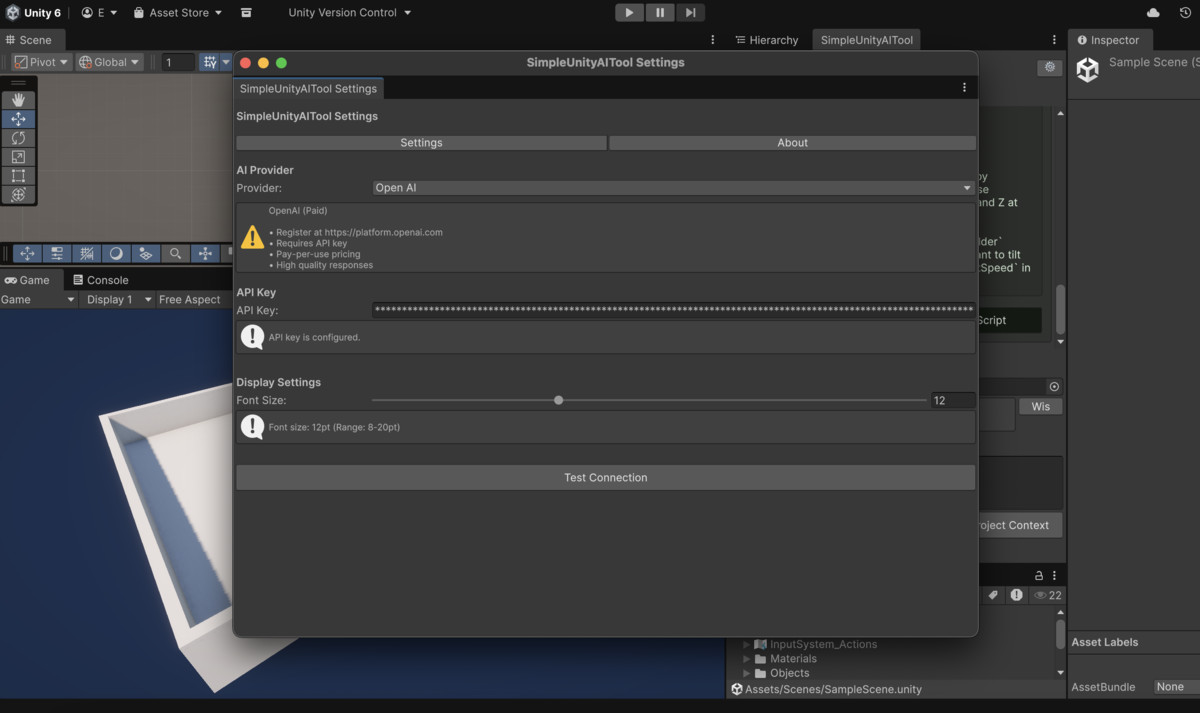
AI providers can be selected and configured through the Settings window.
Editor User Interface
- Editor window integrated into the Unity menu
- Progress indicators during request processing
- Adjustable font size
- Conversation history retained during the editor session
- Automatic detection of generated scripts with an option to apply them
Script Management
- Scripts are created in the Assets/Scripts/ folder
- Unity compilation is handled automatically
- Prevents duplicate component attachment
- Undo support for editor actions
Typical Use Cases
- Generating example or prototype scripts
- Asking questions about Unity or C#
- Creating MonoBehaviour scripts for GameObjects
- Reviewing or refining existing code
Intended Audience
- Unity developers of any experience level
- Developers working on rapid prototyping
- Users learning Unity or C#
- Teams looking to integrate AI assistance into the Unity Editor
Requirements
- Unity 2020.3 or later
AI Provider Requirements:
- Ollama: Local installation required
- Cloud-based providers: API key required
Supported providers may offer free or paid plans depending on the provider.
Basic Workflow
- Import the asset into the Unity project
- Open the tool via Window > SimpleUnityAITool
- Optionally configure an AI provider in the Settings window
- Enter a question or request
- Review and apply generated scripts if applicable
Privacy and Data Handling
- Ollama operates entirely locally
- API keys are stored locally using Unity EditorPrefs
- No telemetry or analytics are collected by the asset
- Network requests are only made to the selected AI provider
Planned Features
Context-aware editor actions, such as interacting with GameObjects or scripts via context menus, are under development and may be included in a future update.
From the publisher's Asset Store listing.
Technical details
Unity Requirements
- Unity 2020.3 or later
- .NET Framework 4.7.1 or later
- Supported platforms: Windows, macOS, Linux
File Structure
- Editor scripts located in Assets/Editor/
- Main editor script: Assets/Editor/SimpleUnityAITool.cs
- Generated scripts are created in Assets/Scripts/
Dependencies
- No external Unity packages required
- Uses System.Net.Http for network communication
- Uses Unity Editor APIs only
API and Network Requirements
- Ollama: Local installation required and accessible via localhost
- Cloud-based AI providers require HTTPS API access
- API keys are stored locally using Unity EditorPrefs
Supported AI Providers
- Ollama (local)
- Groq (cloud)
- OpenAI (cloud)
- Claude (Anthropic, cloud)
- Google Gemini (cloud)
- Mistral AI (cloud)
- Cohere (cloud)
Script Generation
- Generates C# scripts inside the Unity project
- Supports MonoBehaviour and standard C# classes
- Handles Unity compilation automatically
- Supports optional attachment of generated scripts to GameObjects
Data Storage
- Tool settings stored using Unity EditorPrefs
- No external files or databases used
- Chat history stored in memory for the current editor session
Performance
- Uses asynchronous operations to avoid blocking the editor
- Displays progress indicators during processing
- Monitors Unity compilation state
Compatibility
- Compatible with all Unity render pipelines
- Compatible with Unity Cloud Build
- Designed to avoid conflicts with other editor extensions
Installation
- Import the asset into the Unity project
- Open the tool via Window > SimpleUnityAITool
- Optionally configure an AI provider in the Settings window
- Enter a question or request
- Review and apply generated scripts if applicable
Compatibility
| Unity version | Built-in | URP | HDRP | Custom |
|---|---|---|---|---|
| 6000.2.14f1 | Compatible | Compatible | Compatible | Compatible |
No additional compatibility info needed.
As listed on the Asset Store.