
 View on Asset Store (opens in new tab)
Package details
- Latest version
- 1.0
- Last updated
- First released
- Unity version
- 2022.3.62 or later
- Package size
- 48 KB
- Files
- 6
- Views in the past week
- 2
Price tracking
- Last checked
- Tracked since
- Lowest recorded
- $4.99 on
Keywords

Group Ungroup Extract Tool
Familiar grouping workflow for Unity. Group with Ctrl+G, ungroup with Alt+G, extract with Shift+Alt+G. Supports Hierarchy, Project, and Timeline. Smart UI grouping, configurable pivots.
Affiliate link · Purchases support this site
Price history
Last 6 months
USDAsset preview
1 / 4

Group Ungroup Extract Tool screenshot 1
About this asset
Group Ungroup Extract Tool brings familiar grouping functionality (like in
Photoshop, Figma, or Blender) to Unity Editor. It allows you to quickly:
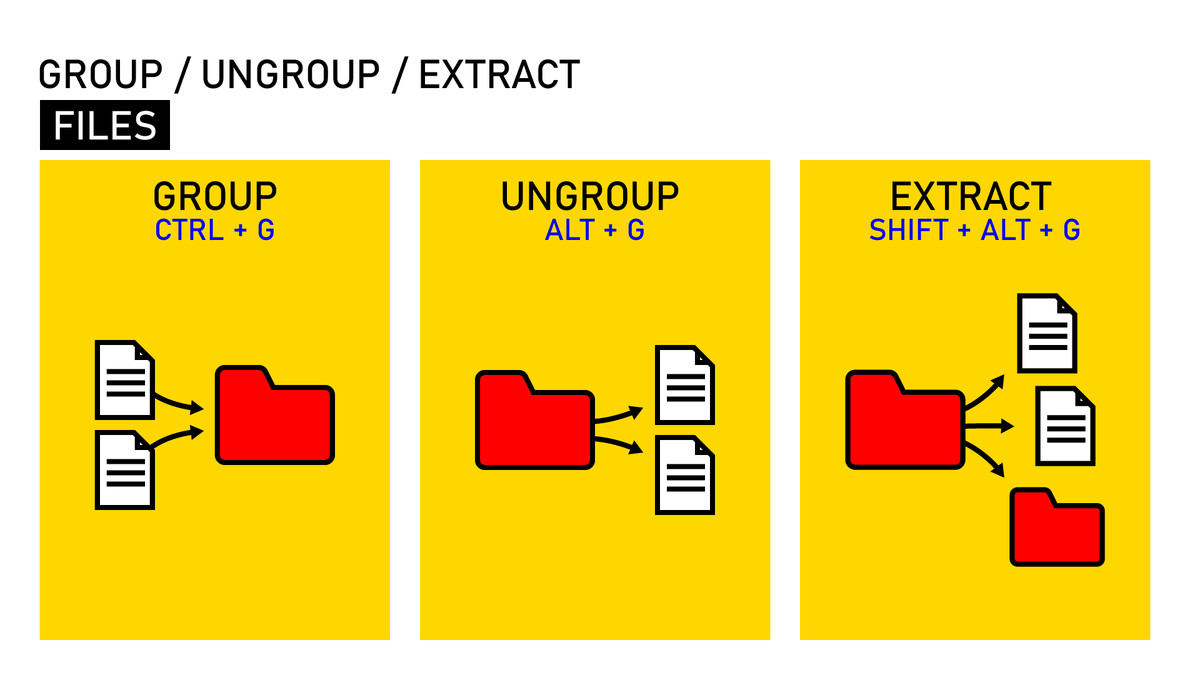
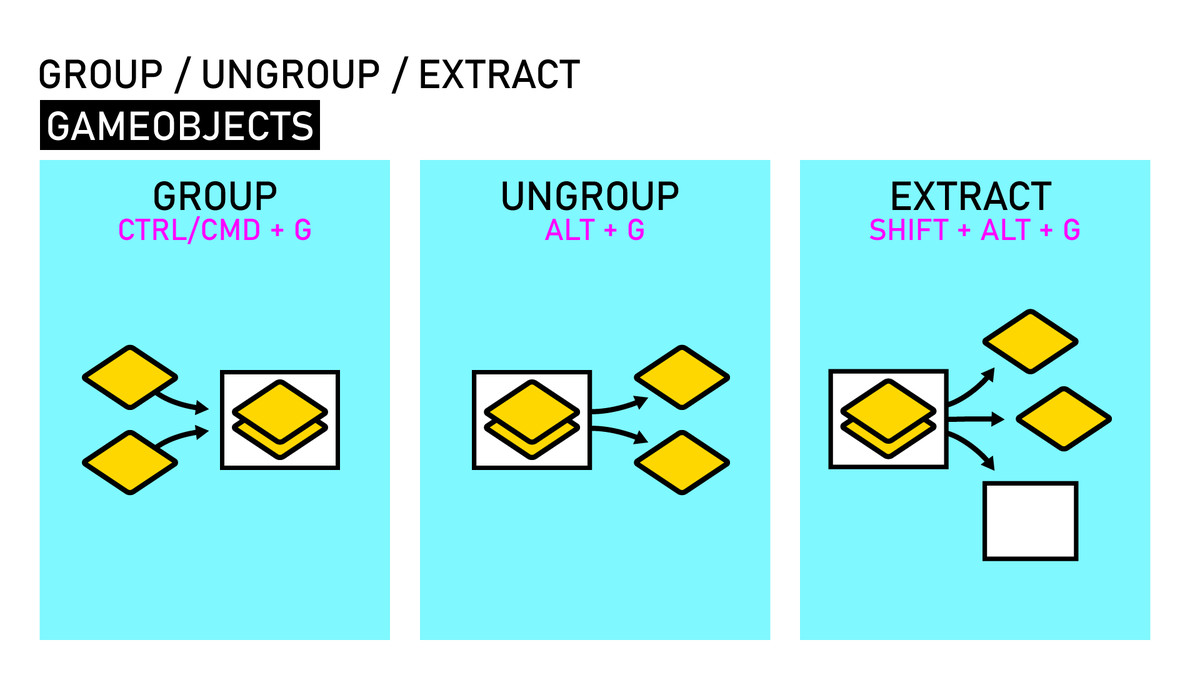
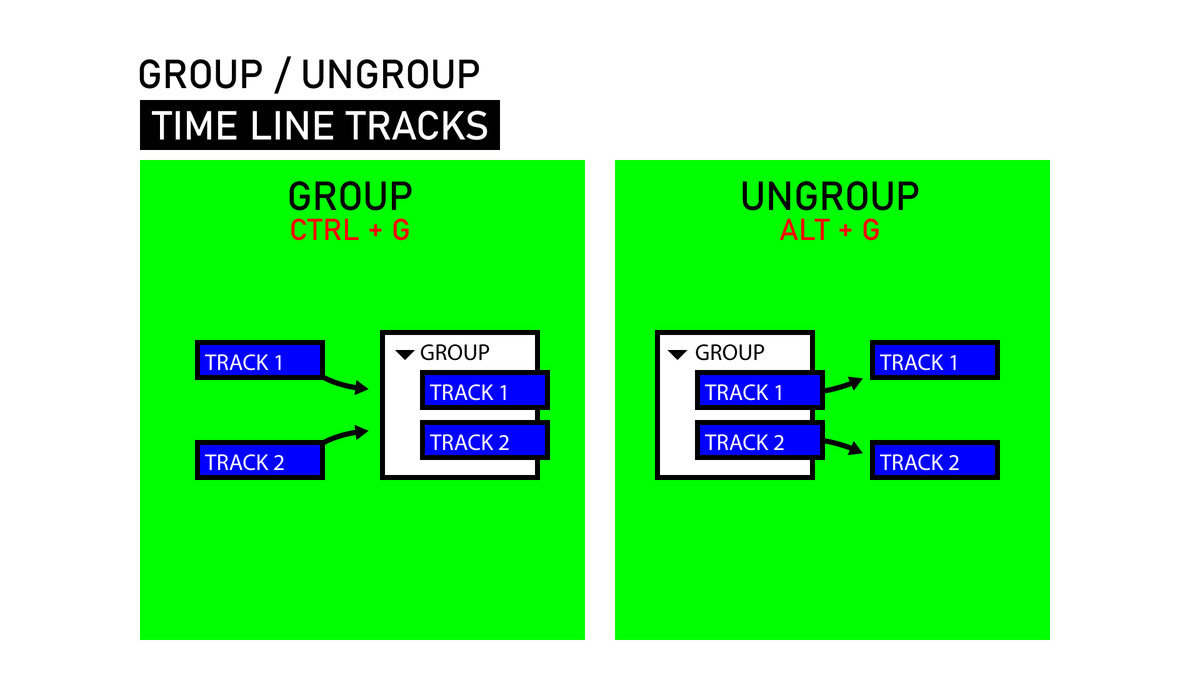
- Group selected objects into a new parent (Ctrl+G)
- Ungroup objects by moving children up and deleting the parent (Alt+G)
- Extract children without deleting the parent (Shift+Alt+G)
The tool works in three contexts:
- Hierarchy window (GameObjects)
- Project window (files and folders)
- Timeline window (tracks)
From the publisher's Asset Store listing.
Technical details
Key features:
- Smart UI support: automatically creates RectTransform groups for UI objects
- Configurable pivot position for new groups
- Optional auto-rename after grouping
- Full Undo/Redo support
- Customizable hotkeys
- Prefab-aware with unpacking confirmation
GROUP (Ctrl+G)
--------------
Creates a new parent object containing all selected objects.
In Hierarchy:
- Creates "Group" or "UI Group" (for RectTransform objects)
- Preserves sibling order (group inserted at last selected position)
- Calculates appropriate pivot based on settings
- For UI: automatically sizes the group to fit all children
In Project:
- Creates a new folder and moves selected assets into it
- Works with both files and folders
In Timeline:
- Creates a new Group Track containing selected tracks
UNGROUP (Alt+G)
---------------
Moves children up one level and deletes the parent object.
In Hierarchy:
- Moves all children to the parent's parent
- Deletes the original parent object
- Shows confirmation for prefabs (will unpack) or objects with components
- Selects all extracted children after operation
In Project:
- Moves folder contents up one level
- Deletes the empty folder
In Timeline:
- Moves tracks out of a Group Track
- Deletes the Group Track
EXTRACT (Shift+Alt+G)
---------------------
Like Ungroup, but keeps the parent object intact.
In Hierarchy:
- Moves all children up one level
- Parent object remains (becomes childless)
- Useful when parent has components you want to keep
In Project:
- Moves folder contents up one level
- Folder remains (becomes empty)
In Timeline:
- Moves tracks out of a Group Track
- Group Track remains (becomes empty)
Compatibility
| Unity version | Built-in | URP | HDRP | Custom |
|---|---|---|---|---|
| 2022.3.62f2 | Compatible | Compatible | Compatible | Compatible |
As listed on the Asset Store.