
 View on Asset Store (opens in new tab)
Package details
- Latest version
- 2.0.0
- Last updated
- First released
- Unity version
- 6000.0.60 or later
- Package size
- 24.3 MB
- Files
- 457
- Favorites
- 24
- Views in the past week
- 108
Price tracking
- Last checked
- Tracked since
- Lowest recorded
- $34.99 on
Keywords

MSMotion
MSMotion is an all-in-one Unity animation editor and zero-GC runtime framework. Extract, blend, edit clips and make Multi Actor animation, overlay procedural IK, and seamlessly trigger FX.
Affiliate link · Purchases support this site
Price history
Last 6 months
USDAsset preview
1 / 43
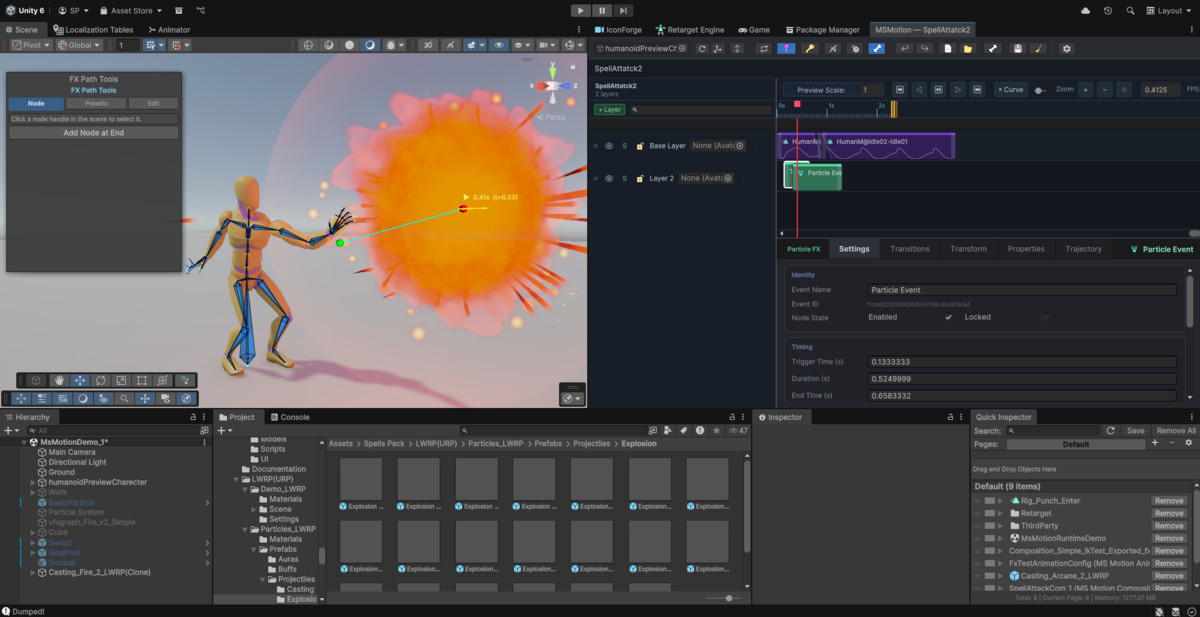
MSMotion screenshot 1













About this asset
MaharajaStudio MSMotion — Animate. Simulate. React. All in One Place.
Create complex, FX-driven animations and synchronized multi-character choreography in minutes—without writing a single script.
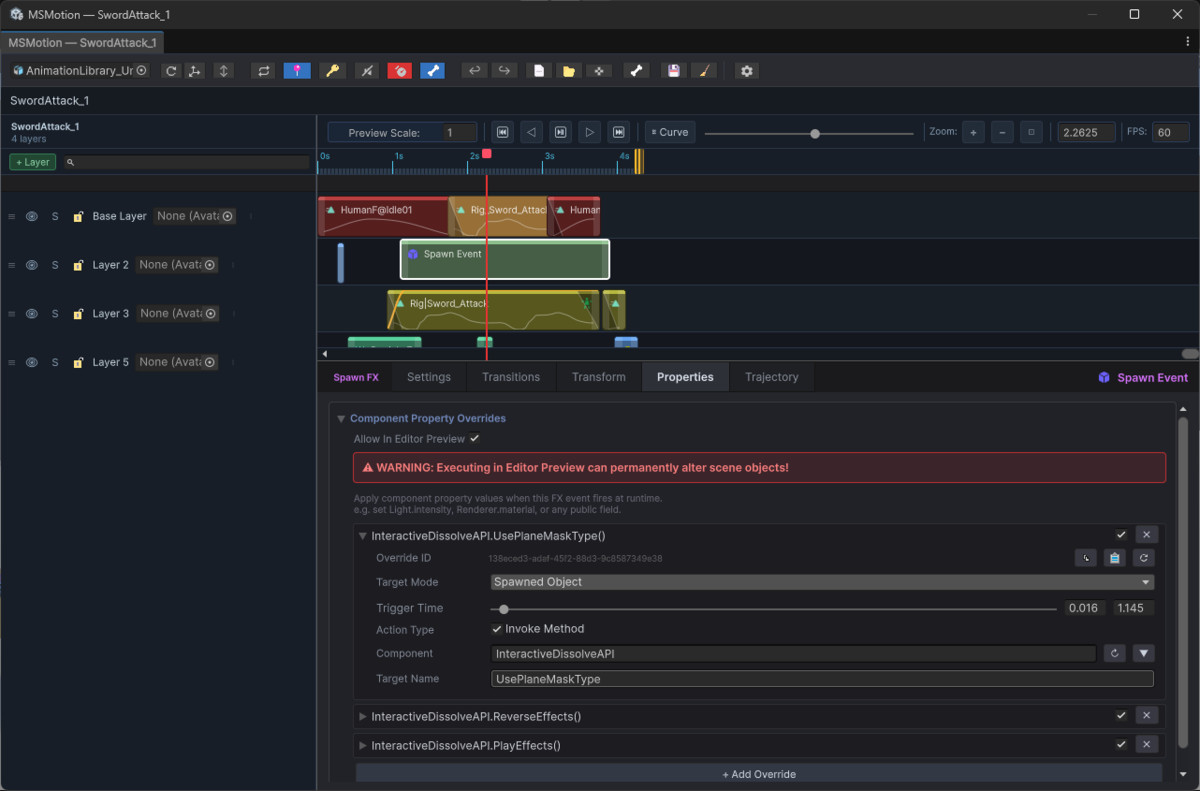
Your game's attack has a sword trail. A footstep kicks up dust and plays a crunch. A leap follows a perfect arc and lands with a camera shake. A partner character catches the hero in mid-air and spins into a synchronized dance lift. MSMotion connects animations, visual effects, secondary physics, multi-character choreography, and gameplay logic on a single shared timeline.
No more jumping between an Animator window, Particle Systems, and scripts. MSMotion does it all in one editor with real-time Scene View preview — and zero performance cost at runtime.
🌟 Why MSMotion Is Different
Most animation tools stop at the clip. MSMotion starts there and goes much further:
🔹 Zero-Code Syncing: Drop Audio, particles, or surface decals on the exact impact frame.
🔹 Multi-Actor Choreography: Direct dance duets, martial arts grapples, co-op takedowns, and cinematics with 0ms frame drift.
🔹 Live Editor Preview: Everything previews live in the Scene View without entering Play Mode.
🔹 Interactive Physics & IK: Add Jiggle Physics, Foot IK, or IK Overrides with interactive handles.
🔹 Dynamic Summons: Spawn temporary weapons, familiars, dragons, or Stand avatars with automatic object pooling and 1-line playback.
🔹 Dynamic Motion Warping: Automatically scales approach locomotion and adapts to terrain so characters arrive at authored sync spots without foot sliding.
🔹 Custom Logic Triggers: Fire hitboxes, combo windows, and state changes directly from the timeline via typed C# events.
🔹 Scene-Independent: Build your sequence once and reuse it anywhere across your project.
🎛️ The Composition Editor
Your primary timeline workspace for character motion, layers, and gameplay events:
🔹 Unlimited Layers: Stack Override and Additive layers with AvatarMasks for seamless upper/lower body isolation.
🔹 Actor Roster & Routing: Manage participants in the Actor Roster (`👥 Actors`) and route timeline slots to designated characters with visual color badges and accent strips.
🔹 Non-Destructive Slot Editing: Drag, trim, split, duplicate, cut/copy/paste, and ripple-delete any slot.
🔹 6 Crossfade Transitions: Smoothly blend slots using Linear, Smooth, EaseIn, EaseOut, Cubic, or Bounce curves.
🔹 Markers & Loop Region: Annotate impact frames and loop sub-ranges for rapid iteration.
🔹 Viewport Controls: Real-time IK handle dragging, auto-keying, bone overlay, and breadcrumb navigation.
👥 Multi-Actor Choreography & Dynamic Summons (v2.0.0)
Direct multi-character choreography and companion summons right from the timeline:
🎭 Synchronized Duets & Grapples: Coordinate 2, 3+ characters with 0ms frame drift.
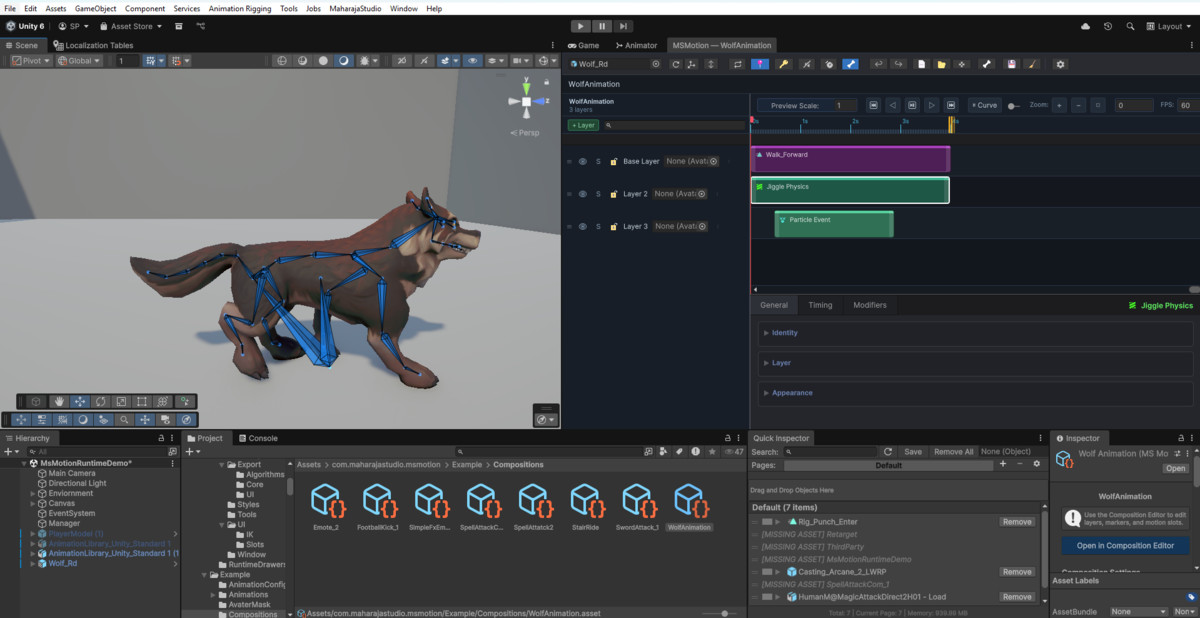
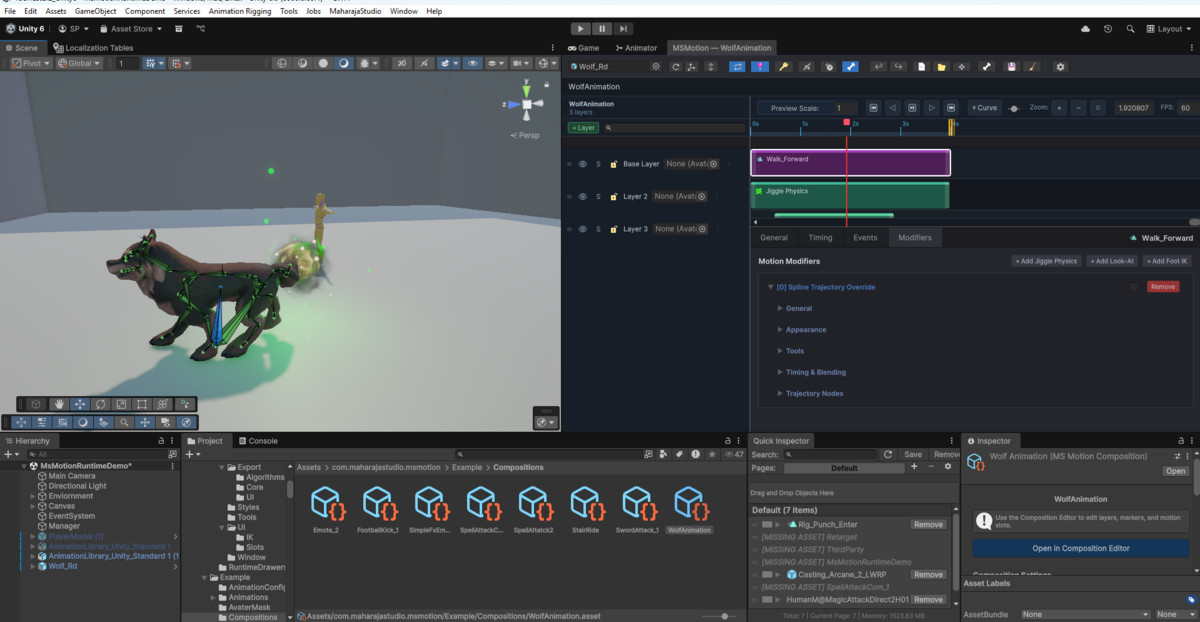
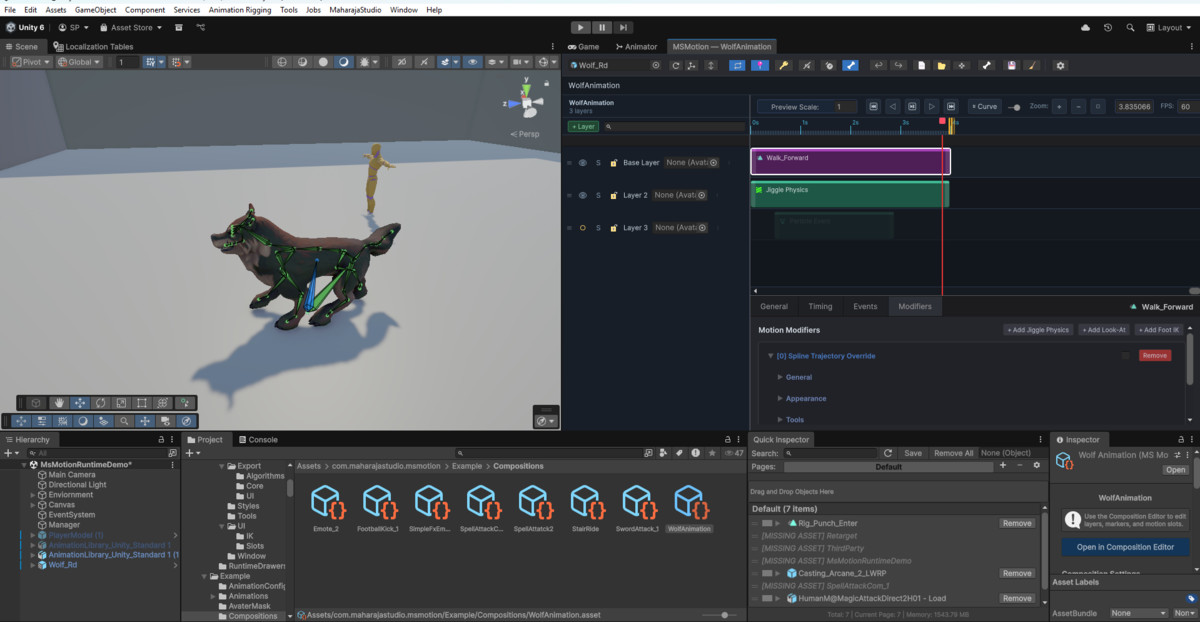
🐾 Humanoid & Generic Rigs: Mix Humanoids with Generic rigs (quadrupeds, monsters, robots, props) in the same sequence.
⚡ Motion Warping & Dynamic Alignment: Pre-interaction entry phase dynamically scales locomotion speed to match distance and terrain, eliminating foot sliding. Includes Auto Stride speed derivation and Scene View alignment discs.
🐉 Dynamic / Temporary Actors: Ephemeral summons (weapons, dragons, familiars) auto-spawn, track sockets, animate, and recycle back to the zero-allocation `MSMotionActorPool`.
🔄 Cross-Actor FX & Prop Handover: Seamlessly pass props, weapons, torches, or spell effects between characters (Instant, SmoothInterpolation, or FollowTrajectory). Transferred items can persist via `RetainOnEnd`.
🎯 Cross-Actor Partner Targeting: Hand/foot IK effectors and Look-At modifiers can directly target partner bones.
▶️ 1-Line Runtime API: `MSMotionInteraction.Play(duetConfig, leadActor, partnerActor)` coordinates independent PlayableGraphs without race conditions.
🚪 Dynamic Participant Departure: Characters can break away early via `session.StopActor()` using `ContinueRemaining` or `StopAll` cascade policies.
🧩 Modifier Nodes — The Power Behind the Animator
Stackable, timeline-driven procedural solvers:
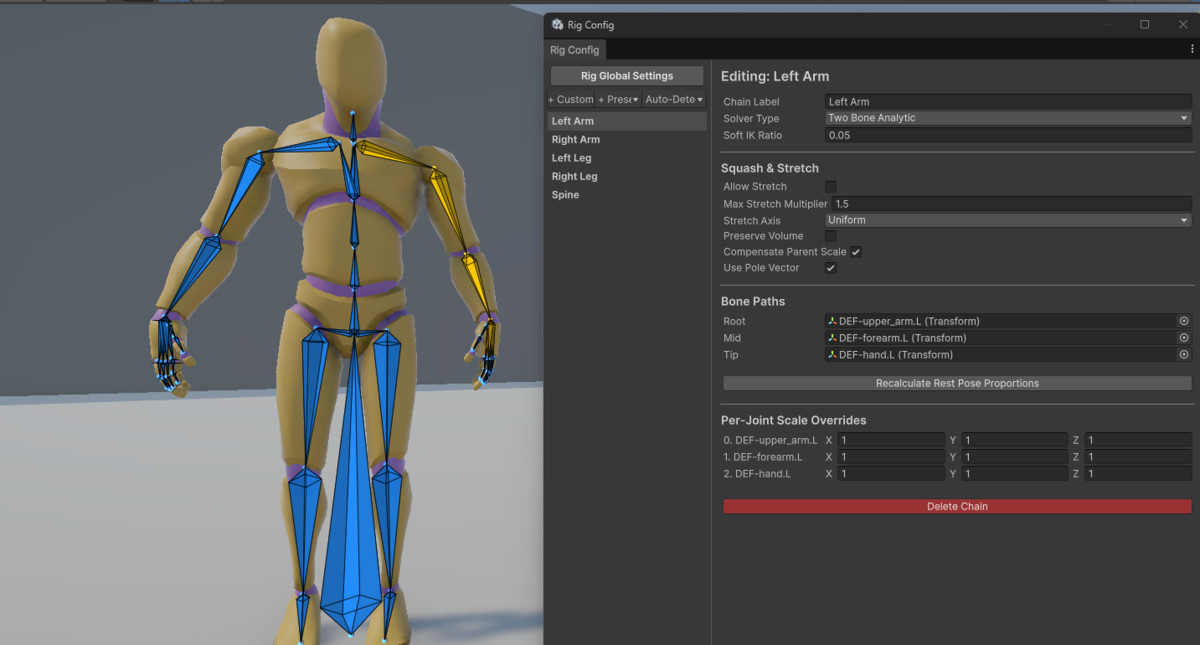
🦾 IK Override: Multiple IK chains, effector/pole handles in Scene View, Squash & Stretch handles, Twist Distribution for limb rolls, FBIK solver, and Advanced IK Locks to pin multiple joints.
👣 Foot IK: Raycast terrain adaptation, pelvis drop, foot lock, toe rotation, and ground normal alignment. Auto-detects Humanoids and supports Generic rigs.
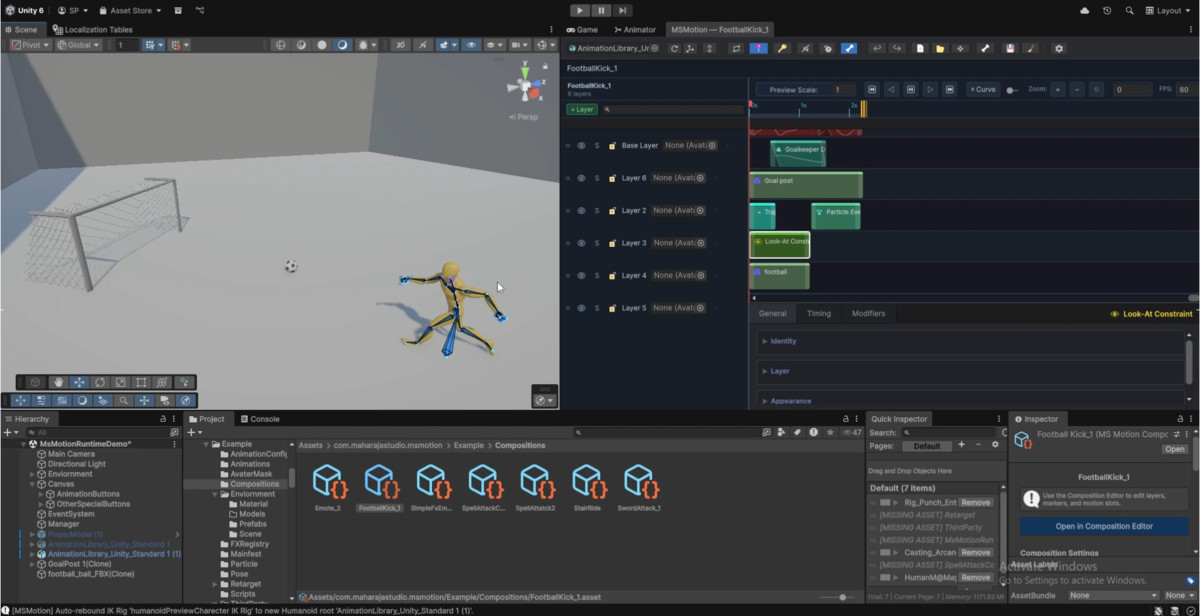
👀 Look-At: Head, spine, and eyes smoothly track targets. Includes biological saccade micro-jitter, soft angle limits, and partner bone targeting.
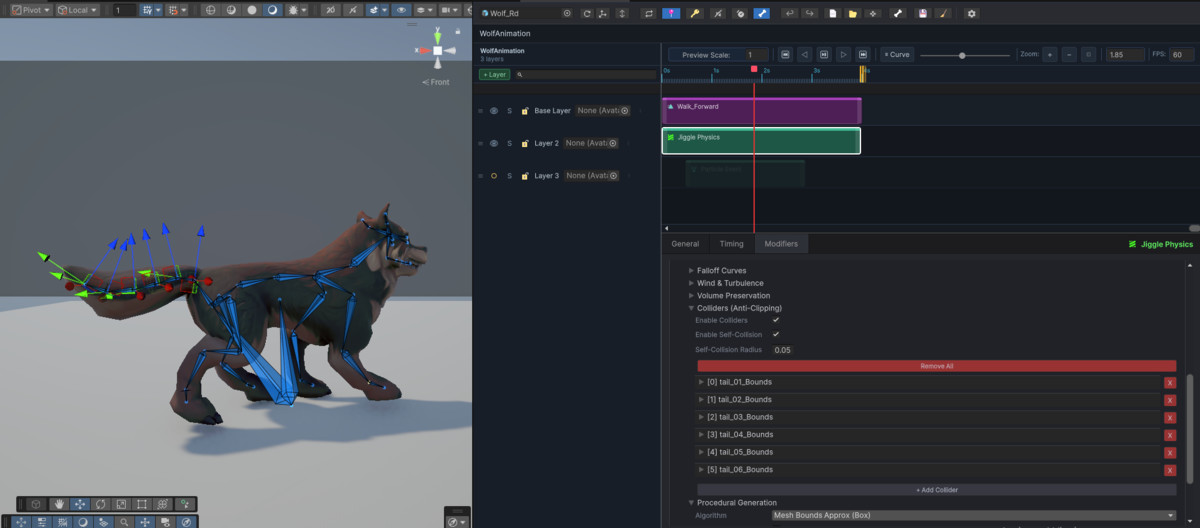
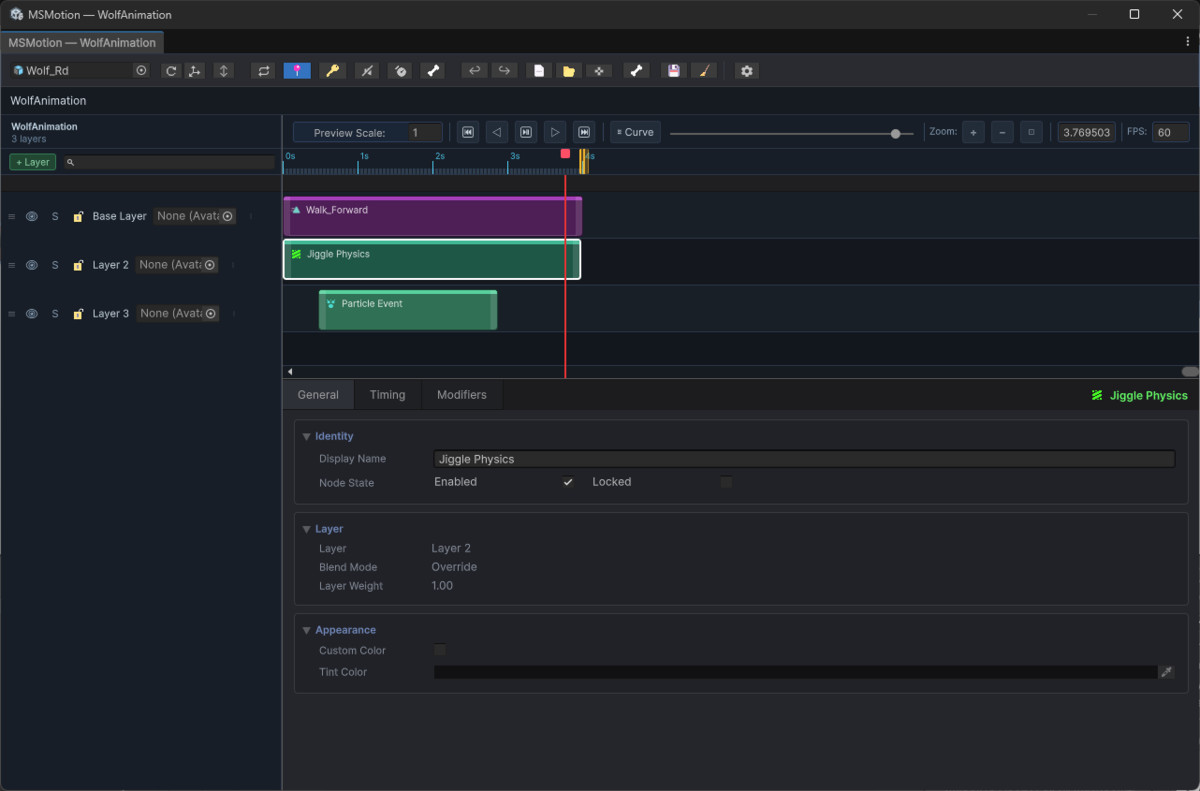
🌊 Jiggle Physics: Spring-mass chain simulation with stiffness, damping, mass, gravity, wind, turbulence, 4 collision shapes (Sphere, Capsule, Box, Plane), and volume preservation (Squash & Stretch).
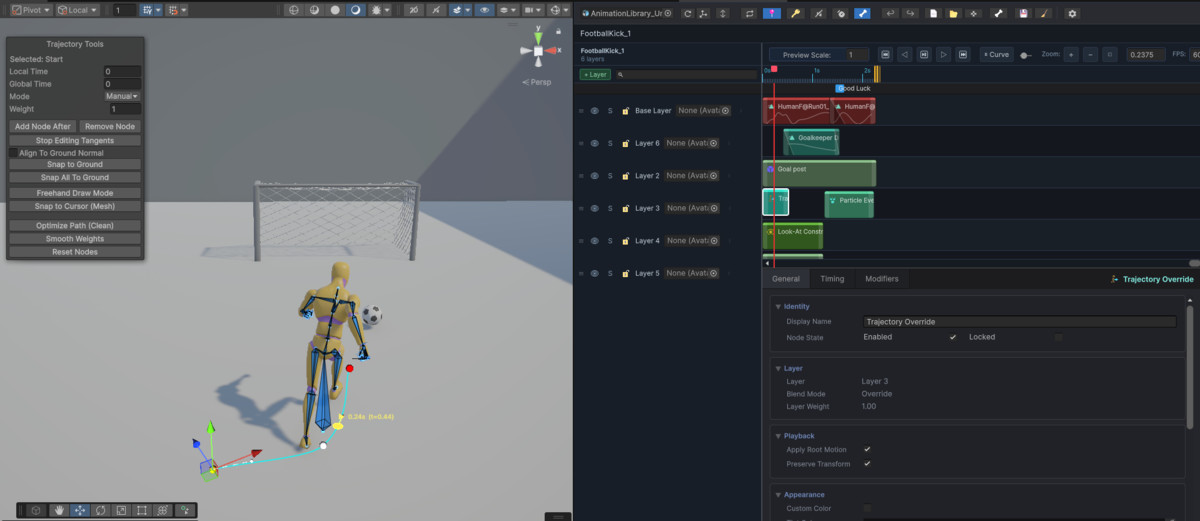
🛤️ Spline Trajectory: Draw Bezier paths in Scene View for dashes, leaps, and cutscene motion with banking, ground snapping, and speed heatmaps.
🔒 IK Lock: Freeze a hand or foot to a surface contact point while the body continues animating.
🦴 Dynamic Bone Subdivision (DBS): Procedural multi-joint chain deformation with balanced weight distribution.
✨ FX & Gameplay Event Nodes — 8 Types + Summons
Trigger synchronized effects and logic directly from the timeline:
🔁 4-Tier Property Overrides: Customize prefab fields, light intensity, or material colors per slot, via global FXRegistry, or through runtime C# scripts.
🔊 Audio FX: Volume, pitch, stereo pan, 3D distance, and volume fade envelopes.
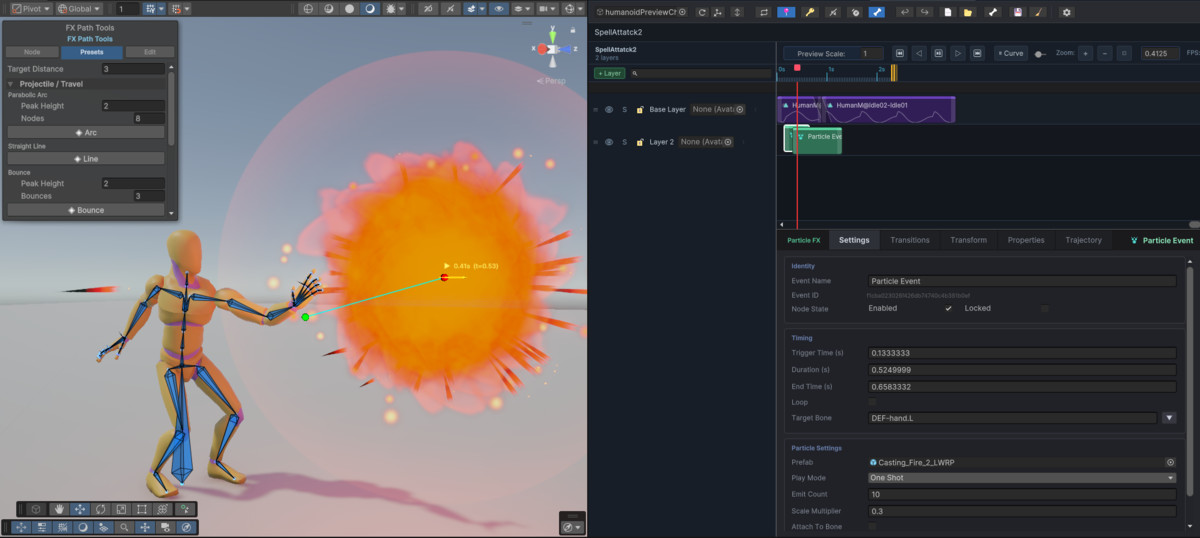
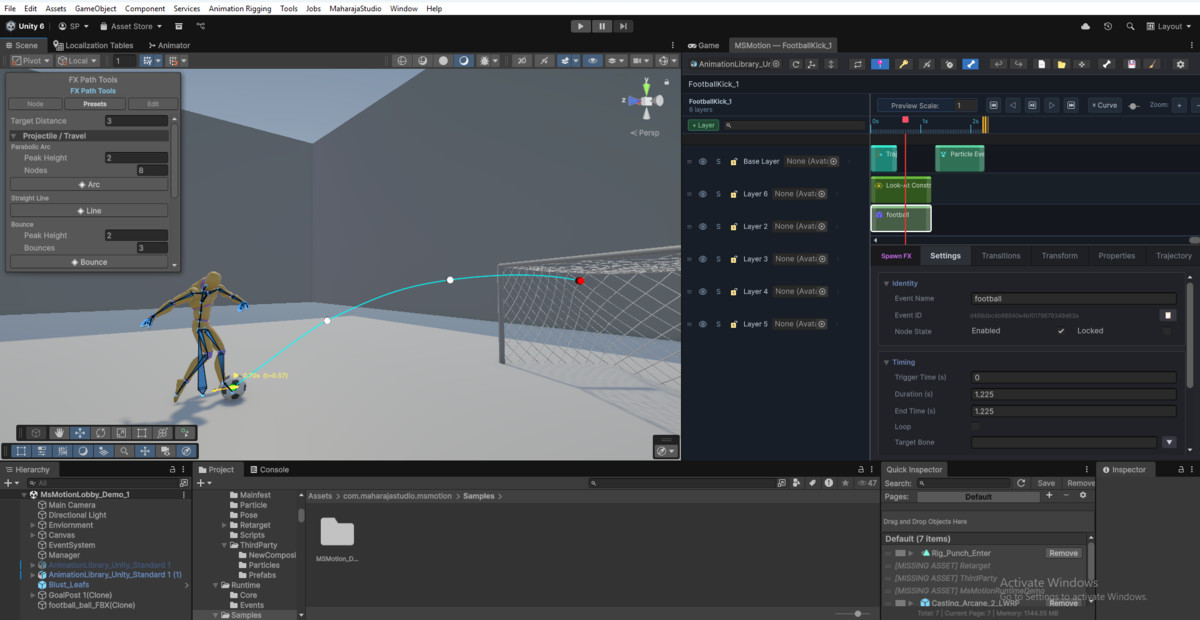
💥 Particle FX: Bone attachment, sustained/oneshot modes, and Bezier movement paths.
🎨 Decal FX: Project decals onto dynamic geometry with raycast slope angle limits, URP Decal Projector normal blending, non-uniform scaling, moving platform attachment, and pooling.
🎇 VFX Graph: Drive Unity VFX Graphs and exposed parameters from the timeline.
📷 Camera Shake: Cinemachine Impulse shakes triggered on specific impact frames.
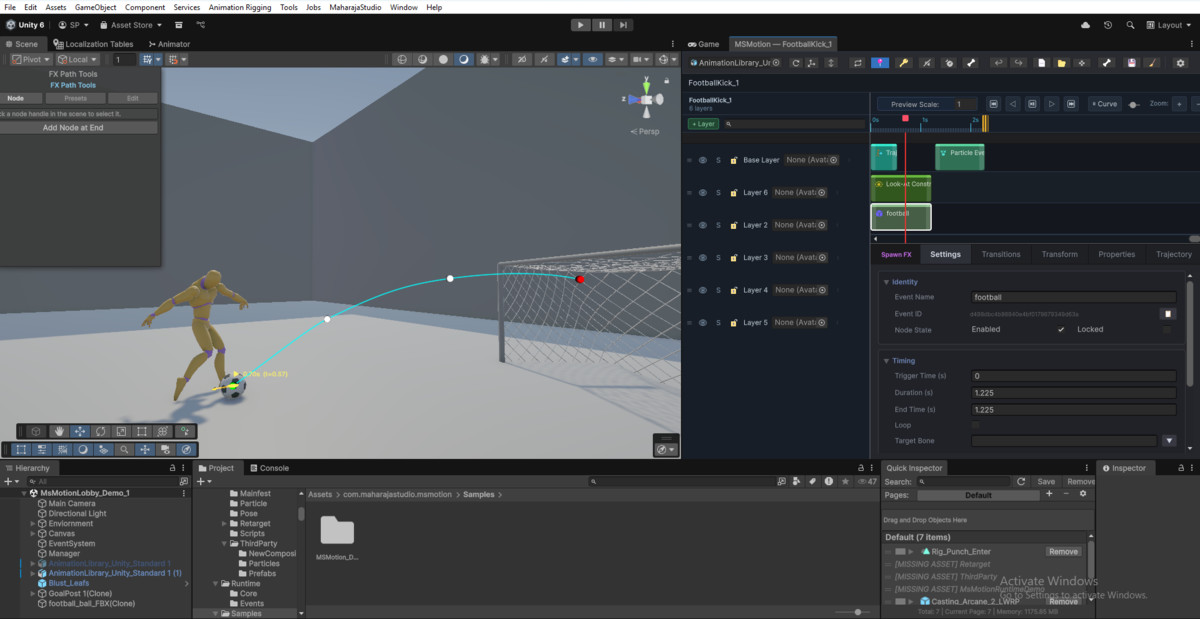
📦 Spawn FX: Instantiate prefabs at bone sockets with zero runtime GC spikes.
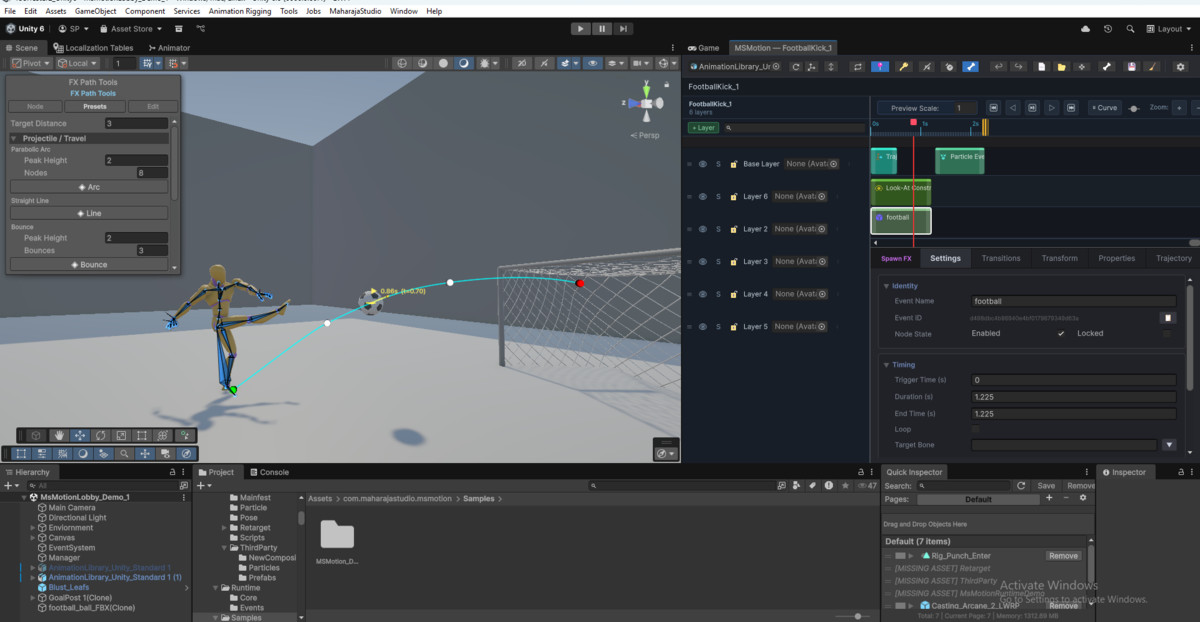
🦴 Transform FX: Dynamic bone/socket offsets with 3D Bezier spline flight paths.
⚙️ Script Event: Dispatch typed callbacks via `MSMotionScriptEventBus` (float, int, bool, string, GameObject).
👥 Spawn & Destroy Actor: Control frame timing, sockets, scale curves, and pool recycling of dynamic summon entities.
🔄 Cross-Actor Handover: Smoothly transfer props and effects between characters.
🛣️ FX Path Tools HUD: Viewport overlay with preset path generators (Arcs, Helixes, Spirals, Waves).
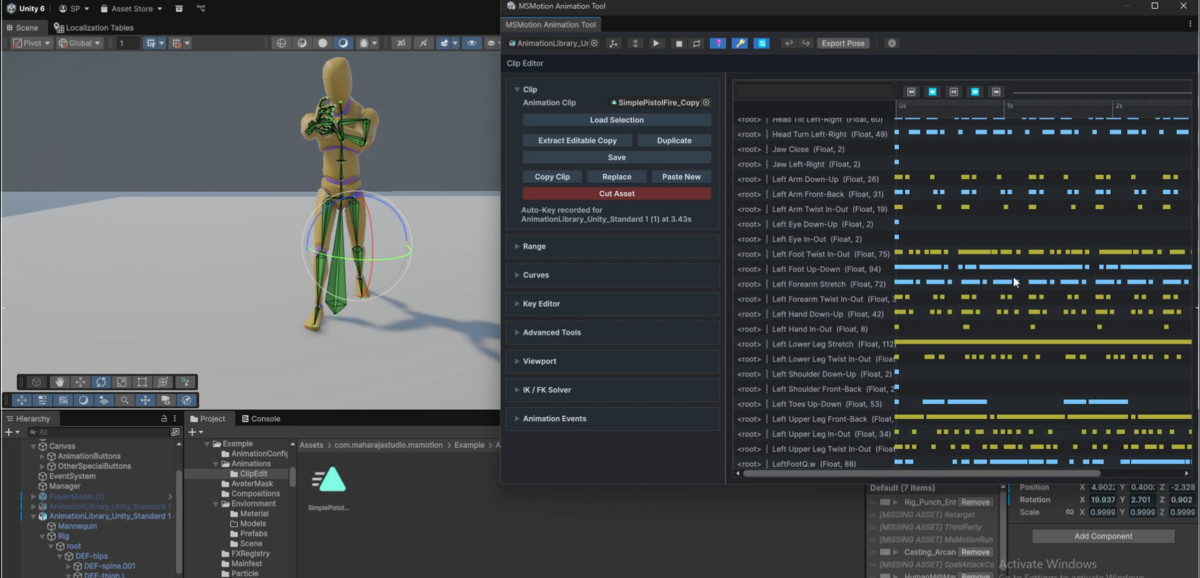
🎬 Animation Editor
Inspect and refine raw animation clips directly inside Unity:
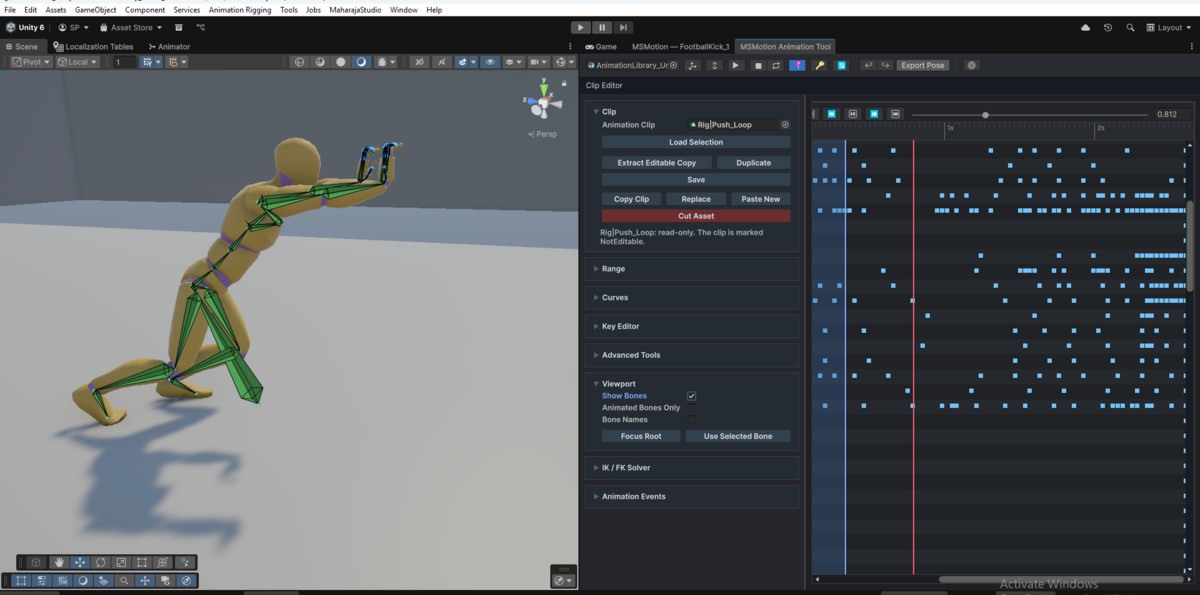
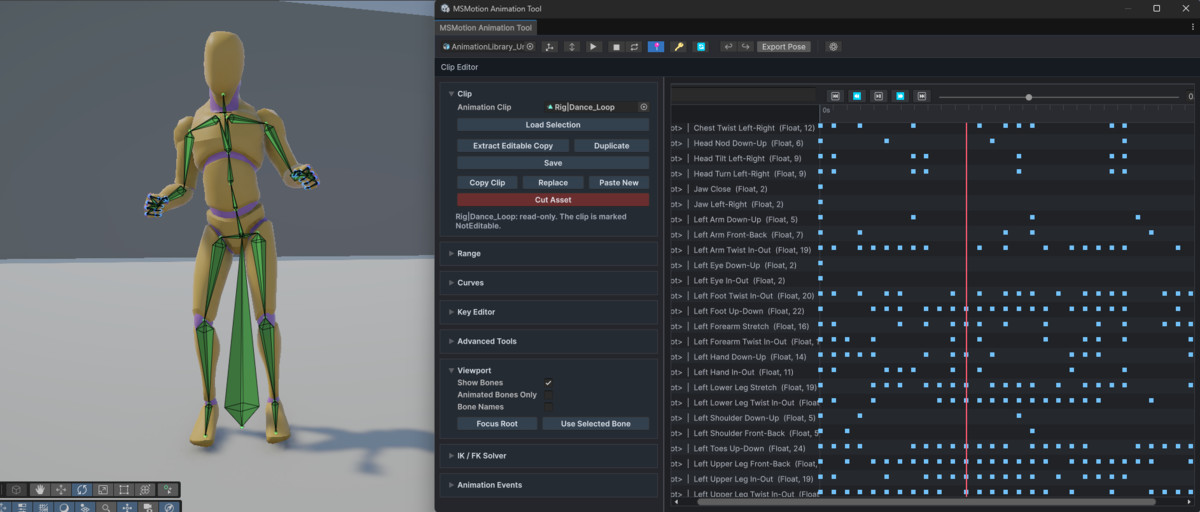
🔓 1-Click Extraction: Convert locked FBX model clips into editable local `.anim` assets.
✂️ Range Operations: Insert, Delete (with ripple), Scale, Reverse, Crop, and Remove with Transition.
📐 Keyframe Control: Edit time, value, tangents, and tangent modes (Auto, Linear, Manual).
🔁 Curve Tools: Mirror, curve smoothing (Median/Gaussian/Average), keyframe optimization, and root motion extraction.
🎯 Auto-Key: Move bones in Scene View to auto-write keyframes.
👻 Live Link & Ghost Preview: Evaluate full composition context (IK, layers, FX) live in Scene View while editing raw clips.
⚡ Runtime — Zero GC. Maximum Performance.
MSMotion runs on Unity's low-level PlayableGraph API — no Animator Controller overhead:
▶️ 1-Line Playback: `animator.Play(config)`, `CrossFade(config)`, and `PlayThenCrossFade(a, b)`.
👥 Multi-Actor Runner: `MSMotionInteraction.Play()` coordinates multiple characters with zero frame drift.
🎭 Dynamic Layers: Mixers allocated on-demand, keeping memory footprint minimal.
🎚️ Frame-Accurate FX: Audio, particles, decals, and camera shakes fire with automatic intensity scaling during crossfades.
🔗 Procedural Rigging: Activate/deactivate IK constraints per animation; retarget limbs at runtime.
♻️ Zero-Allocation Pooling: `MSMotionActorPool` and `MSMotionFXPool` eliminate runtime heap allocations.
🛠️ Compatibility
Engine: Unity 6 and above
Rig Support: Full support for both Humanoid and Generic rigs
Source Code: Full C# source included — no DLLs, no black boxes
Optional Integrations: Cinemachine · Unity VFX Graph · Unity Animation Rigging
Documentation: Full guides included in the Documentation folder and Website
📞 Support & Community
📧 Email: [email protected]
🌐 Website: link
💬 Discord: link
📖 Docs: Online Docs
▶️ Tutorials: link
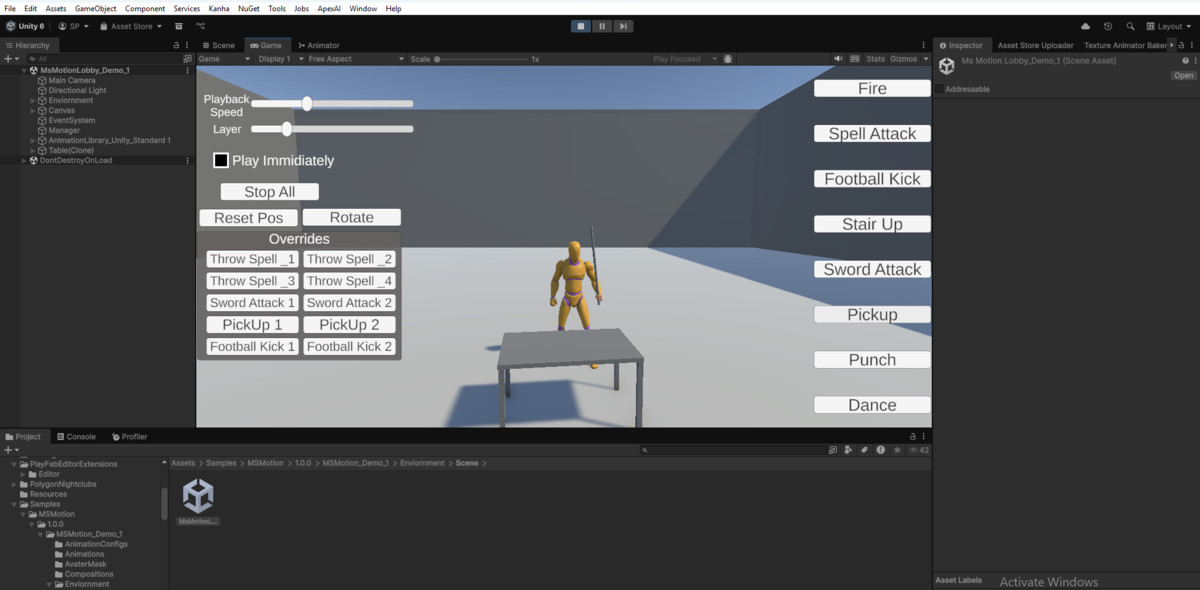
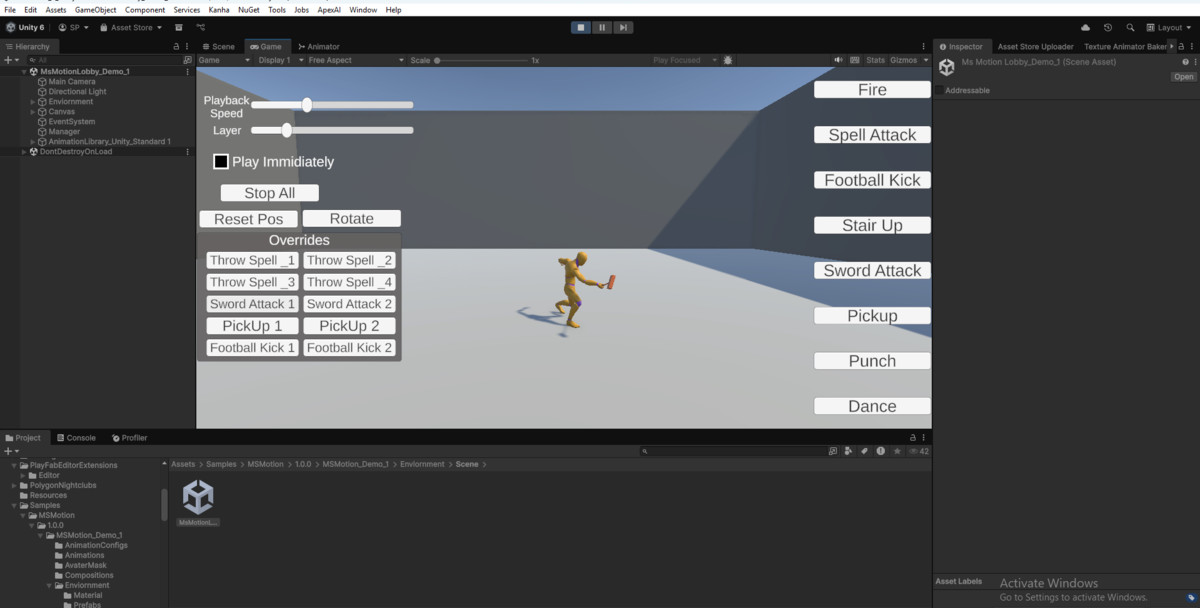
🎮 Demo : windows build
🎮 Try the Interactive Windows Demo!
Want to see the system in action before you buy? We have put together a highly polished, high-fidelity cinematic demo showcasing exactly how the tool drives complex FX and animation paths at runtime with peak Burst-compiled performance.
👉 [Download the Free Windows Demo Build via GitHub] Link
⚠️ Note on Windows SmartScreen: Because this is an unsigned indie executable demo distributed outside a major launcher, Windows Defender may show a "Windows protected your PC" popup when you launch it. This is completely normal! Simply click "More info" and then "Run anyway" to play.
MSMotion is built for developers who want AAA-quality animation pipelines without sacrificing performance, flexibility, or creative control.
From the publisher's Asset Store listing.
Technical details
MSMotion — Technical Details & Feature Reference
📖 Full Documentation: https://maharajastudiocustomerservice-cell.github.io/MaharajaStudioWeb/ms-motion-docs.html
📦 Package Contents
✔ Full C# source code — no DLLs, no black boxes
✔ UI Toolkit editor scripts and USS stylesheets
✔ High-performance runtime API (PlayableGraph-based, Zero-GC)
✔ Comprehensive local documentation (Documentation folder)
✔ Example scenes and starter guides
🛠️ Compatibility
| Property | Detail |
|-----------------------|------------------------------------------------------|
| Unity Version | Unity 6+ |
| Runtime Architecture | PlayableGraph API — no AnimatorController at runtime |
| Editor Architecture | Unity UI Toolkit |
| Cinemachine | Optional — for CameraShakeFX nodes |
| Unity VFX Graph | Optional — for VFXGraphFX nodes |
| Unity Anim. Rigging | Optional — for MSMotionRigController |
🎛️ Composition Editor
Multi-layer, non-destructive character timeline.
→ Layers: Unlimited named layers · Override or Additive blend modes · Curve-driven weights · AvatarMask isolation · Solo · Lock · Mute · Drag-to-reorder · Duplicate
→ Slot Operations: Move across layers · Edge trimming · Split at playhead · Duplicate clip copy · Cut / Copy / Paste · Ripple-delete · Custom tint · Speed easing curve · 6 transition curve shapes (Linear, Smooth, EaseIn, EaseOut, Cubic, Bounce)
→ Slot Types: AnimationClip · Pose Hold · IK Override · Foot IK · Look-At · Jiggle Physics · Spline Trajectory · IK Lock · Dynamic Bone Subdivision (DBS) · AudioFX · ParticleFX · DecalFX · VFXGraphFX · SpawnFX · TransformFX · CameraShakeFX · ScriptEventFX · SpawnActor · DestroyActor
→ Editor Features: Actor Roster Window (`MSMotionActorRosterWindow`) · Dynamic Alignment (Motion Warping) · Color-coded Markers · Loop Region · Real-time Scene Preview (PlayableGraph inside AnimationMode) · IK Scene View Handles · Breadcrumb Navigation · Bone Scene Overlay
👥 Multi-Actor Choreography & Dynamic Summons (v2.0.0)
Direct multi-character choreography and companion summons right from the timeline:
→ Choreography & Rigs: Synchronized 2, 3+ character choreography with 0ms frame drift · Humanoid & Generic rig mixing (creatures, quadrupeds, robots, props) in the same sequence · Actor Roster Window role assignments, accent swatches, and bound scene objects · Visual actor badge pills & tinted strips on timeline blocks · Details Panel & context menu slot routing · Independent root motion evaluation per actor channel (prevents sliding) · Multi-output PlayableGraph preview & synchronized scrubbing · Target actor event dispatching · Cross-actor partner bone pinning (`IKChainModifier`) and look-at tracking (`MSMotionLookAtModifier`)
→ Dynamic / Temporary Actors: Author ephemeral summons (weapons, dragons, Stand avatars, familiars) in Actor Roster · Timing presets (`0`, `0.25`, `0.5`, `0.75`, `1.0`, `Custom`) · `SpawnActorSlot` & `DestroyActorSlot` timeline blocks (socket parenting, spatial offsets, entry/exit scale curves) · Zero-allocation pooling (`MSMotionActorPool`) · 1-line playback (`animator.Play`) auto-spawns, transforms, animates, and recycles
→ Motion Warping & Dynamic Alignment: Pre-interaction entry phase bridges gameplay starting distances without timeline padding · Dynamic speed scaling eliminates foot sliding · Early arrival waiting idles · Auto Stride derivation from root motion curves · Downward terrain raycasting for slopes/stairs · Scene View visualizer (arrival discs, lead sync origin, live trajectory readouts, Snap & Test tools)
→ Cross-Actor FX & Prop Handover: Dynamically pass props, weapons, torches, or visual spell effects between characters (`Instant`, `SmoothInterpolation`, `FollowTrajectory`) · `RetainOnEnd` setting persists transferred items on the receiver actor
🧩 Modifier Nodes
Stackable, timeline-driven procedural solvers:
→ 🦾 IK Override: Multiple IK chains · Effector + pole keyframes in Scene View · Squash & Stretch scale handles · Twist Distribution for limb rolls · Advanced IK Locks to freeze multiple joints · FBIK solver
→ 👣 Foot IK: Standard, RootRelative, SimpleSnap algorithms · Raycast terrain adaptation · Pelvis drop · Foot lock · Toe rotation · Normal alignment · Humanoid & Generic support
→ 👀 Look-At: Head, spine, and eyes track targets · Biological saccade micro-jitter · Soft angle limits · Partner bone targeting · Humanoid & Generic support
→ 🌊 Jiggle Physics: Spring-mass chain simulation · Stiffness, damping, mass, gravity, wind, turbulence · 4 colliders (Sphere, Capsule, Box, Plane) · Volume preservation (Squash & Stretch)
→ 🛤️ Spline Trajectory: Bezier root motion paths in Scene View · Procedural banking · Ground-snap raycasting · Speed heatmap HUD · Closed-loop paths
→ 🔒 IK Lock: Freeze limb at world-space contact while body continues animating
→ 🦴 Dynamic Bone Subdivision (DBS): Procedural multi-joint chain deformation with balanced weight distribution
✨ FX Event Nodes — 8 Types + Dynamic Actor Nodes
→ 🔊 AudioFX: Volume, pitch, spatial blend, stereo pan, 3D distance, volume fade envelope
→ 💥 ParticleFX: OneShot or sustained, bone attachment, detach mode, Bezier movement paths
→ 🎨 DecalFX: Raycast surface projection (slope normal angle limits, distance, layers) · Prefab or Material mode · URP Decal Projector normal blending · Uniform & non-uniform scaling · Moving platform attachment · Fade in/out · Fully pooled
→ 🎇 VFXGraphFX: Drive all VFX Graph parameter types (float, Color, Texture, Gradient, Mesh)
→ 📷 CameraShakeFX: Cinemachine Impulse trigger on a specific frame
→ 📦 SpawnFX: Instantiate prefabs at bone-relative sockets with zero runtime GC spikes
→ 🦴 TransformFX: Bone override (Local/World/Bone-Relative) · Blend envelope · Bezier spline flight paths
→ ⚙️ ScriptEventFX: Typed C# callbacks via `MSMotionScriptEventBus` (float, int, bool, string, GameObject)
→ 👥 SpawnActorFX / DestroyActorFX: Spawns and recycles dynamic actors (summons, familiars, props) · Socket attachment · Scale curves · Pool integration
→ Shared FX Features: Cross-Actor Handover · 4-tier Property Overrides (Manifest → Global FXRegistry → Per-Slot Overrides → Dynamic Runtime Overrides API) · FX Path Tools HUD overlay with preset generators · AvatarMask-aware dispatch · Layer-weight-scaled intensity
🎬 Animation Editor
→ 1-Click FBX Extraction: Convert model clips to editable local `.anim` assets
→ Range Operations: Insert, Delete (with ripple), Scale, Reverse, Crop, Remove with Transition
→ 3 Paste Modes: Merge, Overwrite, Insert
→ Keyframe Control: Time, value, in/out tangents, tangent modes (Auto, Linear, Manual)
→ Optimization & Smoothing: Median/Gaussian/Average curve smoothing, keyframe reduction, root motion extractor
→ Live Link & Ghost Preview: Evaluate full composition context (IK, layers, FX) live in Scene View while editing raw clips
⚠️ Known Limitation — FX Event Dispatch
FX events are triggered via Unity's AnimationEvent system embedded in exported clips. Animation events can skip during fast time jumps or non-linear crossfades.
✔ Use FX events for visual/audio effects (particles, sounds, camera shakes, decals).
✘ Do NOT rely on FX events for critical gameplay logic (hitbox activation, damage, state transitions).
For gameplay-critical timing, use `MSMotionAnimator` state queries (`GetNormalizedTime`, `GetCurrentTime`, `IsPlaying`) from your Update loop, or use ScriptEventFX with a gameplay fallback.
🔜 Upcoming: An event-free FX cursor driven directly by PlayableGraph time will eliminate skipped events entirely.
⚡ Runtime API Summary
MSMotionAnimator
→ Play(config) · CrossFade(config) · PlayThenCrossFade(a, b) — async-await sequencing
→ Stop · StopSmoothly · StopAll · Pause · Resume
→ Delay-start-during-crossfade — preserves frame-0 root motion during crossfade blend-in
→ Query: IsPlaying · IsFading · GetNormalizedTime · GetTimeRemaining · GetActiveWeight
MSMotionInteraction *(Multi-Actor Choreography)*
→ Play(config, lead, partner...) — 1-line synchronized multi-character playback
→ StopActor(actor, fade, policy) — dynamic departure (`ContinueRemaining` or `StopAll`)
→ Builder: SetSyncPoint · SetFadeIn · SetFadeOut · OnComplete · OnActorStopped · OnTick
MSMotionActorPool
→ Zero-allocation runtime pooling for ephemeral summons, companion entities, and decals
MSMotionFXPlayer
→ Fires all 8 FX types frame-accurately · Fully pooled (AudioSource + ParticleSystem + Decals)
→ Layer-weight-scaled intensity · AvatarMask-aware per-layer FX dispatch
MSMotionRigController *(requires Unity Animation Rigging)*
→ Named IK constraint registry · SetTarget(id, transform) · Cross-layer suppression via AvatarMask
MSMotionStretchApplicator
→ Applies Squash & Stretch scale transformations at runtime · Built-in LOD distance culling
MSMotionAnimationConfig & MSMotionInteractionConfig
→ ScriptableObject assets storing clips, masks, layers, IK entries, and multi-actor sync alignments
Compatibility
| Unity version | Built-in | URP | HDRP | Custom |
|---|---|---|---|---|
| 6000.0.60f1 | Compatible | Compatible | Compatible | Compatible |
As listed on the Asset Store.