
 View on Asset Store (opens in new tab)
Package details
- Latest version
- 1.0
- Last updated
- First released
- Unity version
- 6000.1.11 or later
- Package size
- 697 KB
- Files
- 8
- Favorites
- 1
- Views in the past week
- 5
Price tracking
- Last checked
- Tracked since
- Lowest recorded
- $7.50 on
Keywords

UI Overlay Button
- Price drop
Create professional Photoshop-style Overlay Glow buttons in Unity. No sprite swapping needed—just pure, customizable, real-time blend modes.
Affiliate link · Purchases support this site
Price history
Last 6 months
USDAsset preview
1 / 4

UI Overlay Button screenshot 1

About this asset
Level Up Your UI with Real-Time Overlay Glow
Say goodbye to the boring, default Unity button and the old-school method of creating multiple sprites just to make a button shine.
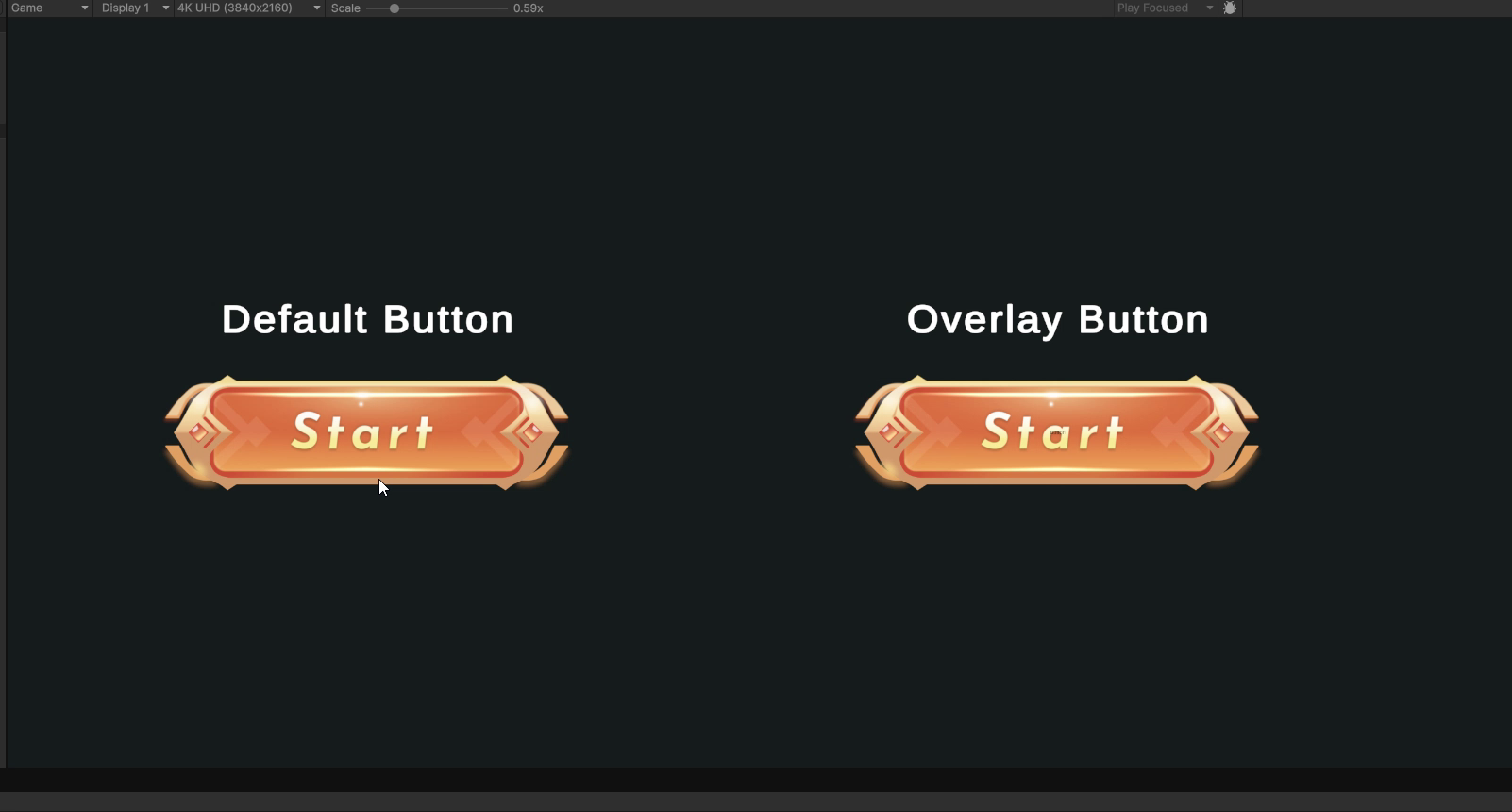
This asset brings the power of Photoshop's Overlay Blend Mode directly into Unity's UI system. Instead of swapping images, it uses a lightweight mathematical shader to calculate a smooth, high-quality glow that reacts to your button's colors naturally.
Why use this asset?
- Save Time & Memory: No need to draw separate "Highlighted" or "Pressed" sprites for every button. The shader does the work for you.
- Professional Look: Get that juicy, high-contrast glow seen in top-tier RPGs and mobile games.
- Total Control: Adjust the glow intensity for Hover, Click, and Selected states directly in the Inspector.
Easy to Use:Simply right-click in your hierarchy and go to UI > Button - Overlay Glow. It comes fully configured with TextMeshPro and the custom material ready to go!
From the publisher's Asset Store listing.
Technical details
Features:
- Custom UI Shader: Implements the "Overlay" blend mode formula (math-based) for accurate visual blending.
- Custom Inspector: Easy-to-use sliders to control Highlight, Press, and Selection intensities (0 to 1).
- Native Integration: Inherits from the standard Unity Button, so all your OnClick() events and Navigation settings work exactly the same.
- Editor Tools: Includes a custom menu item (GameObject > UI > Button - Overlay Glow) for one-click creation.
- Performance: extremely lightweight shader, optimized for mobile and desktop.
Requirements:
- Unity 2023.1 or higher (Script uses modern API).
- TextMeshPro (The prefab is pre-configured with TMP).
- Compatible with Built-in Render Pipeline, URP, and HDRP (Canvas based).
Package Contents:
- 1x Custom Shader (OverlayGlow_Real)
- 1x C# Button Script
- 1x C# Editor Script (for the menu item)
- Documentation (PDF/MD)
Compatibility
| Unity version | Built-in | URP | HDRP | Custom |
|---|---|---|---|---|
| 6000.1.11f1 | Compatible | Compatible | Compatible | Compatible |
As listed on the Asset Store.