
 View on Asset Store (opens in new tab)
Package details
- Latest version
- 1.0
- Last updated
- First released
- Unity version
- 6000.0.60 or later
- Package size
- 231 KB
- Files
- 3
- Favorites
- 2
- Views in the past week
- 5
Price tracking
- Last checked
- Tracked since
- Lowest recorded
- $4.99 on
Keywords

Icon Generator | Ultimate Icon Generation Tool
Icon Generator lets you effortlessly create high-quality icons from your 3D models and prefabs whether single or in a batch streamlining yur workflow
Affiliate link · Purchases support this site
Price history
Last 6 months
USDAsset preview
1 / 2
Icon Generator | Ultimate Icon Generation Tool screenshot 1
About this asset
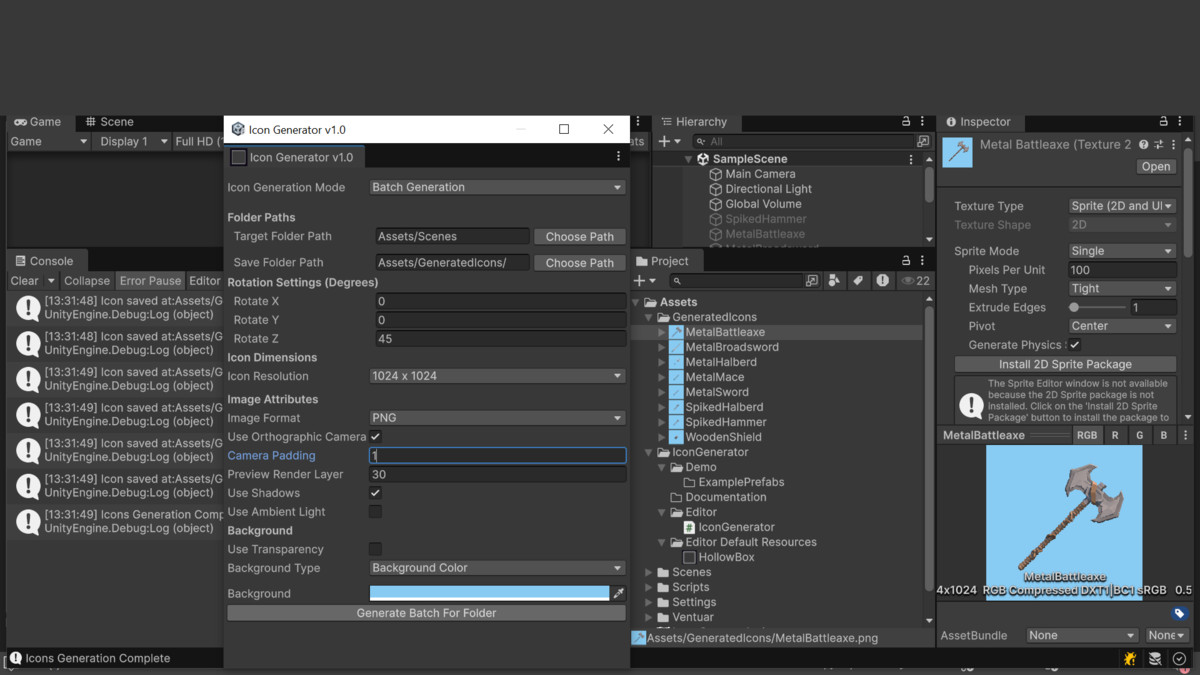
Icon Generator v1.0 is a powerful and easy-to-use Unity Editor tool for generating high-quality 2D icons from your 3D models and prefabs. Quickly create single or batch icons without ever touching your main scenes. Perfect for UI, inventories, skill icons, and more.
Key Features
- Full Asset Detection
Automatically scans your project folders to detect all models and prefabs for icon generation. - Single & Batch Icon Generation
Generate icons for individual prefabs or entire folders with a single click. - Customizable Object Transform
Modify position, rotation, and scale of each prefab before rendering. - Child Object Visibility
Hide or show child objects to create clean icons for complex models. - Flexible Camera Control
Adjust camera rotation, padding, and toggle between orthographic or perspective projection. - Lighting Control
Modify ambient light and toggle shadows for clean, visually consistent icons. - Resolution & Format Options
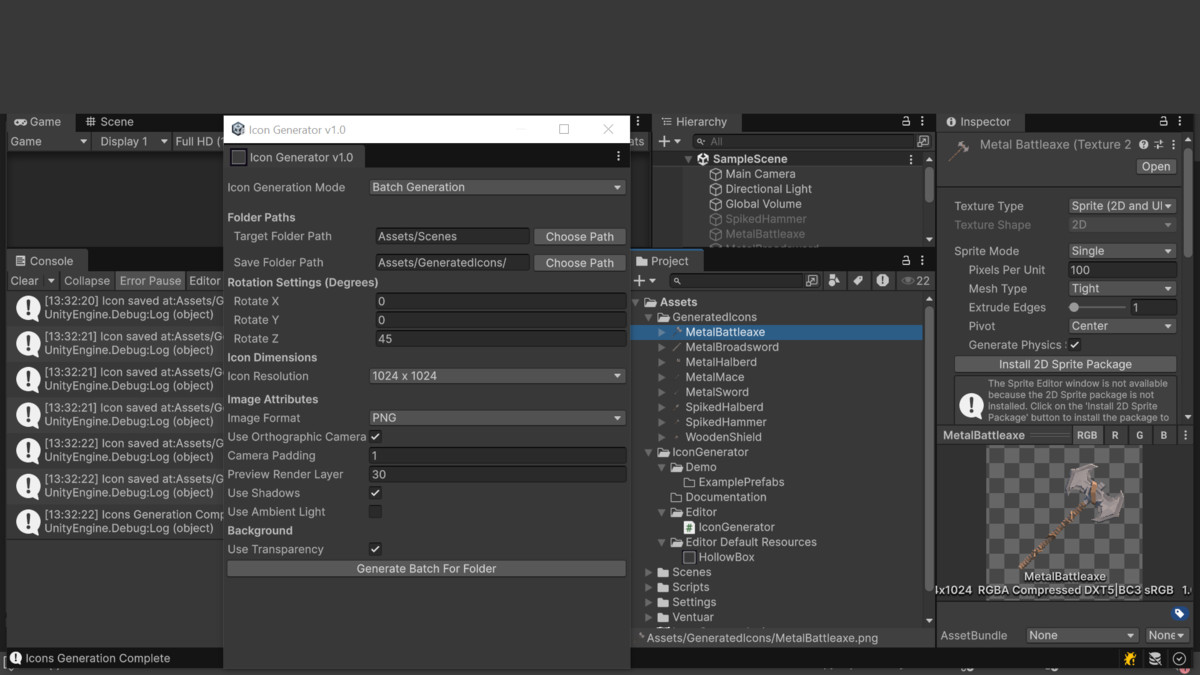
Export PNG (with transparency) or JPG, with resolutions from 32×32 to 1024×1024, or use a custom size. - Automatic Sprite Import
Icons are automatically imported into Unity as Sprites with proper settings applied. - Preview Scene Safety
The generator uses a temporary preview scene — your actual scene is never modified. - Batch Editing & Variations
Generate multiple variations for each icon with different rotations, backgrounds, and camera settings. - Background & Transparency
Choose solid colors or transparent backgrounds for your icons.
From the publisher's Asset Store listing.
Technical details
Generation Modes
- Single Icon: Generate an icon for one prefab.
- Batch Icon: Generate icons for an entire folder of prefabs automatically.
Camera Control
- Orthographic or Perspective projection.
- Adjustable position, rotation, field of view, and camera padding for perfect framing.
- Supports custom render layers for isolated icon rendering.
Object Transform Control
- Apply rotation (X, Y, Z) to your prefab before rendering.
- Reset position to origin for consistent results.
- Optional child object visibility and shadow control.
Lighting Control
- Toggle shadows on/off.
- Adjustable ambient lighting color.
Output Options
- Export as PNG (with transparency) or JPG.
- Preset resolutions: 32×32, 64×64, 128×128, 256×256, 512×512, 1024×1024, or custom.
- Automatic Sprite import with correct Unity settings.
Background Options
- Solid color backgrounds.
- Transparent backgrounds for PNG exports.
Batch Processing
- Automatically names output files based on prefab names.
- Process multiple prefabs at once with a single click.
Editor Integration
- Fully integrated Unity Editor window under Tools → Icon Generator.
- User-friendly GUI — no coding required.
Performance & Safety
- Temporary scene and camera prevent changes to your project scenes.
- Anti-aliasing applied for crisp, high-quality icons.
Compatibility
| Unity version | Built-in | URP | HDRP |
|---|---|---|---|
| 6000.0.60f1 | Compatible | Compatible | Compatible |
As listed on the Asset Store.