
 View on Asset Store (opens in new tab)
Package details
- Latest version
- 1.0
- Last updated
- First released
- Unity version
- 6000.0.60 or later
- Package size
- 2.1 MB
- Files
- 15
- Views in the past week
- 4
Price tracking
- Last checked
- Tracked since
- Lowest recorded
- $4.99 on
Keywords
Transform Toolbox Extended
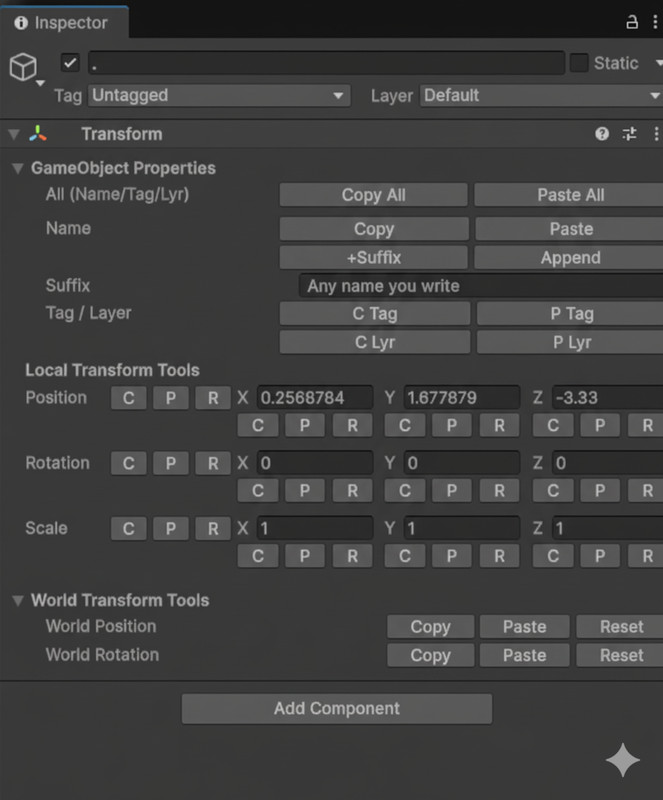
Boost your workflow! Instantly copy/paste Transform data (Local/World), individual axes (X/Y/Z), and GameObject properties (Name/Tag/Layer) using Inspector buttons and customizable shortcuts.
Affiliate link · Purchases support this site
Price history
Last 6 months
USDAsset preview
1 / 5
Transform Toolbox Extended screenshot 1
About this asset
Stop wasting time manually copying component values!
Transform Toolbox Extended is an essential utility designed to speed up your level design and scene management workflow. It allows you to copy and paste Position, Rotation, and Scale values across GameObjects with a single click or keyboard shortcut.
Unlike the default Unity inspector, this tool gives you granular control—copy individual axes (X, Y, Z), switch between Local and World space, and even manage GameObject properties like Names, Tags, and Layers.
Key Features:
- Transform Mastery: Copy/Paste Position, Rotation, and Scale.
- Granular Control: Copy all axes at once or individual axes (e.g., keep Y but copy X and Z).
- World vs. Local: Full support for both Local and World space transformations.
- Property Tools: Quickly copy/paste Names, Tags, and Layers.
- Smart Naming: Includes a "Paste Name + Suffix" feature to automatically append text (e.g., "_copy") to renamed objects.
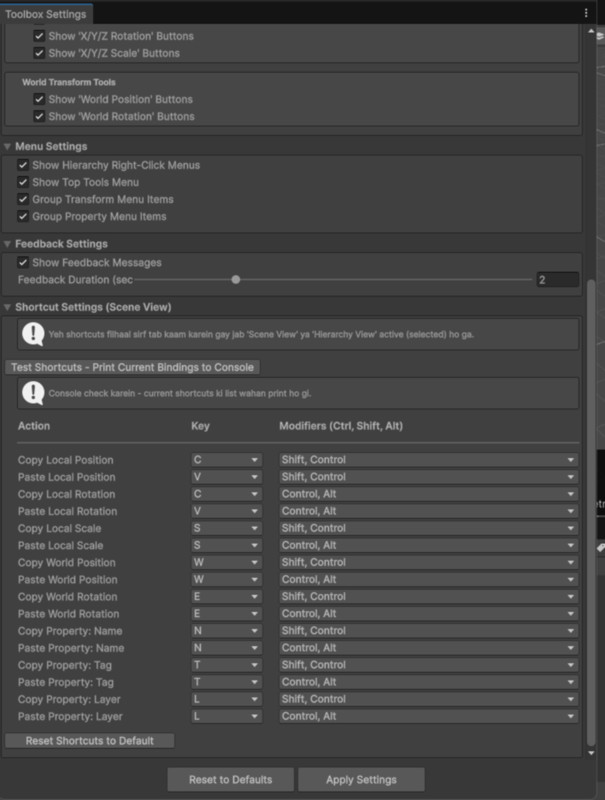
- Workflow Efficiency: Built-in keyboard shortcuts (Hotkeys) for lightning-fast operations in the Scene View.
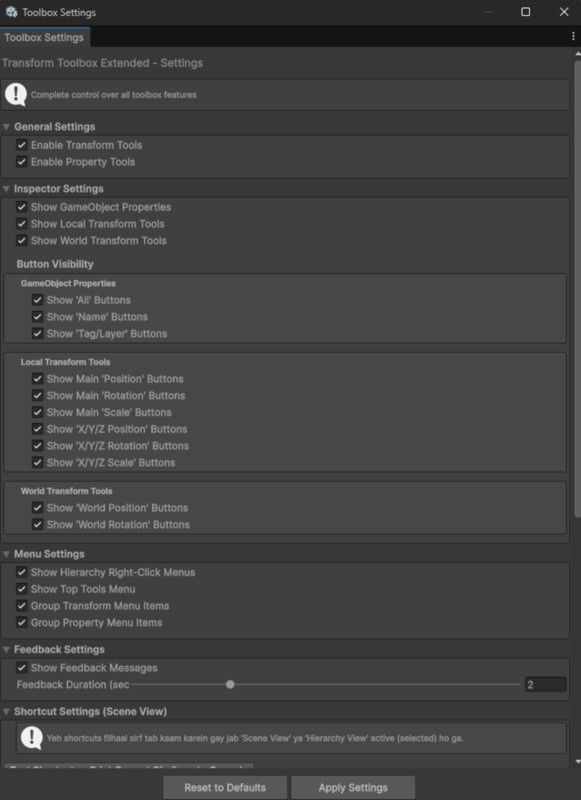
- Customizable: Enable/Disable features or customize shortcuts via a dedicated Settings window.
- Safe: Full Undo/Redo support for all operations.
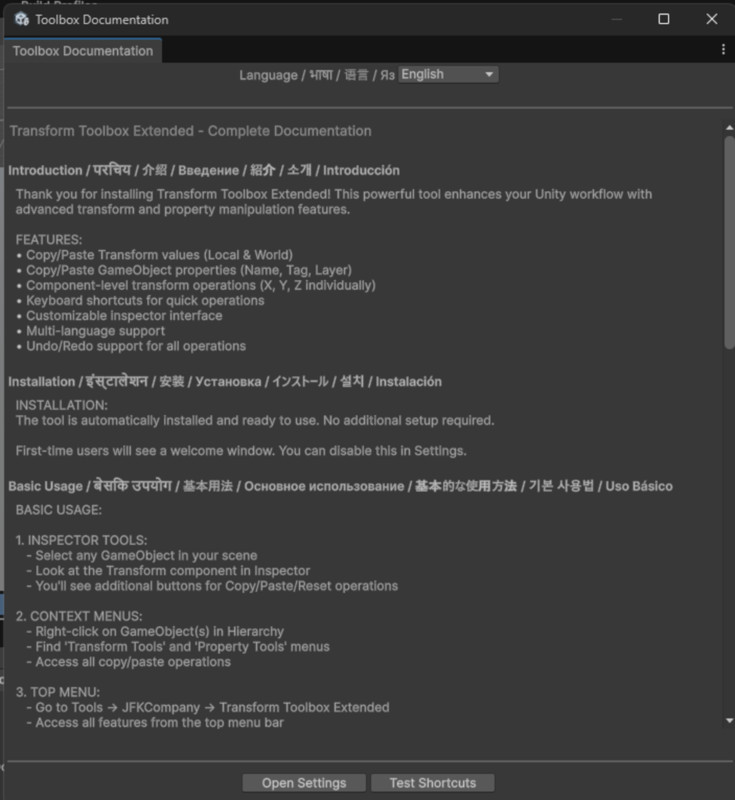
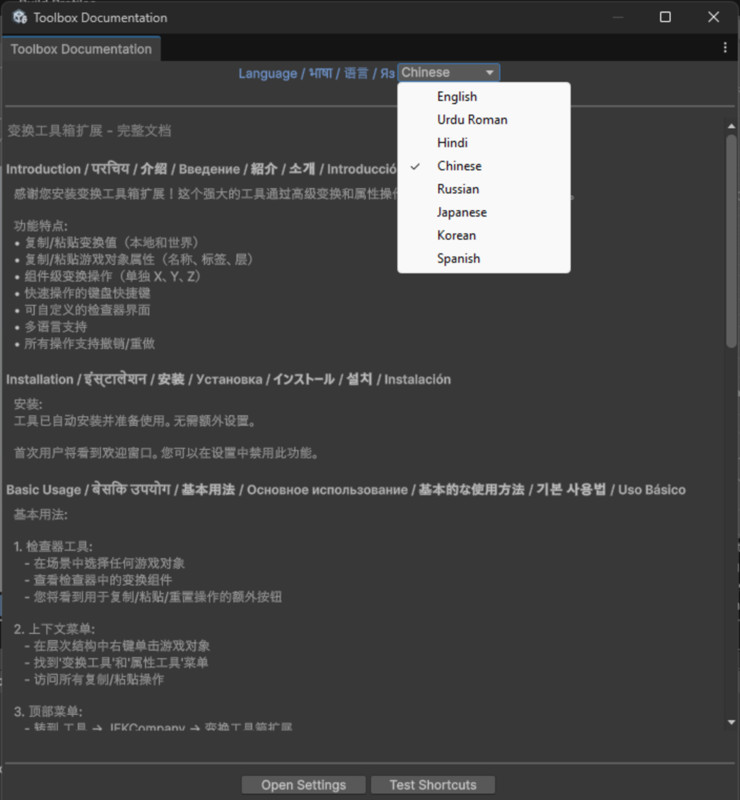
- Documentation: Includes a built-in multi-language help window (English, Urdu, Hindi, Chinese, etc.).
Supported Workflows:
- Works seamlessly in the Inspector.
- Context menu integration (Right-click on Hierarchy).
- Top Menu integration (Tools > JFKCompany).
Compatibility:
- Works with Unity 2021.3 (LTS), 2022.3 (LTS), Unity 6, and newer.
- Compatible with Built-in, URP, and HDRP.
From the publisher's Asset Store listing.
Technical details
- Script Count: 10 Clean C# Scripts (Editor only).
- Dependencies: None (Pure Unity Editor API).
- Shortcuts:Copy/Paste Local Position: Ctrl+Shift+C / V
Copy/Paste Local Rotation: Ctrl+Alt+C / V
Copy/Paste Local Scale: Ctrl+Shift+S / Alt+S
(All shortcuts are re-mappable in Settings) - Multi-Object Editing: Supported.
- Undo Support: Yes, fully integrated with Unity Undo system.
- Documentation: In-Editor Window with multi-language support.
Compatibility
| Unity version | Built-in | URP | HDRP | Custom |
|---|---|---|---|---|
| 6000.0.60f1 | Compatible | Compatible | Compatible | Compatible |
Compatible with Unity 2021.3 (LTS), 2022.3 (LTS), Unity 6, and newer versions.
As listed on the Asset Store.