
 View on Asset Store (opens in new tab)
Package details
- Latest version
- 1.0
- Last updated
- First released
- Unity version
- 6000.2.8 or later
- Package size
- 594 KB
- Files
- 8
- Favorites
- 1
- Views in the past week
- 3
Price tracking
- Last checked
- Tracked since
- Lowest recorded
- $6.99 on
Keywords

Easy gitignore & LFS Setup
The essential version control utility. Create perfect .gitignore and .gitattributes (LFS) files in one click, rescue bloated repositories and manage rules directly in the Editor.
Affiliate link · Purchases support this site
Price history
Last 6 months
USDAsset preview
1 / 4
Easy gitignore & LFS Setup screenshot 1
About this asset
Documentation | Discord Community
Easy gitignore & LFS Setup is a robust editor extension designed to standardize and secure Unity project repositories. It replaces manual configuration with a verified, automated workflow, ensuring your team never commits build artifacts, local caches, or untracked binary files.
✅ Core Benefits
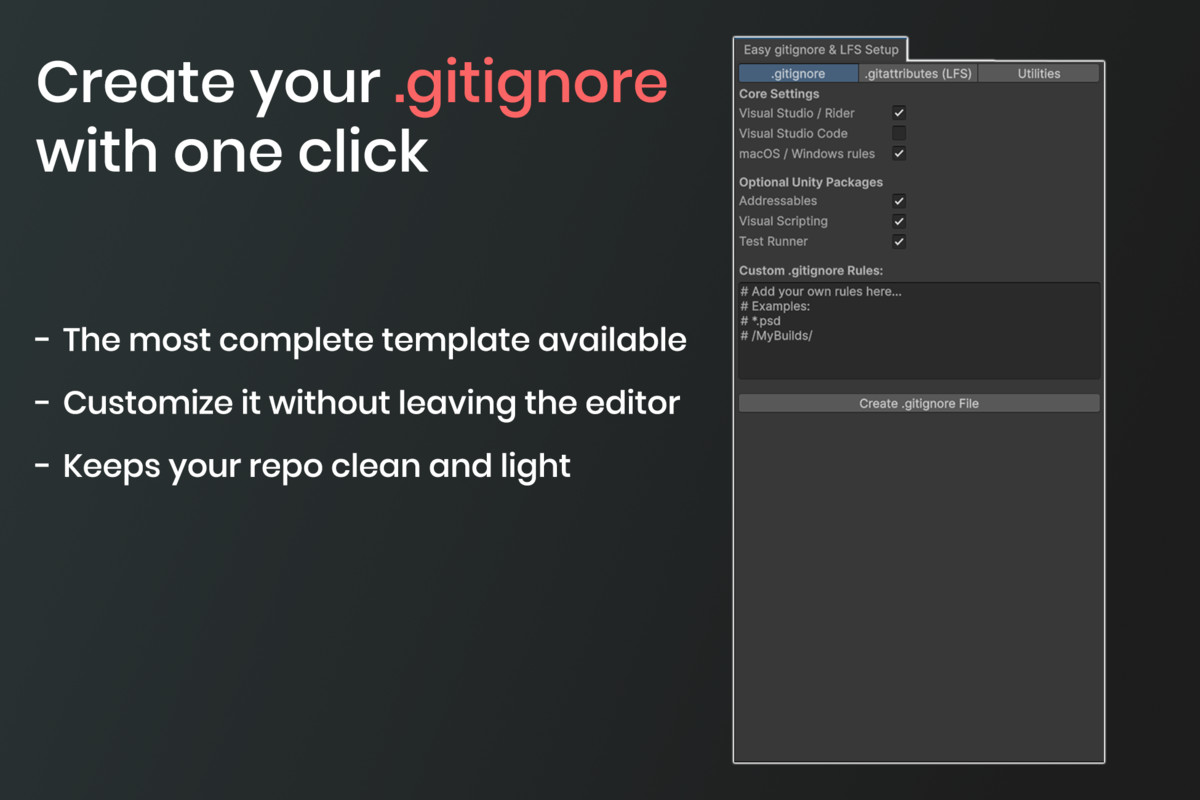
- Standardized Configuration: Instantly generates industry-standard .gitignore rules tailored for Unity, preventing repository bloat from Library, Temp, and IDE-generated files (Rider, VS, VS Code).
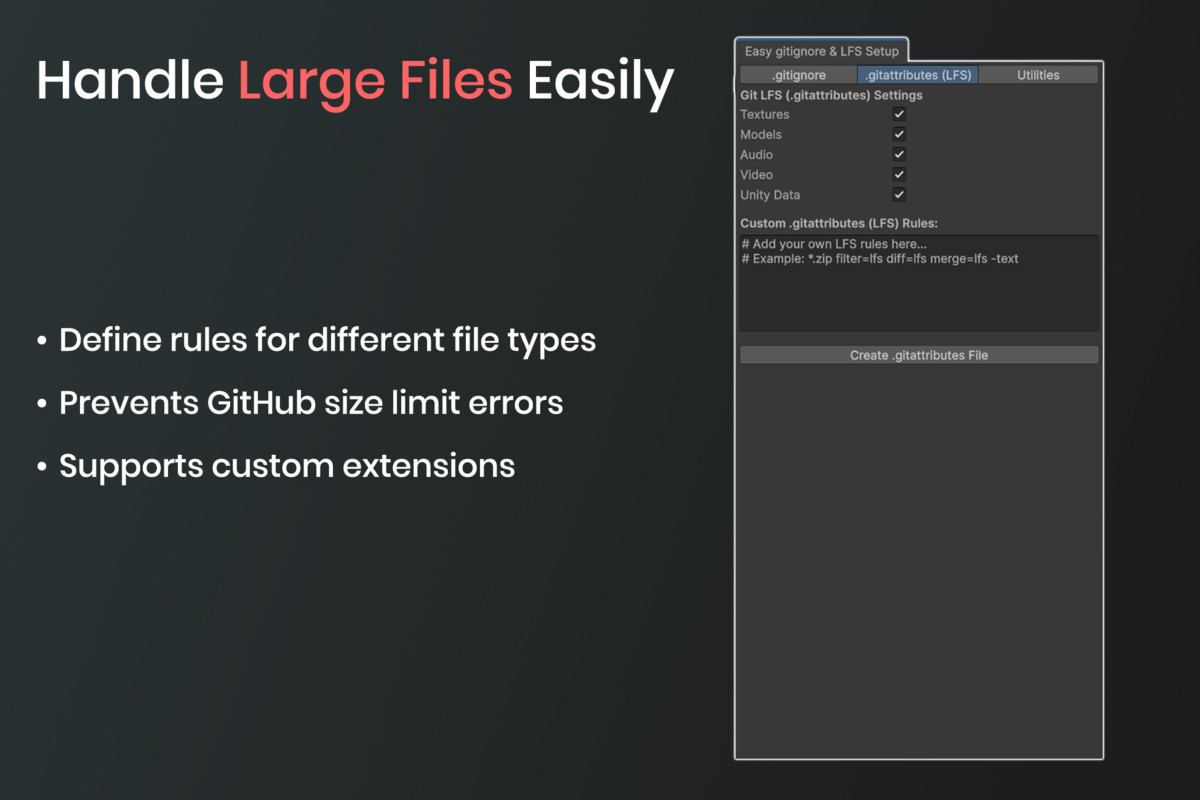
- Automated LFS Management: Configures .gitattributes to correctly track binary assets (Textures, Models, Audio) via Git LFS, preventing performance bottlenecks in large projects.
- Non-Destructive Workflow: Features a "Safe Sync" system that intelligently appends missing rules while preserving your custom manual entries.
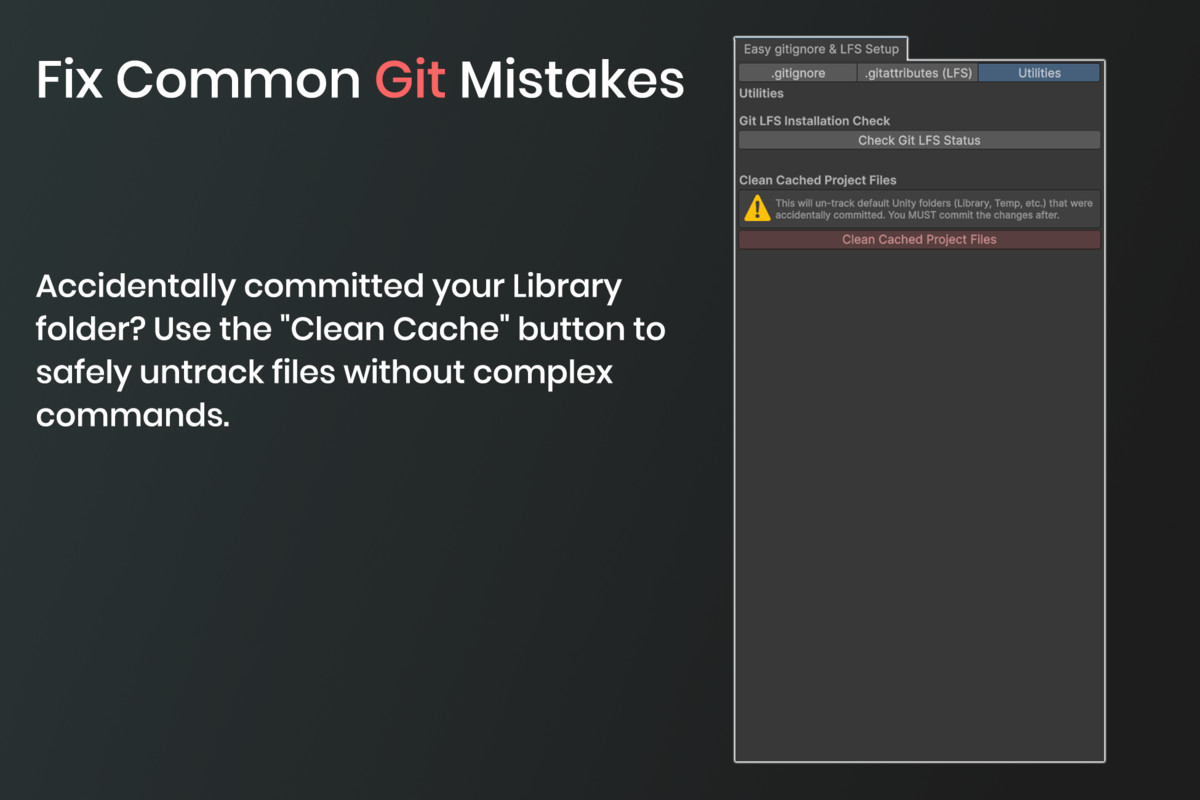
- Repository Rescue Tools: Includes a specialized "Clean Cache" utility to forcefully untrack accidentally committed local folders (Library/, Logs/) without requiring complex CLI commands.
🔧 Technical Features
- Modular Rule Toggling: Granular control over specific package rules (Addressables, Visual Scripting, Test Runner) and OS-specific files (.DS_Store, Thumbs.db).
- Integrated LFS Validation: Automatically validates the local environment to ensure Git LFS is installed and active before configuration.
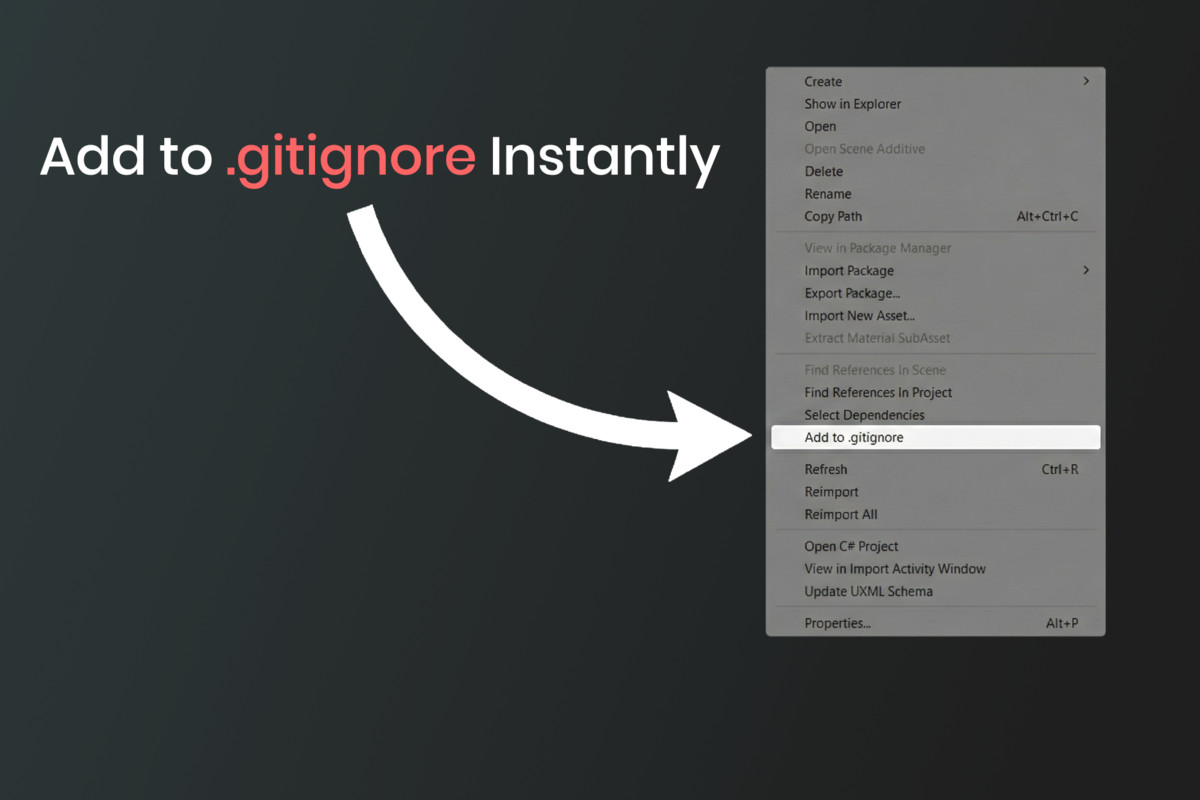
- Editor Native Management: Manage all Git configurations directly within Unity. Includes a context menu integration (Assets > Add to .gitignore) for instant folder exclusion.
- Cross Platform Support: Fully compatible with Windows, macOS, and Linux environments.
For Professional Workflows Whether setting up a fresh repository or fixing an existing one, this tool eliminates human error from the configuration process. Stop wasting time on setup and focus on development.
From the publisher's Asset Store listing.
Technical details
Compatibility
- Unity Version: 2020.3 LTS and newer (tested on 2022.3 & 6000.0).
- Render Pipelines: Works with Built-in, URP, and HDRP (Editor tool only).
- OS: Windows, macOS, Linux.
Requirements
- Git: Must be installed on the machine to use the "Clean Cache" and "Status Check" features.
- Git LFS: Required for .gitattributes to function correctly.
Tool Features
- Namespaced: All scripts are wrapped in EasyGitSetup namespace to prevent conflicts.
- No DLLs: Full C# source code included.
- Non Intrusive: Does not include executables; calls your local system's Git installation safely via System.Diagnostics.Process.
Permissions
This asset interacts with your local git installation to perform status checks and cache cleaning commands. It does not connect to external servers or third party APIs.
Compatibility
| Unity version | Built-in | URP | HDRP |
|---|---|---|---|
| 6000.2.8f1 | Compatible | Compatible | Compatible |
As listed on the Asset Store.