
 View on Asset Store (opens in new tab)
Package details
- Latest version
- 1.1.0
- Last updated
- First released
- Unity version
- 6000.0.39 or later
- Package size
- 192 KB
- Files
- 4
- Favorites
- 78
- Views in the past week
- 20
Price tracking
- Last checked
- Tracked since
- Lowest recorded
- $4.99 on
Keywords

Clever Clicker
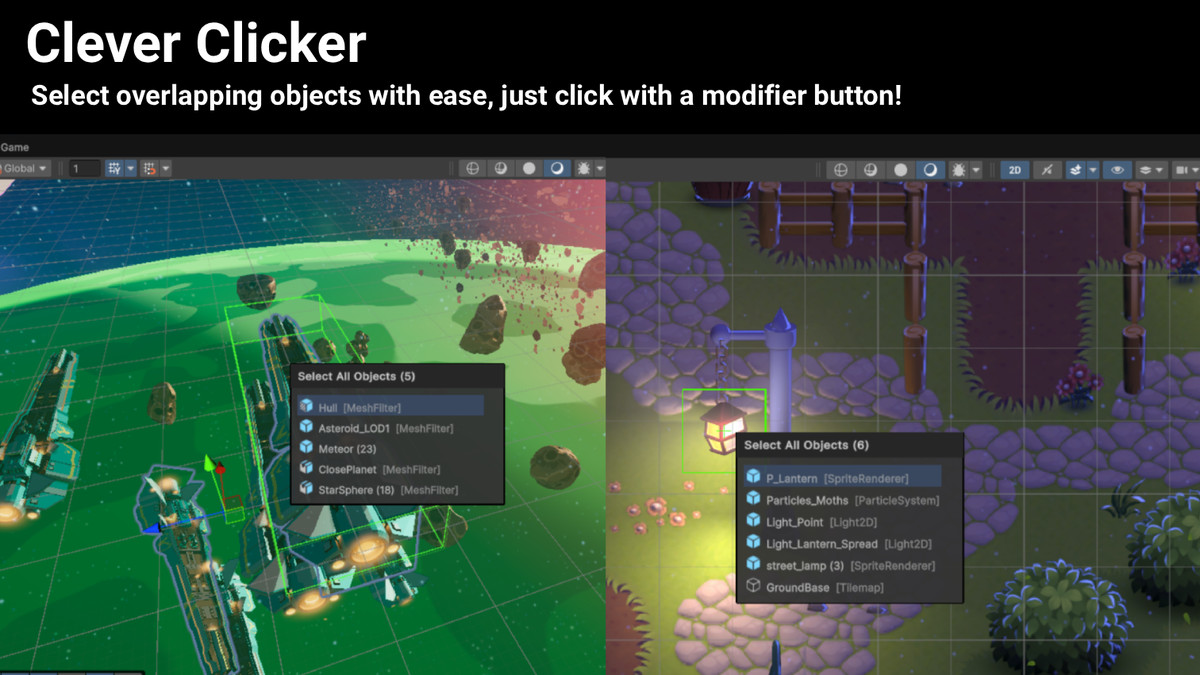
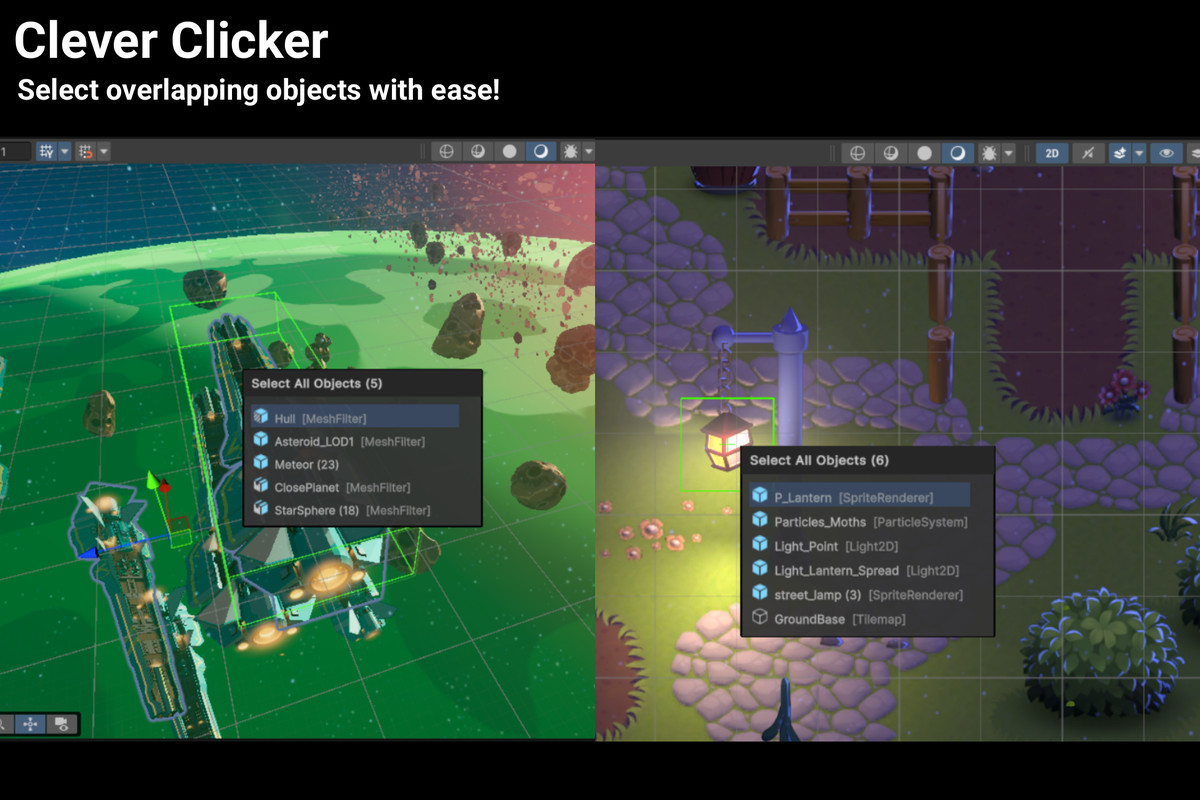
Clever Clicker let's you quickly select overlapping objects in the Scene view with a button modifier and a click! No more accidentally clicking the wrong thing!
Affiliate link · Purchases support this site
Price history
Last 6 months
USDAsset preview
1 / 4
Clever Clicker screenshot 1
About this asset
--One of Code Monkey's Top 10 Systems and Tools - December 2025!--
Select overlapping objects instantly with Clever Clicker!
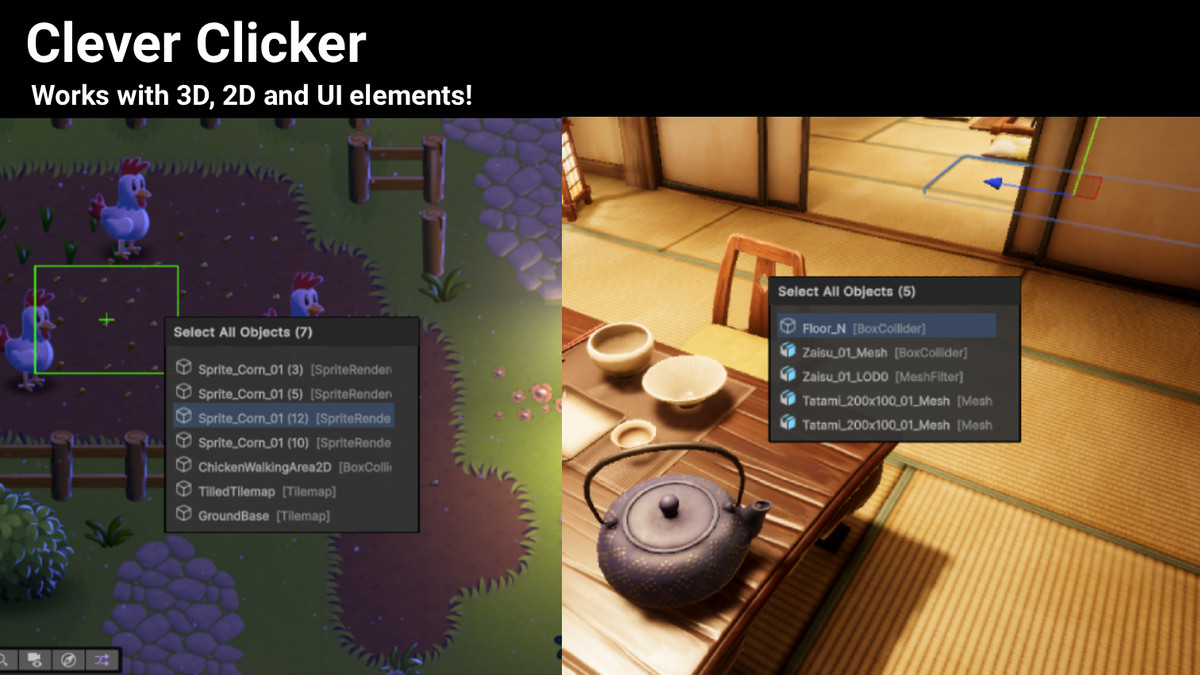
Tired of clicking UI elements instead of Game Objects, or clicking multiple times to cycle through overlapping objects? Clever Clicker solves this common workflow frustration, whether in a 2D or 3D project.
Hold Ctrl + Shift + Click anywhere in the Scene view to see a popup menu of all objects at that position. Hover to highlight, click to select. It's that simple!
Easy Access
- Modifier keys + click to show all objects at any position
- No window to open, no menu to navigate
- Works instantly in any scene
Visual Feedback
- Popup menu with object names and icons
- Hover highlighting shows bounding boxes in the scene
- Scrollable list for dense areas
Keyboard Support
- Arrow keys to navigate the list
- Enter to select
- Escape to close
- Click header to select all
Configurable
- Choose your modifier keys (Alt, Control, Shift, Command)
- Exclude specific layers
- Optional "focus on select" to frame objects
Perfect For:
- Dense scenes with many overlapping objects in 2D or 3D
- Level design where props stack on top of each other
- UI work with layered Canvas elements
- Anyone tired of clicking through objects to find the right one
Tired of clicking the wrong thing? Clever Clicker let's you quickly select overlapping objects in the Scene view with a button modifier & click!
How It Works
- Hold Ctrl + Shift (or your chosen modifiers)
- Click in the Scene view
- Select from the popup list
From the publisher's Asset Store listing.
Technical details
- Editor-Only Tool – Does not affect runtime builds.
- Compatibility:
- Unity 2021.3 LTS and newer (tested up to 6000.1.x).
- Supports Built-in Render Pipeline, URP, and HDRP.
- Platforms: All (Windows, macOS, Linux) - editor functionality only.
- Dependencies: None - no external packages required.
- Installation:
- Import the package.
- Open Tools → Clever Clicker → Settings to change settings
- Alt + Click (configurable) an object to see the selection panel
Compatibility
| Unity version | Built-in | URP | HDRP | Custom |
|---|---|---|---|---|
| 6000.0.39f1 | Compatible | Compatible | Compatible | Compatible |
As listed on the Asset Store.