
 View on Asset Store (opens in new tab)
Package details
- Latest version
- 1.0
- Last updated
- First released
- Unity version
- 6000.2.9 or later
- Package size
- 452 KB
- Files
- 48
- Favorites
- 1
- Views in the past week
- 9
Price tracking
- Last checked
- Tracked since
- Lowest recorded
- $4.99 on
Keywords
- Search for Placement
- Search for Grid Placement
- Search for Grid System
- Search for level design tool
- Search for Level Design
- Search for prefab placement
- Search for grid based
- Search for fast level design
- Search for prefab brush
- Search for object brush
- Search for Object Placement
- Search for Placement Tool

Easy Level Design
Easy Level Design is a set of tools that help users speed up the Level Design process. It was designed for games with simple geometry and few curves, featuring 7 in-editor tools:
Affiliate link · Purchases support this site
Price history
Last 6 months
USDAsset preview
1 / 8
Easy Level Design screenshot 1
About this asset
Easy Level Design is an all-in-one Unity Editor toolkit designed to make level design faster, smarter, and more enjoyable.
It offers a complete suite of in-editor tools for prefab painting, grid and circular placement, randomization, selection, replacement, and material editing — all integrated into a clean and intuitive interface.
Whether you're building vast environments or fine-tuning small details, Easy Level Design helps you focus on creativity, not repetition.
Perfect for indie developers, studios, and level artists looking to speed up their workflow and keep scenes organized.
From the publisher's Asset Store listing.
Technical details
✨ Key Features
🎨 Placement Tools
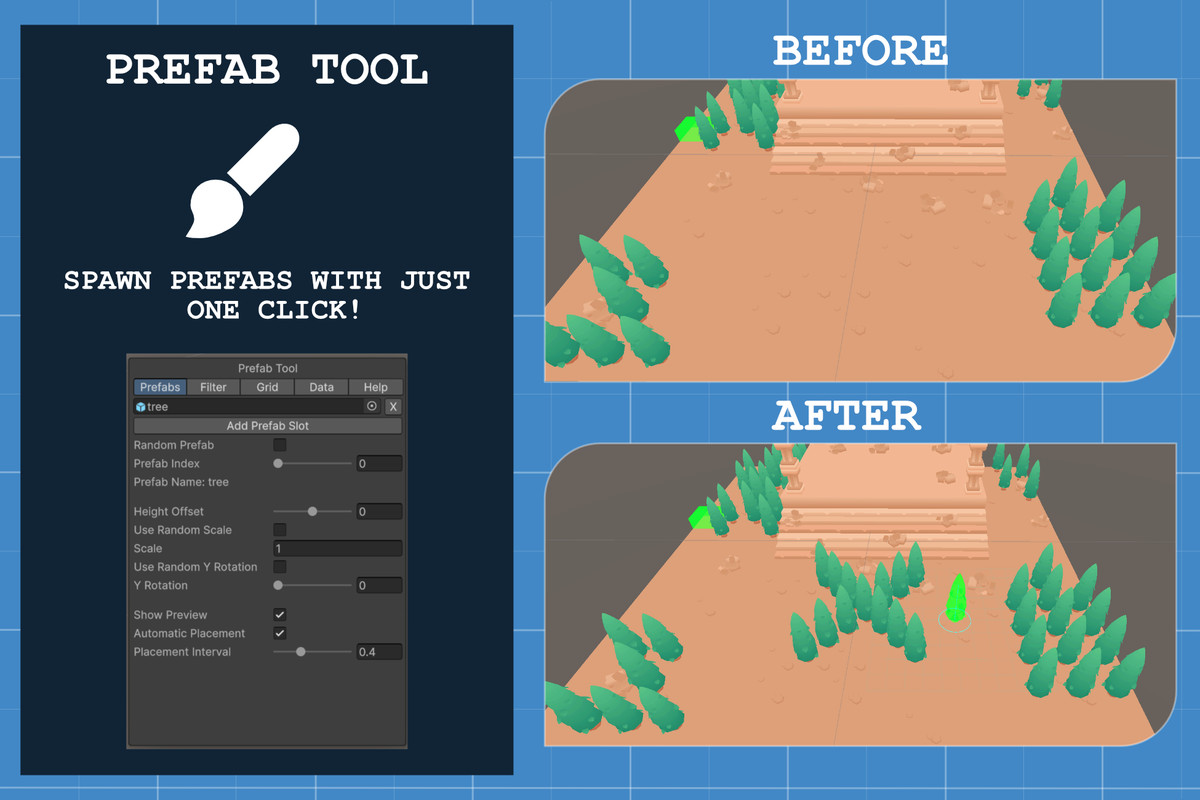
Placement Tool – Instantly paint prefabs in the scene with real-time preview.
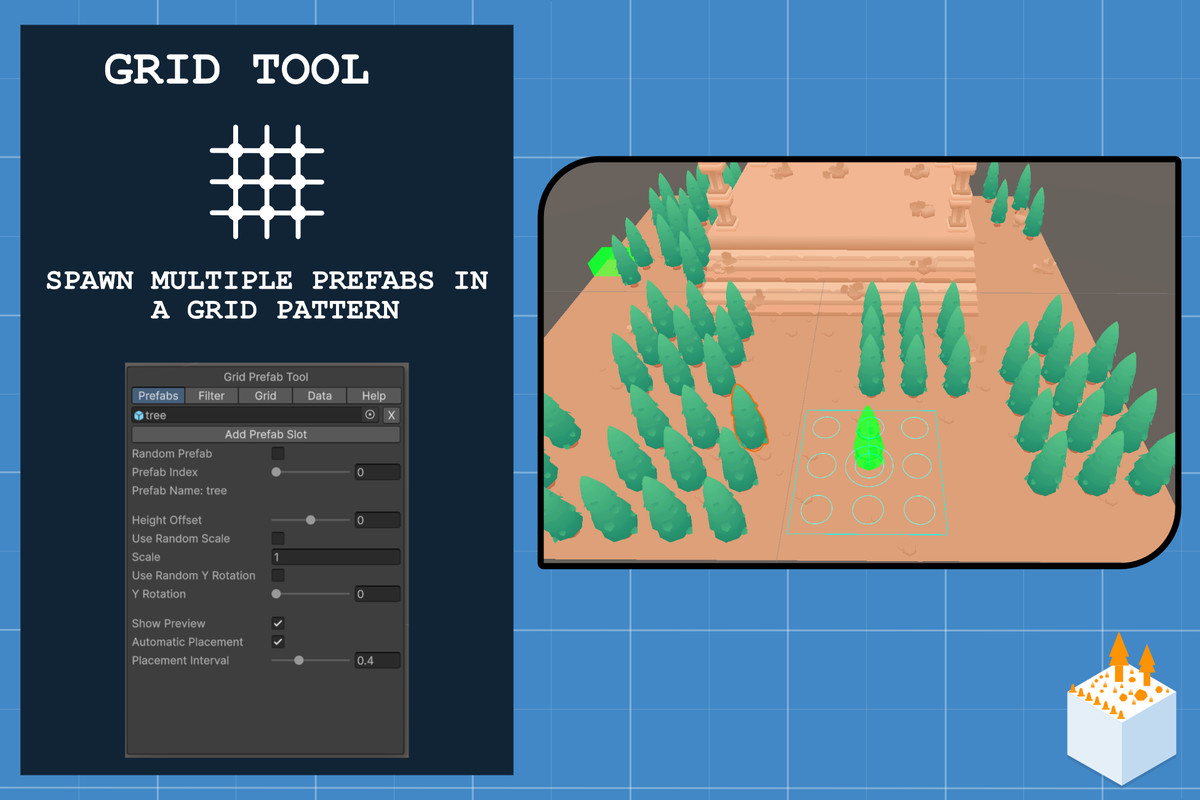
Grid Placement Tool – Spawn multiple prefabs in customizable grid patterns.
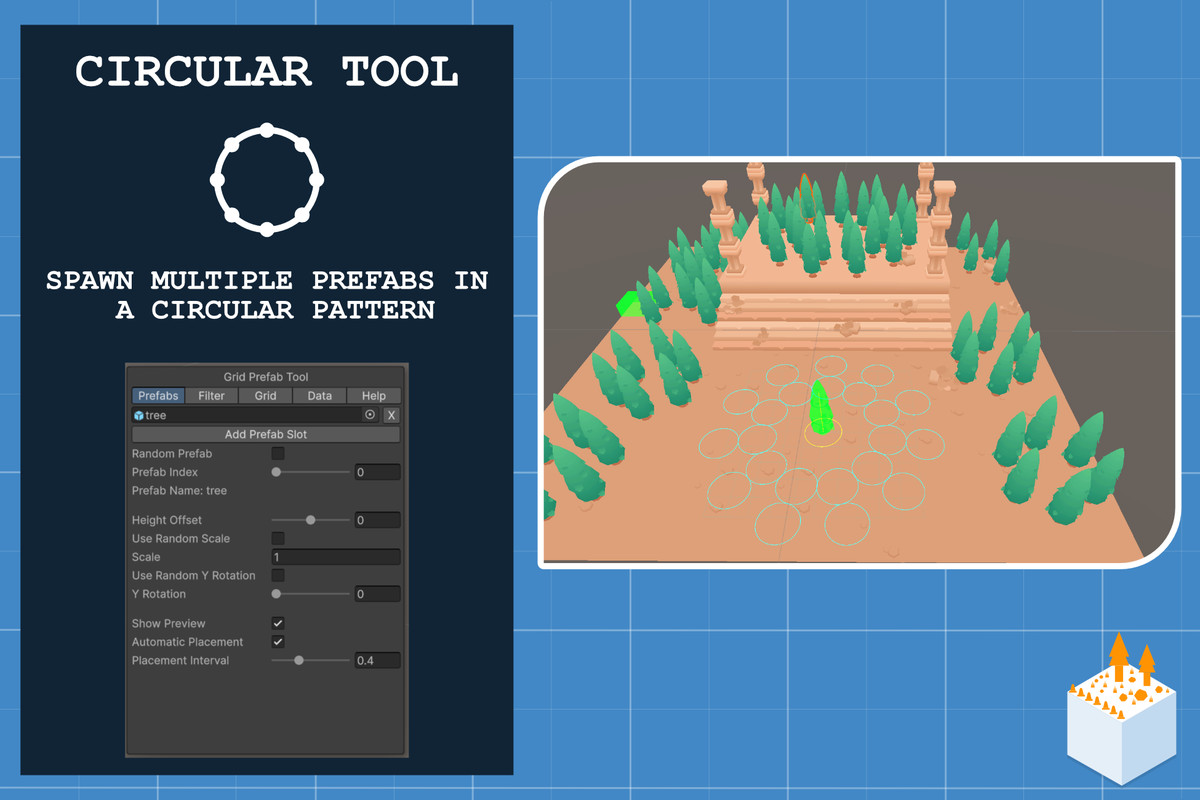
Circular Placement Tool – Arrange prefabs in circular loops with radius and density control.
🧭 Selection & Optimization
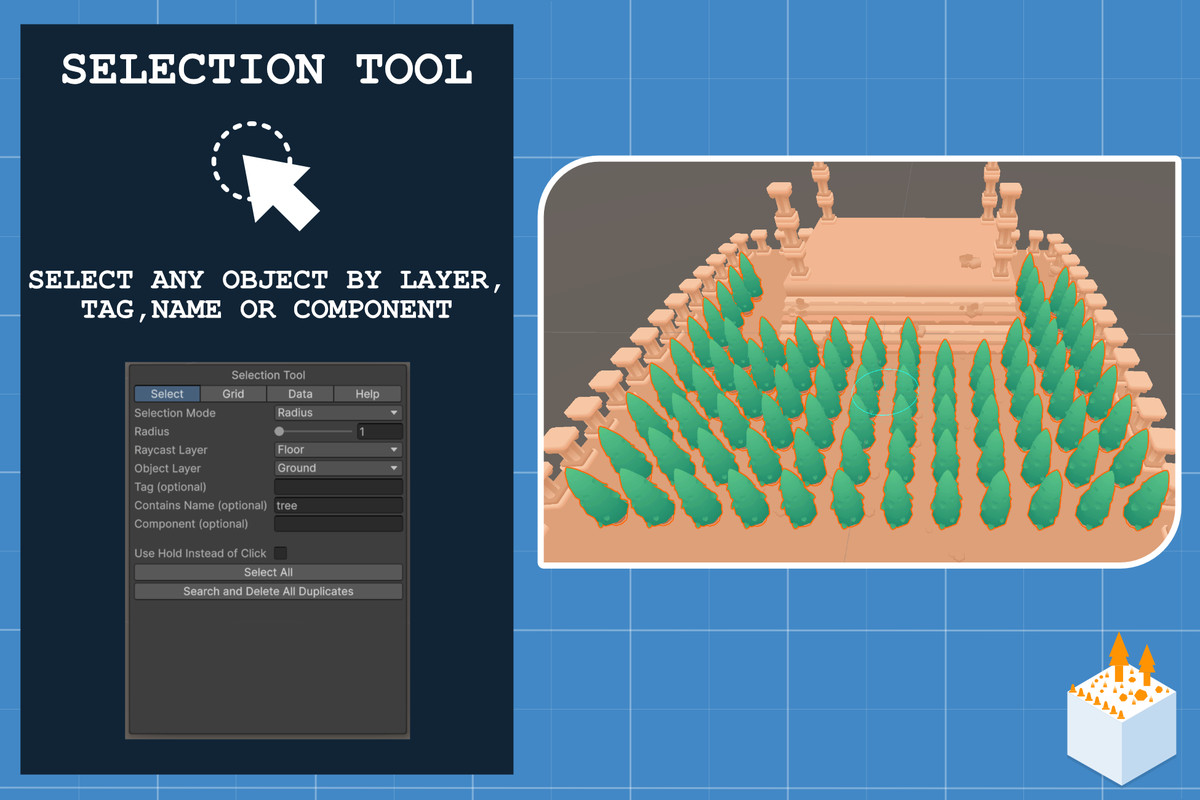
Selection Tool – Filter and select objects by layer, tag, name, or component.
Duplicate Cleaner – Instantly find and delete overlapping duplicates.
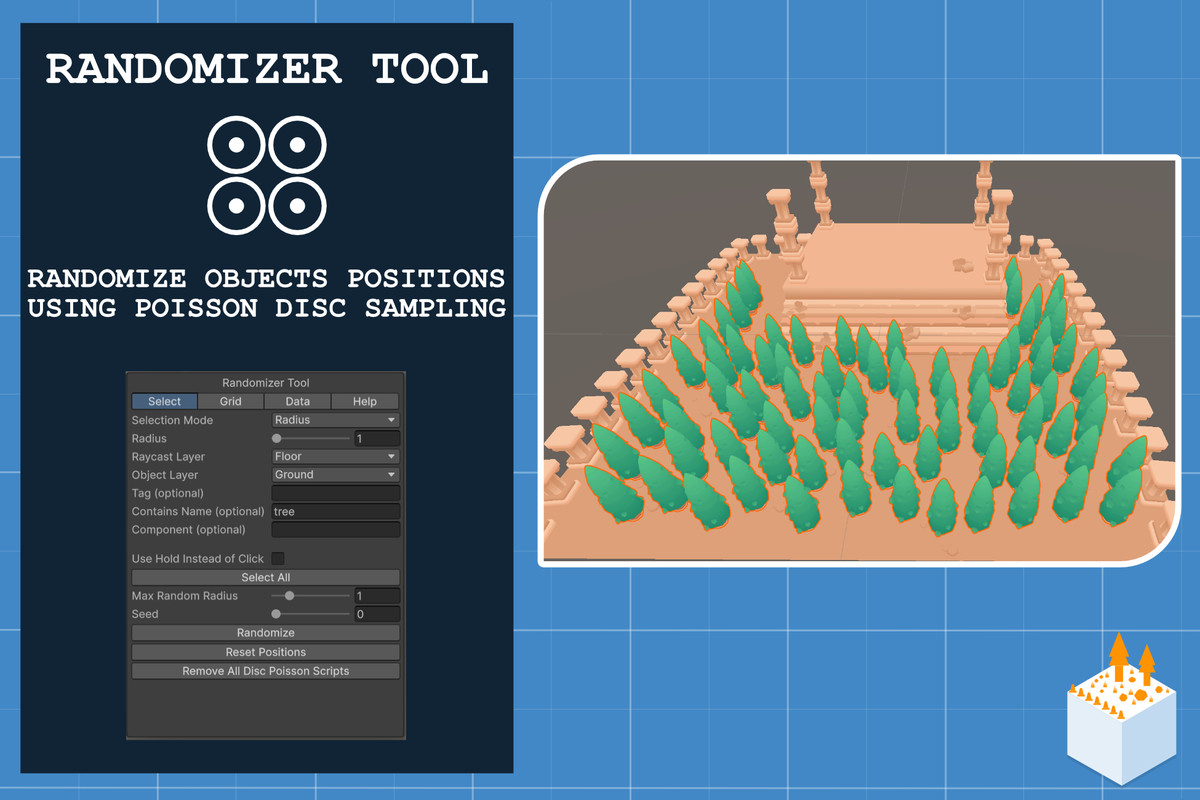
Randomizer Tool – Add natural variation with position, scale, and rotation randomization using Poisson Disc sampling.
🔁 Replacement & Material Management
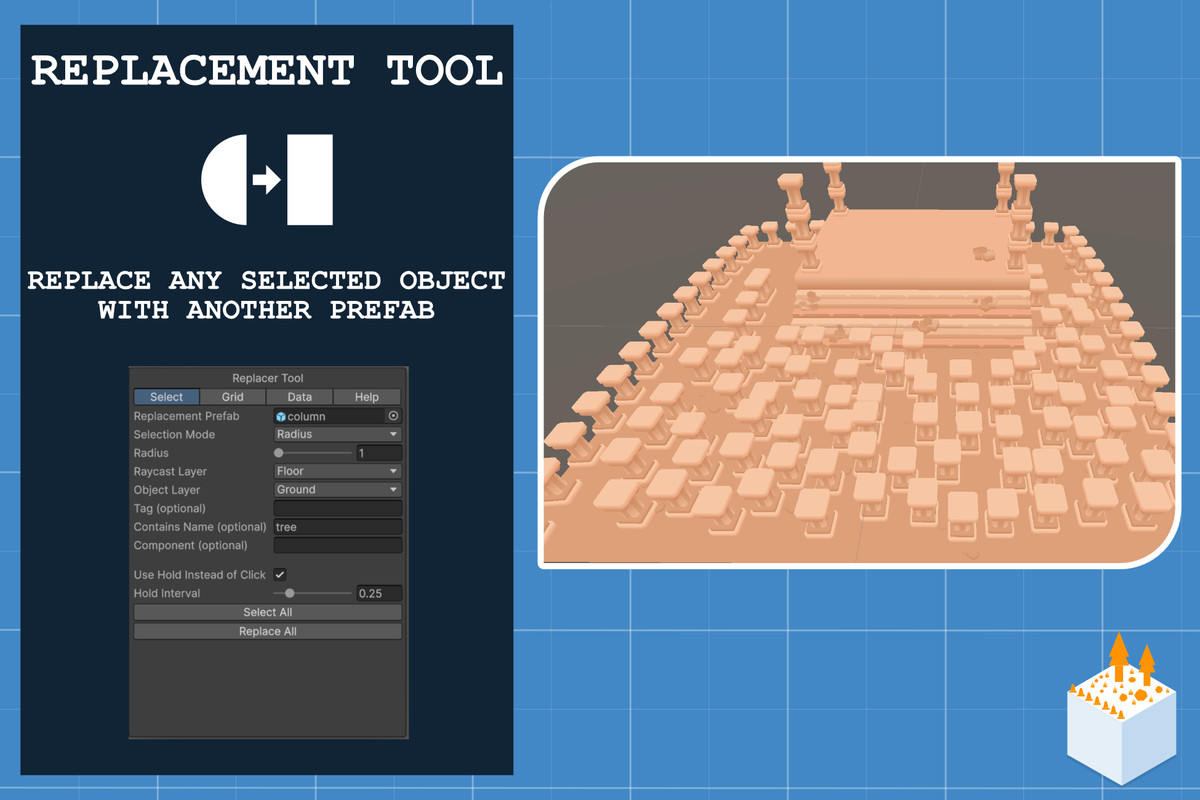
Replacement Tool – Swap selected objects with any prefab in one click.
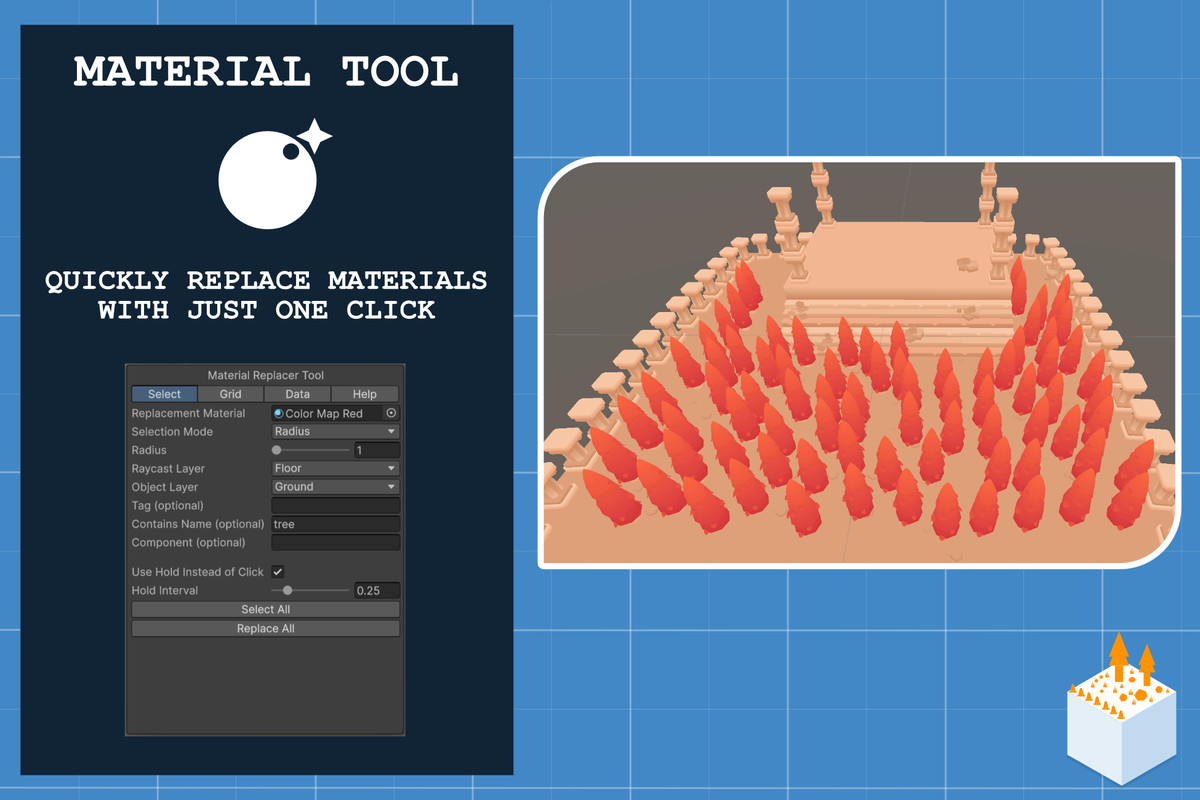
Material Tool – Apply new materials directly to selected objects.
⚙️ Layer System & Smart Replacement
Customizable Raycast Layers and Replacement Layers to ensure precise prefab control and automatic duplicate prevention.
Switch between Replacement Mode (overwrite objects) and Stacking Mode (build upward).
💾 Preset System
Save and load all your configuration settings (grid, circular, filters, etc.) as reusable presets for different object categories (vegetation, rocks, buildings, etc.).
⚡ Productivity Focused
Real-time placement with adjustable interval and probability.
Hotkeys for instant tool switching (1–8).
Auto-snapping and configurable snapping steps.
Fully integrated scene view workflow — no extra windows required.
🧩 Includes 7 Powerful Editor Tools
Placement Tool
Grid Placement Tool
Circular Placement Tool
Selection Tool
Randomizer Tool
Replacement Tool
Material Tool
🧠 Recommended Workflow
Create and assign proper Floor and Ground layers.
Configure Raycast and Replacement Layers to control where prefabs spawn.
Add prefabs, tweak spacing, rotation, and snapping.
Save your setup as a Preset for instant reuse.
Use hotkeys (1–8) to quickly switch between tools and keep building non-stop.
Compatibility
| Unity version | Built-in | URP | HDRP | Custom |
|---|---|---|---|---|
| 6000.2.9f1 | Compatible | Compatible | Compatible | Compatible |
As listed on the Asset Store.