
 View on Asset Store (opens in new tab)
Package details
- Latest version
- 1.0
- Last updated
- First released
- Unity version
- 2022.3.62 or later
- Package size
- 138 KB
- Files
- 4
- Favorites
- 1
- Views in the past week
- 3
Price tracking
- Last checked
- Tracked since
- Lowest recorded
- $6.99 on
Keywords
Assets Folder Analyzer
Analyze your Unity project’s Assets folder by size and file type (Project Size / Build Size / Unused), visualize with charts, and export results to CSV.
Price $6.99
Buy on Asset Store (opens in new tab)
Affiliate link · Purchases support this site
Price history
Last 6 months
USDAsset preview
1 / 3
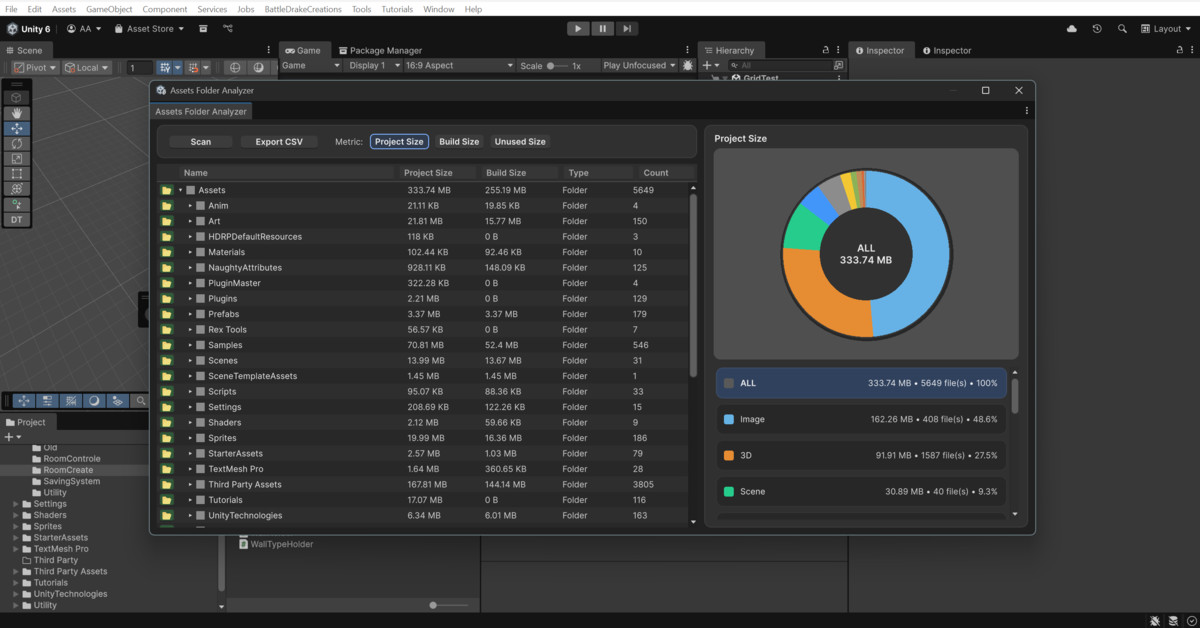
Assets Folder Analyzer screenshot 1
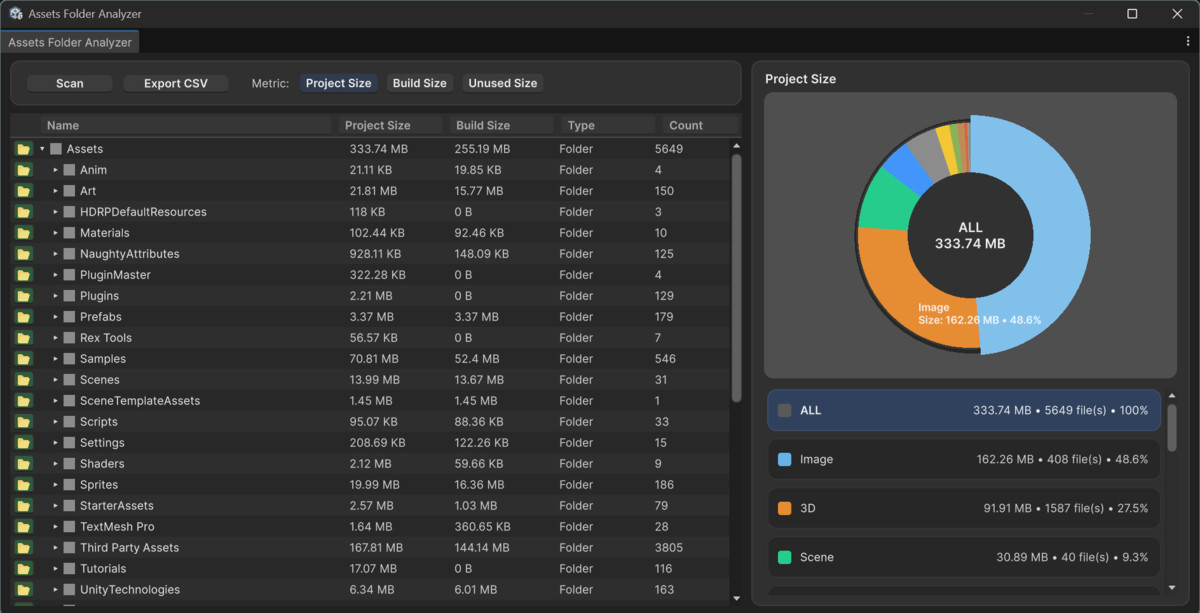
About this asset
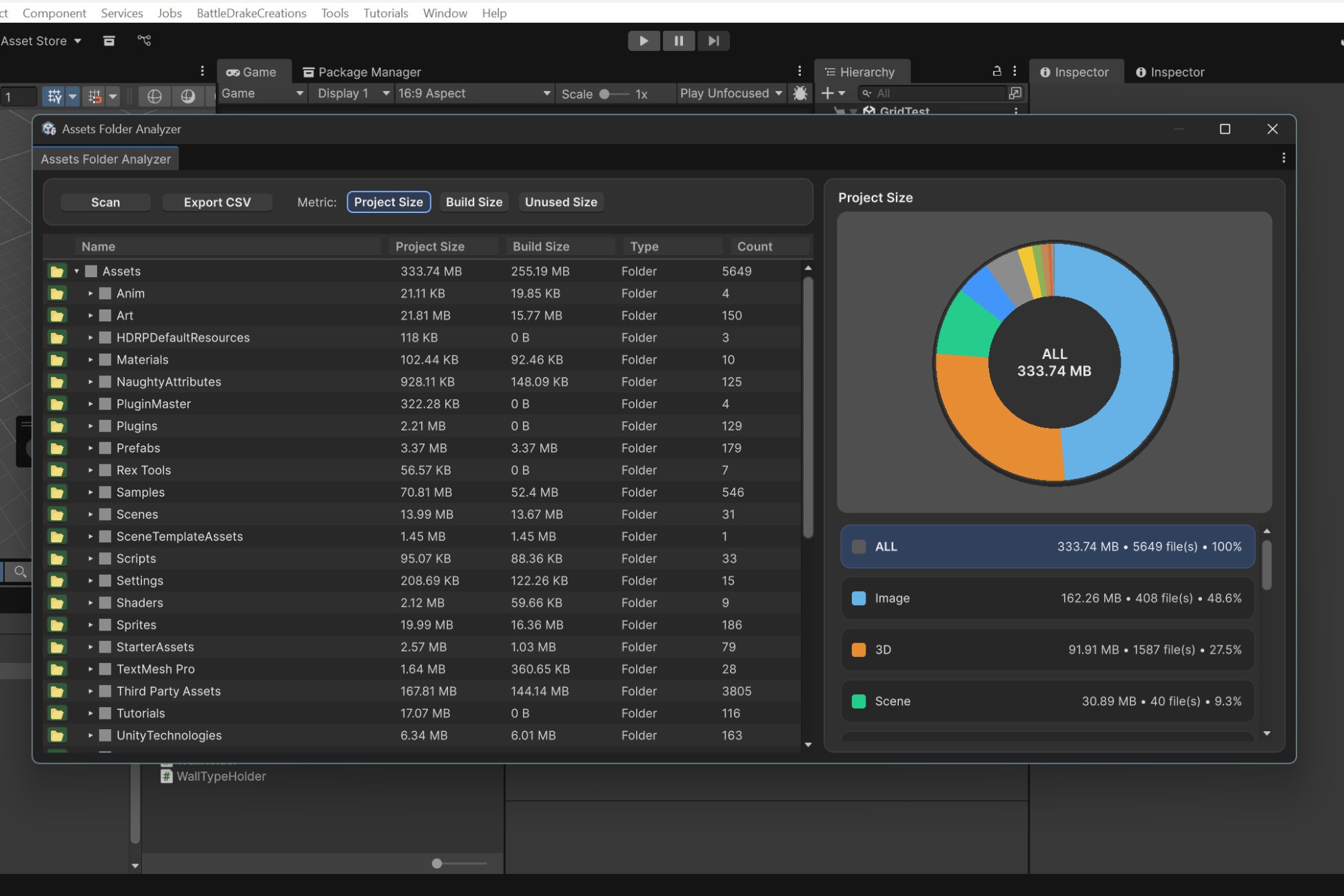
Assets Folder Analyzer is a Unity Editor tool that scans your project’s Assets directory and generates a clear size breakdown so you can quickly identify what’s taking the most space—textures, models, scenes, audio, and more.
It provides:
- Folder tree view with per-folder size totals
- Type breakdown chart to instantly spot the biggest contributors
- Unused Size (assets not referenced in scenes/prefabs/materials — best-effort analysis)Multiple metrics:
Project Size (disk usage in your project)
Build Size (estimated contribution to builds, based on import/compression where possible) - CSV Export for reporting and optimization tracking
Perfect for:
- Reducing project bloat before handing off to clients
- Optimizing build sizes for mobile/VR
- Finding accidental duplicates and heavy art packs
- Keeping teams accountable with size reports
Key Features
- ✅ One-click Scan
- ✅ Folder tree with size + file count
- ✅ Breakdown by asset type (Image, 3D, Scene, etc.)
- ✅ Donut/Pie chart visualization
- ✅ Toggle metrics: Project Size / Build Size / Unused Size
- ✅ Export CSV (share with producers/artists)
- ✅ Works with large projects (optimized scanning flow)
- ✅ Editor-only (safe to include in any project)
From the publisher's Asset Store listing.
Compatibility
| Unity version | Built-in | URP | HDRP | Custom |
|---|---|---|---|---|
| 2022.3.62f3 | Compatible | Compatible | Compatible | Compatible |
As listed on the Asset Store.