
 View on Asset Store (opens in new tab)
Package details
- Latest version
- 2.3
- Last updated
- First released
- Unity version
- 2022.3.62 or later
- Package size
- 949 KB
- Files
- 300
- Favorites
- 3
- Views in the past week
- 12
Price tracking
- Last checked
- Tracked since
- Lowest recorded
- $49.50 on
Keywords

Talvren | Performance & Optimization Suite for Unity
Nine-phase optimization suite for Unity. Scan, diagnose, fix, and verify performance with project analysis, runtime tools, adaptive quality, regression checks, and session recording.
Affiliate link · Purchases support this site
Price history
Last 6 months
USDAsset preview
1 / 16
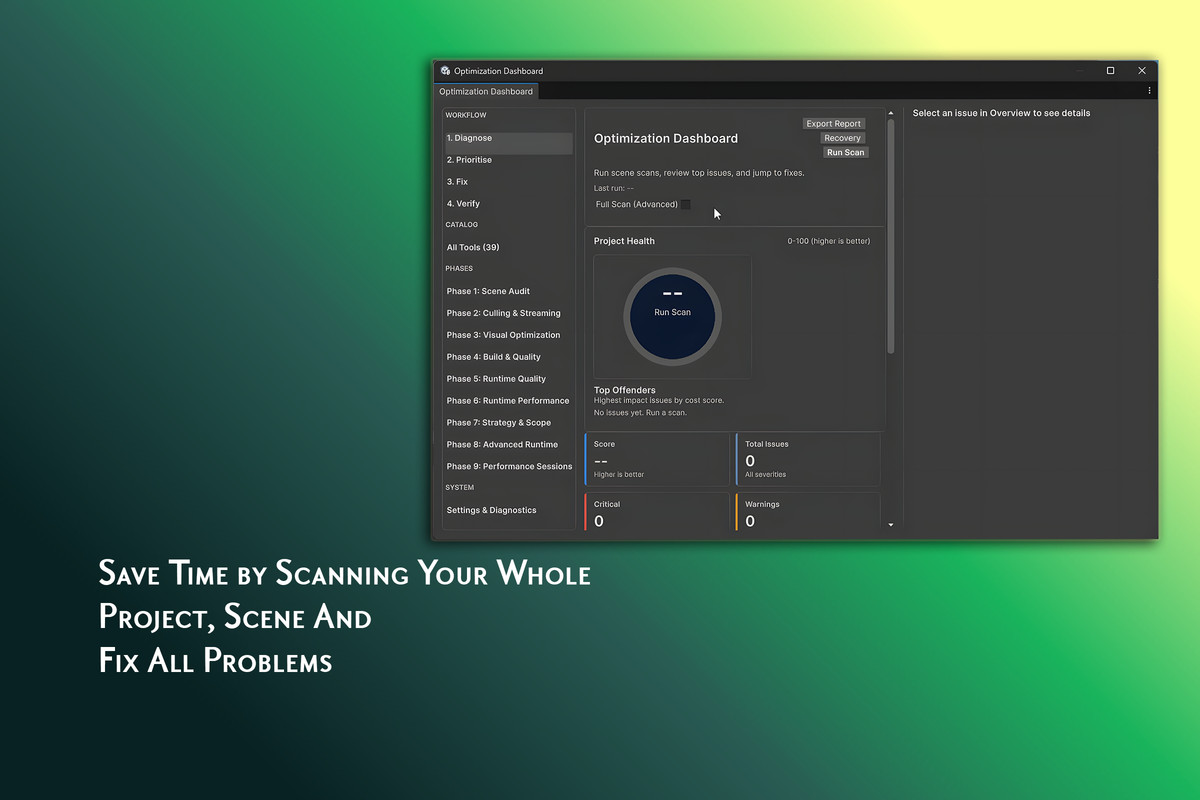
Talvren | Performance & Optimization Suite for Unity screenshot 1



About this asset
Talvren | Performance & Optimization Suite for Unity
Find performance problems. Fix what matters. Prove the difference.
Talvren is a nine-phase, review-first optimization toolkit built for developers who want a clear path from finding a problem to proving the fix worked.
Instead of digging through assets, guessing from profiler graphs, rebuilding, and hoping the game feels faster, Talvren brings project analysis, guided optimization, runtime systems, adaptive quality, session recording, and regression checking into one workflow.
Scan → Diagnose → Review → Fix → Test → Record → Compare → Verify
━━━━━━━━━━━━━━━━━━━━━━━━━━━━━━━━━━━━━━
🔍 PROJECT-WIDE PERFORMANCE SCANNING
Performance problems rarely come from one place.
A 4K texture may be wasting memory on a tiny prop. A large audio clip may decompress into far more RAM than expected. A high-poly mesh may have no LODs. A shader may create unnecessary rendering cost. A deep hierarchy may make transform updates more expensive than necessary.
Talvren scans the project and helps identify problems across:
- 🖼️ Textures and import settings
- 🧊 Meshes, geometry, and LOD usage
- 🔊 Audio compression and memory
- 🎨 Materials and shaders
- 👁️ Rendering and overdraw
- ⚛️ Physics configuration
- 🌳 Scene and hierarchy structure
- 💾 Memory usage
- 📦 Build contents and asset size
- 🎮 Runtime systems and objects
Findings are designed to show what was found, where it is, why it matters, and what you can do next.
━━━━━━━━━━━━━━━━━━━━━━━━━━━━━━━━━━━━━━
🧠 OPTIMIZATION WITHOUT THE GUESSWORK
A normal optimization pass can become a loop:
Open the Profiler. Search through assets. Change something. Build. Deploy. Test. Guess whether it improved. Repeat.
For a solo or indie developer, that can consume an entire weekend and still end with:
“It feels a little better.”
Talvren turns that into a structured process. Find the expensive asset or system, understand the issue, review the suggested action, apply the change, then measure the result.
You do not need to understand every draw call, shader keyword, memory allocation, or profiler marker to get started. Experienced users still retain direct access to the individual tools and detailed results.
━━━━━━━━━━━━━━━━━━━━━━━━━━━━━━━━━━━━━━
🛡️ REVIEW-FIRST, SAFER OPTIMIZATION
Talvren is built around a review-first workflow so you can inspect findings and decide what should change.
Before risky operations, project snapshots can provide a recovery point so experiments do not become lost afternoons.
Review the change. Apply it intentionally. Roll back when necessary.
━━━━━━━━━━━━━━━━━━━━━━━━━━━━━━━━━━━━━━
👁️ SEE RENDERING COST
Talvren includes editor visualization tools for identifying expensive areas such as overdraw and rendering complexity.
Color-coded views turn invisible GPU cost into something you can inspect directly in the scene.
━━━━━━━━━━━━━━━━━━━━━━━━━━━━━━━━━━━━━━
🧊 AUTOMATIC LOD & ASSET OPTIMIZATION
A detailed model does not need full complexity when it is far from the camera.
Talvren includes tools for creating and configuring distance-based LOD setups, helping reduce unnecessary geometry cost as objects move farther from view.
Asset analysis also helps expose resources that are more expensive than their role in the game requires.
━━━━━━━━━━━━━━━━━━━━━━━━━━━━━━━━━━━━━━
🧩 TEXTURE ATLASING & DRAW-CALL REDUCTION
Talvren includes texture-atlasing tools that can combine compatible textures and reduce unnecessary material switching, replacing work that might otherwise require manually repacking materials one by one.
━━━━━━━━━━━━━━━━━━━━━━━━━━━━━━━━━━━━━━
⚡ RUNTIME PERFORMANCE SYSTEMS
Optimization does not stop when Play Mode begins.
Talvren includes runtime systems designed to reduce work that does not currently benefit the player:
- 👁️ Visibility-based object management
- 🔊 Distance-aware audio handling
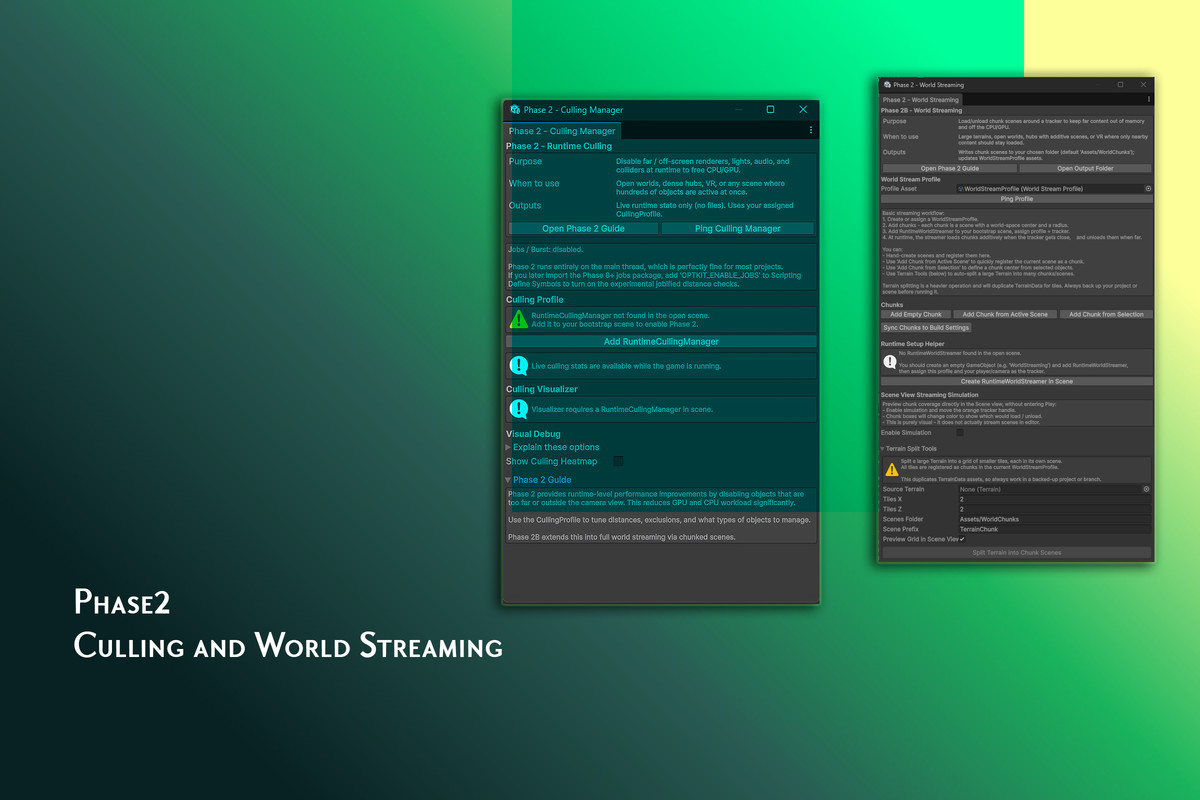
- 🌍 Large-world section management
- 📦 Runtime loading and unloading
- ⚡ CPU and GPU workload reduction
- 🎯 Relevance-based object activity
For very large scenes, GPU-driven culling tools are designed to move high-volume visibility work away from traditional per-object CPU processing.
Do not spend performance on things the player is not experiencing.
━━━━━━━━━━━━━━━━━━━━━━━━━━━━━━━━━━━━━━
🎚️ ADAPTIVE QUALITY & HARDWARE SCALING
A low-end phone, standalone VR headset, laptop, and gaming PC should not be forced to run the same workload.
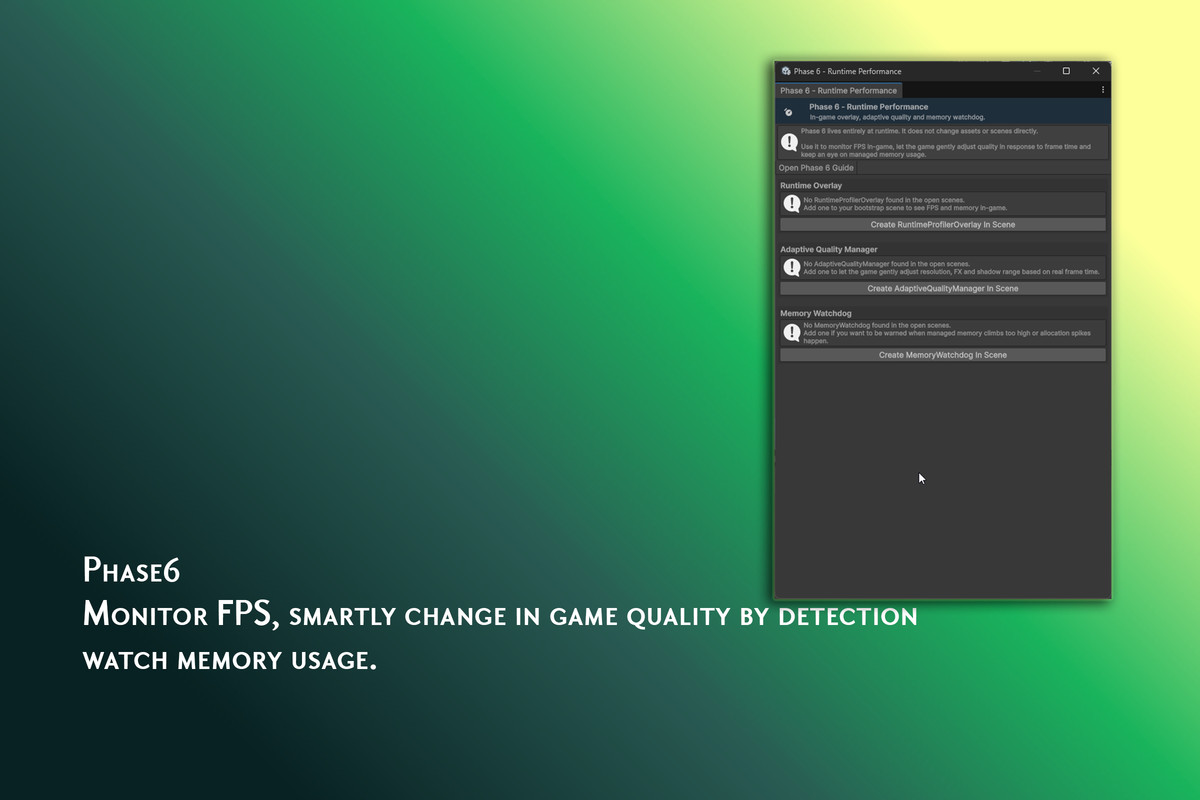
Talvren includes quality tools for mobile, PC, console, and VR. Runtime adaptive-quality systems can respond to performance conditions by adjusting configurable features such as resolution, shadows, and effects.
Hardware detection can also help select an appropriate starting quality tier.
━━━━━━━━━━━━━━━━━━━━━━━━━━━━━━━━━━━━━━
🌡️ THERMAL & MEMORY MONITORING
Talvren includes thermal and performance-headroom monitoring so supported projects can react before severe throttling becomes a player-facing framerate problem.
Runtime memory watchdogs can expose suspicious memory growth and warn about dangerous conditions before they become severe hitches or crashes.
━━━━━━━━━━━━━━━━━━━━━━━━━━━━━━━━━━━━━━
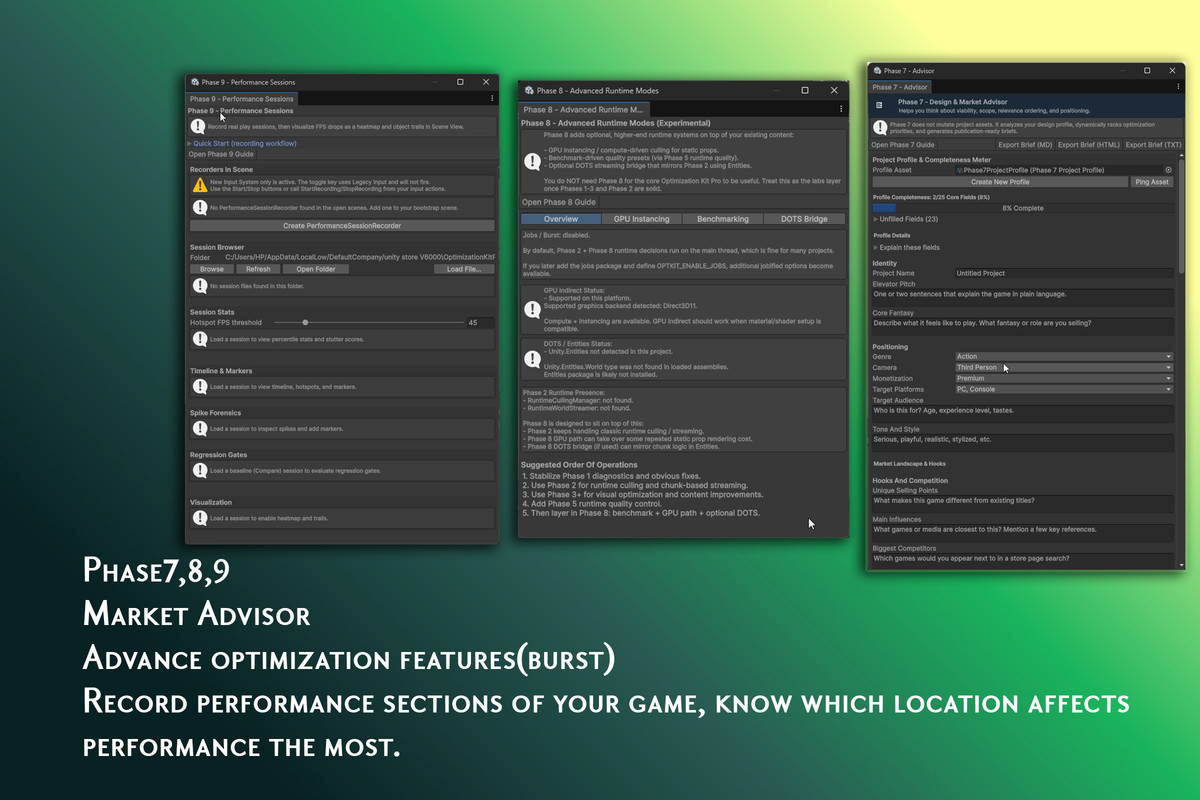
🎥 SESSION RECORDING & SPIKE ANALYSIS
Average FPS can hide the moment that actually ruined the experience.
Talvren can record gameplay performance over time so you can inspect when a spike, stutter, or performance drop happened instead of trying to reproduce it from memory.
━━━━━━━━━━━━━━━━━━━━━━━━━━━━━━━━━━━━━━
📊 BEFORE / AFTER VERIFICATION
Optimization without measurement is guesswork.
Background editor load, thermal drift, frame variance, and other noise can make an ineffective change look successful.
Talvren lets you record a baseline, make an optimization, record again, and compare the results.
Before: Capture the baseline.
After: Apply the optimization and record another session.
Compare: Inspect the measurable difference.
Replace “I think it is faster” with before-and-after evidence.
━━━━━━━━━━━━━━━━━━━━━━━━━━━━━━━━━━━━━━
🚨 PERFORMANCE REGRESSION CHECKING
Performance can improve today and quietly get worse again later.
Talvren includes regression checking so recorded results can be compared and meaningful performance changes identified.
That makes Talvren useful throughout production, not only during the final optimization pass.
━━━━━━━━━━━━━━━━━━━━━━━━━━━━━━━━━━━━━━
📦 BUILD SIZE ANALYSIS
Talvren can analyze build contents and help identify textures, meshes, audio, and other resources contributing heavily to build size.
Find the heavyweight assets before your players have to download them.
━━━━━━━━━━━━━━━━━━━━━━━━━━━━━━━━━━━━━━
🎯 PROJECT-AWARE PRIORITIZATION
Not every warning matters equally to every game.
A mobile puzzle game, standalone VR title, large open world, and high-end PC project have different bottlenecks and hardware limits.
Talvren can use project context to prioritize findings around your game and target hardware.
━━━━━━━━━━━━━━━━━━━━━━━━━━━━━━━━━━━━━━
🧰 WHAT YOU CAN DO WITH TALVREN
- 🔍 Scan assets and scenes for performance problems
- 🧠 Understand findings with clear explanations
- 🎯 Prioritize issues based on project context
- 🛠️ Apply supported guided and automated optimizations
- 🛡️ Create recovery snapshots before risky changes
- 🧊 Generate and configure LOD setups
- 🧩 Atlas compatible textures
- 👁️ Visualize overdraw and rendering cost
- ⚡ Reduce unnecessary runtime object work
- 🌍 Manage sections of large environments
- 🎚️ Build platform-oriented quality configurations
- 🌡️ Monitor thermal and performance headroom
- 💾 Watch runtime memory behavior
- 🎥 Record gameplay performance sessions
- 📊 Compare before-and-after performance
- 🚨 Detect performance regressions
- 📦 Analyze build contents and size
- 🖥️ Select quality tiers based on hardware
- 📄 Export optimization results and reports
━━━━━━━━━━━━━━━━━━━━━━━━━━━━━━━━━━━━━━
🎮 WHO IS TALVREN FOR?
- Solo and indie developers preparing for release
- Teams targeting multiple hardware tiers
- Mobile developers working within thermal and memory limits
- VR developers targeting stable frame timing
- PC and console developers managing complex scenes
- Developers learning performance optimization
- Experienced developers automating repetitive optimization work
━━━━━━━━━━━━━━━━━━━━━━━━━━━━━━━━━━━━━━
🏁 STOP OPTIMIZING BY FEEL
Talvren turns performance optimization into a repeatable process:
Scan the project. Find what matters. Review the fix. Apply it safely. Measure the result. Prove whether it worked.
From static project analysis to live runtime management and recorded before-and-after comparisons, Talvren is built to help you optimize with evidence instead of guesswork.
━━━━━━━━━━━━━━━━━━━━━━━━━━━━━━━━━━━━━━
📚 SUPPORT & DOCUMENTATION
Detailed setup guides, workflow documentation, and FAQ are available in the Talvren documentation. Discord💬
From the publisher's Asset Store listing.
Technical details
- 32 automated static scanners across Textures, Meshes, Shaders/Materials, Audio, Physics, Scene & Hierarchy
- Incremental scan cache (OptScanCache) for large projects
- Cost scoring & severity ranking per issue
- Safe auto-fix engine with snapshot-backed rollback
- Project Snapshot Manager — 1-click backup and restore
- Runtime Culling Manager (distance/visibility-based)
- Runtime World Streamer — chunked/Addressable-based world streaming
- Overdraw Visualizer & Material Complexity Map (in-editor)
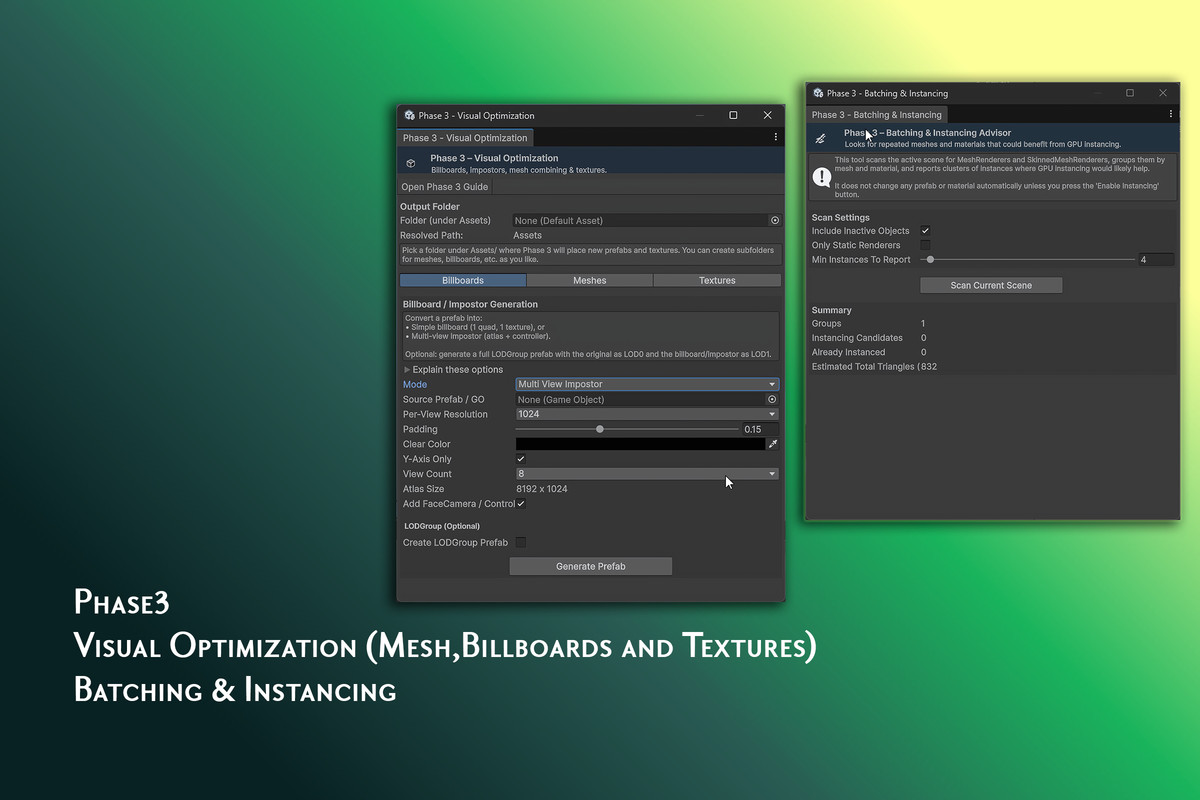
- Mesh impostor & LOD generation tools
- Texture atlas utility (up to 70% draw call reduction in forward rendering)
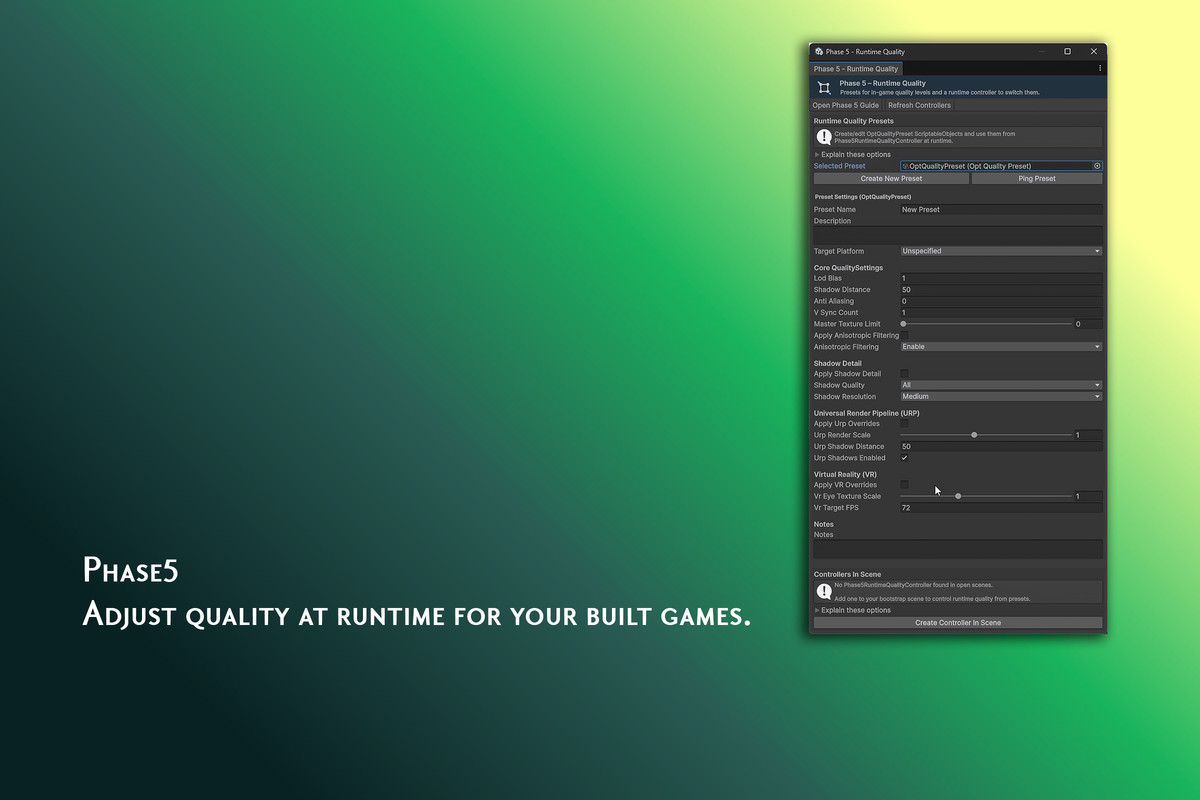
- Unified OptQualityPreset system (Low/Med/High/Ultra, per-platform)
- Phase 5 Runtime Quality Controller with PlayerPrefs persistence
- Adaptive Quality cascade (dynamic resolution → render scale → shadows/LOD → post-processing)
- Thermal Headroom Supervisor (VR & mobile pre-emptive throttling)
- Memory Watchdog with soft/hard limit events and spike trapping
- In-game Runtime Profiler Overlay (FPS, EMA FPS, P95 frame time, GC memory)
- Phase 7 Relevance Model — context-aware issue prioritization by genre/platform/camera
- Automated Risk Register + 1-click pitch brief export (Markdown/HTML/JSON)
- GPU compute shader culling & indirect instancing for 50,000+ object scenes
- Automated first-launch benchmark runner with hardware feature validation
- Performance Session Recorder with 3D spatial heatmaps
- Regression Checker — statistical before/after diffing
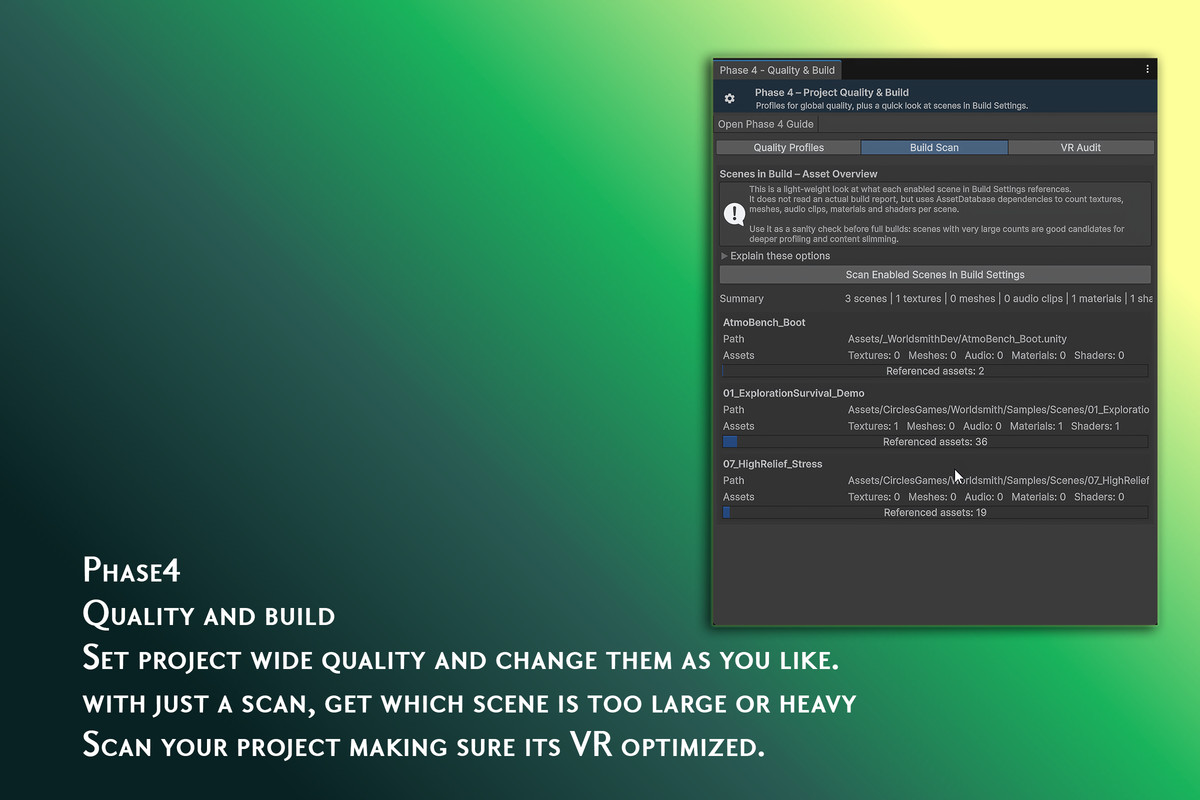
- Build Report Analyzer — per-asset-type build size breakdown
- Device Tier Preset Generator (Mobile/Console/PC/VR)
- 100% offline documentation, sample scenes included
- Officially tested on Unity 2022.3 LTS and Unity 6000.x, legacy support for 2021.3 LTS
- Compatible with Built-in, URP, and HDRP
Compatibility
| Unity version | Built-in | URP | HDRP | Custom |
|---|---|---|---|---|
| 6000.3.16f1 | Compatible | Compatible | Compatible | Compatible |
| 2022.3.62f3 | Compatible | Compatible | Compatible | Compatible |
You can use this tool with all SRP, but where shaders are needed, it won't work. My default supported SRP is URP; aside from that, the tool is 96% usable by all SRP.
As listed on the Asset Store.