
 View on Asset Store (opens in new tab)
Package details
- Latest version
- 1.0
- Last updated
- First released
- Unity version
- 6000.0.59 or later
- Package size
- 62 KB
- Files
- 22
- Views in the past week
- 6
Price tracking
- Last checked
- Tracked since
- Lowest recorded
- $14.99 on
Keywords

AudioDatabase
Audio management system for Unity games.
Affiliate link · Purchases support this site
Price history
Last 6 months
USDAsset preview
1 / 4
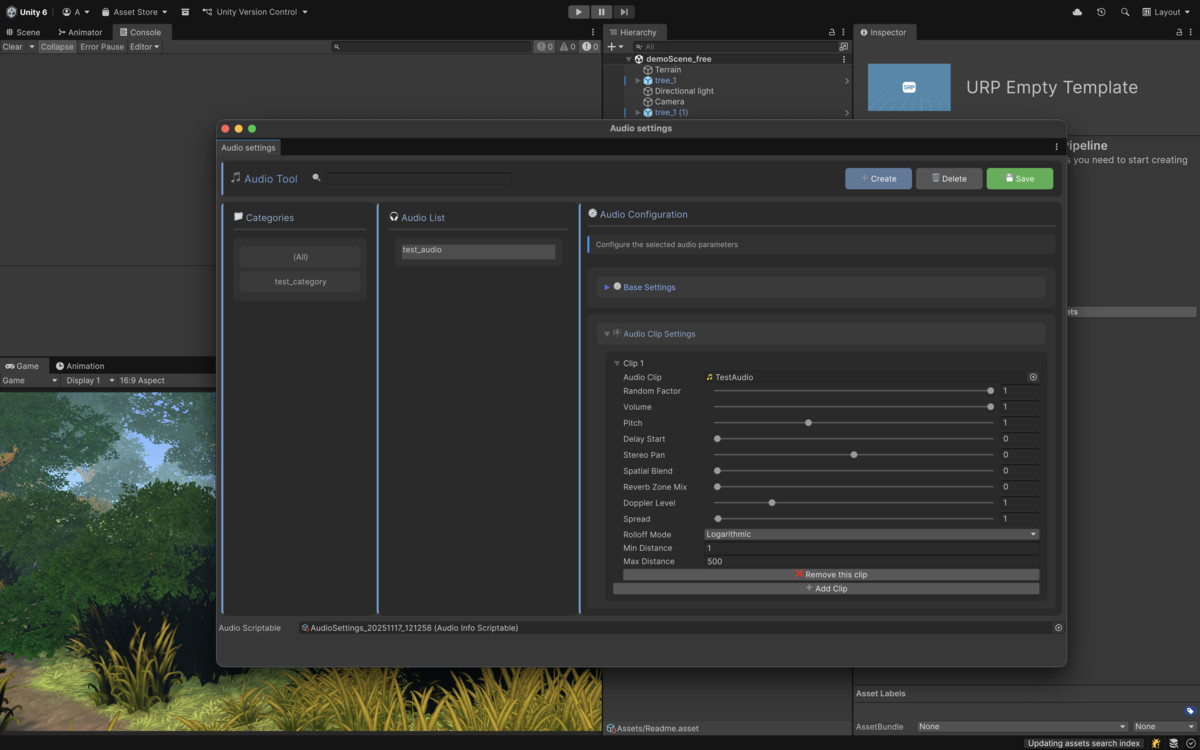
AudioDatabase screenshot 1
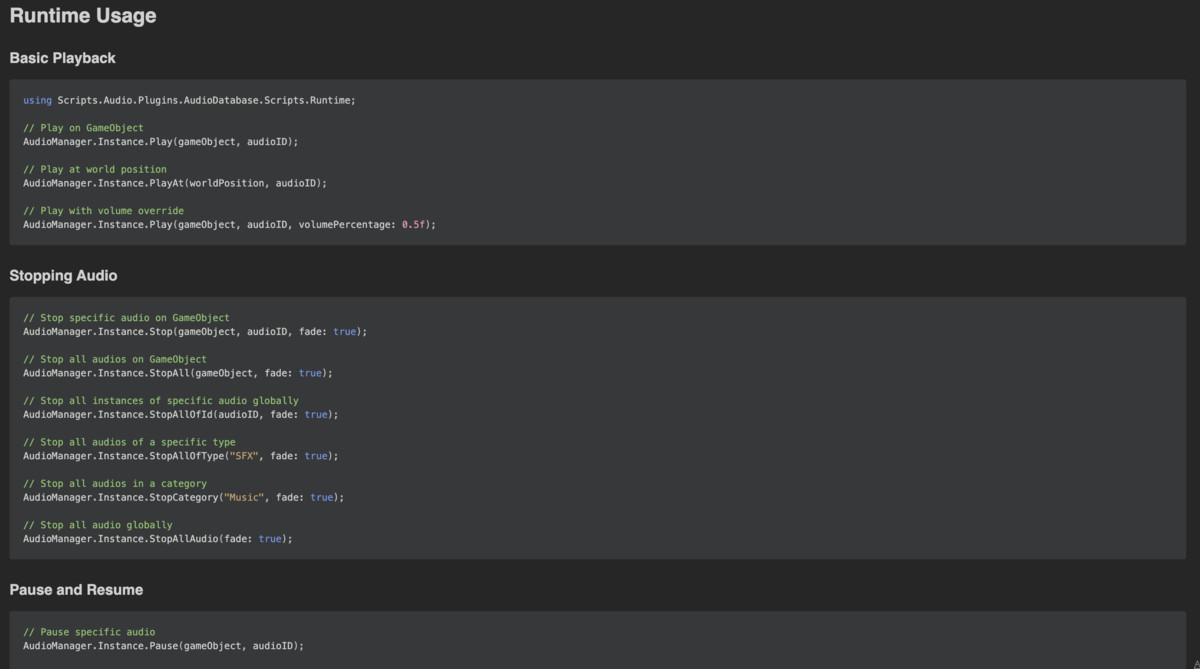
About this asset
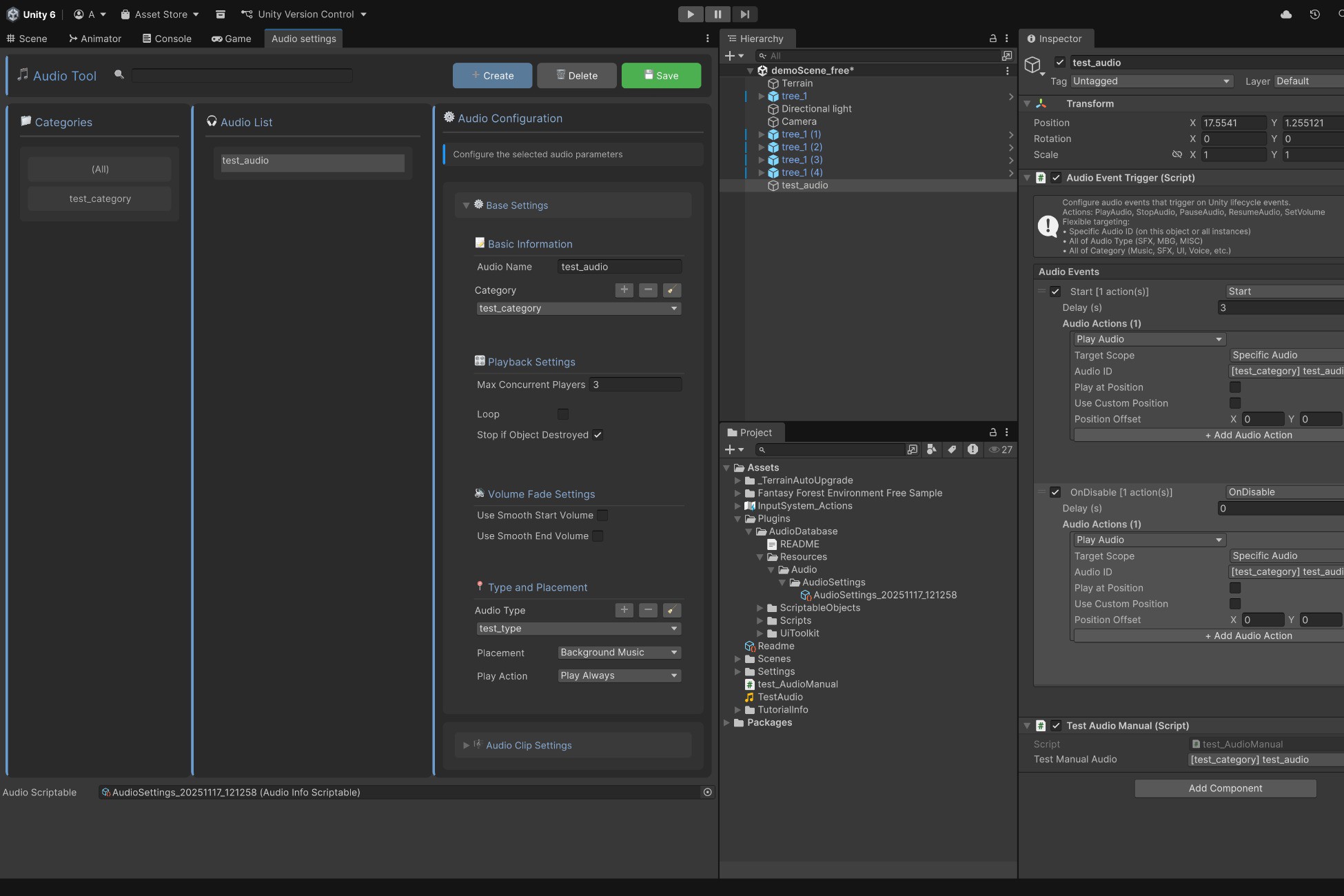
AudioDatabase is a complete, production-ready audio management system for Unity that centralizes all your game audio control.
Core Features
Centralized Management
- Single AudioManager singleton controls all audio
- Modern UI Toolkit editor with search and filtering
- Organize audio by custom Categories (Music, SFX, UI, Voice) and Types (SFX, BGM, MISC)
Performance Optimized
- Automatic object pooling eliminates GC allocations during playback
- Handles 50+ concurrent sources on mobile, 200+ on PC
- Built for performance-critical applications
Advanced Volume Control
- Hierarchical volume multipliers (Category × Type × Clip)
- Real-time adjustments during gameplay
- Smooth fade in/out with AnimationCurves
- Per-category and per-type pitch control
Flexible Configuration
- Multiple audio clip variants with weighted random selection
- Concurrent playback limits prevent audio spam
- Full 3D spatial audio support (doppler, reverb, rolloff, spread)
- Loop settings with automatic fade
Event System
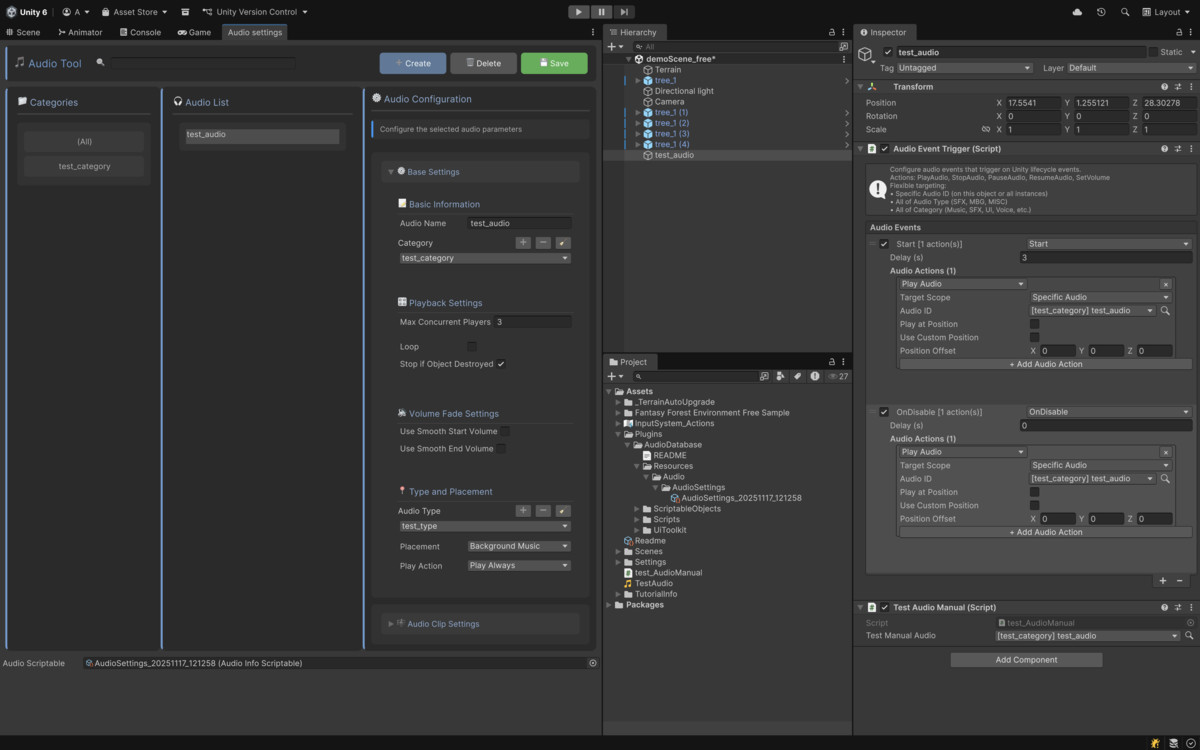
- Component-based AudioEventTrigger for no-code audio
- Trigger on lifecycle events (Awake, Start, OnDestroy, etc.)
- Physics events (OnCollisionEnter, OnTriggerEnter - 2D/3D)
- Mouse events (OnMouseDown, OnMouseEnter, OnMouseExit)
- Custom named events
- Actions: Play, Stop, Pause, Resume, SetVolume with scoping
Quick Start
- Open Tools > Audio > Config AudioDataBase
- Click "Create", name your audio, assign AudioClip
- Click "Save"
- Use in code: AudioManager.Instance.Play(gameObject, audioID);
What's Included
- AudioManager singleton
- UI Toolkit editor window
- AudioEventTrigger component
- Custom property drawers
- Audio type and category configs
- Complete API for play/stop/pause/resume
- Comprehensive documentation with examples
Zero external dependencies. Works out of the box.
From the publisher's Asset Store listing.
Technical details
Requirements:
- Unity 2020.3 or higher
- UI Toolkit (included in Unity 2020.3+)
Platforms: Windows, macOS, Linux, iOS, Android, WebGL, Consoles
Render Pipelines: Built-in, URP, HDRP
Scripting: Mono, IL2CPP, .NET Standard 2.0+
Package Size: ~150 KB (code only, no audio assets)
Performance:
- Zero GC during playback (pooling)
- <0.1ms per audio play request
- 50+ concurrent sources (mobile), 200+ (PC)
Namespace: Scripts.Audio.Plugins.AudioDatabase.Scripts.Runtime
No external dependencies required.
Compatibility
| Unity version | Built-in | URP | HDRP | Custom |
|---|---|---|---|---|
| 6000.0.59f2 | Compatible | Compatible | Compatible | Compatible |
As listed on the Asset Store.