
 View on Asset Store (opens in new tab)
Package details
- Latest version
- 1.0
- Last updated
- First released
- Unity version
- 2021.3.45 or later
- Package size
- 49 KB
- Files
- 6
- Favorites
- 2
- Views in the past week
- 4
Price tracking
- Last checked
- Tracked since
- Lowest recorded
- $9.99 on
Keywords

qs.Asset Replace
- Price drop
Instantly update assets! Preserves GUIDs when swapping external files (meshes, textures, etc.). Essential workflow tool for artists. Features safe drag-and-drop and zero-duplicate policy.
Lowest recorded price
Buy on Asset Store (opens in new tab)Affiliate link · Purchases support this site
Price history
Last 6 months
USDAsset preview
1 / 4
qs.Asset Replace screenshot 1

About this asset
qs.Asset Replace solves the fundamental frustration of the creative pipeline: maintaining asset integrity during rapid iteration. Designed for artists, animators, and environment designers, this powerful Quadsphere Campus utility lets you bypass manual re-linking and file explorer navigation entirely.
Key Features for Artists
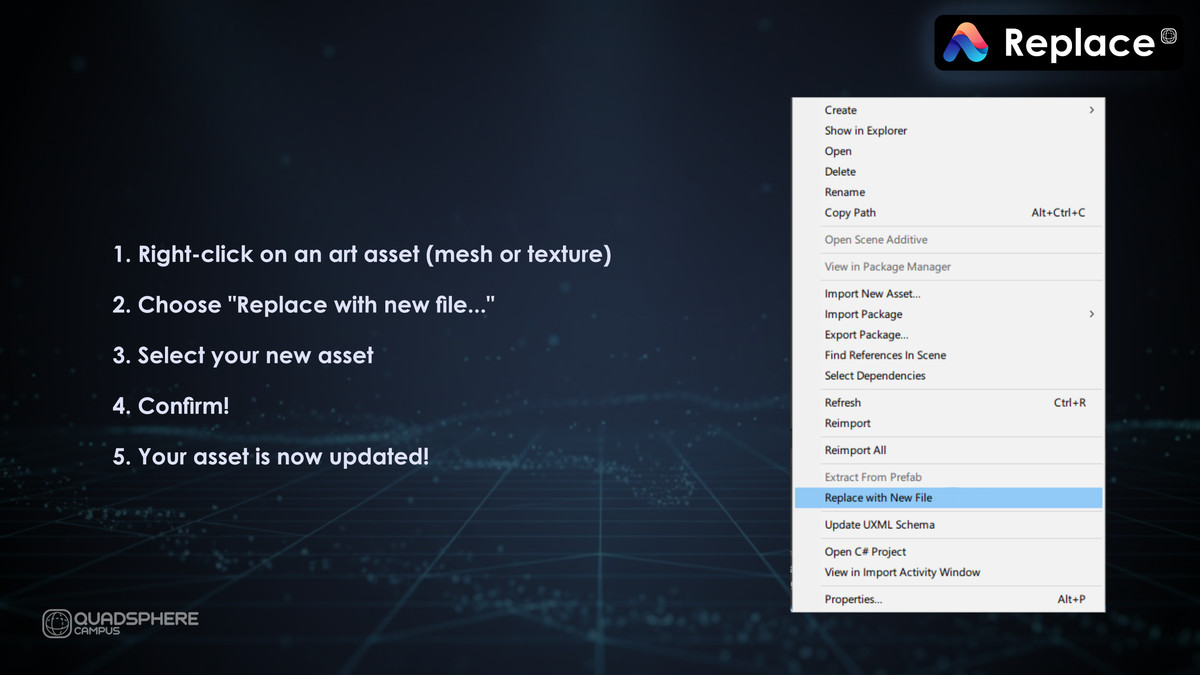
- Single-Click Update (Manual Mode): Right-click any asset in the Project window and bring in a new source file. The tool handles the file swap, ensuring the asset's crucial GUID is preserved. Your prefabs, materials, and scene placements remain untouched.
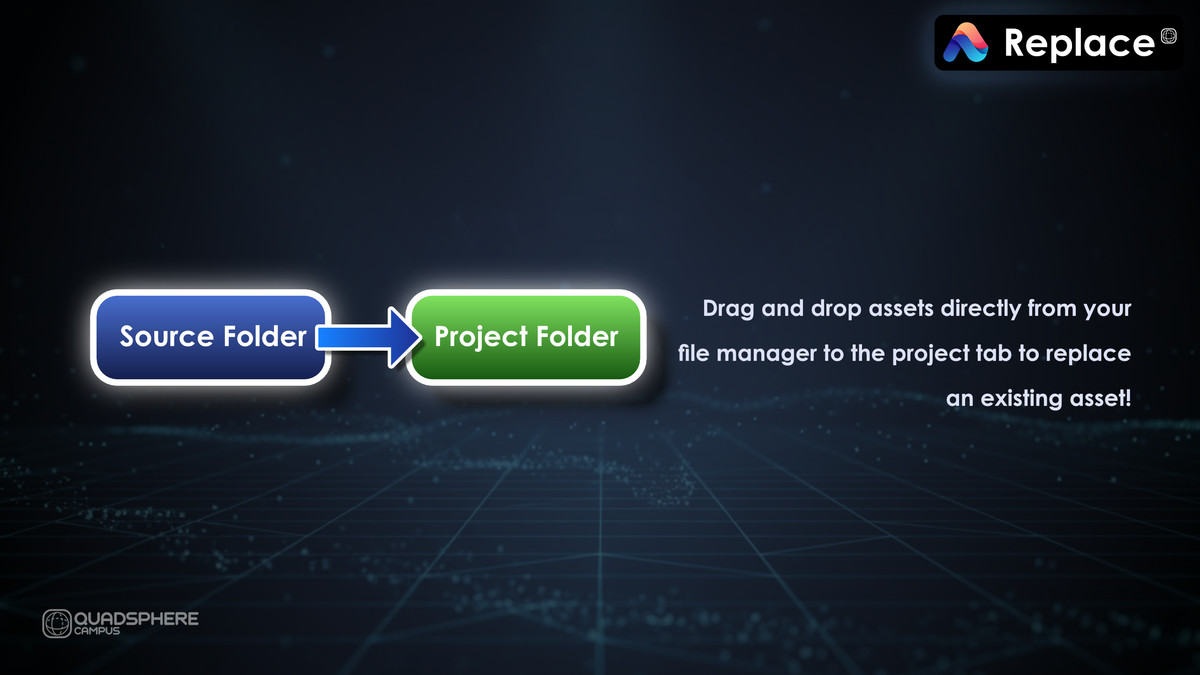
- Zero Duplicate Policy (Auto Mode): Our robust drag-and-drop handler automatically intercepts imported duplicate files. Drag a new version of StoneTexture.png onto the Project window, and the tool offers to replace the original and delete the temporary duplicate (StoneTexture (1).png).
- Format Flexibility: Easily swap a low-res .jpg with a production-ready .png or a .blend file with an .fbx. The tool warns you about format changes but lets you proceed, maintaining maximum flexibility for your pipeline.
- Built-in Safety: Engineered with advanced I/O defense mechanisms to prevent common file-locking errors that occur when overwriting assets actively used by Unity.
Suitability
This is an Editor Workflow Utility suitable for all types of projects and asset categories (3D Models, Textures, Audio, etc.). It dramatically speeds up the process of integrating updated art assets from external DCC tools (Blender, Maya, Substance Painter, etc.) into the Unity environment.
From the publisher's Asset Store listing.
Technical details
Key Features
- GUID Preservation: Guarantees the Global Unique Identifier (GUID) of the target asset is preserved during replacement, preventing broken prefab, scene, and material references.
- I/O Stability Defense: Employs advanced techniques (GC.Collect(), AssetDatabase.ReleaseCachedFileHandles()) to prevent common file-locking errors encountered when writing to active assets in the Unity Editor.
- Drag-and-Drop Auto-Replace: Automatically detects files dragged from the OS that are duplicates of existing assets, offering a prompt to replace the original and delete the temporary numbered duplicate.
- Context Menu Integration: Provides quick, direct access to the replacement tool via Assets → Replace with New File (qs.Asset Replace)....
- Workflow Enhancements: Includes persistent path memory (remembers the last directory used in the file dialog) and non-intrusive Toast notifications for success confirmation.
- Defensive Checks: Includes mandatory warnings for filename and file extension mismatches to ensure user intent.
Supported OS
- Windows
- macOS
- Linux
(Note: Supports all operating systems compatible with the Unity Editor.)
Unity Version Support
Requires Unity 2021.3 LTS or newer.
Compatibility
| Unity version | Built-in | URP | HDRP |
|---|---|---|---|
| 6000.3.0f1 | Compatible | Compatible | Compatible |
| 2021.3.45f2 | Compatible | Compatible | Compatible |
As listed on the Asset Store.