
 View on Asset Store (opens in new tab)
Package details
- Latest version
- 1.2.2
- Last updated
- First released
- Unity version
- 2022.3.62 or later
- Package size
- 268 KB
- Files
- 87
- Favorites
- 1
- Views in the past week
- 9
Price tracking
- Last checked
- Tracked since
- Lowest recorded
- $25.00 on
Keywords
Connectivity Checker Pro
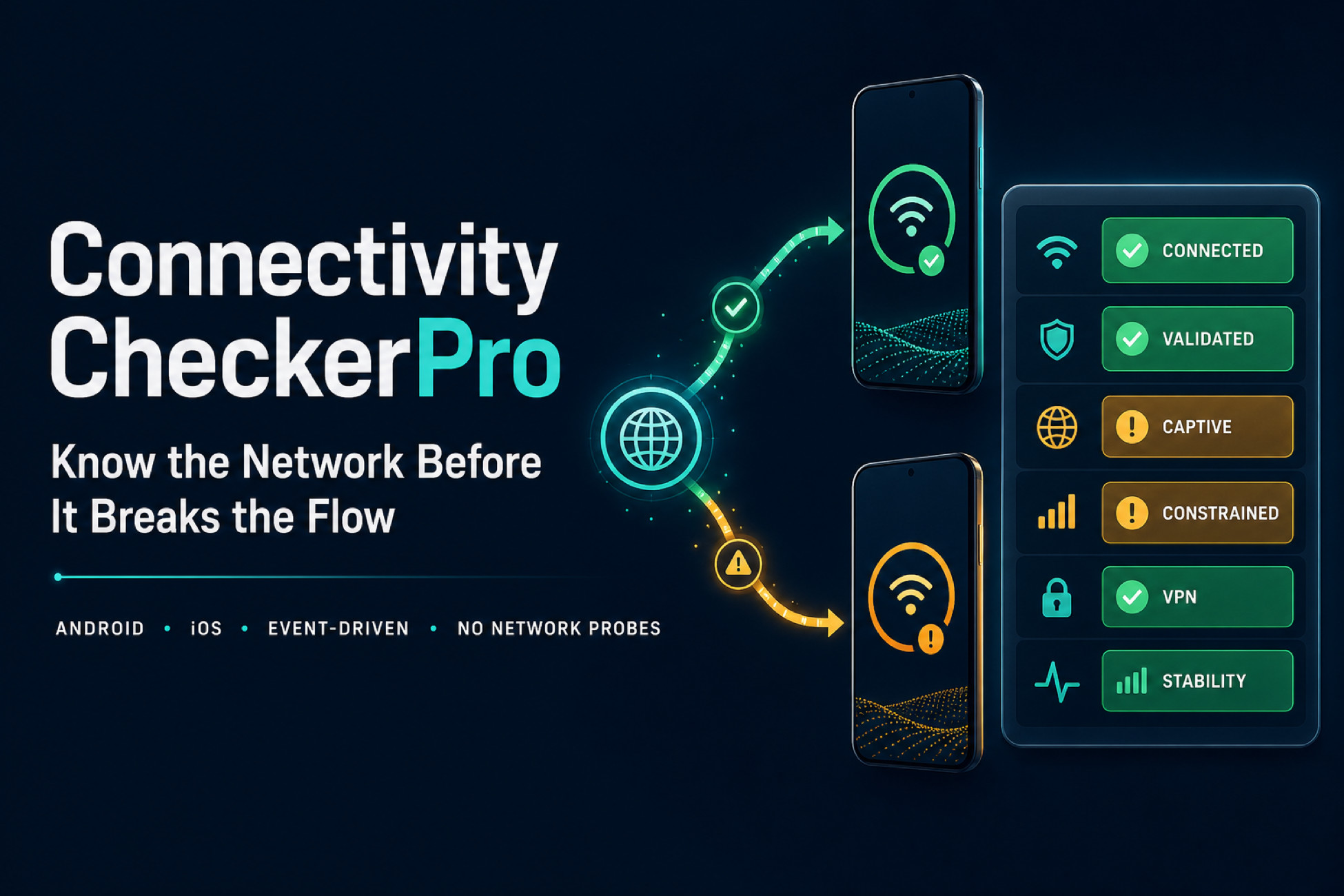
Passive native Android and iOS connectivity evidence, deterministic Editor simulation, and production-safe monitoring for resilient Unity mobile projects.
Affiliate link · Purchases support this site
Price history
Last 6 months
USDAsset preview
1 / 4
Connectivity Checker Pro screenshot 1
About this asset
KNOW MORE THAN CONNECTED
Connectivity Checker Pro observes native Android and iOS network state and turns it into explicit, event-driven evidence for offline UI, retry policy, download decisions, diagnostics, and repeatable QA.
It sends no HTTP, DNS, ping, latency, speed, or throughput probes and collects no user data. Your real application request remains the source of truth for login, payments, cloud saves, matchmaking, and every other critical backend operation.
BUILD MORE RESILIENT MOBILE EXPERIENCES
• Drive offline and degraded-connection UI from explicit evidence.
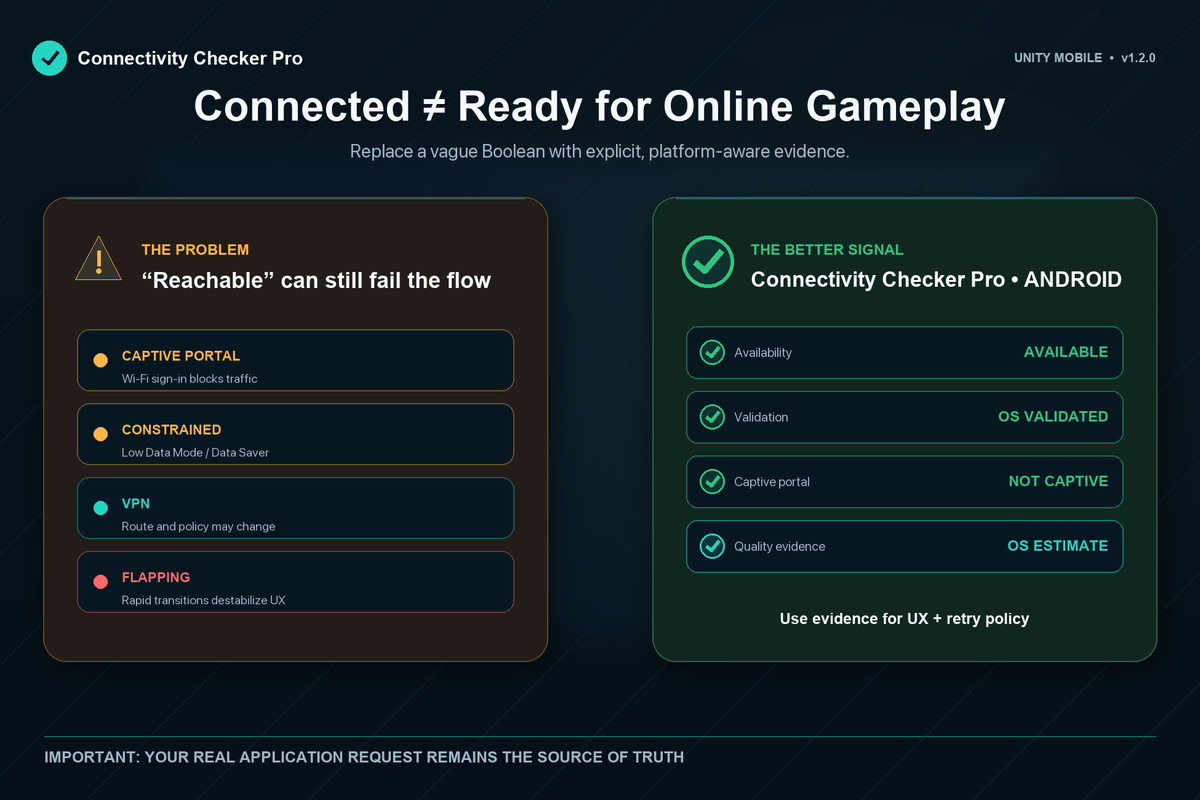
• Inform retry and download policies with availability, validation, captive, constrained, metered, VPN, quality, and stability state.
• Keep diagnostics honest about what Android or iOS actually exposed.
• Let independent game modules share monitoring without stopping one another.
• Reproduce inconvenient network journeys inside the Unity Editor.
TEST FAILURE STATES WITHOUT A DEVICE
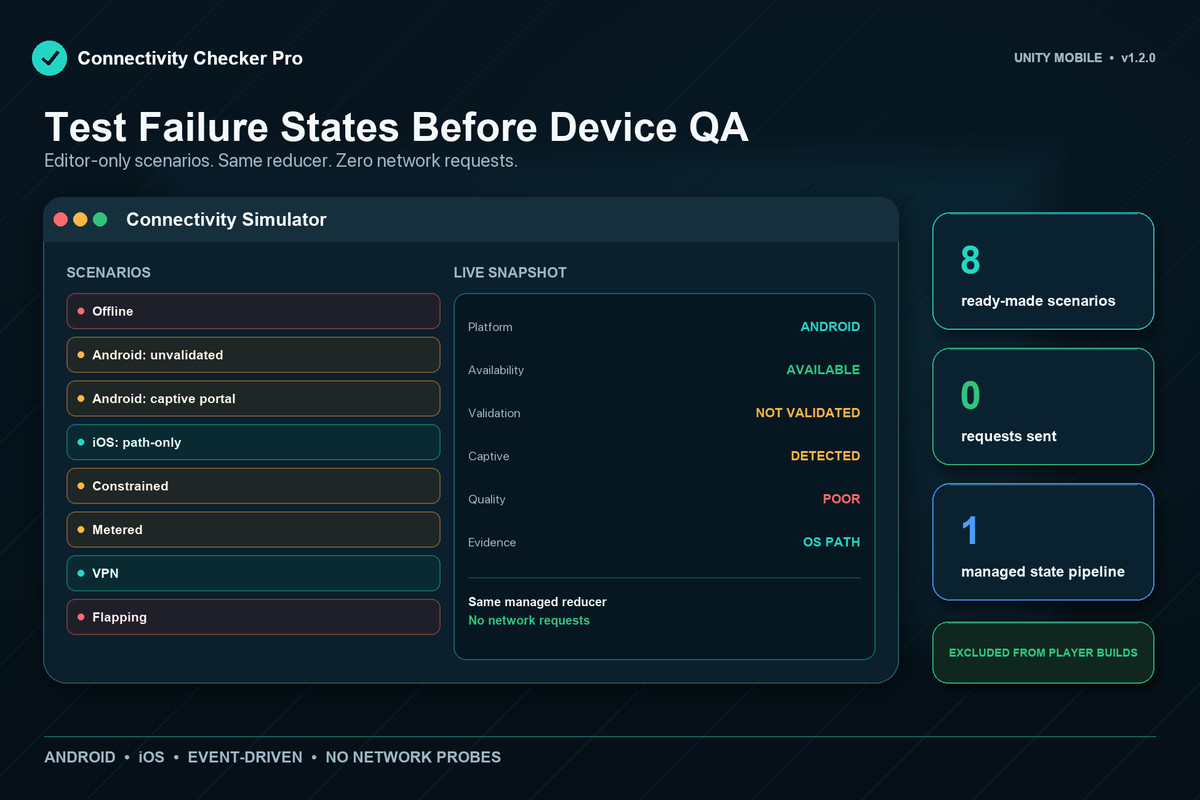
Open Tools > Connectivity Checker Pro > Connectivity Simulator and apply offline, Android unvalidated, Android captive-portal, iOS path-only, constrained, metered, VPN, and flapping states through the same managed reducer used by the runtime.
Version 1.2 adds reusable Simulation Scenario assets, deterministic timeline playback, and a bounded 100-entry state history with per-field diffs and redacted clipboard export. These Editor-only tools send no requests and do not replace Android or iOS device validation.
PLATFORM-AWARE EVIDENCE
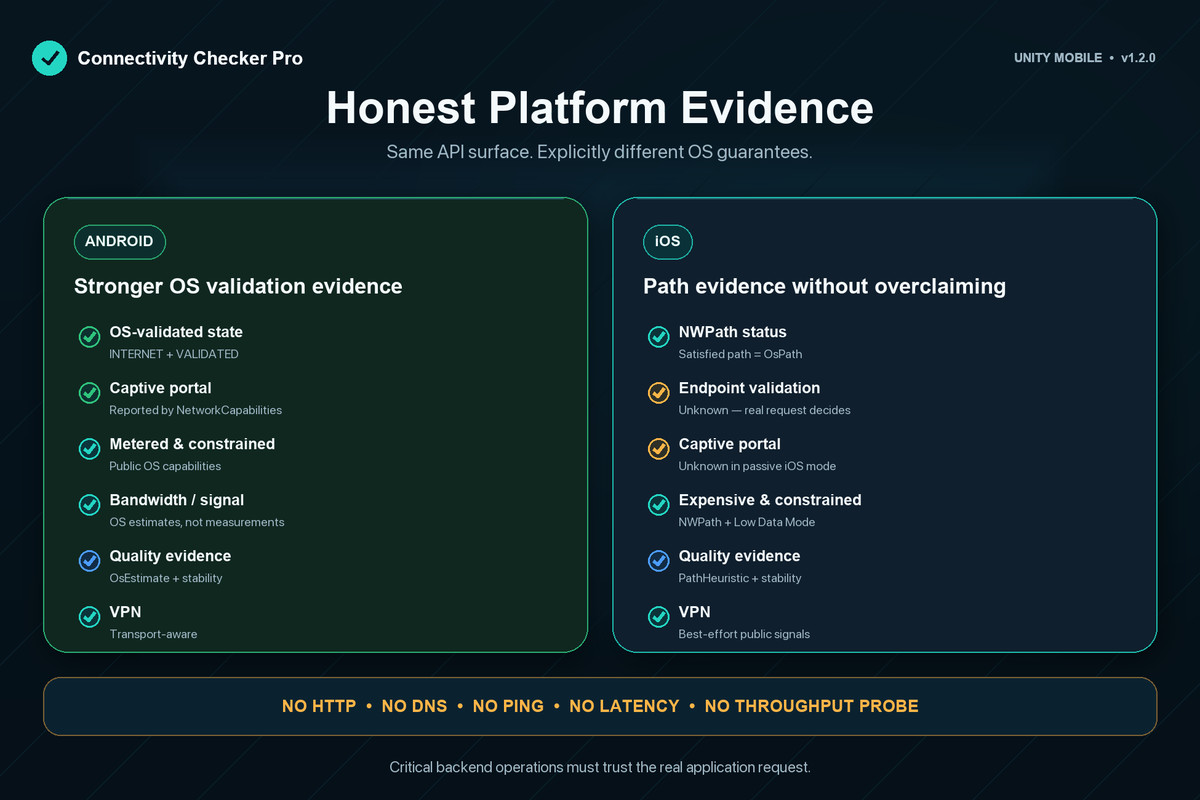
Android uses the default network and NetworkCapabilities for availability, OS-validated internet evidence, captive-portal state, transports, metered and constrained state, VPN-related state, bandwidth/signal estimates when available, and Good/Poor quality labelled OsEstimate.
iOS uses NWPathMonitor and public system signals for path state, Wi-Fi, cellular and Ethernet transports, expensive/constrained state, optional cellular details, best-effort VPN evidence, and Good/Poor quality labelled PathHeuristic.
An iOS satisfied path is path evidence, not captive-portal detection or endpoint validation. Android validation is also OS evidence, not proof that your own API, DNS route, certificate, account, or region works.
PRODUCTION-SAFE LIFECYCLE
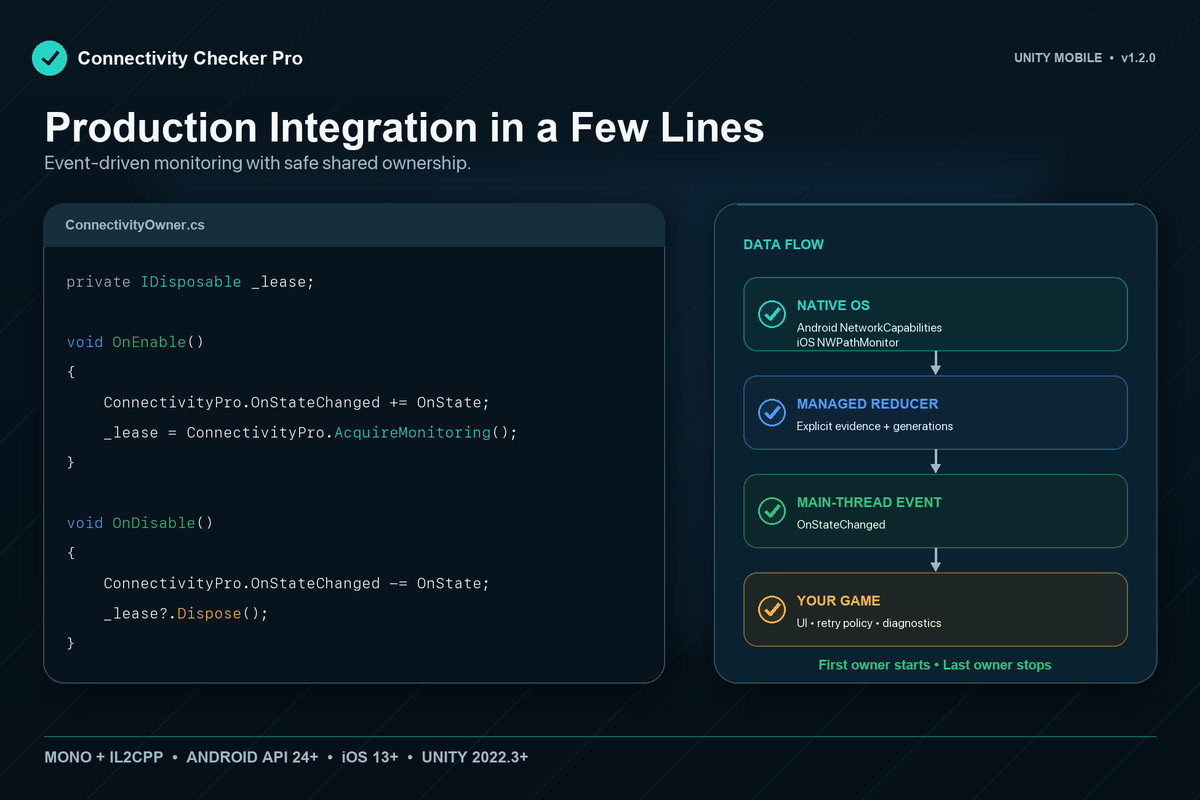
Use ConnectivityPro.AcquireMonitoring() for modular ownership. The first lease starts native monitoring and disposing the last lease stops it, so one subsystem cannot stop another subsystem's active session. Existing integrations can keep using the idempotent BeginMonitoring() / EndMonitoring() pair.
PRIVACY-FIRST BY DESIGN
• No network requests or active probes.
• No analytics, identifiers, diagnostics, or connectivity state are collected or transmitted.
• No user tracking.
• Source-accurate iOS privacy manifest included.
COMPATIBILITY
• Unity 2022.3 LTS or newer.
• Android API 24 (Android 7.0) or newer.
• iOS 15.0 or newer.
• Mono and IL2CPP.
• Asset Store import under Assets or UPM installation under Packages.
• R8-minified Android builds through bundled consumer ProGuard rules.
Samples are optional and require Unity UI (com.unity.ugui). The Editor Simulator uses Unity's built-in UI Toolkit module. Runtime monitoring has no downloadable feature-package dependency.
IMPORTANT LIMITATIONS
• Passive evidence does not prove that a customer endpoint works.
• iOS does not expose captive-portal or endpoint validation through NWPath.
• Android bandwidth and signal are OS estimates, not measured speed or latency.
• iOS quality is a coarse path heuristic without bandwidth or latency input.
• VPN and cellular details can be unavailable due to OS, device, carrier, or permission constraints.
• Editor simulation is deterministic integration support, not device QA.
PRODUCT AND SUPPORT
Product: https://foxsterlabs.com/unity-assets/connectivity-checker-pro/
Support: https://foxsterlabs.com/unity-assets/connectivity-checker-pro/support/
Release notes: https://foxsterlabs.com/unity-assets/connectivity-checker-pro/release-notes/
Email: [email protected]
From the publisher's Asset Store listing.
Technical details
KEY FEATURES
• Passive native Android and iOS connectivity monitoring.
• Explicit availability, validation, captive, constrained, metered, VPN, transport, quality, and stability evidence.
• Event-driven managed API with shared monitoring leases for modular integrations.
• Deterministic Editor Simulator with reusable Simulation Scenario assets and timeline playback.
• Bounded 100-entry state history, per-field diffs, and redacted clipboard export.
• Fast Enter Play Mode support and hardened native lifecycle handling.
• No HTTP, DNS, ping, latency, speed, or throughput probes.
EDITOR WORKFLOW
Open Tools > Connectivity Checker Pro > Connectivity Simulator. Built-in scenarios include offline, Android unvalidated, Android captive portal, iOS path-only, constrained, metered, VPN, and flapping states. Editor simulation exercises the managed integration path; it does not replace device QA.
PLATFORM COMPATIBILITY
• Unity 2022.3 LTS or newer.
• Android API 24 (Android 7.0) or newer.
• iOS 15.0 or newer.
• Mono and IL2CPP.
• Asset Store import under Assets or UPM installation under Packages.
• Bundled Android consumer ProGuard rules for R8-minified builds.
DEPENDENCIES
Runtime code uses Unity built-in Android JNI and JSON serialization modules. The optional Editor Simulator uses Unity's built-in UI Toolkit module. Optional Samples require com.unity.ugui when imported. Runtime monitoring has no downloadable feature-package dependency.
LIMITATIONS
• Passive OS evidence does not prove that a specific API, DNS route, certificate, account, region, or CDN works.
• iOS NWPath does not expose captive-portal or endpoint validation.
• Android bandwidth and signal are OS estimates, not measured speed or latency.
• iOS quality is a coarse PathHeuristic without bandwidth or latency input.
• VPN and cellular details can be unavailable due to OS, device, carrier, or permission constraints.
Product: https://foxsterlabs.com/unity-assets/connectivity-checker-pro/
Support: https://foxsterlabs.com/unity-assets/connectivity-checker-pro/support/
Email: [email protected]
Compatibility
| Unity version | Built-in | URP | HDRP | Custom |
|---|---|---|---|---|
| 2022.3.62f3 | Compatible | Compatible | Compatible | Compatible |
Render-pipeline independent. Connectivity Checker Pro does not render content and works with Built-in, URP, HDRP, and custom render pipelines. Production runtime is Android and iOS. Editor and other platforms use a deterministic Unity reachability stub for integration work, not native parity.
As listed on the Asset Store.