
 View on Asset Store (opens in new tab)
Package details
- Latest version
- 1.0.1
- Last updated
- First released
- Unity version
- 6000.3.10 or later
- Package size
- 39 KB
- Files
- 25
- Favorites
- 3
- Views in the past week
- 5
Price tracking
- Last checked
- Tracked since
- Lowest recorded
- $4.99 on
Keywords

Furni Model Browser – 3D Asset Importer
- Price drop
Search, preview, and import furniture 3D assets directly inside Unity. Download models and place them instantly. Ideal for fast prototyping and interior visualization workflows.
Lowest recorded price
Buy on Asset Store (opens in new tab)Affiliate link · Purchases support this site
Price history
Last 6 months
USDAsset preview
1 / 5
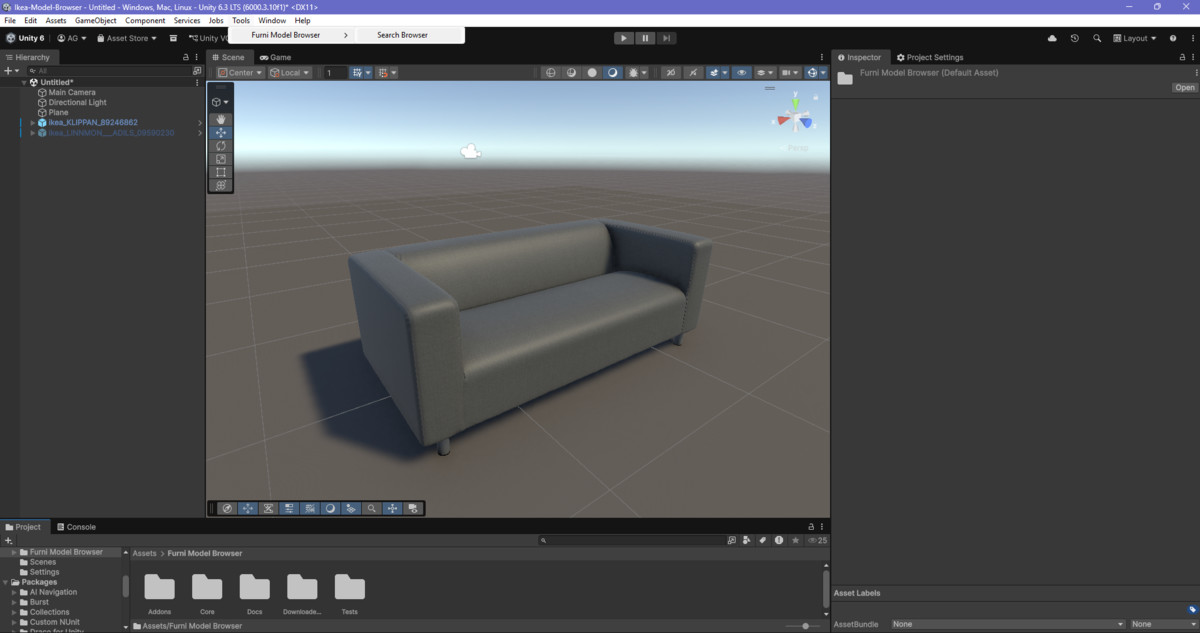
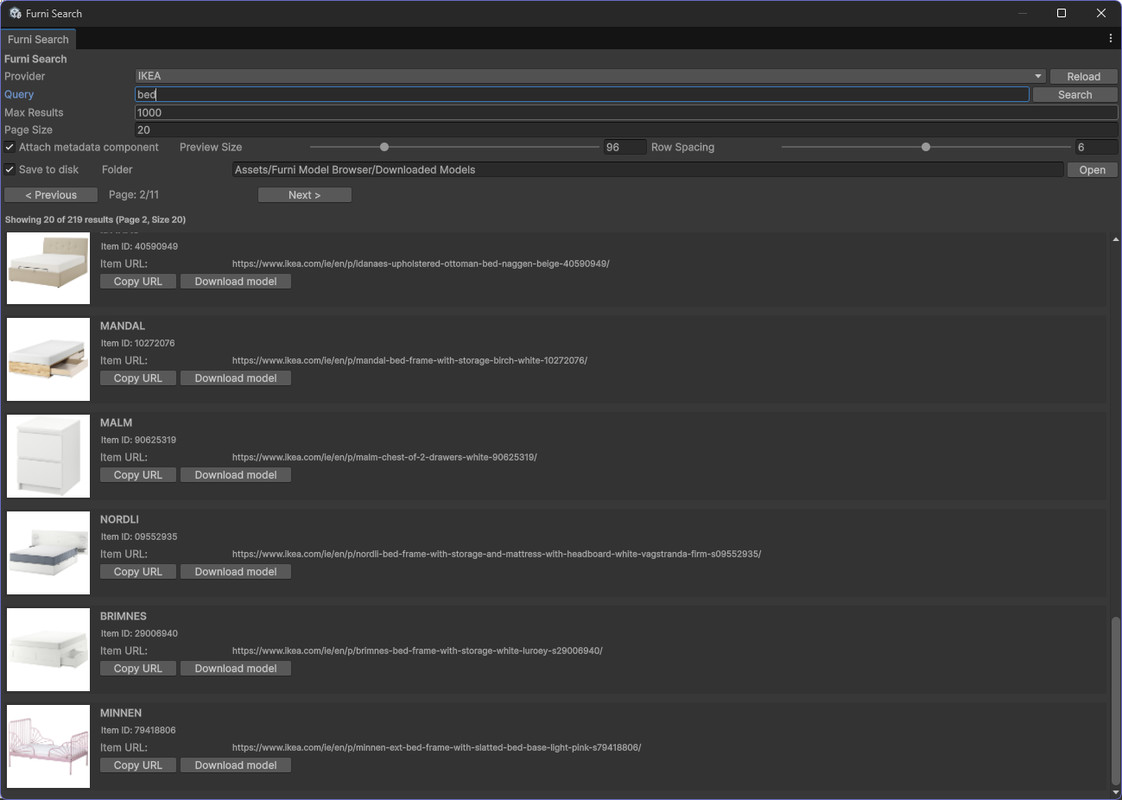
Furni Model Browser – 3D Asset Importer screenshot 1
About this asset
Online 3D Model Catalog Browser for Unity
Furni Model Browser is a powerful and extensible Unity Editor tool that allows you to search, preview, and import 3D models from external product catalog APIs directly into your Unity project.
Originally focused on furniture catalogs, Furni Model Browser is now a generic and expandable model browser platform. You can integrate your own APIs, build custom add-ons, and support multiple catalog providers.
No more manual downloads, format conversions, or asset cleanup. Simply search, preview, import, and place assets directly into your scene.
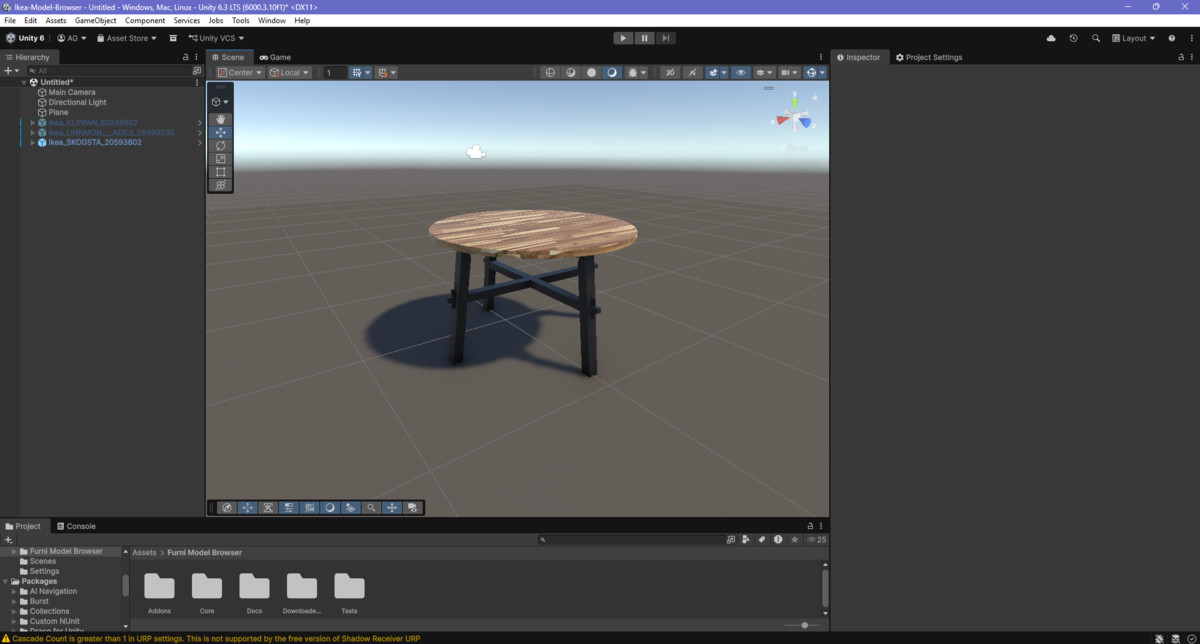
The tool connects to configurable third-party APIs to fetch 3D models, preview images, and metadata. Each imported item is automatically converted into a clean Unity Prefab with properly assigned meshes and materials — ready to use immediately.
🚀 Why Use Furni Model Browser?
Populate scenes with real-world products or custom catalog items in seconds while keeping your project clean and organized.
Perfect for:
• Interior design and virtual staging
• VR and AR experiences
• Games and interactive applications
• Architectural visualization
• Product configurators
• Room layout planning
• Rapid prototyping
⭐ Key Features
• Search products directly inside the Unity Editor
• Live thumbnail previews
• One-click 3D model import
• Automatic prefab generation
• Clean and organized folder structure
• GLB-based import workflow
• Optional metadata component for imported assets
• Compatible with Built-in, URP, and HDRP
• Optimized for both production and prototyping workflows
• Add-on ready architecture (support your own catalog APIs)
🔌 Extensible Add-On System
Furni Model Browser is built with extensibility in mind:
• Plug in your own product catalog API
• Create custom catalog providers
• Support multiple data sources
• Extend metadata handling
• Build internal company asset libraries
This makes it suitable not only for public product catalogs but also for enterprise and private databases.
📦 What You Get
• Unity Editor search & browsing window
• Automated prefab generation pipeline
• Thumbnail caching system
• GLB-based model importer
• Optional metadata component
• Full source code included
💡 Example Workflow
- Open Furni Model Browser from the Tools menu
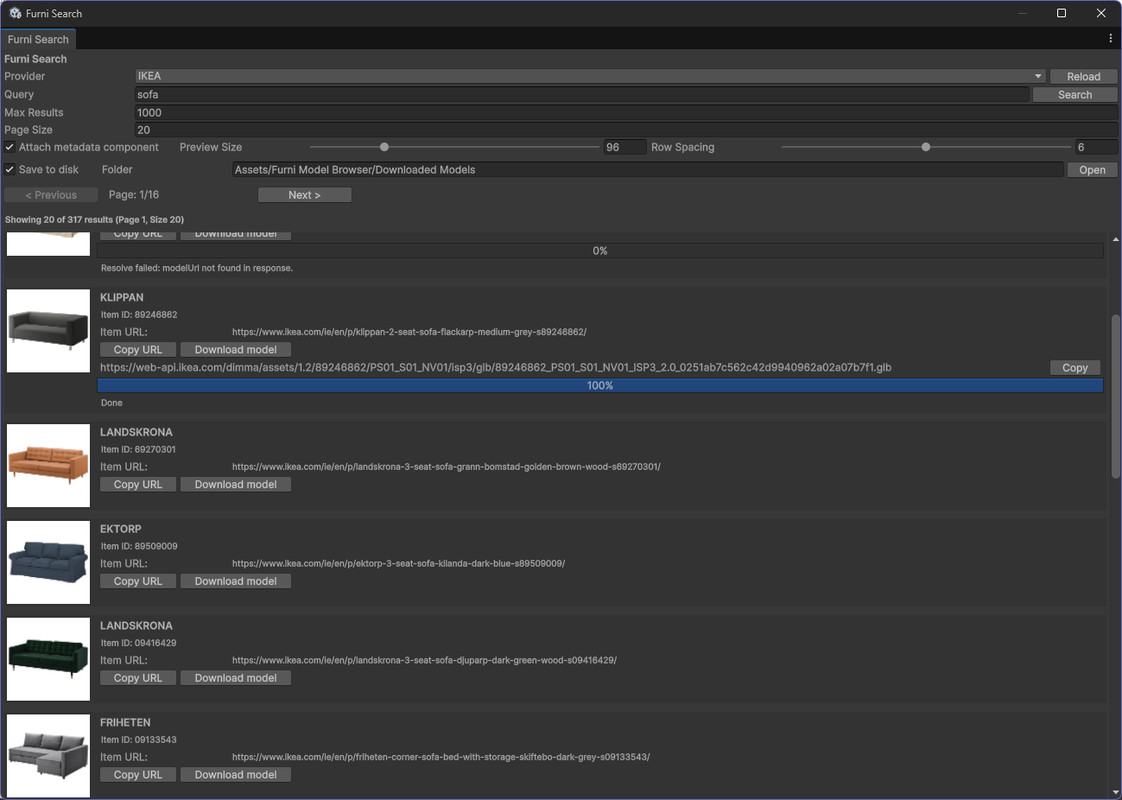
- Enter a search term (e.g. “sofa”, “desk”, “lamp”)
- Preview available items
- Click Download Model
- Done.
🎯 Who Is This For?
• Game developers
• Level and environment artists
• VR / AR creators
• Architects and interior designers
• Simulation developers
• Anyone who needs external 3D models quickly inside Unity
🏁 Build Scenes Faster
Search. Import. Build.
This asset is not affiliated with or endorsed by any brand or manufacturer.
Discord: https://discord.gg/Cyy5baKx
From the publisher's Asset Store listing.
Compatibility
| Unity version | Built-in | URP | HDRP |
|---|---|---|---|
| 6000.3.10f1 | Compatible | Compatible | Compatible |
🔄 Compatibility
• Unity 2022+ recommended
• Works with URP, HDRP, and Built-in
• Windows, Mac, and Linux Editor supported
• GLB import via GLTFast
As listed on the Asset Store.