
 View on Asset Store (opens in new tab)
Package details
- Latest version
- 2.0.0
- Last updated
- First released
- Unity version
- 2022.3.62 or later
- Package size
- 1.7 MB
- Files
- 36
- Favorites
- 6
- Views in the past week
- 7
Price tracking
- Last checked
- Tracked since
- Lowest recorded
- $19.99 on
Keywords

Grid Inventory System — Equipment, Hotbar, Shops & Save
- Price drop
Diablo-style grid inventory with equipment paper-doll, hotbar, shops & stash. Fantasy pixel-art UI included. ScriptableObject items, crash-safe JSON saves. UGUI, BiRP/URP/HDRP, Unity 2022.3+.
Lowest in 6 months
Get 25% off on Asset Store (opens in new tab)Affiliate link · Purchases support this site
Price history
Last 6 months
USDAsset preview
1 / 9
Grid Inventory System — Equipment, Hotbar, Shops & Save screenshot 1
About this asset
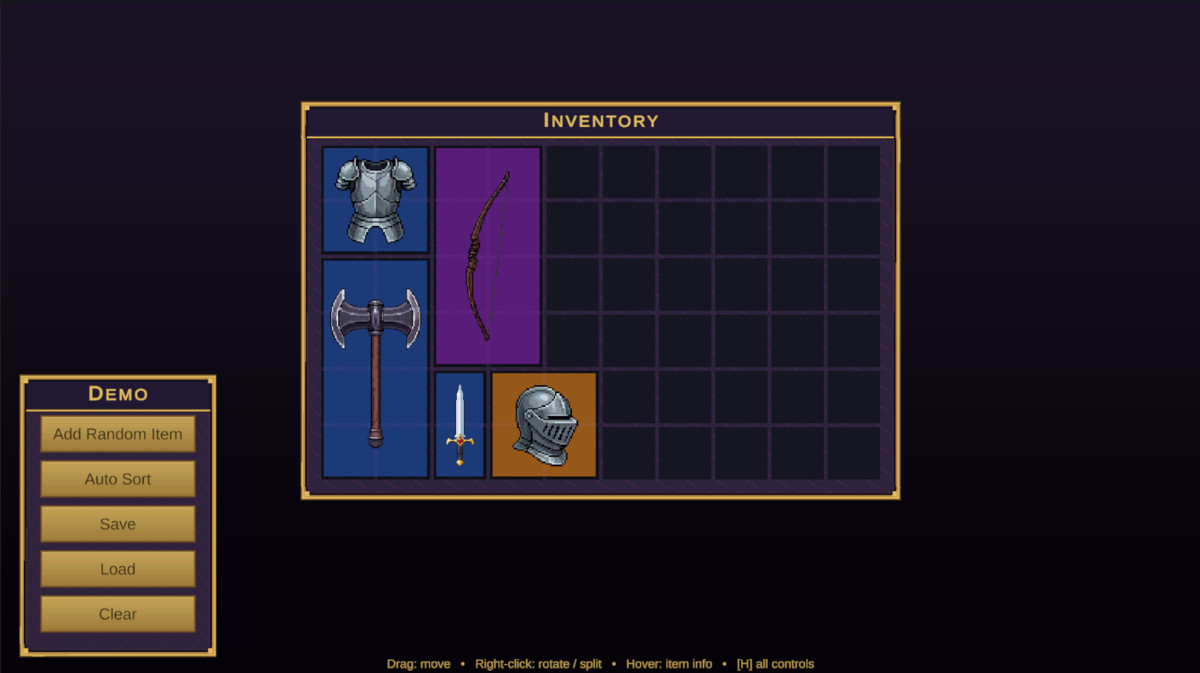
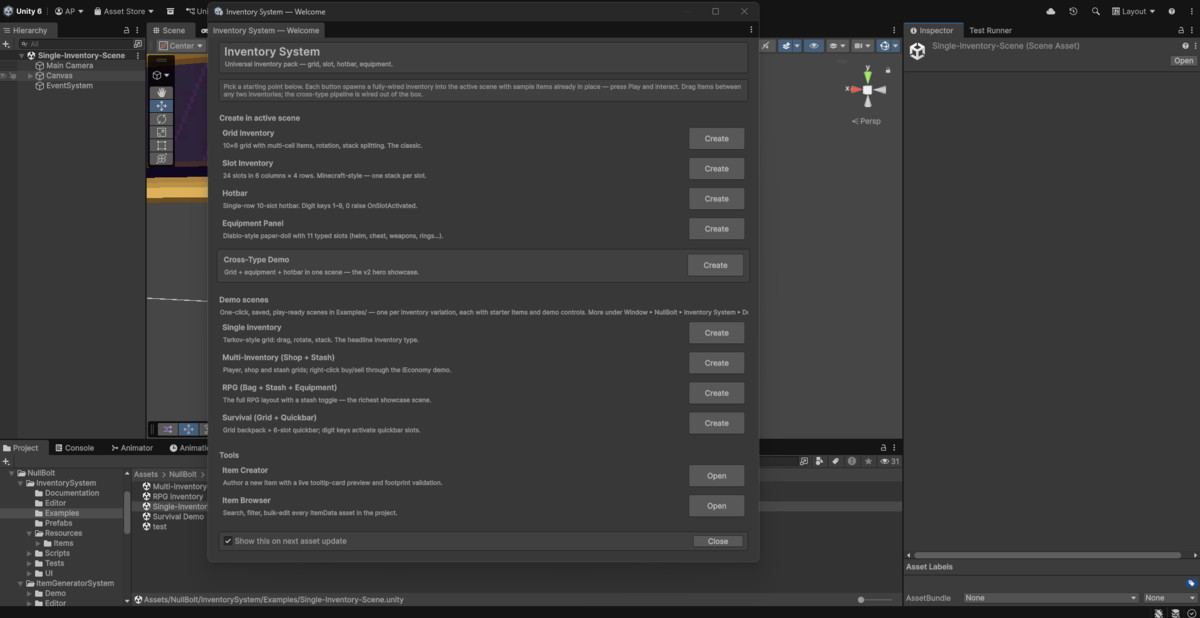
Grid Inventory System is a production-ready, ScriptableObject-powered, Diablo-style grid inventory for developers who want the hard parts — placement, rotation, stacking, equipment rules, trading, saving — already solved and easy to extend. Supports Unity 2022.3 LTS through Unity 6, with a fantasy pixel-art UI out of the box.
Key Features
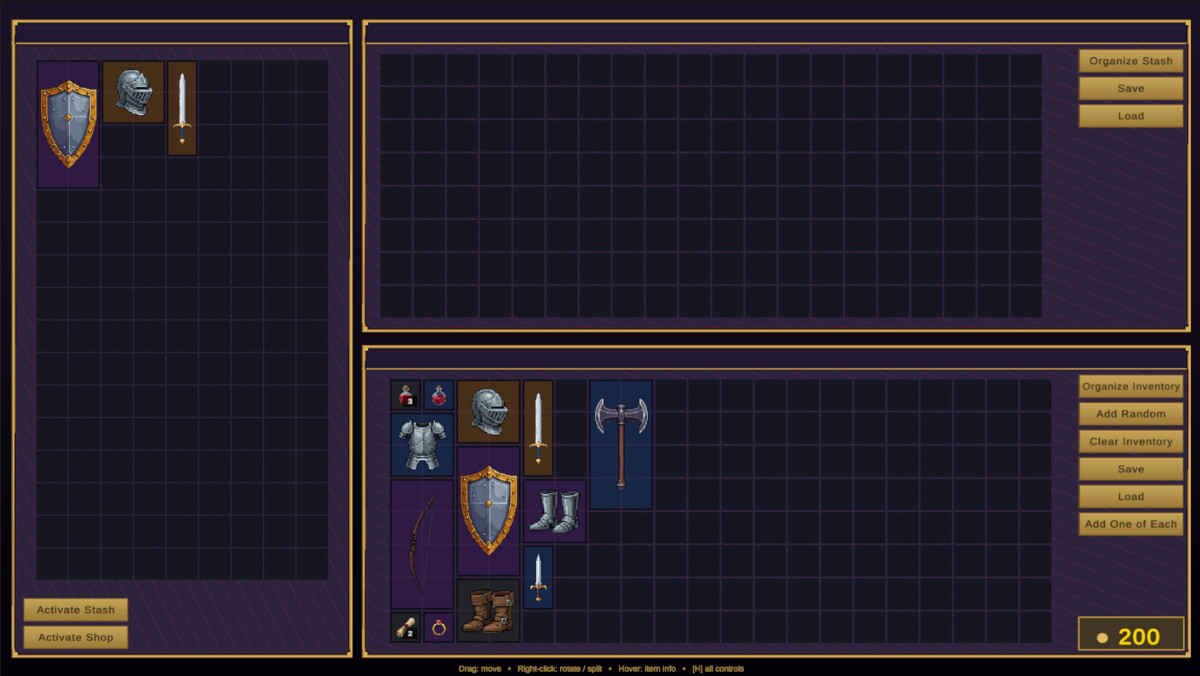
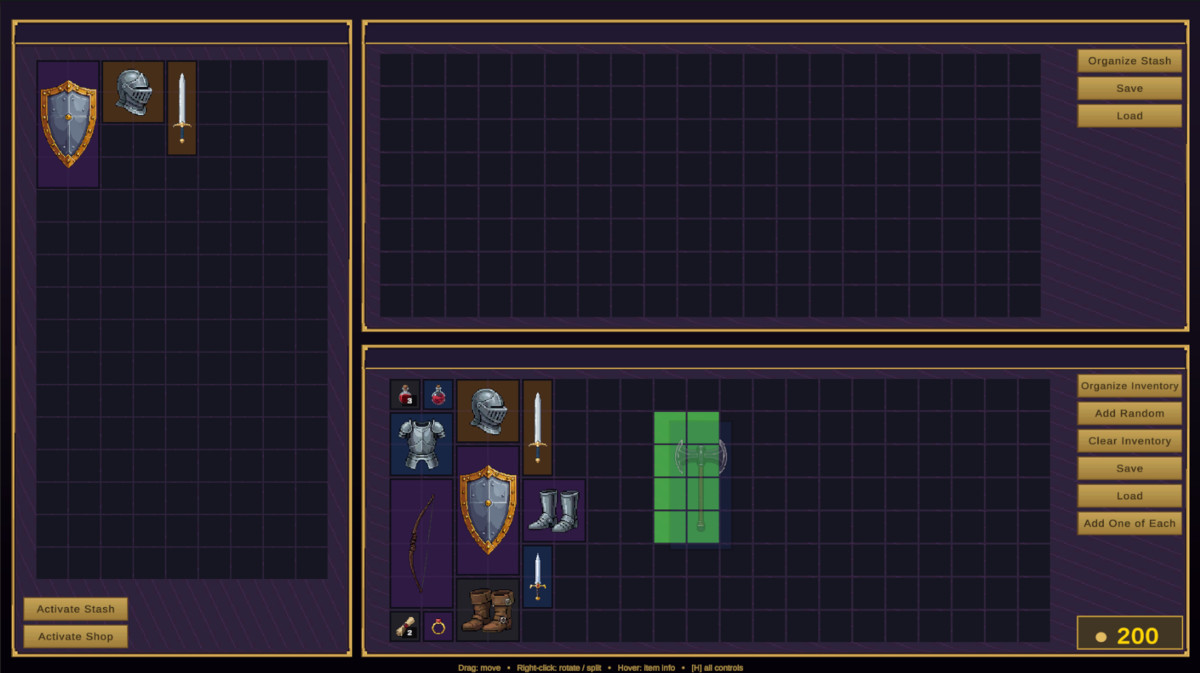
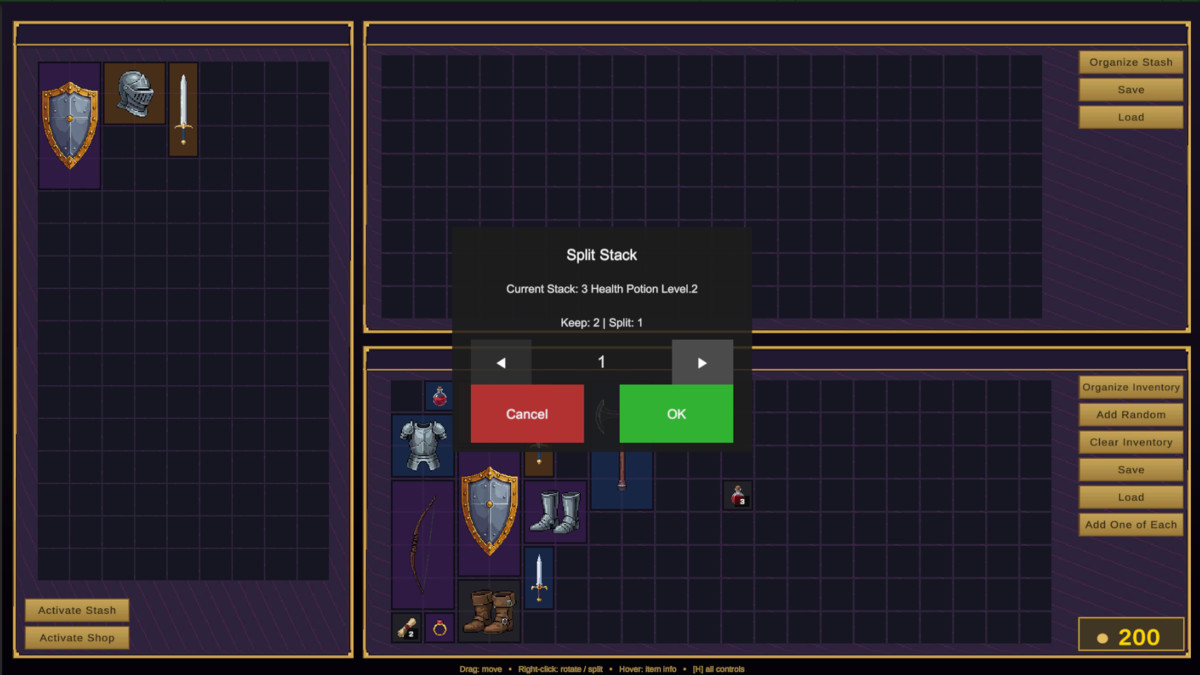
- Advanced Grid Logic: Multi-cell items (1×1, 2×2, 2×4…) with right-click rotation, stack splitting, merge-on-drop, and a live green/red placement preview.
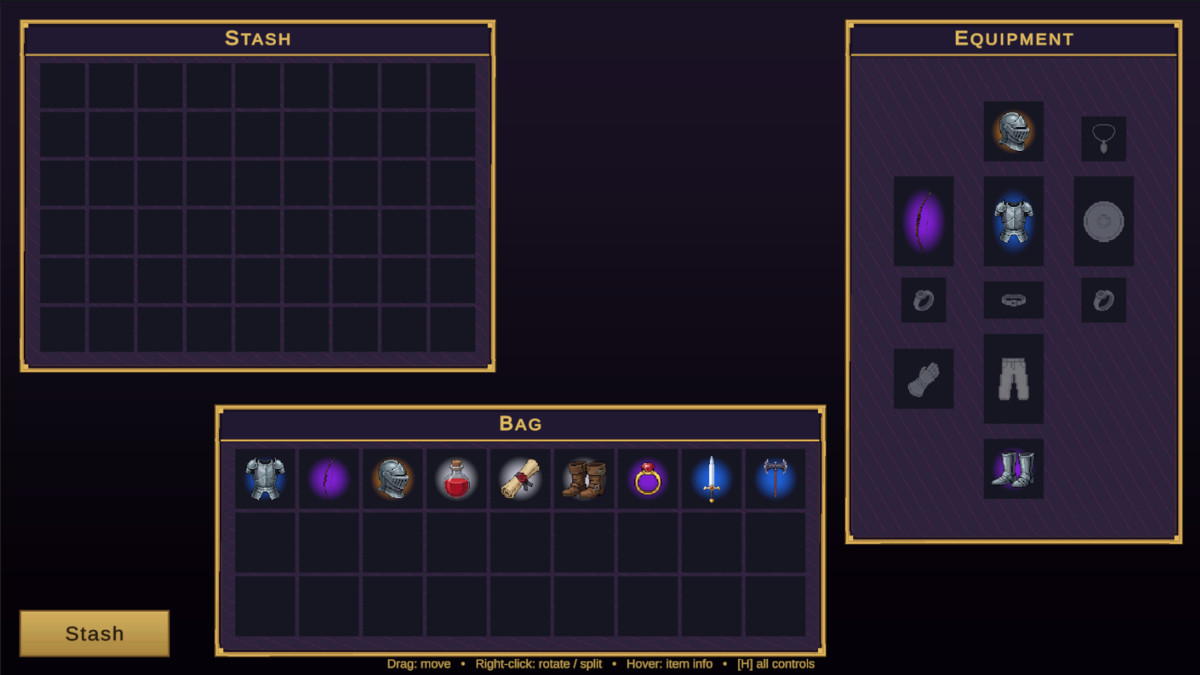
- Equipment & Hotbar: 11-slot paper-doll with per-slot type validation, plus a digit-key hotbar driven by a single OnSlotActivated event.
- Shops, Stash & Economy: Player/Shop/Stash inventory types with right-click buy & sell and a pluggable IEconomy interface.
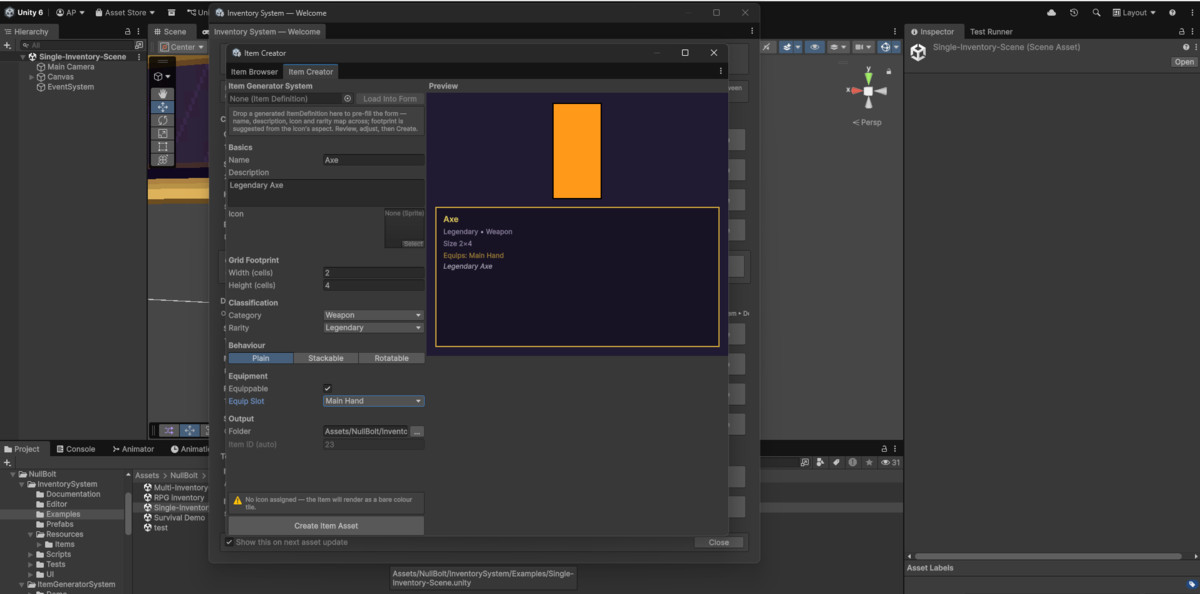
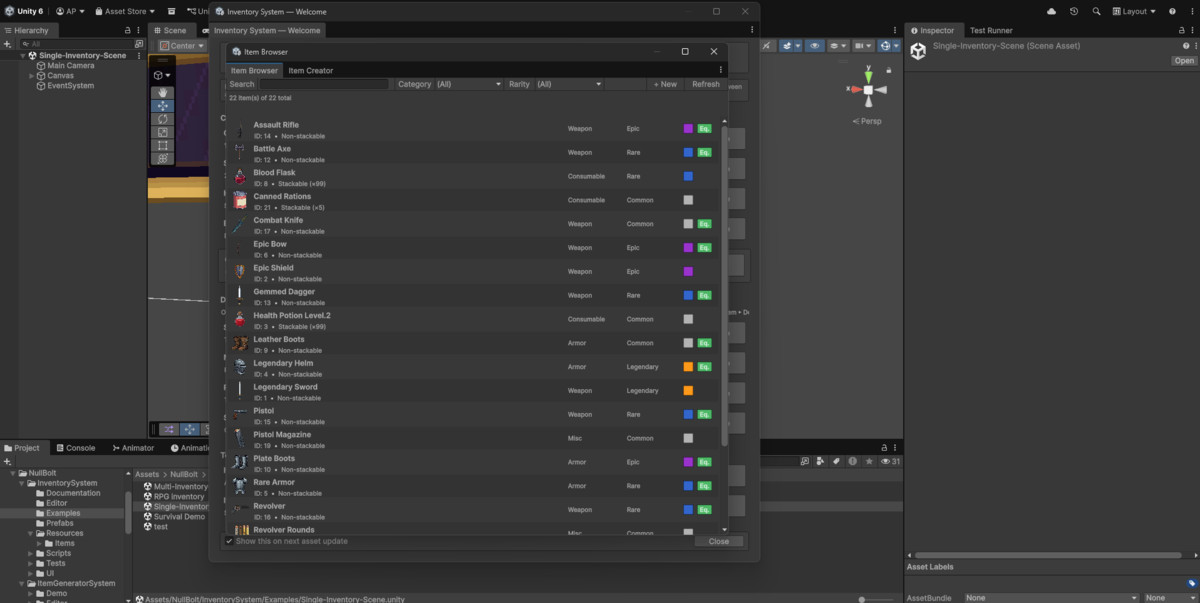
- Item Authoring Tools: Item Creator window with a live tooltip-card preview and automatic IDs, Item Browser with search, filters, and bulk edit — plus 22 sample items across five rarity tiers.
- Crash-Safe Persistence: One-call Save/Load with optional Auto-Save — atomic JSON writes with automatic backup recovery.
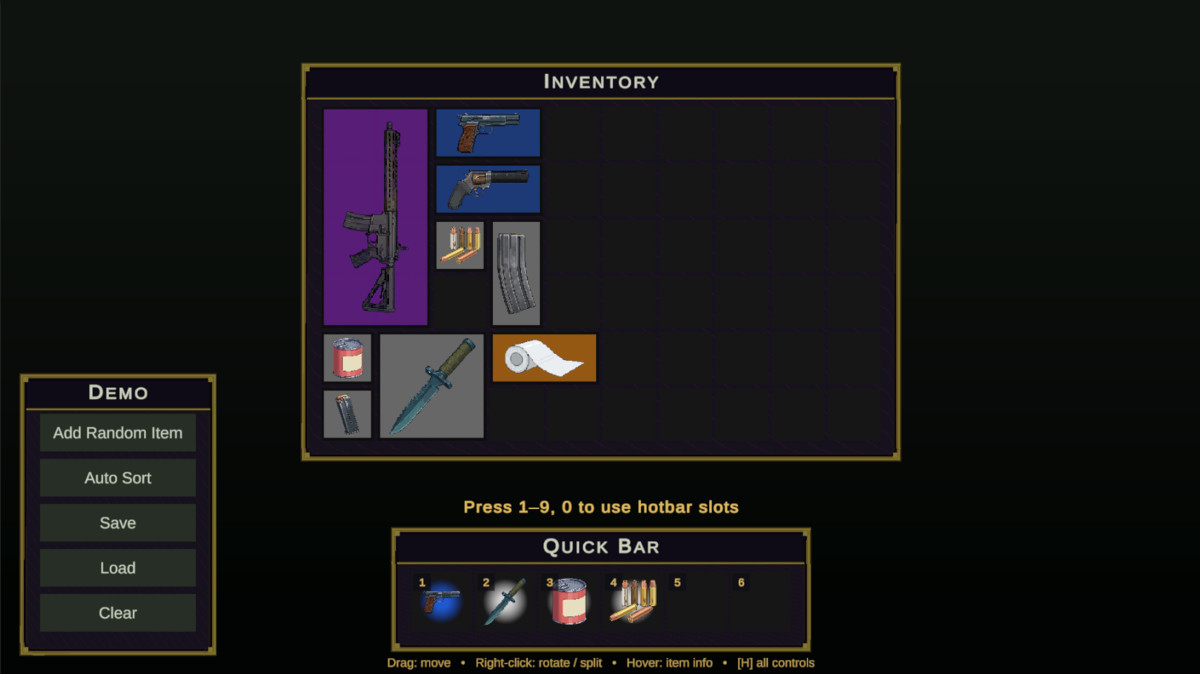
- Four Demo Scenes: Single Inventory, Multi-Inventory (shop + stash), RPG equipment — and a tactical Survival demo included, each with a one-click rebuilder.
- Zero-Wiring Extras: Item tooltips and the stack-split dialog spawn themselves — no scene setup at all.
- Modern UI: Built entirely with UGUI and TextMesh Pro; the runtime is pipeline-agnostic (BiRP/URP/HDRP).
- Works with Item Generator System: import generated items into your inventory in one click.
Full C# source, XML-documented API, and the complete online manual at nullbolt.com/docs/inventory-system — kept current with every release.
From the publisher's Asset Store listing.
Technical details
Core Systems & Mechanics
- ScriptableObject Architecture: Lightweight, decoupled item data — easy to integrate and extend.
- Advanced Grid Logic: Multi-cell footprints (1×1 up to 2×4+) with right-click rotation, stack splitting, merge-on-drop, and one-call auto-sorting.
- Four Inventory Types: Grid, slot, hotbar (digit keys 1–9, 0), and an 11-slot typed equipment paper-doll — all share one interface, so drag & drop works between them with zero glue code.
- Shops, Stash & Economy: Player/Shop/Stash types, right-click buy & sell, pluggable IEconomy interface.
- Extensible by Design: Event-driven API (OnItemAdded, OnInventoryChanged, OnSlotActivated…) plus virtual permission gates for weight limits, quest locks, and custom rules.
Editor Tooling
- Item Creator & Item Browser: Author items with a live tooltip-card preview and automatic IDs; search, filter, and bulk-edit every item in the project.
- One-Click Scene Tools: In-scene generators (grid, slots, hotbar, equipment) and rebuildable demo scene builders.
- Smart Inspectors: Setup problems surface as warnings with one-click, undoable auto-fixes.
Integration & Performance
- Crash-Safe Save System: Atomic JSON writes with automatic backup recovery, optional Auto-Save, and transparent v1 save migration.
- Zero-Wiring UI: Item tooltips and the stack-split dialog spawn and parent themselves — no scene setup.
- Visual Feedback: Real-time placement validation with Green (Valid) / Red (Blocked) indicators and failed-drop flash.
- UI Tech: Fully powered by UGUI + TextMesh Pro; swappable rarity color palette.
Compatibility & Requirements
- Unity Version: Unity 2022.3 LTS through Unity 6 (tested on both).
- Render Pipelines: BiRP, URP, and HDRP (UI-only, no custom shaders); the included demo scenes ship URP camera/light data.
- Platforms: Tested on Windows, macOS, and Linux. Mobile-ready logic (requires manual touch mapping).
- Input: New Input System, Legacy, or "Both" — hotbar digit keys require the New Input System.
- Note: Requires TextMesh Pro (TMP) Essential Resources. Full C# source included, no DLLs.
Compatibility
| Unity version | Built-in | URP | HDRP |
|---|---|---|---|
| 6000.2.6f2 | Compatible | Compatible | Compatible |
| 2022.3.62f3 | Compatible | Compatible | Compatible |
Unity 2022.3 LTS – Unity 6 supported (tested on both).
Pipelines: plain UGUI, no shaders — Built-in, URP, HDRP. Demo scenes require URP.
Input: New Input System, Legacy, or Both. Hotbar digit keys need the New Input System.
Platforms: PC/Mac/Linux; mobile-ready logic (custom touch mapping needed).
Requires TextMesh Pro Essential Resources.
As listed on the Asset Store.