
 View on Asset Store (opens in new tab)
Package details
- Latest version
- 2.0.0
- Last updated
- First released
- Unity version
- 2022.3.62 or later
- Package size
- 1.7 MB
- Files
- 30
- Favorites
- 4
- Views in the past week
- 4
Price tracking
- Last checked
- Tracked since
- Lowest recorded
- $13.99 on
Keywords
- Search for productivity
- Search for folder structure
- Search for pipeline
- Search for automation
- Search for package manager
- Search for editor automation
- Search for Workflow automation
- Search for project settings
- Search for open source
- Search for Task Automation
- Search for Project Organization
- Search for File management

Task Automator | One-Click Workflow Automation for Unity
Automate repetitive Unity work with one-click execution, speed up setup and workflows, save time and cost, reduce manual mistakes, and create your own custom tasks to expand the system.
Affiliate link · Purchases support this site
Price history
Last 6 months
USDAsset preview
1 / 6

Task Automator | One-Click Workflow Automation for Unity screenshot 1



About this asset
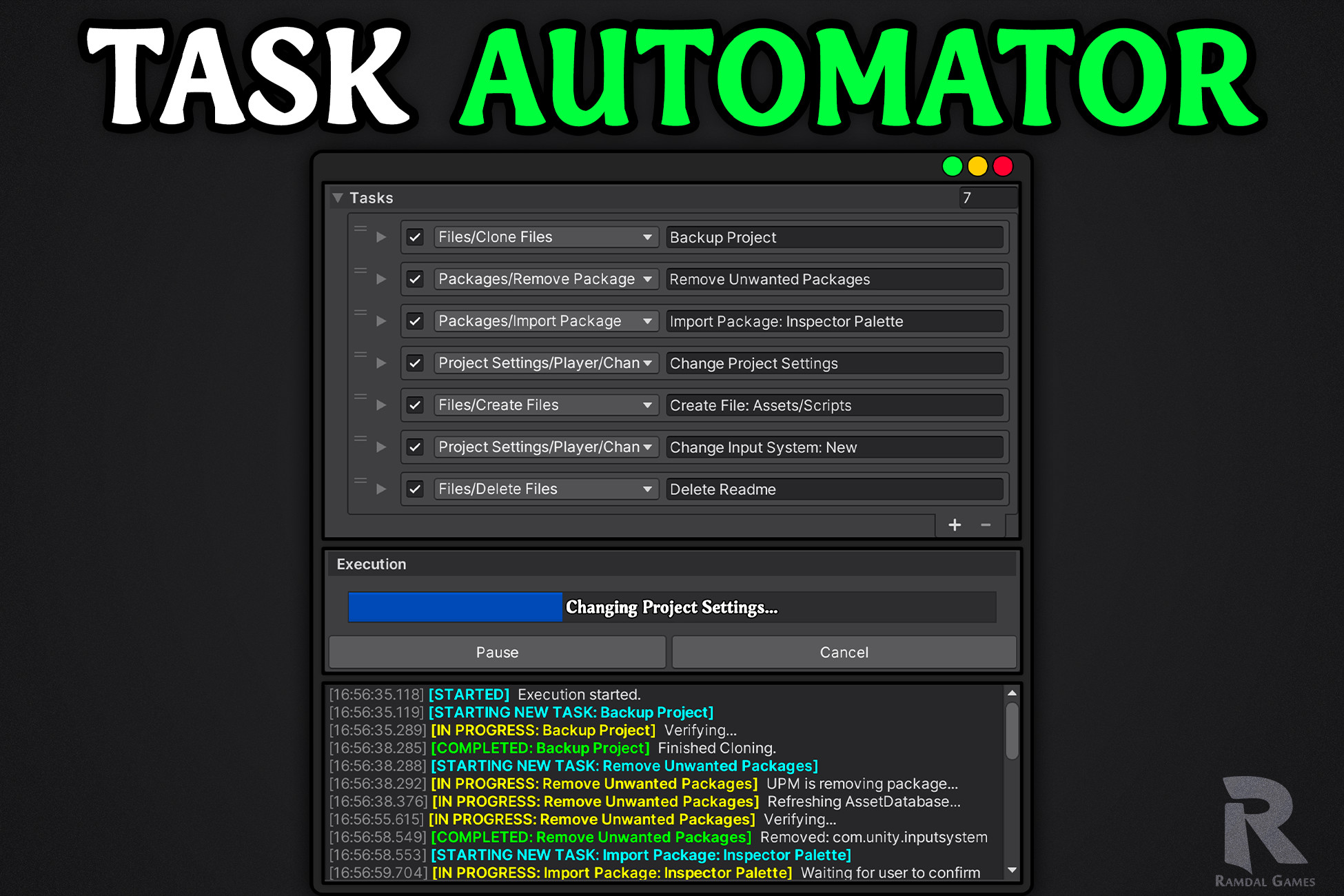
Task Automator is a flexible workflow automation system for Unity that turns repetitive setup and production steps into reusable jobs you can run in one click.
With one click, you can:
- Initialize and configure a fresh project automatically
- Import your packages and tools, then remove unneeded ones
- Clone files and assets across different projects or locations without .meta files
- Set up folders, structure, and required project files
- Create a full backup of your project or selected files with ease.
- Apply project settings with less manual work
Out of the box, Task Automator includes tasks for cloning, creating, deleting, and moving files, handling package import and removal, changing input type, and applying project settings.
- Create unlimited presets for different roles and purposes, then reuse and share them across multiple projects and teams.
- Task execution can also be paused and resumed, with built-in support for editor restarts and script recompilation.
- Track task execution with step-by-step logs for faster debugging.
Task Automator is also expandable, allowing you to create custom tasks, custom task UI, and workflow logic for your own pipeline.
For example, you could create a task that switches from dev mode to release mode, builds for selected platforms, then switches everything back automatically.
From the publisher's Asset Store listing.
Technical details
- One-click workflow automation for Unity
- Reusable jobs and unlimited presets
- Shareable presets across multiple projects
- Built-in handling for editor restarts and script recompilation
- Pause and resume support during execution
- Built-in file, package, and project settings tasks
- Fresh project setup and configuration workflows
- File and asset cloning with .meta file skipping
- Folder setup, file creation, and project backup workflows
- Expandable system with support for custom tasks, custom UI, and custom workflow logic
Compatibility
| Unity version | Built-in | URP | HDRP | Custom |
|---|---|---|---|---|
| 6000.5.0f1 | Compatible | Compatible | Compatible | Compatible |
| 6000.4.1f1 | Compatible | Compatible | Compatible | Compatible |
| 6000.3.8f1 | Compatible | Compatible | Compatible | Compatible |
| 6000.0.69f1 | Compatible | Compatible | Compatible | Compatible |
| 2022.3.62f3 | Compatible | Compatible | Compatible | Compatible |
- Tested and guaranteed to work from Unity 2021.3 LTS up to the latest Supported Unity Version.
- Compatible with all three render pipelines.
- Zero build performance impact.
As listed on the Asset Store.