
 View on Asset Store (opens in new tab)
Package details
- Latest version
- 1.0.0
- Last updated
- First released
- Unity version
- 2022.3.62 or later
- Package size
- 38 KB
- Files
- 2
- Favorites
- 4
- Views in the past week
- 8
Price tracking
- Last checked
- Tracked since
- Lowest recorded
- Free on
Keywords
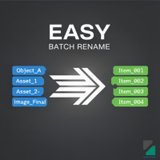
Easy Batch Rename
Powerful inline batch renaming tool for GameObjects and Assets. Use templates with smart counters, string formatting, and variables. Rename directly in Inspector with preview and full undo support.
Affiliate link · Purchases support this site
Price history
Last 6 months
USDAsset preview
1 / 4
Easy Batch Rename screenshot 1
About this asset
**Easy Batch Rename** is a professional Unity Editor tool that revolutionizes how you organize and rename GameObjects and Assets in your projects. Say goodbye to tedious manual renaming and repetitive tasks!
### 🎯 Why Choose Easy Batch Rename?
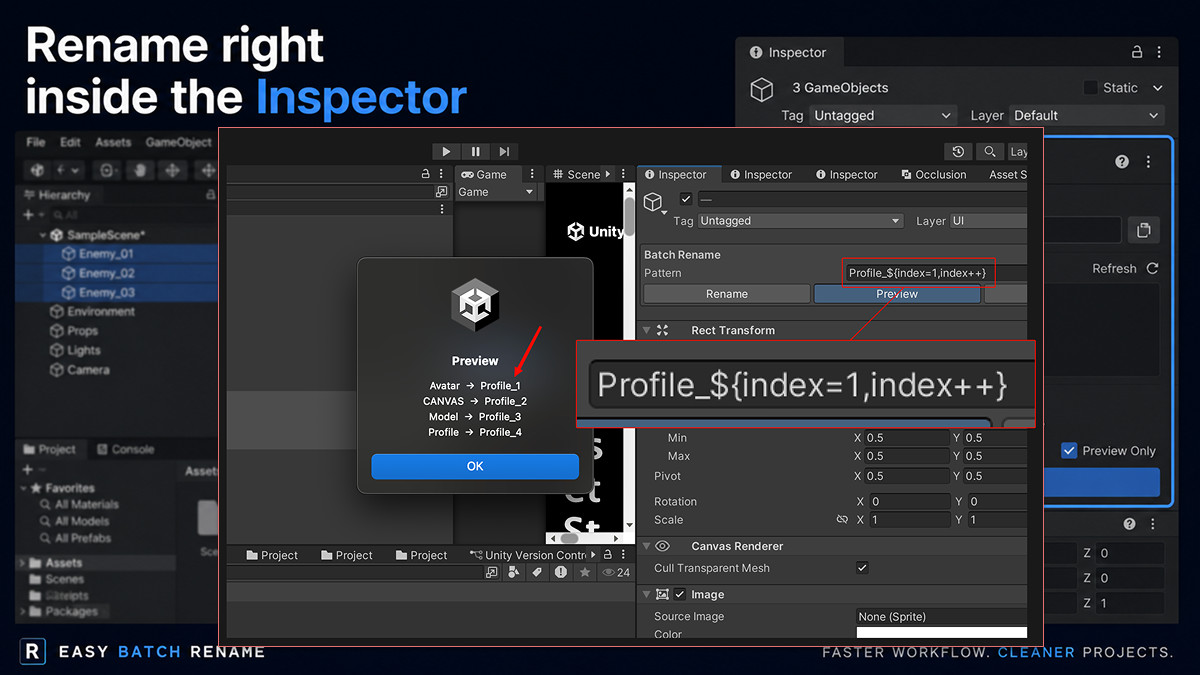
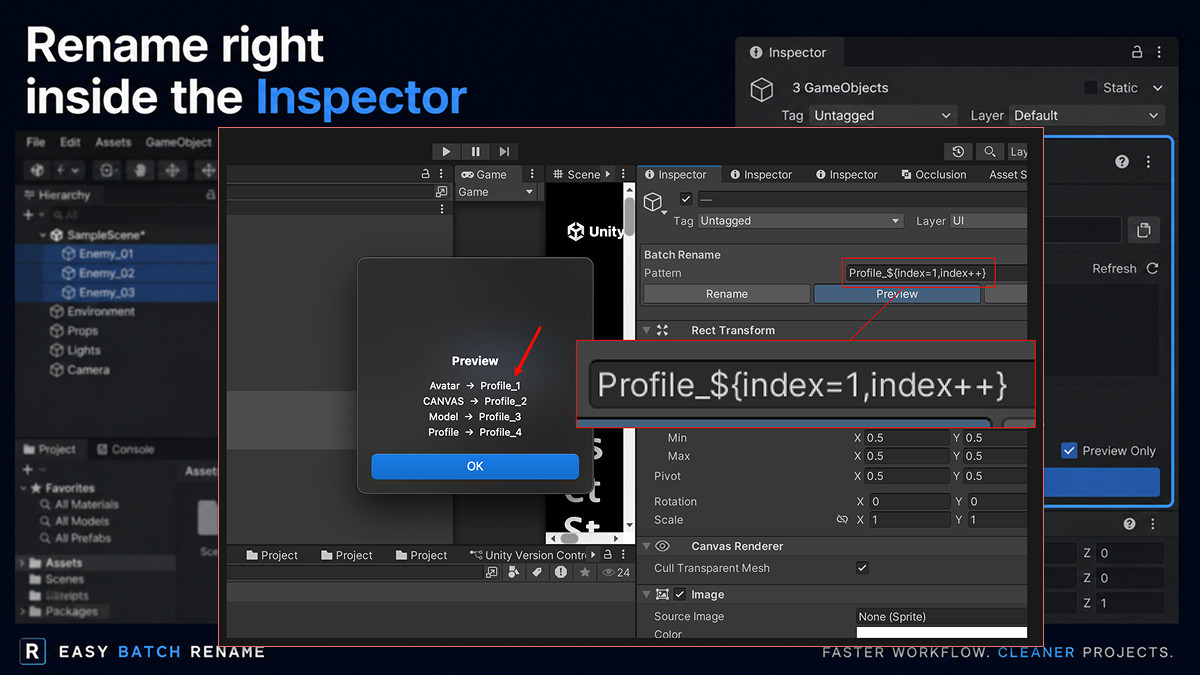
**Inline Inspector UI** - No separate windows or dialogs. Select multiple objects and rename them directly in the Inspector where you're already working.
**Template-Based Patterns** - Create powerful naming patterns using variables and expressions. Transform "GameObject (1)", "GameObject (2)" into "Player_01", "Player_02" with a single click.
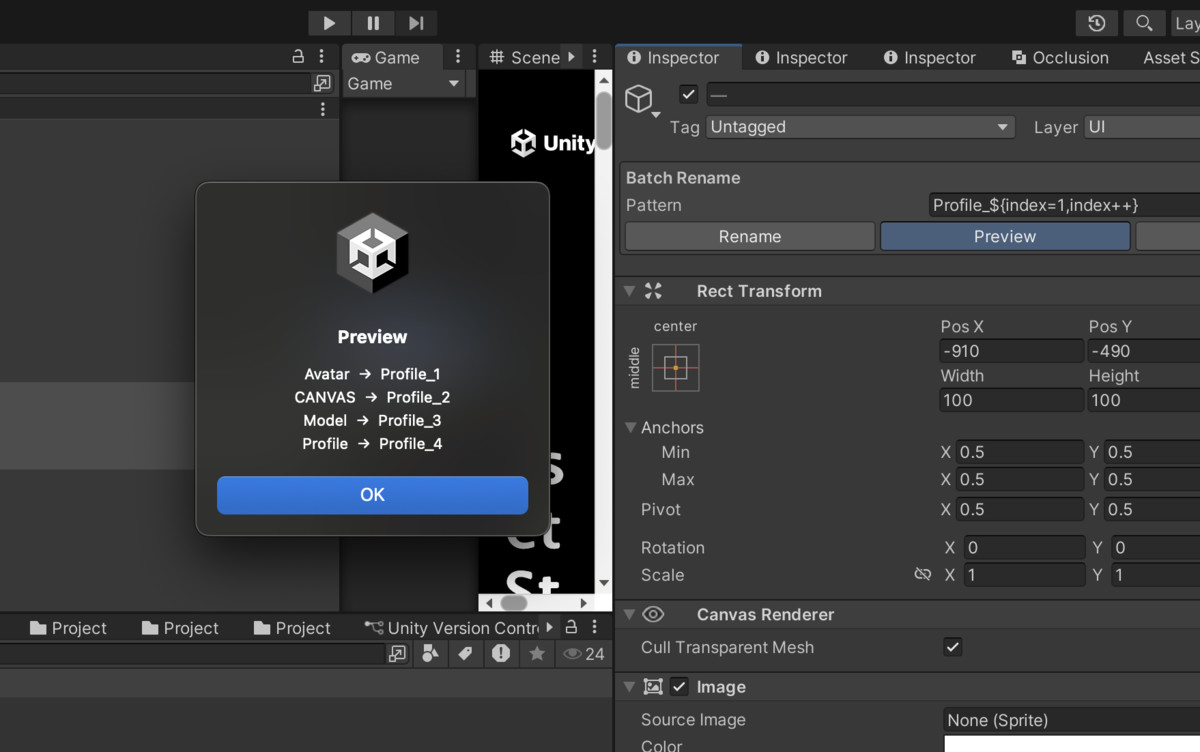
**Smart Counter System** - Auto-increment counters with custom formatting.
**String Formatting** - Convert names to lowercase, UPPERCASE, or slug-case (kebab-case) automatically. Perfect for maintaining consistent naming conventions.
**Dual Mode Support** - Works seamlessly with both Scene GameObjects and Project Assets (prefabs, materials, textures, etc.).
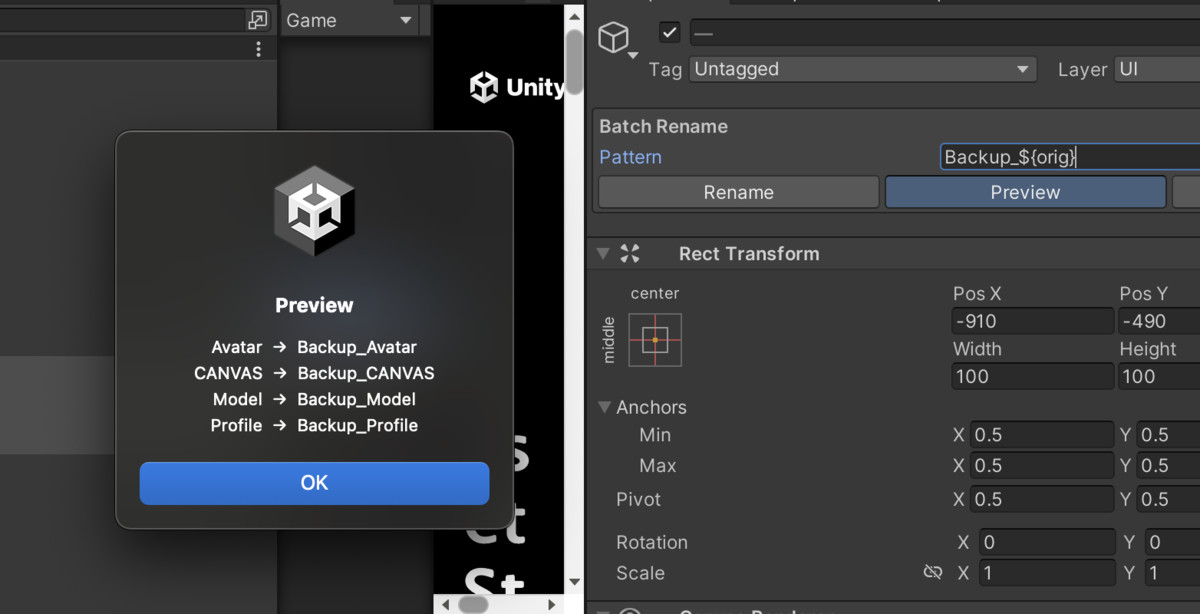
**Preview Before Apply** - See exactly what your objects will be renamed to before committing changes. No surprises!
**Full Undo Support** - Made a mistake? Every rename operation is fully undoable through Unity's standard undo system (Ctrl/Cmd+Z).
---
### 🚀 Key Features
✅ **Inline Inspector UI** - Appears automatically when you select 2+ objects
✅ **Template Variables** - Use `${orig}`, `${parent}`, `${scene}`, and `${index}`
✅ **Counter Operations** - `${index++}`, `${index=5}`, `${index+=3}`, and more
✅ **String Formatters** - `:lower`, `:upper`, `:slug`, `:00`, `:000`
✅ **GameObject & Asset Support** - Works with both scene and project objects
✅ **Preview Mode** - See changes before applying
✅ **Undo/Redo Support** - Fully integrated with Unity's undo system
✅ **Multiple Access Points** - Inspector, GameObject menu, context menu
✅ **No Dependencies** - Works out of the box
✅ **Clean Code** - Well-documented and easy to extend
---
### 📦 What You Get
- Complete source code (well-documented C#)
- Inline Inspector UI system
- Template parsing engine
- Counter and variable system
- String formatting utilities
- Full documentation (PDF)
- Quick start guide
- Script reference for developers
---
### 🔧 Technical Requirements
- **Unity Version:** 2022.3 or later (works with Unity 6)
- **Platform:** All platforms (Editor tool only)
- **Dependencies:** None
- **Size:** ~50KB
---
### 💡 Perfect For
- Level designers organizing scene hierarchies
- Technical artists managing large asset libraries
- Indie developers maintaining consistent naming
- Teams enforcing naming conventions
- Anyone tired of manual renaming!
---
### 📚 Documentation Included
- Quick Start Guide (PDF) - Get up and running in 5 minutes
- User Manual (PDF) - Complete feature documentation
- Script Reference (PDF) - For developers who want to extend functionality
- README with examples and troubleshooting
---
### 🤝 Support
- Comprehensive documentation included
- Example scenes and patterns
- Email support: [email protected]
- Regular updates and improvements
---
### ⚡ Get Started in Minutes
1. Import the package
2. Select 2+ GameObjects or Assets
3. See the "Batch Rename" panel in Inspector
4. Enter your pattern (e.g., `Item_${index++:00}`)
5. Click Preview, then Rename
6. Done! ✨
Transform hours of tedious work into seconds. Make your project organized and professional with Easy Batch Rename!
---
**Made with ❤️ by Poppod Studio**
From the publisher's Asset Store listing.
Technical details
## 📋 Package Information
**Package Name:** Easy Batch Rename
**Version:** 1.0.0
**Publisher:** Poppod Studio
**Category:** Editor Extensions > Utilities
---
## 🔧 Technical Specifications
### Unity Compatibility
- **Minimum Unity Version:** 2022.3 LTS
- **Tested Unity Versions:** 2022.3 LTS, 2023.1, 2023.2, Unity 6
- **Maximum Unity Version:** Unity 6 and beyond
- **Render Pipeline:** Universal (URP), High Definition (HDRP), Built-in
- **Platform:** Editor Only (not included in builds)
### System Requirements
- **Operating Systems:**
- Windows 10/11 (64-bit)
- macOS 10.15 or later
- Linux (Ubuntu 20.04 or later)
- **Unity Editor:** Must be installed
- **Disk Space:** ~50KB
- **RAM:** No additional requirements
- **Dependencies:** None (standalone package)
---
## 🔐 Security & Safety
### Data Safety
- ✅ **No Network Calls** - All processing is local
- ✅ **No Data Collection** - Zero telemetry or analytics
- ✅ **No External Dependencies** - Self-contained package
- ✅ **Read-Only Scene Access** - Only modifies object names
- ✅ **Undo Support** - All changes are reversible
### Code Quality
- ✅ **Zero Compiler Warnings** - Clean codebase
- ✅ **No Deprecated APIs** - Uses modern Unity APIs
- ✅ **Memory Safe** - No memory leaks or allocations issues
- ✅ **Thread Safe** - All operations on main thread
- ✅ **Exception Handling** - Robust error handling
---
## ⚡ Performance Characteristics
### Benchmarks
- **1-10 Objects:** < 1ms processing time
- **10-100 Objects:** < 5ms processing time
- **100-1000 Objects:** < 50ms processing time
- **1000+ Objects:** < 500ms processing time
### Resource Usage
- **CPU:** Negligible (Editor-only, on-demand)
- **Memory:** < 1MB allocated during operation
- **Disk I/O:** None (unless renaming assets)
- **GC Pressure:** Minimal (< 100KB per operation)
## 📞 Support & Contact
### Documentation
- Quick Start Guide (PDF) - In package
- User Manual (PDF) - In package
- Script Reference (PDF) - In package
- Online README - GitHub repository
### Support Channels
- **Email:** [email protected]
- **Response Time:** Within 48 hours
Compatibility
| Unity version | Built-in | URP | HDRP | Custom |
|---|---|---|---|---|
| 2022.3.62f2 | Compatible | Compatible | Compatible | Compatible |
As listed on the Asset Store.