
 View on Asset Store (opens in new tab)
Package details
- Latest version
- 1.0
- Last updated
- First released
- Unity version
- 2021.3.45 or later
- Package size
- 1.6 MB
- Files
- 46
- Views in the past week
- 6
Price tracking
- Last checked
- Tracked since
- Lowest recorded
- $9.99 on
Keywords

Extended Button
Extended Button replaces Unity’s default Button, adding extended events, customizable visual transitions, and built-in audio for faster, more interactive UI development.
Affiliate link · Purchases support this site
Price history
Last 6 months
USDAsset preview
1 / 4
Extended Button screenshot 1
About this asset
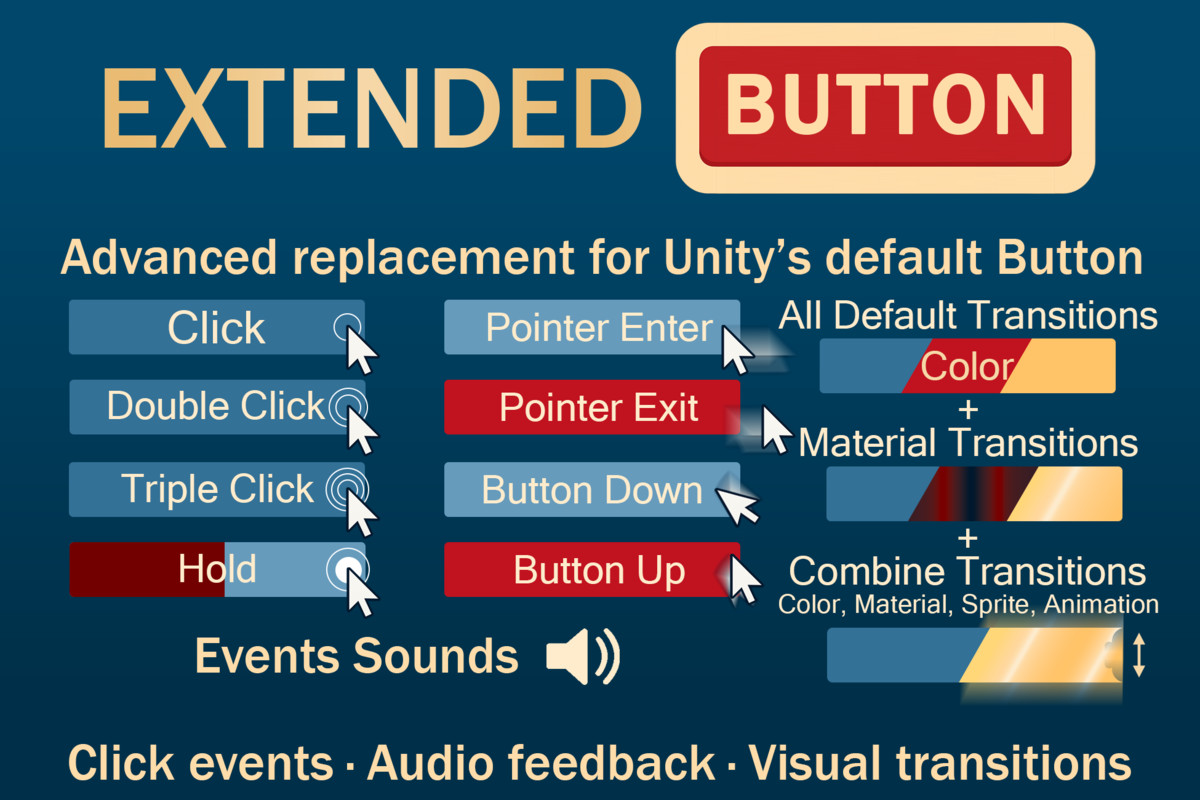
The Extended Button is a powerful, drop-in replacement for Unity’s standard Button component.
It adds new interaction types, multi-layered visual transitions, and integrated sound feedback, all configurable directly from the Inspector — no extra coding required.
Built to enhance interactivity and usability in both mobile and desktop projects, Extended Button helps developers create responsive and polished UI elements effortlessly.
It integrates seamlessly with Unity’s standard UI (Canvas) system and works out-of-the-box with TextMeshPro.
🧠 How It Works
Each Extended Button supports multiple types of user input:
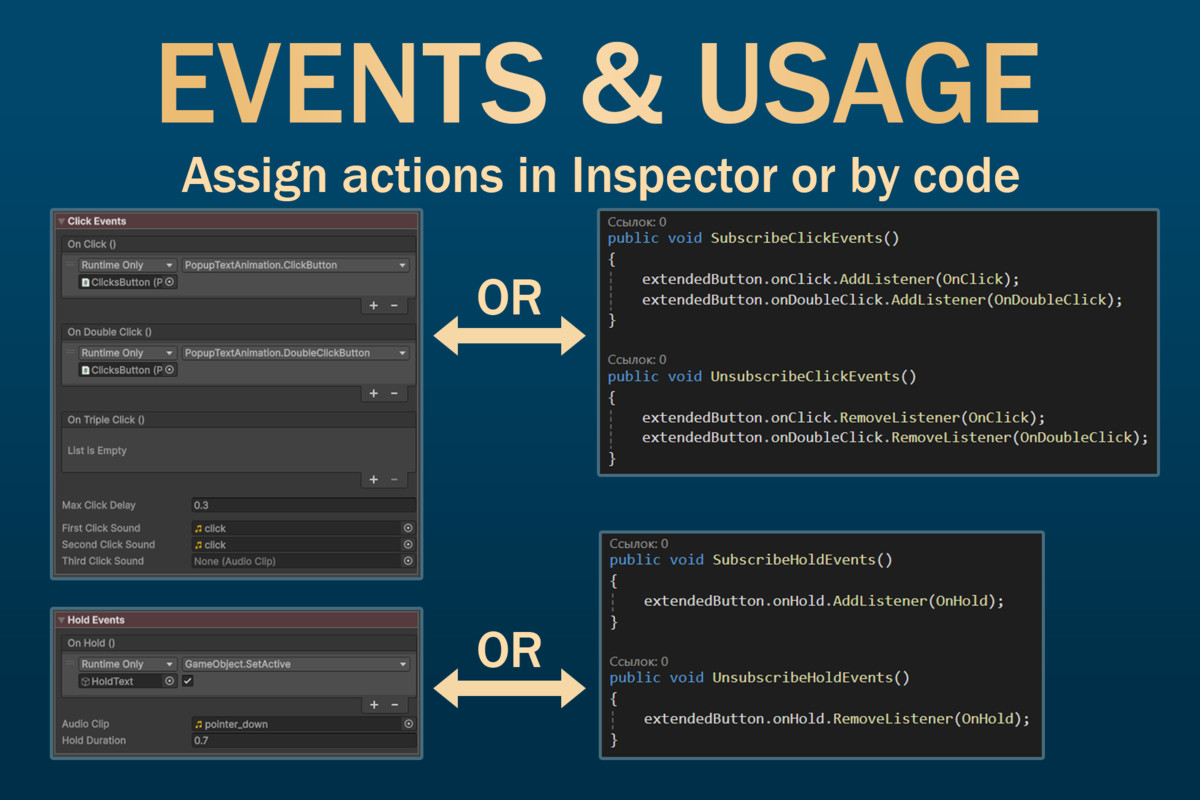
- Single / Double / Triple Clicks with configurable max delay between clicks.
- Hold Event with custom hold duration and optional sound feedback.
- Pointer Down / Up / Enter / Exit events with separate callbacks and sounds.
- All event subscriptions can be done via the Inspector or through public scripting API.
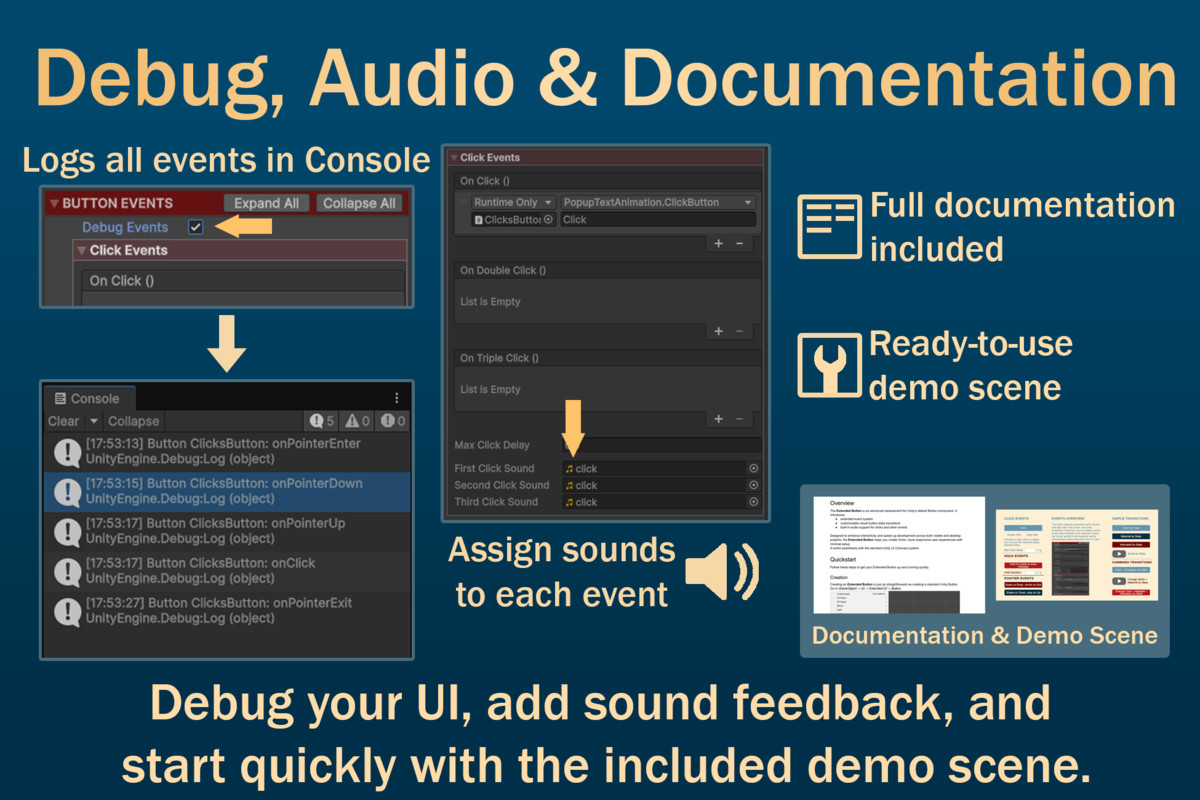
- Built-in Debug Events option (Editor-only) for quick testing.
🖼️ Visual Transitions
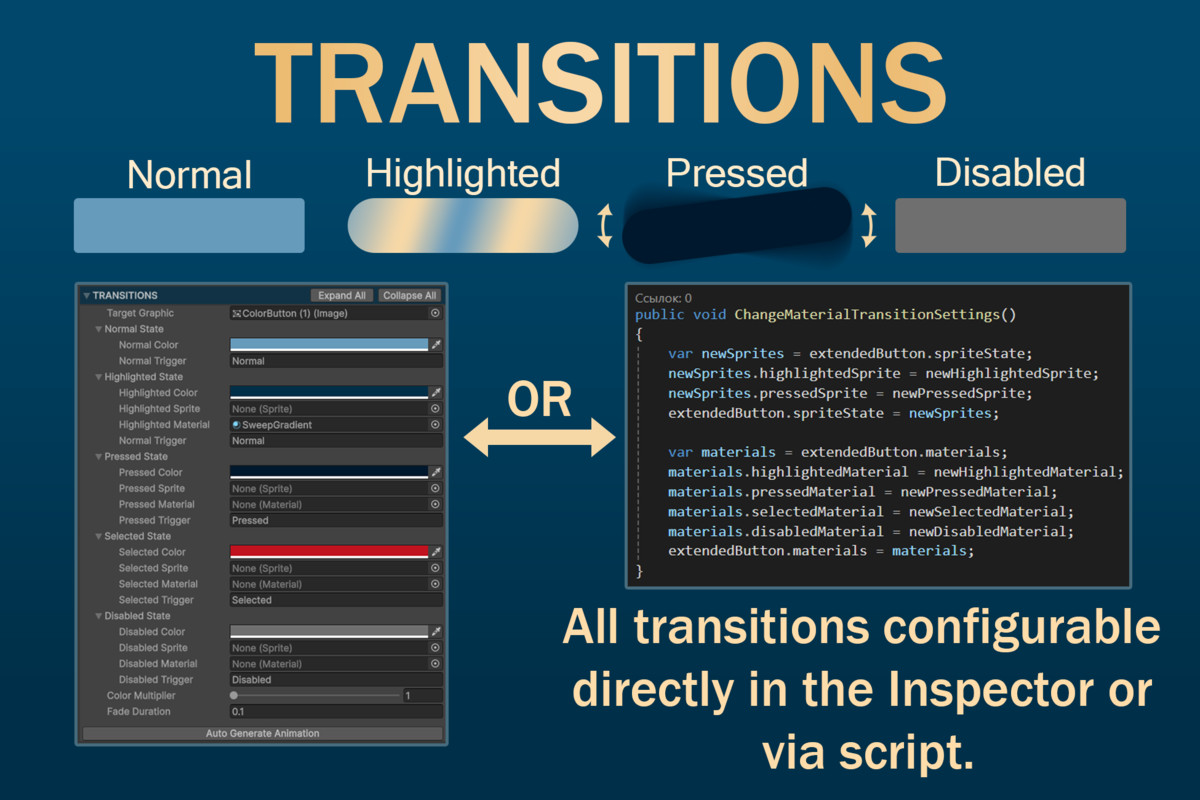
- Works like Unity’s Selectable transitions but supports multiple transition types simultaneously.
- Control color, sprite, animations and material per-state (Normal, Highlighted, Pressed, Selected, Disabled).
- Unique feature: Material transitions — unavailable in Unity’s default Button.
📦 Included Content
- Extended Button component scripts
- Editor scripts for custom Inspector
- Example scene with demo setup
- Documentation
⚡ Key Features
- Extended Event System – supports click, double click, triple click, hold, pointer hover, and press events.
- Advanced Transitions – change color, sprite, animations and material simultaneously between button states.
- Built-in Sound System – assign audio clips for any event directly in the Inspector.
- Fully Inspector-Driven – configure all events and visuals without custom scripts.
- Full Scripting API – subscribe to any event or modify transitions from code.
- Debug Mode – enable debug to log all button events in the Console for testing.
- Backward Compatible – works seamlessly with standard Unity Button workflows.
From the publisher's Asset Store listing.
Technical details
- Unity Versions: Supports 2021.3 LTS to Unity 6.2
- Uses Unity UI (Canvas) system
- TextMeshPro: Required for button text
Compatibility
| Unity version | Built-in | URP | HDRP | Custom |
|---|---|---|---|---|
| 2021.3.45f2 | Compatible | Compatible | Compatible | Compatible |
As listed on the Asset Store.