
 View on Asset Store (opens in new tab)
Package details
- Latest version
- 1.0
- Last updated
- First released
- Unity version
- 2022.3.62 or later
- Package size
- 132 KB
- Files
- 8
- Favorites
- 3
- Views in the past week
- 7
Price tracking
- Last checked
- Tracked since
- Lowest recorded
- $10.00 on
Keywords

Scene Fixer Pro
Scene Fixer Pro — Complete Scene Cleanup, Repair & Organization Toolkit for Unity.
Affiliate link · Purchases support this site
Price history
Last 6 months
USDAsset preview
1 / 6
Scene Fixer Pro screenshot 1

About this asset
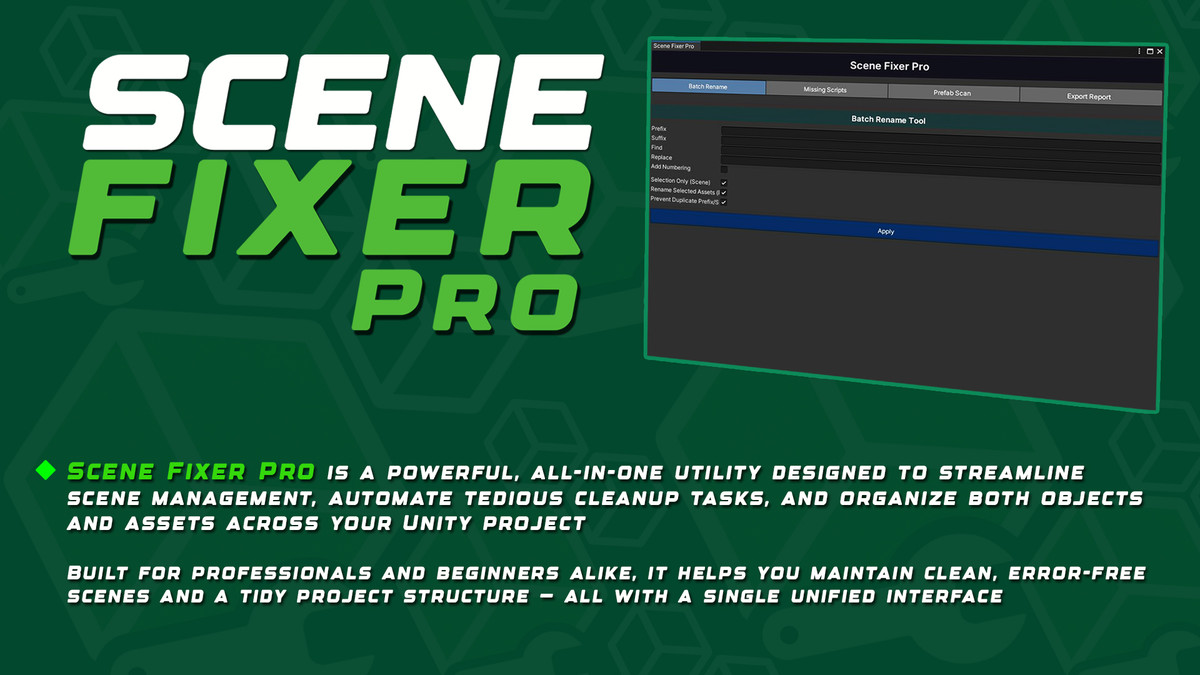
Scene Fixer Pro is a powerful, all-in-one utility designed to streamline scene management, automate tedious cleanup tasks, and organize both objects and assets across your Unity project.
Built for professionals and beginners alike, it helps you maintain clean, error-free scenes and a tidy project structure — all with a single unified interface.
Whether you're optimizing a large production, importing legacy projects, or preparing your build for release, Scene Fixer Pro dramatically reduces time spent on manual fixes and project maintenance.
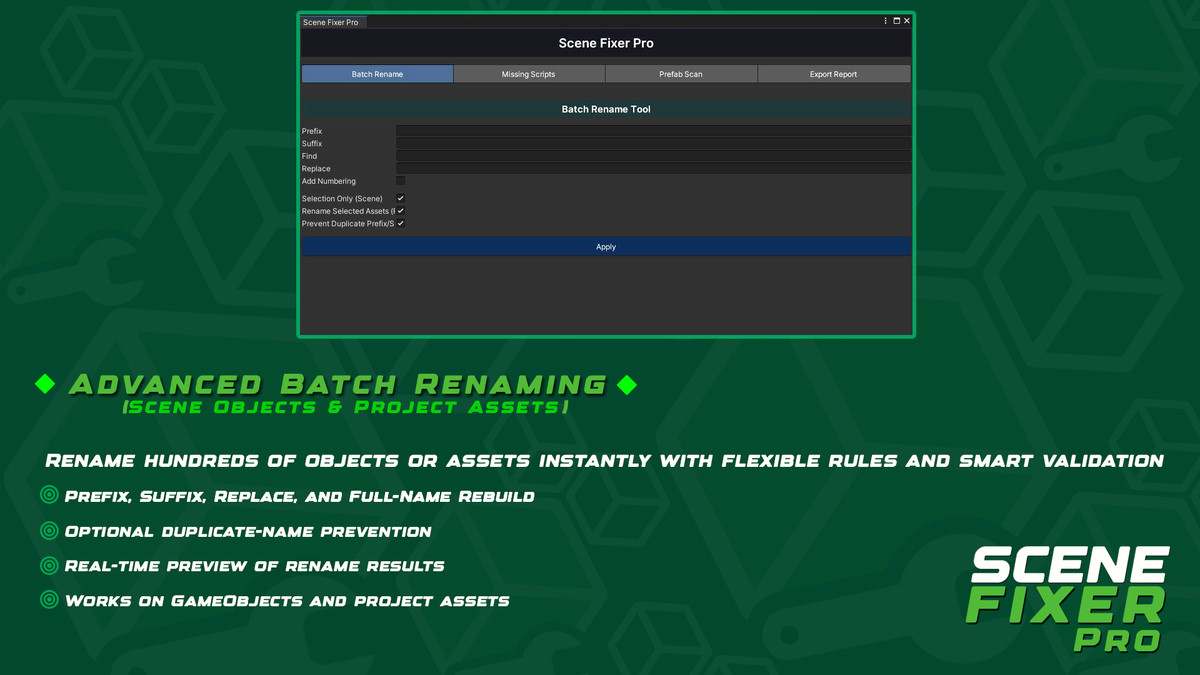
🔧 1. Advanced Batch Renaming (Scene Objects & Project Assets)
Rename hundreds of objects or assets instantly with flexible rules and smart validation.
- Prefix, Suffix, Replace, and Full-Name Rebuild.
- Optional duplicate-name prevention (avoids double suffixes).
- Real-time preview of rename results.
- Works on GameObjects and project assets (models, materials, textures, prefabs, etc.).
- Safe renaming that preserves references whenever possible.
This system alone replaces several separate renaming tools.
🗂️ 2. Project Asset Renaming (Directly from Folders)
Unlike most renamers, Scene Fixer Pro gives you the ability to rename assets directly from the Project window or from inside specific folders.
Great for:
- Re-organizing messy asset packs
- Fixing inconsistent naming conventions
- Preparing assets for store release
- Cleaning mixed third-party imports
- All changes apply instantly and safely within the Unity Editor.
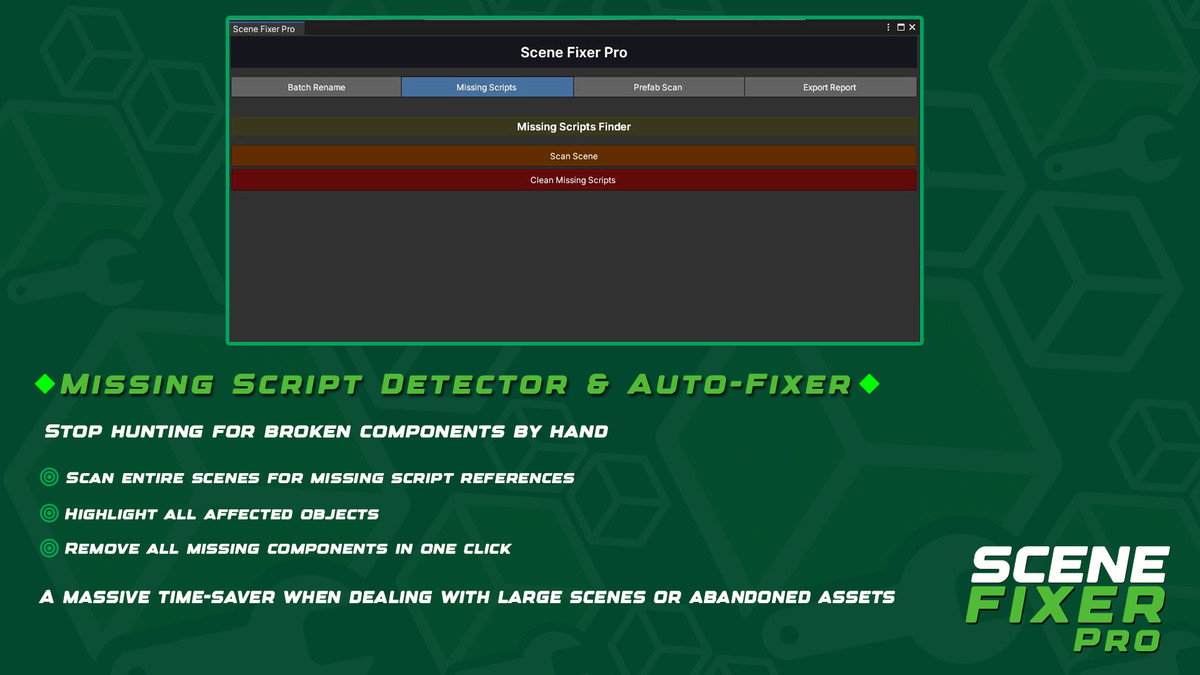
🧹 3. Missing Script Detector & Auto-Fixer
Stop hunting for broken components by hand.
Scene Fixer Pro can:
- Scan entire scenes for missing script references
- Highlight all affected objects
- Remove all missing components in one click
- Ping problematic objects for manual inspection
- A massive time-saver when dealing with large scenes or abandoned assets.
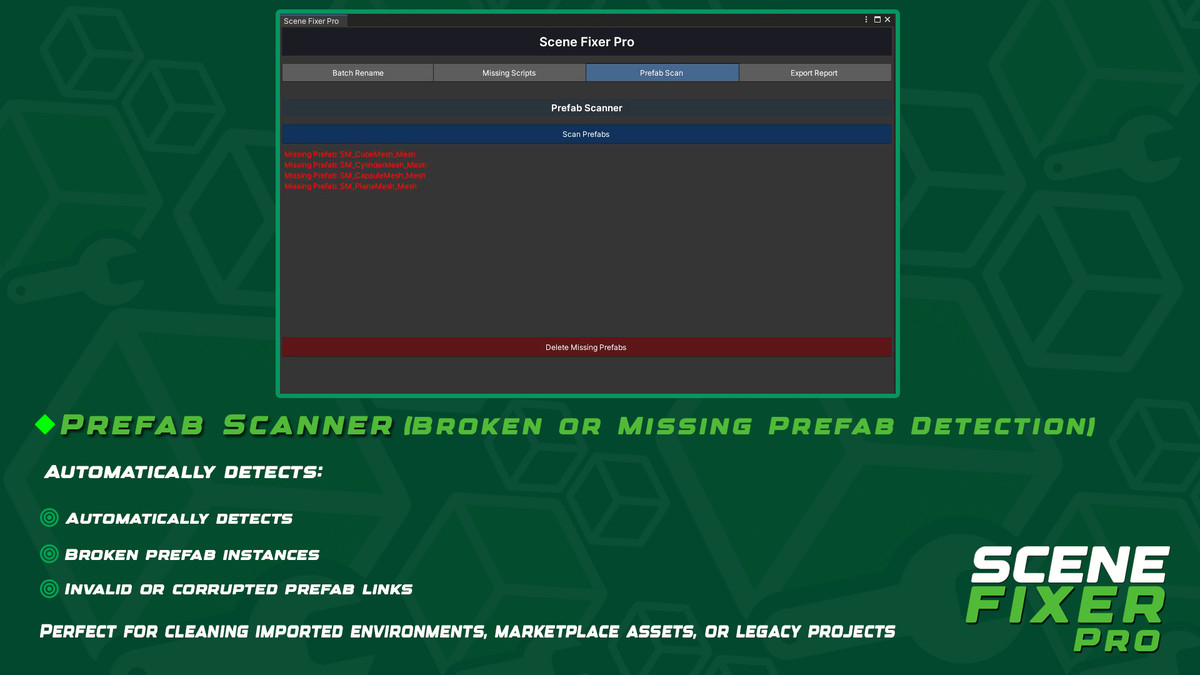
🏚️ 4. Prefab Scanner (Broken or Missing Prefab Detection)
Automatically detects:
- Missing prefab references
- Broken prefab instances
- Invalid or corrupted prefab links
Then lets you remove them safely and instantly.
The UI updates in real time as objects are deleted, providing accurate results after each cleanup pass.
Perfect for cleaning imported environments, marketplace assets, or legacy projects.
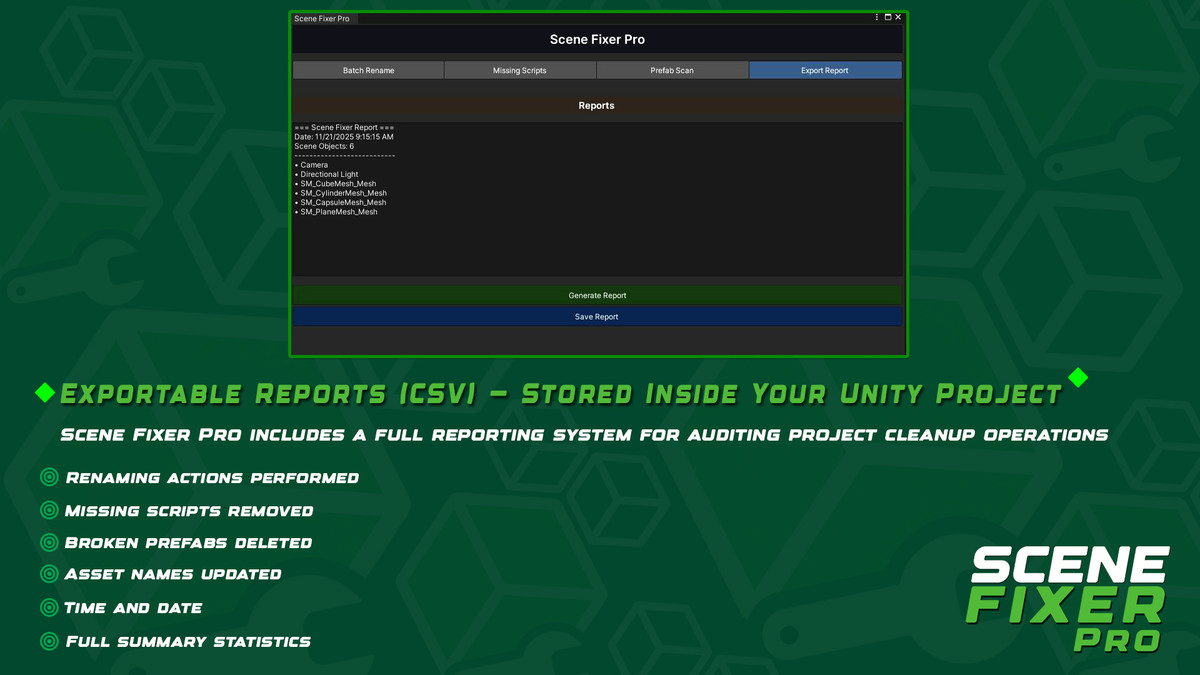
📊 5. Exportable Reports (CSV) — Stored Inside Your Unity Project
Scene Fixer Pro includes a full reporting system for auditing project cleanup operations.
It generates detailed CSV reports inside your Unity project under:
Each report includes:
- Renaming actions performed
- Missing scripts removed
- Broken prefabs deleted
- Asset names updated
- Time and date
- Full summary statistics
This makes it easy to share cleanup logs with team members or keep them for documentation.
🎛️ 6. Modern, Intuitive Editor UI
The entire tool is built with a high-quality custom design:
- Clear layout divided into tabs
- Highlighted sections with color-coded accents
- High-contrast buttons and icons
- Smooth workflow that avoids clutter
- Fully editor-integrated (no external windows needed)
- Everything is designed to minimize friction and maximize productivity.
🚀 7. Productivity Boost for Any Project Size
Scene Fixer Pro shines in:
- Large production projects
- Level-design heavy environments
- Team-based workflows
- Cleanup before release
- Organizing messy or inherited projects
- Preparing assets for the Unity Asset Store
It reduces hours of manual work to just a few clicks — consistently and safely.
🧠 Why Scene Fixer Pro?
Because it’s more than a cleanup tool — it’s a complete scene and asset maintenance system.
You get:
✔ Faster iteration
✔ Cleaner scenes
✔ Organized assets
✔ Fewer errors
✔ Stronger project structure
✔ Better performance and stability
Important Notes:
--------------------
*Always backup your scene before performing deletions.
*These tools are non-destructive except when deleting missing Prefabs after confirmation.
From the publisher's Asset Store listing.
Technical details
SceneFixer Pro – Core Toolset
1. Batch Rename System
A powerful multi-mode renaming tool designed for both Hierarchy objects and project Assets.
- Add prefix / suffix
- Find & replace text
- Auto-numbering
- Duplicate prefix/suffix prevention
- Supports GameObjects, Models, Prefabs, Materials, Textures, and more
- Works on selection or entire project folders
2. Missing Scripts Finder
Automatically scans your scene for broken or missing MonoBehaviours.
- Detects missing script components
- Highlights objects in the console
- One-click cleanup to remove all missing scripts
- Safe operation with Undo support
3. Prefab Integrity Scanner
Ensures all Prefab instances in your scene are valid and working correctly.
- Detects broken Prefab connections
- Detects Prefabs with missing scripts
- Click any result to highlight the object
- One-click deletion of broken Prefab instances
- Dynamic results list that updates after cleanup
4. Scene Report Exporter
Generate professional scene reports for documentation or team reviews.
- Export CSV summaries of:
Object names
Hierarchy paths
Component count
Missing scripts - Timestamped filenames for easy tracking
5. Modern Custom Editor UI
A polished and intuitive Editor interface:
- Color-coded sections
- Highlighted actionable buttons
- Organized tabs
- Scrollable result lists
- EditorStyles-based typography
- Fully responsive inside Unity Editor
6. Fully Modular & Extensible Codebase
Designed with clean architecture for easy expansion:
- Static utility classes
- Commented and clear structure
- Ideal for teams requiring custom tooling
7. Unity Editor Safe Operations
Every action and cleanup uses:
- Undo.RecordObjects
- DestroyImmediate with safety checks
- Null validation
- EditorUtility.PingObject for navigation
8. Lightweight & Zero Runtime Overhead
SceneFixer Pro is Editor-only and adds no runtime scripts to your builds
Compatibility
| Unity version | Built-in | URP | HDRP | Custom |
|---|---|---|---|---|
| 2022.3.62f2 | Compatible | Compatible | Compatible | Compatible |
As listed on the Asset Store.