
 View on Asset Store (opens in new tab)
Package details
- Latest version
- 2.0.0
- Last updated
- First released
- Unity version
- 2022.3.62 or later
- Package size
- 1.3 MB
- Files
- 65
- Favorites
- 8
- Views in the past week
- 10
Price tracking
- Last checked
- Tracked since
- Lowest recorded
- $14.99 on
Keywords

NyxAudio Waveform Editor
- Price drop
NyxAudio is an all-in-one creative audio suite for Unity that lets you sculpt, distort, and refine your sounds. From gritty VHS textures to surgical dialogue repair, do it all within Unity.
Affiliate link · Purchases support this site
Price history
Last 6 months
USDAsset preview
1 / 12
NyxAudio Waveform Editor screenshot 1
About this asset
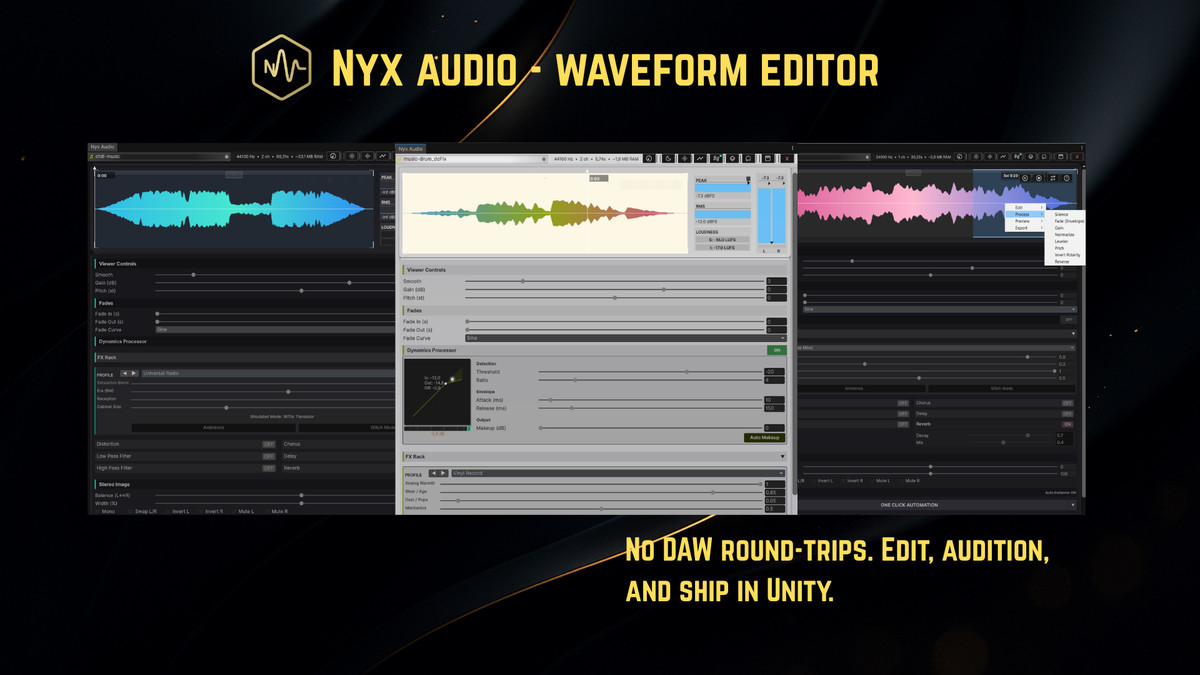
🎙️ NyxAudio allows you to instantly edit, repair, and transform audio
assets, without ever leaving Unity. Works seamlessly in EditMode with
zero runtime performance cost, no external dependencies or third-party installs.
🛑 The Problem: The "Edit-Export-Repeat" Loop
Raw audio assets are rarely game-ready. They come with dead air, inconsistent loudness, and a generic "stock" sound that lacks character. Traditionally, turning a raw clip into a professional narrative element is a productivity killer:
The Old Way:
📂 Locate file → 🎹 Open DAW → 📥 Import → ✂️ Edit → 📤 Export → 🔙 Switch back → ⌛ Wait for Re-import → 🎧 Test → ❌ Realize it’s still not right → 🔁 Repeat.
🟢 The Solution: NyxAudio
NyxAudio is a custom-engineered DSP powerhouse that acts as a virtual audio engineer living inside Unity. It doesn’t just "edit" audio; it understands it and transforms it instantly.
The NyxAudio Way:
🖱️ Select → ✨ Edit → 🔥 Bake. > Done in seconds.
[Website] | [Support] | [Forum Thread]
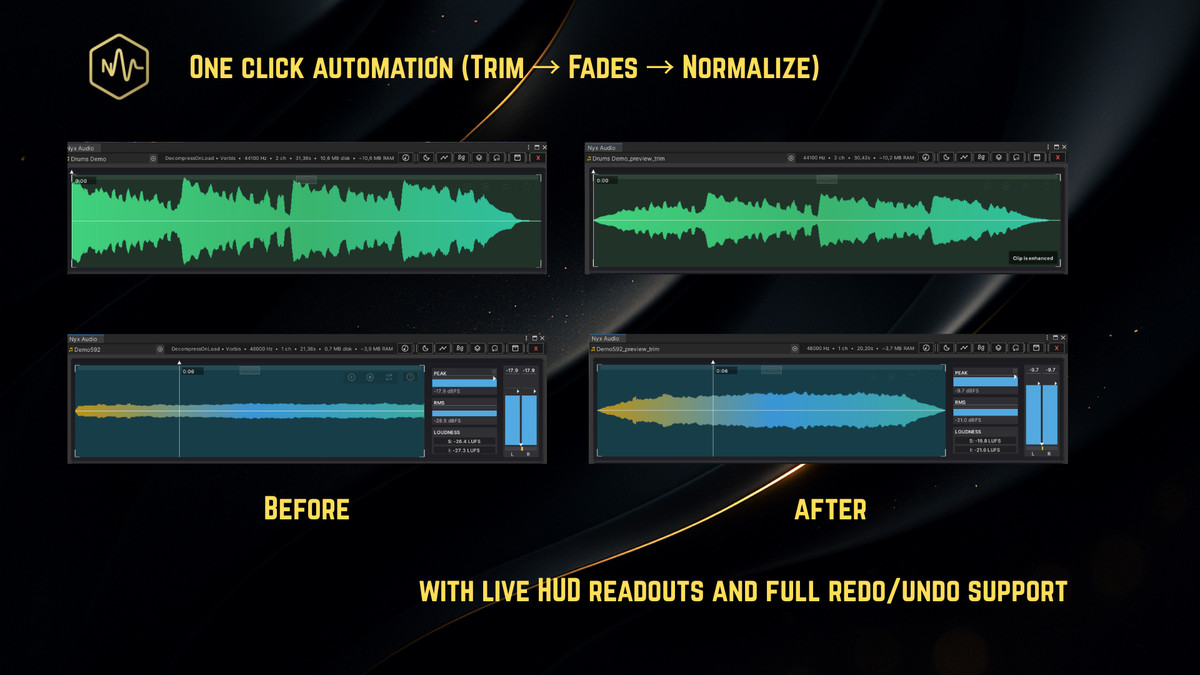
✨ One-Click Audio Automation
NyxAudio acts like a virtual assistant that listens to your audio and applies professional studio mastering in milliseconds.
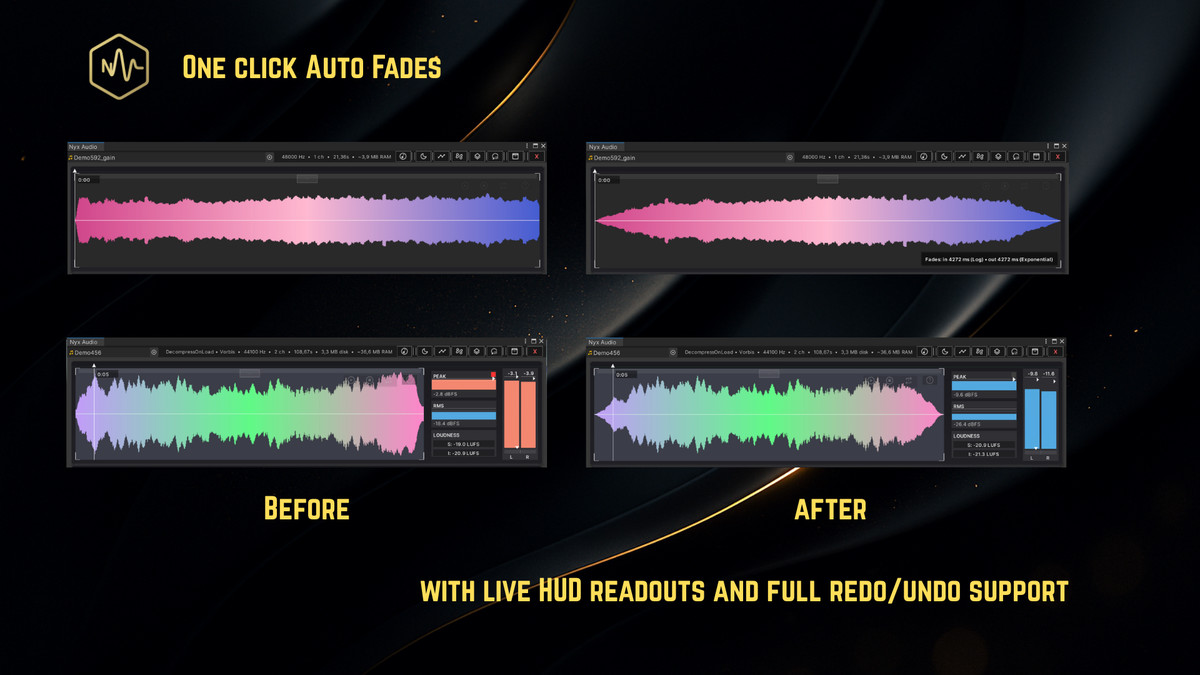
- Smart Fades: No more "clicks" or "pops." NyxAudio chooses the perfect curve for your sound automatically.
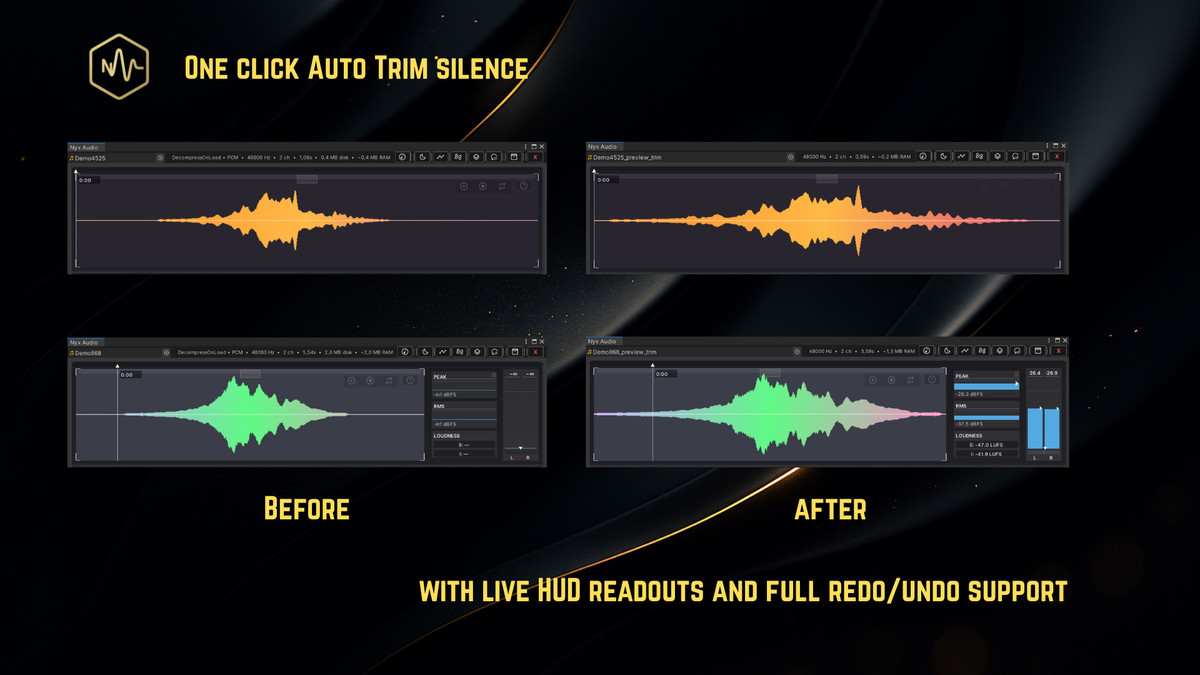
- Auto-Trim Silence: Strips dead air from the start and end of clips so they trigger with perfect timing.
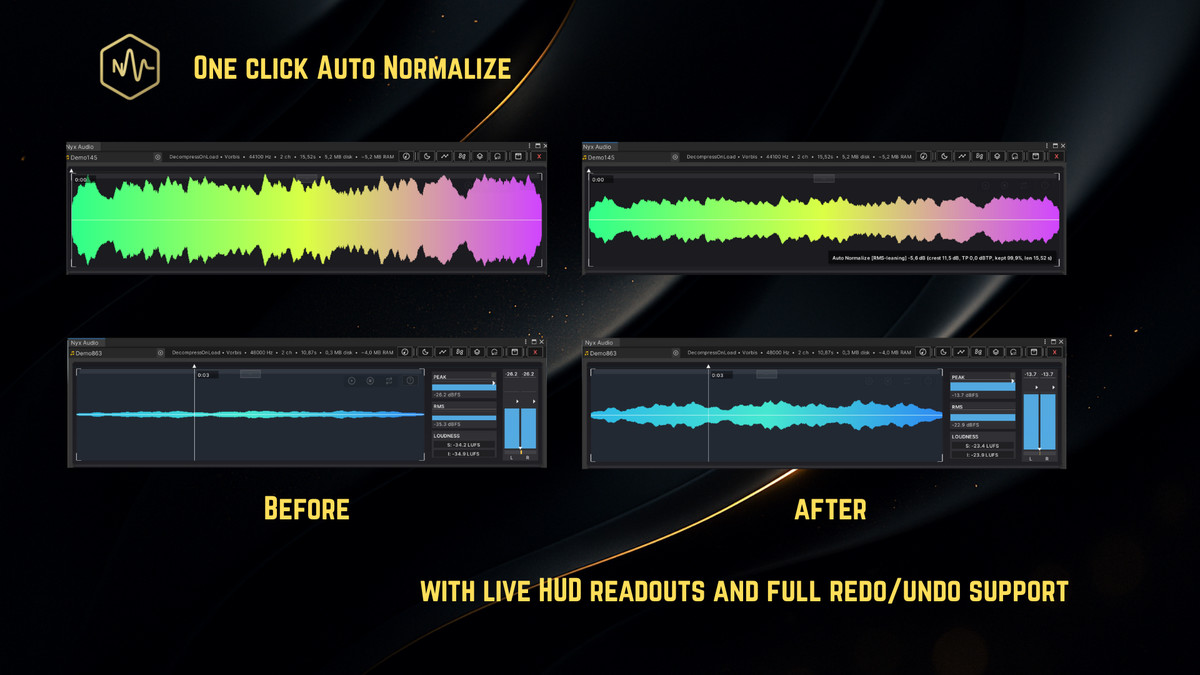
- Perfect Volume: Keep your entire project consistent. No more sounds that are too quiet or "ear-splittingly" loud.
- Build Optimization: Instantly cleans technical errors and converts heavy files to lightweight mono to shrink your audio size.
🎭 Turn "Stock" Sounds into Iconic Moments
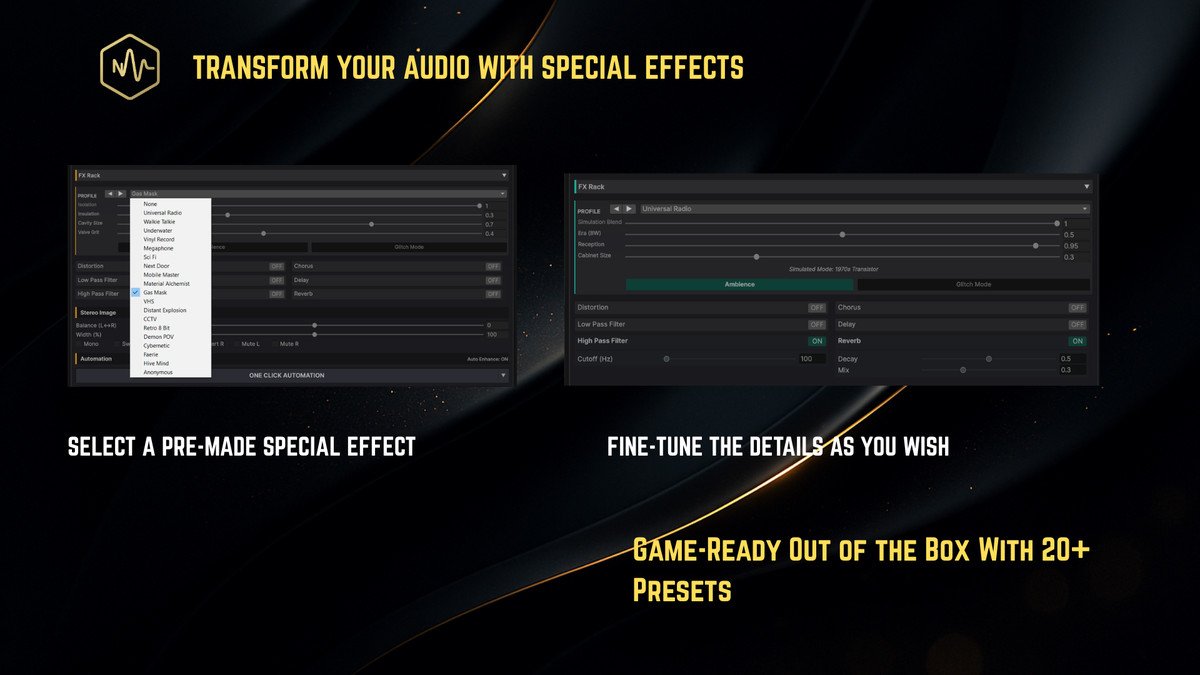
Don't settle for generic assets. Use 20+ "Character" presets to transform any clip instantly:
- Voice Shifters: Turn a standard voice into a Terrifying Demon, Cybernetic Robot, or a Magical Faerie.
- The Material Alchemist: Make a "thud" sound like it hit Wood, Metal, or Stone.
- Atmosphere & Vibe: Instantly apply "Underwater," "Next Door," or "Retro 8-Bit" textures.
- Environmental FX: Add professional Reverb, Echo, and Distortion with simple sliders.
🎛️ Pro-Tools Made Simple (Dynamics & FX)
Need more control? Our FX Rack gives you professional power without the complexity.
- Smart Compressor: Get punchy weapons and clear dialogue without touching a single complex dial.
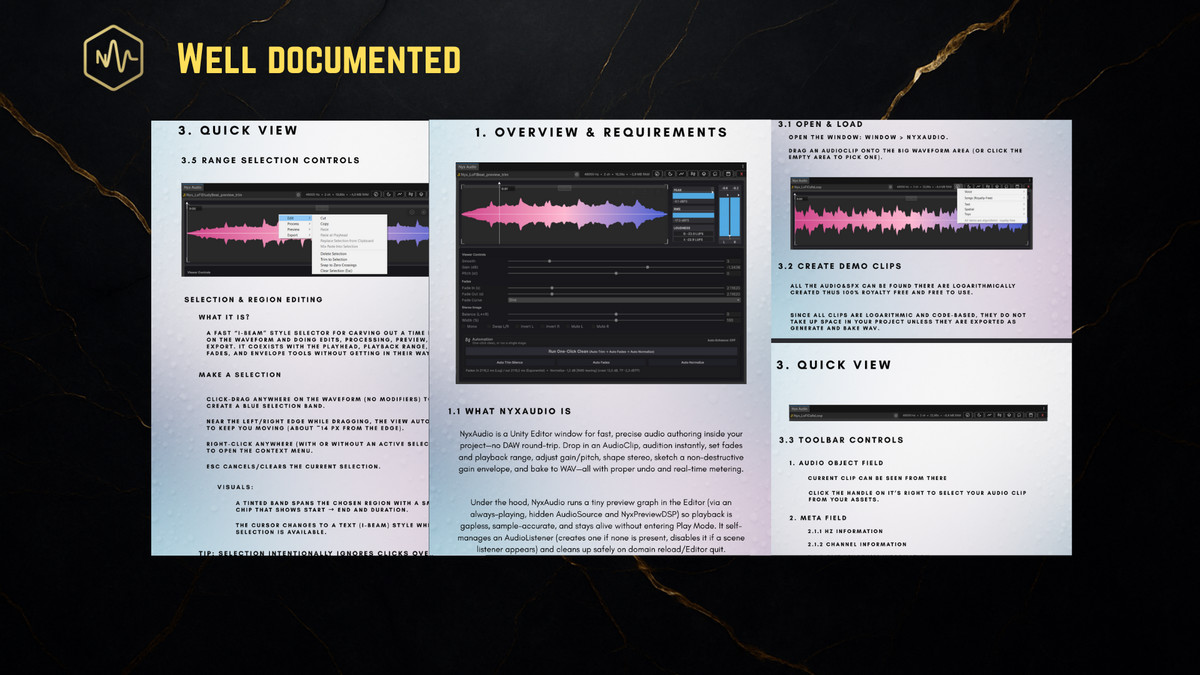
- Visual Feedback: See exactly how your audio is changing with real-time meters and easy-to-read graphs.
- Modular FX Chain: Drag and drop effects like Distortion, Filters, and Chorus to create a unique sound signature for your game.
📦 Massive Batch Production
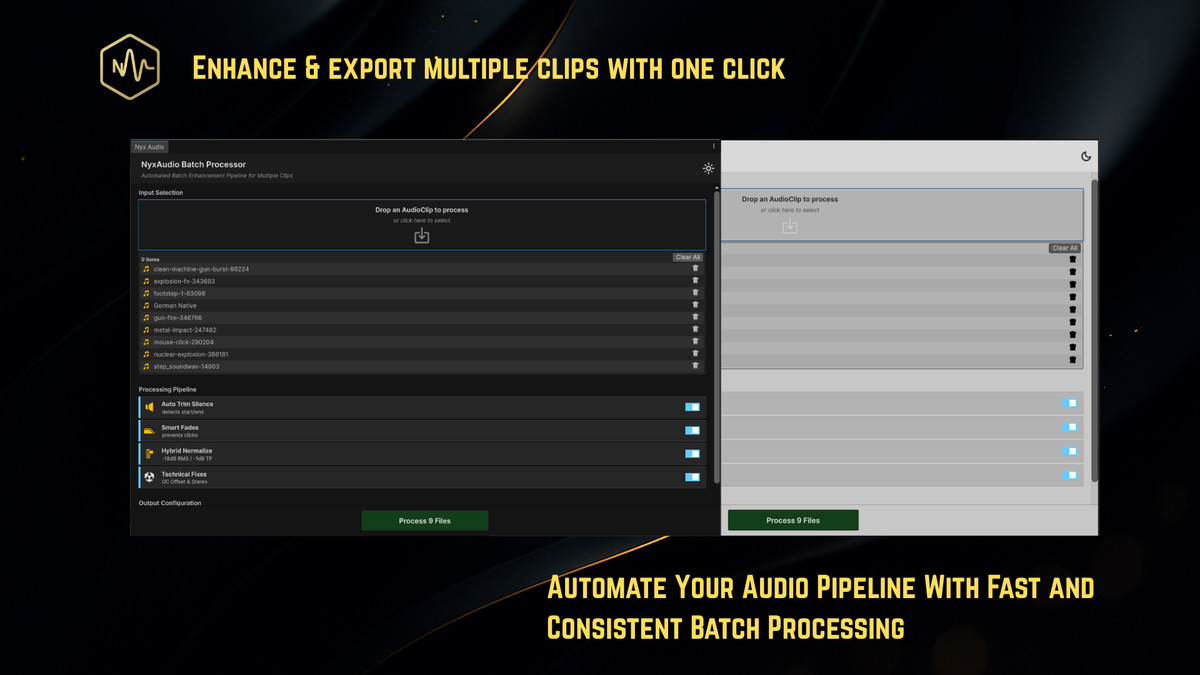
Why fix sounds one by one? Drag and drop hundreds of clips into the Nyx Batch Processor to apply cleanup, fades, and volume leveling to your entire library at once.
🛠️ User Workflow
Need surgical control? We have the high-end tools you expect, built directly into the Unity interface:
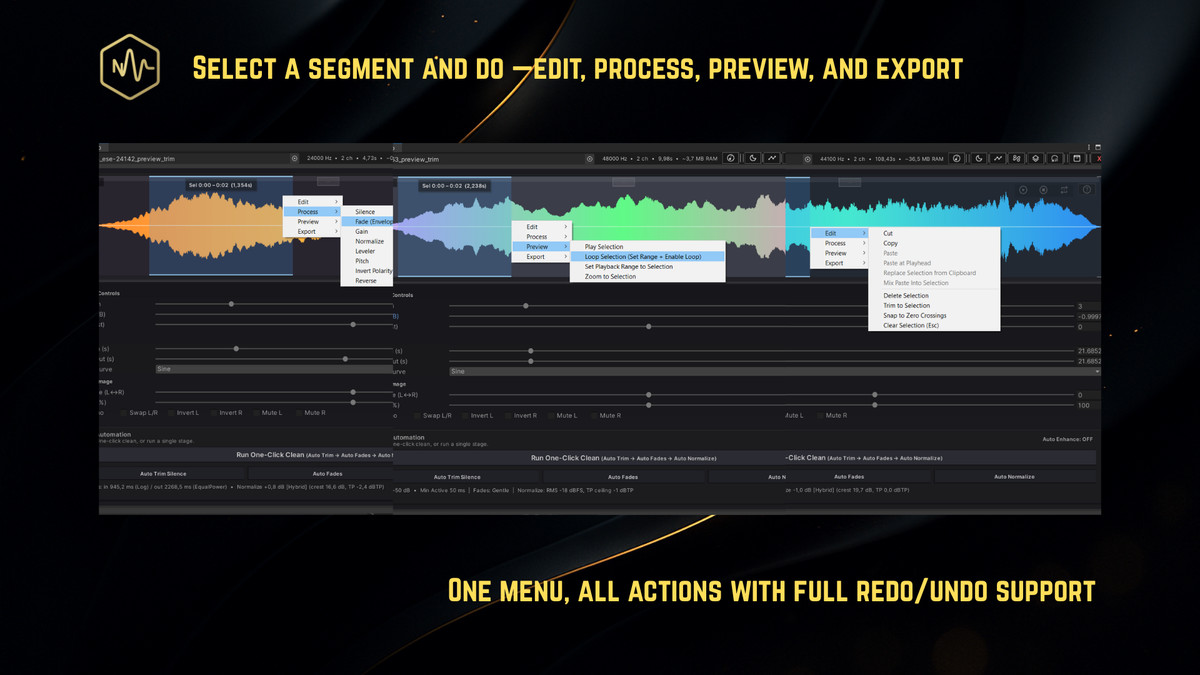
- Context Menu Integration: Right-click any AudioClip in your Project window to "Open in Nyx Audio."
- Full Keyboard Control: Space for Play/Pause, Enter to Restart, and Arrow Keys to nudge playhead or adjust gain.
- Adaptive UI: Full support for both Unity Dark and Light themes with high-contrast icons.
- Safety First: Your original files are never modified. NyxAudio creates a "Baked" version with automatic re-import.
🚀 Performance & Compatibility
- Zero Runtime Cost: All processing happens in the Editor. Your game stays fast.
- Universal: Supports both Dark and Light Unity themes.
- Self-Contained: No 3rd party installs or DLL headaches.
Great for SFX, VO/dialogue cleanup, ambience trimming, music loops, and mobile optimization directly in the Editor.
From the publisher's Asset Store listing.
Technical details
Core Features
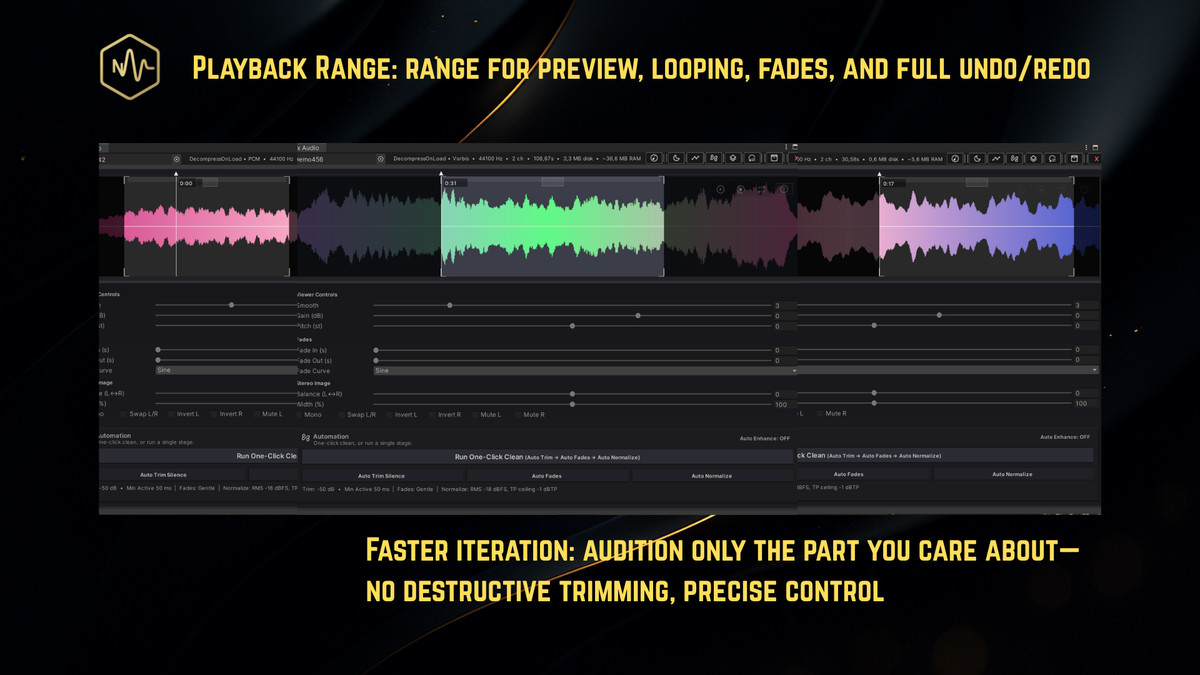
- Editor Interface: High-performance Editor window with smooth zoom/pan and sub-pixel waveform smoothing.
- Creative DSP Suite: A "Character Profile" system featuring 20+ unique physical simulations. Each profile includes a primary "Intensity" control and three context-aware "Macro" knobs to adjust profile-specific characteristics (e.g., Tape Age for VHS, Murkiness for Underwater, or Signal Drift for Universal Radio).
- Dynamics Processor: A professional-grade compressor featuring adjustable Threshold (-60dB to 0dB), Ratio (1:1 to 20:1), and precise Attack/Release envelopes. Includes an interactive Transfer Curve graph, a high-resolution Gain Reduction meter with peak-hold "ghosting," and optional Smart Auto-Makeup Gain.
- FX Rack: A dedicated modular effects chain providing global processing, including:
Distortion: Symmetric saturation for grit and drive.
Time-Based Effects: Adjustable Chorus (Depth/Rate), Delay (Time/Feedback), and Reverb (Decay/Mix).
Filtration: High-Performance Low-Pass and High-Pass filters with non-destructive preview. - Technical Repair: Intelligent DC Offset removal and Smart Stereo Optimization (automatic Mono conversion to save 50% RAM).
- One-Click Clean: A configurable pipeline that executes Repair, Trim, Fades, and Normalization in a single pass(Technical repairs optionally inlcuded).
- Batch Automation: A high-throughput pipeline for bulk asset processing. Features a dedicated UI for multi-clip drag-and-drop, allowing standard cleanup chains to be applied to entire folders simultaneously.
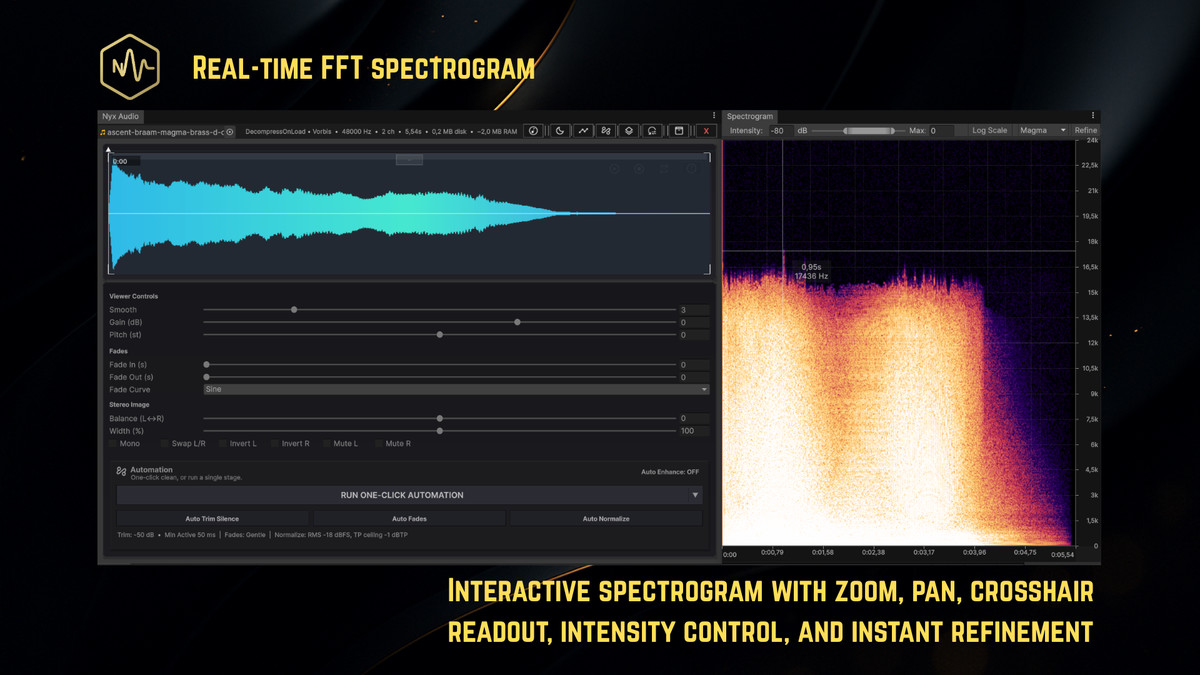
- Spectrogram Overlay: High-resolution frequency analysis with support for Logarithmic/Linear scaling, adjustable dB intensity, and scientific color palettes (Magma, Inferno, Plasma, Classic).
- Advanced Fades: Choose between Linear, Sine, Smoothstep, Power, or Custom curves, all driven by high-resolution LUT-sampled bias.
- Gain & Pitch: Adjust gain (dB) and pitch (±24 semitones via rate-change) with instant non-destructive preview.
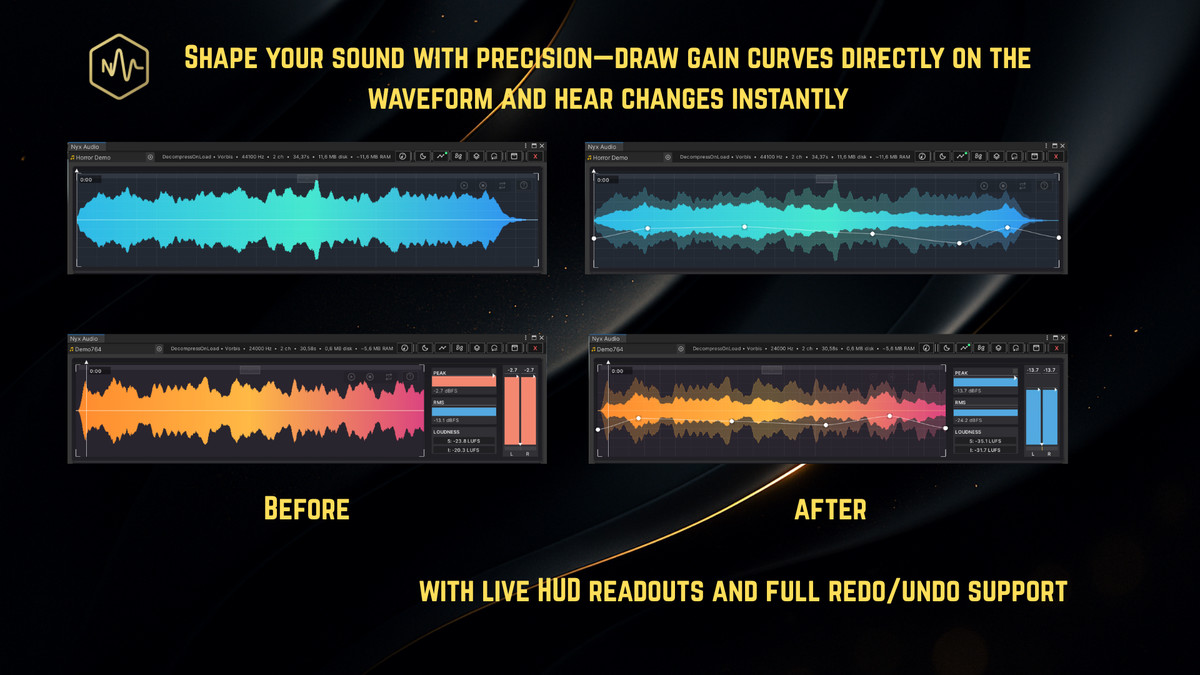
- Envelope Automation: Intuitive Gain Envelope editor featuring lasso/multi-point selection, tension control, and point smoothing.
- Stereo Suite: Comprehensive control over Width, Balance, Mono-folding, L/R Swapping, Phase Inversion, and per-channel Muting.
- Professional Metering: High-accuracy Peak/RMS meters, LUFS (Short-Term & Integrated), and Stereo Correlation/Balance visualizers.
- Finalization: Sample-accurate baking to 16/32-bit float WAV with automatic project re-import.
Compatibility & Requirements
- Unity Versions: 2021.3 LTS or newer.
- Multi-threaded Performance: Spectrogram generation and DSP analysis utilize Parallel.For/Async patterns to ensure the Editor UI remains responsive during heavy processing.
- Platforms: Windows 10/11 and macOS 12+ (Full support for Intel and Apple Silicon).
- Render Pipelines: Fully agnostic—works with Built-in, URP, and HDRP.
- Zero Dependencies: No external Asset Store packages or DLLs required.
- Optimization: For the best experience, AudioClips should be set to “Decompress on Load” for instant previewing.
Technical Limitations
- Pitch Shifting: Pitch adjustments are rate-change based (standard resampling); does not include granular time-stretching or formant preservation.
- Peak Readout: True-peak measurements are calculated as sample peaks with internal headroom estimation.
- Source Data: Requires readable PCM data. Encrypted or non-readable clips cannot be processed.
Compatibility
| Unity version | Built-in | URP | HDRP |
|---|---|---|---|
| 6000.0.60f1 | Compatible | Compatible | Compatible |
| 2022.3.62f2 | Compatible | Compatible | Compatible |
As listed on the Asset Store.