
 View on Asset Store (opens in new tab)
Package details
- Latest version
- 3.5.5
- Last updated
- First released
- Unity version
- 2022.3.62 or later
- Package size
- 95.5 MB
- Files
- 1,002
- Favorites
- 41
- Views in the past week
- 57
Price tracking
- Last checked
- Tracked since
- Lowest recorded
- $24.50 on
Keywords

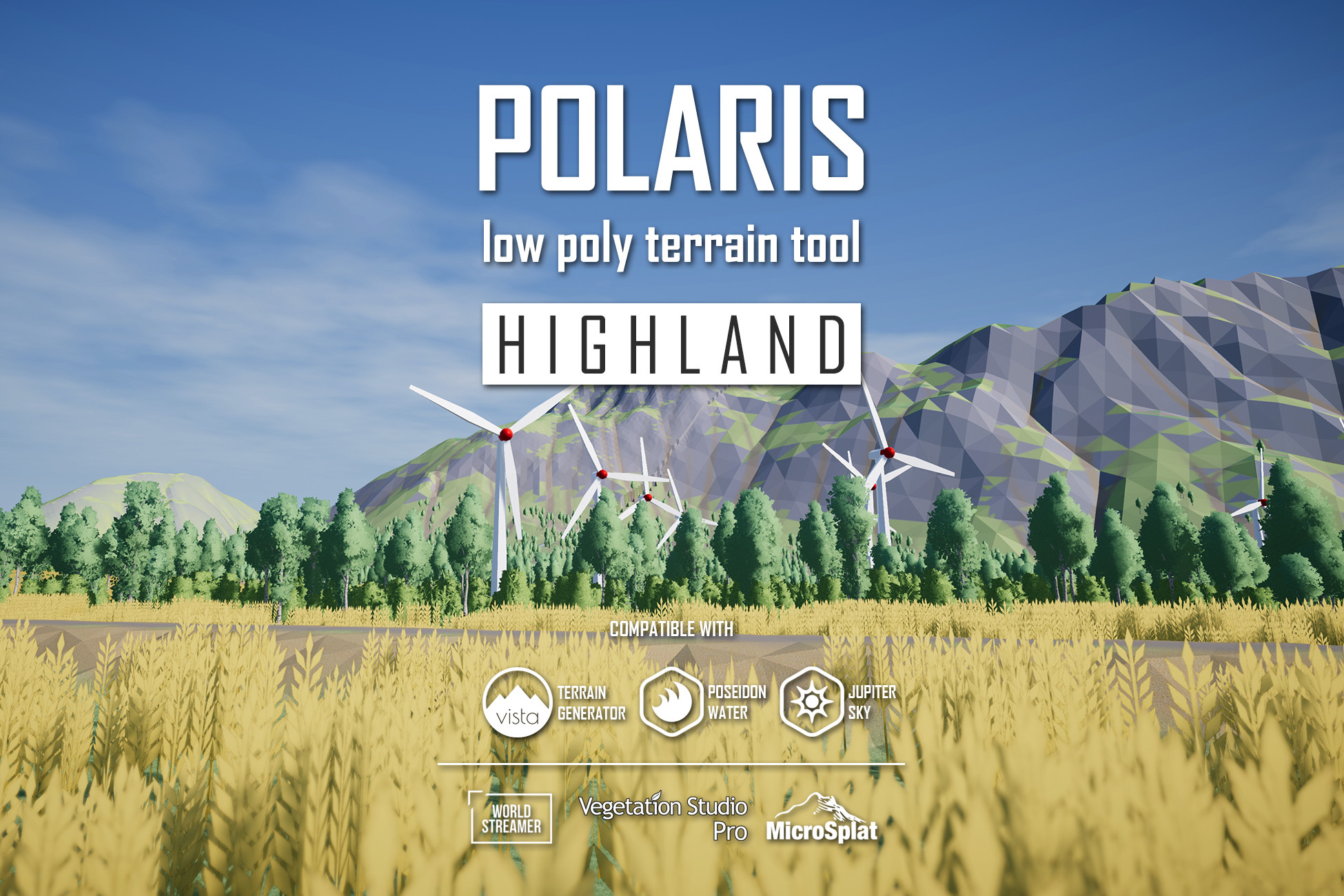
Polaris Highland - Low Poly Terrain Editor
A mesh based low poly terrain editor for Unity. Built for stylized projects that need runtime control, mobile and VR fit, and a workflow that does not rely on built-in Terrain.
Affiliate link · Purchases support this site
Price history
Last 6 months
USDAsset preview
1 / 21

Polaris Highland - Low Poly Terrain Editor screenshot 1


About this asset
Polaris Highland is a mesh based low poly terrain editor for Unity, built for stylized and performance sensitive projects. It is a native alternative terrain workflow inside Unity, not a built-in Terrain add on.
BUILT FOR
- Stylized and low poly games that need a faceted, smooth, or hybrid look.
- Mesh based pipelines, where terrain should be presented as standard mesh renderers in the scene.
- PC, Mobile, VR, and performance budgeted projects.
WHY BUILT-IN TERRAIN MAY NOT FIT
Built-in Terrain is fine for many projects, but stylized low poly is not its strength. Reduce the geometry and it still reads smooth instead of faceted. Force a sharper look with shader tricks and you start depending on rendering workarounds and narrower platform support.
Polaris renders terrain as regular meshes from the start, with faceted, smooth, and hybrid shading built into the workflow. The look is easier to direct and lands closer to what a stylized project needs.
WORKFLOW
Start broad, then refine. Stamps and splines handle the overall result. Brushes handle local shaping and cleanup. Both modes can shape geometry, texture the surface, and drive population.
- Create multi tile terrain with the setup wizard.
- Block out shape, textures, and population with stamps and splines.
- Polish locally with around 20 brush types.
- Populate with trees, grass, and props.
Live preview lets you see each change before it is committed. The terrain stays editable at runtime through a public scripting API. Watch the runtime painting demo, or play the demo build yourself.
PERFORMANCE
- Adaptive mesh density. More triangles where the terrain is detailed, fewer where it is flat, so the mesh stays light without losing shape.
- Multi threaded with Job System. Mesh generation, foliage rendering, culling, colliders, and more, in the editor and at runtime.
- GPU based editing. Most tools edit terrain data on the GPU with shaders, so painting and sculpting stay fast.
- GPU instanced vegetation. Dense trees and grass with no GameObject overhead.
START FROM WHAT YOU ALREADY HAVE
Quickly convert your built-in Terrain grid to Polaris with a wizard that brings over height, holes, textures, trees, and grass. You can also import other data types like raw heightmaps, textures and meshes.
You can also export back out to built-in Terrain, mesh, raw heightmap, and texture set, so your terrain keeps working with other tools and software.
EDITIONS
This Highland is the middle edition. It adds the procedural authoring workflow, stamps, splines, conditional painting, live preview, interactive grass, and MicroSplat, on top of the core tools in Valley.
Summit adds hydraulic and thermal erosion, terrain backups, and Burst. See the feature comparison for the breakdown.
You can upgrade to Summit at any time for the price difference.
USED IN
Games using Polaris include:
FAQ
- Caves or overhangs. No.
- WebGL. No.
- Requires built-in Terrain. No.
- Runtime editing. Yes.
- Mobile and VR. Yes.
- Procedural terrain with biomes. Yes. With Vista Personal.
- Large or streaming worlds. Yes. With World Streamer 2.
- Holes. Yes.
- Migrate from built-in Terrain. Yes.
- Custom shaders. Yes.
- Render pipelines. Built in RP and Universal RP.
Full platform, integration, and capability list.
COMPATIBLE TOOLS
- From Pinwheel Studio. Part of an environment tool family alongside Vista (procedural terrain), Poseidon (water), Jupiter (sky), Contour (outline), and Beam (volumetric lighting).
- Third party. Works with MicroSplat, Amplify Shader Editor, Vegetation Studio Pro, World Streamer 2, and SoulLink Spawner.
STARTER CONTENT
Ships with low poly terrain, trees, grass, and rocks from Pinwheel Studio, props from Total Game Assets, and trees from Distant Lands.
DOCS AND COMMUNITY
NOTE
Water and sky shown in screenshots are not included.
From the publisher's Asset Store listing.
Technical details
CORE SYSTEM
- Terrain representation. Mesh based low poly terrain generated from heightmaps.
- Geometry generation. Adaptive non uniform mesh density with up to 4 LOD levels, cross tile edge matching, holes support, XZ displacement, flat and smooth normal mixing.
- Execution model. Multi threaded terrain processing using C# Job System, GPU compute where applicable.
- Multi tile editing. Edit and manage multiple terrain tiles simultaneously.
EDITING TOOLS
- Live preview. See results before applying changes.
- Paint tools. Around 20 brush types for sculpting, texturing, and spawning trees, grass, and prefabs, with runtime painting supported.
- Stamp tools. Procedural sculpting, texturing, and spawning.
- Spline tools. Riverbeds, mountain passes, roads, and object spawning along paths.
- Texture creator. Terrain texture authoring utilities.
- Billboard editor. Billboard asset generation.
- Group tools. Multi terrain management and undo.
- Data tools. Import and export terrain data.
- Converter. Two way built-in Terrain to Polaris terrain conversion.
- Extension system. Modular extensions and third party integrations.
- In editor help. Searchable FAQ and documentation access.
RENDERING AND VEGETATION
- Standard mesh renderers.
- GPU instanced vegetation, no GameObject overhead.
- Cell based culling.
- Distance based LOD with transitions.
- Billboard support.
- Grass wind animation and touch bending.
- Automatic vertex reduction for distant grass.
SHADING
- Lambert, Blinn Phong, PBR, gradient lookup, color maps, vertex colors, splat maps.
- Customizable with Shader Graph (URP) or Amplify Shader Editor (Built in RP).
SUPPORTED RENDER PIPELINES
- Built in RP.
- Universal RP.
COMPATIBILITY
- Vista. Procedural low poly terrain generation, biomes, and simulations.
- MicroSplat. Advanced terrain shading. Most modules supported.
- Amplify Shader Editor. Shader customization for Built in RP. URP shaders use Shader Graph.
- Vegetation Studio Pro. Foliage placement. Legacy asset, integration needs a documented setup step.
- World Streamer 2. Large world streaming.
- SoulLink Spawner. Advanced spawning system.
- Other terrain assets. Convert through the included converter.
- External terrain tools. World Machine, World Creator 2, Gaea, and similar, through Data tools import.
REQUIREMENTS
- Unity 2022.3 or later. Alpha and beta Unity builds are not officially supported.
PACKAGE DEPENDENCIES
Required:
- com.unity.mathematics
- com.unity.editorcoroutines
- com.unity.collections
Compatibility
| Unity version | Built-in | URP | HDRP |
|---|---|---|---|
| 2022.3.62f3 | Compatible | Compatible | Not listed |
The package was setup for Universal Render Pipeline by default for all demo scenes/assets.
If you're using BiRP, there are options for switching terrain materials to the correct one.
As listed on the Asset Store.