
 View on Asset Store (opens in new tab)
Package details
- Latest version
- 1.1.0
- Last updated
- First released
- Unity version
- 2023.2.20 or later
- Package size
- 2.4 MB
- Files
- 15
- Favorites
- 2
- Views in the past week
- 6
Price tracking
- Last checked
- Tracked since
- Lowest recorded
- $15.00 on
Keywords
[AVIS] Runtime Performance Monitor - UI Toolkit & Web Dashboard
Professional real-time performance monitor for Unity with Web Dashboard and UIToolkit overlay.
Affiliate link · Purchases support this site
Price history
Last 6 months
USDAsset preview
1 / 3
[AVIS] Runtime Performance Monitor - UI Toolkit & Web Dashboard screenshot 1


About this asset
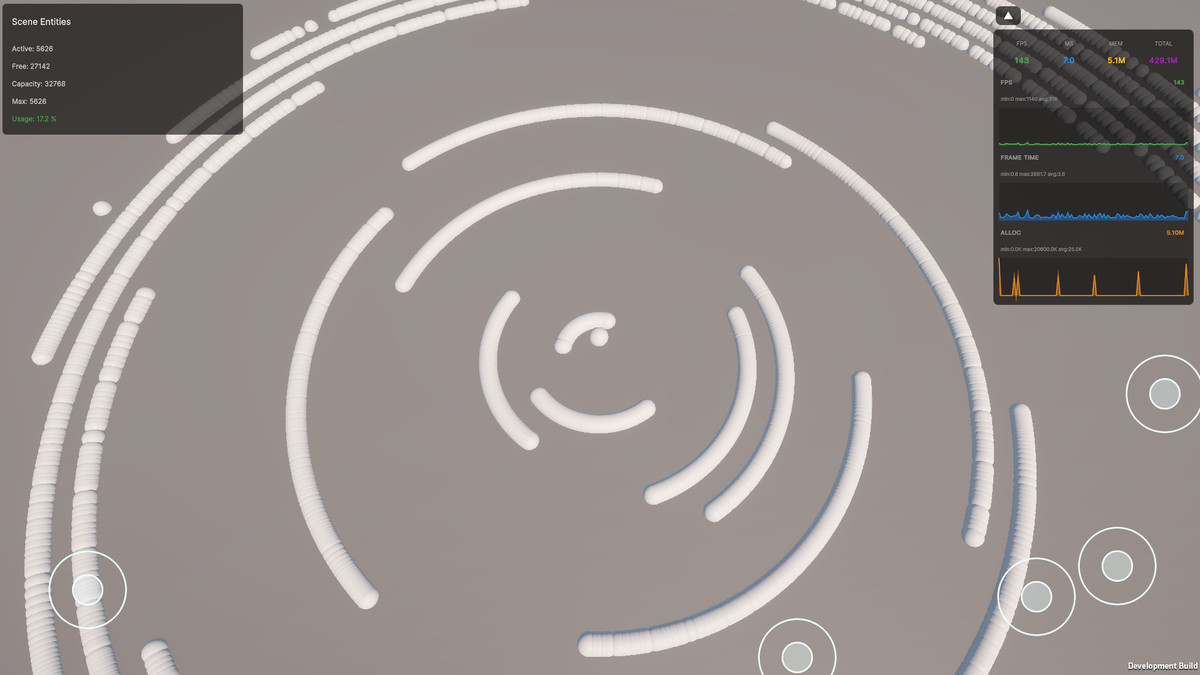
[AVIS] Runtime Performance Monitor is a comprehensive performance monitoring solution for Unity projects, providing real-time insights into your application's performance metrics. Whether you're developing for PC, mobile, or console, this package offers both in-game UIToolkit overlays and remote web dashboard monitoring.
Key Features:
- Real-time Performance Metrics: Track FPS, frame time, memory allocations, GC memory, and total memory usage
- Dual Monitoring Options: Choose between built-in UIToolkit overlay or remote web dashboard
- Historical Data Visualization: View performance trends with smooth, real-time graphs
- Advanced Statistics: Monitor 1% low FPS, averages, min/max values, and session totals
- Remote Monitoring: WebSocket server enables performance monitoring from any device on your network
- Device Information: Automatic system specification detection and display
- Customizable UI: Adjustable positioning, opacity, and display preferences
Perfect For:
- Performance optimization during development
- QA testing and profiling
- Live demonstrations and showcases
- Multi-platform performance comparison
- Remote debugging and monitoring
The system is highly customizable, allowing developers to tailor the monitoring experience to their specific needs. The Web Dashboard works seamlessly across desktop and mobile browsers, while the UIToolkit overlay provides minimal performance impact during gameplay.
From the publisher's Asset Store listing.
Technical details
Core Features:
- Real-time FPS and frame time monitoring
- Memory allocation tracking per frame
- Garbage Collection memory monitoring
- Total memory usage tracking
- Historical data with circular buffer
- Advanced performance statistics
- WebSocket server for remote access
- UIToolkit integration
- Responsive web dashboard
Performance Metrics:
- FPS (Current, Average, 1% Low, Min/Max)
- Frame Time (ms) with detailed statistics
- Memory Allocations (KB/MB per frame)
- Total Memory Usage (MB)
- GC Memory Usage
- Session time and sample count
Integration:
- Unity 2023.2+
- UIToolkit (UIElements) support
- WebSocket-sharp for server functionality
- ProfilerRecorder API for low-overhead monitoring
- Cross-platform compatible
File Formats:
- C# scripts
- HTML/CSS/JavaScript for web dashboard
- USS for UIToolkit styling
Dependencies:
- WebSocket-sharp (included)
- UIToolkit (Unity built-in)
Compatibility
| Unity version | Built-in | URP | HDRP | Custom |
|---|---|---|---|---|
| 2023.2.20f1 | Compatible | Compatible | Compatible | Compatible |
As listed on the Asset Store.