
 View on Asset Store (opens in new tab)
Package details
- Latest version
- 1.0.4
- Last updated
- First released
- Unity version
- 2022.3.62 or later
- Package size
- 2.6 MB
- Files
- 207
- Favorites
- 20
- Views in the past week
- 23
Price tracking
- Last checked
- Tracked since
- Lowest recorded
- Free on
Keywords

Debug Panel - Mobile Cheats and Debug
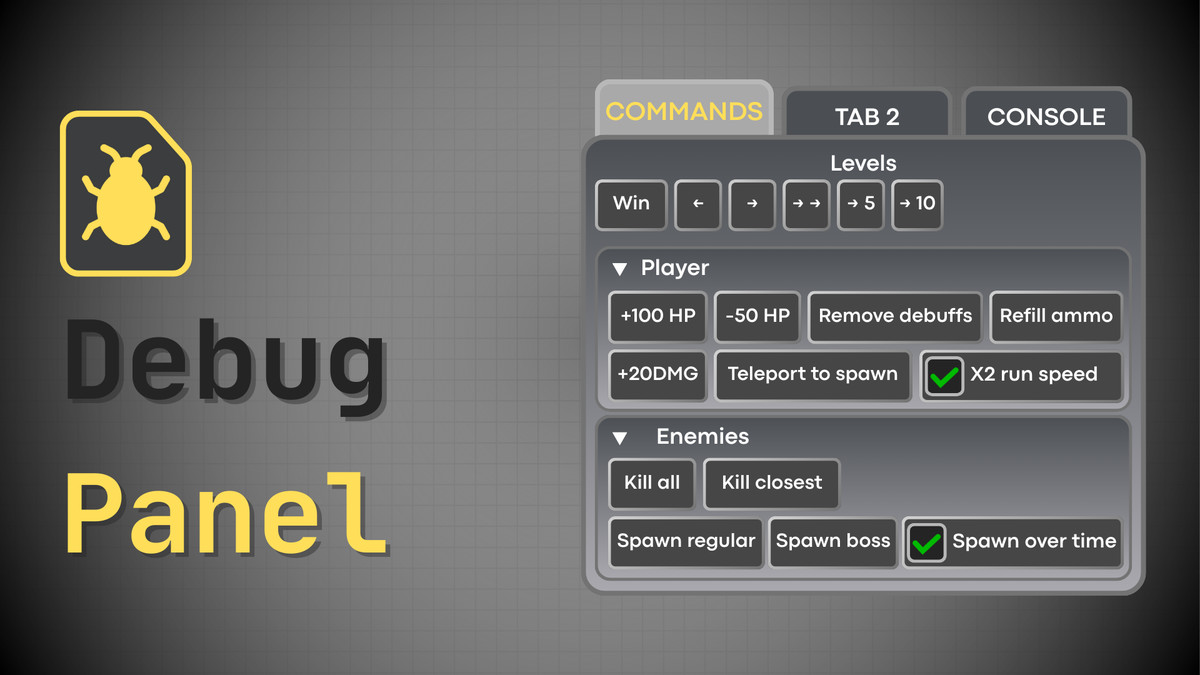
Ideal for cheats in mobile games. Allows to define Buttons, Dropdowns, Toggles, Groups and other UI elements in code, displaying them in UI for debug purposes. Handles layout automatically.
Affiliate link · Purchases support this site
Price history
Last 6 months
USDAsset preview
1 / 10
Debug Panel - Mobile Cheats and Debug screenshot 1
About this asset
Problem that it solves (Why it was created?)
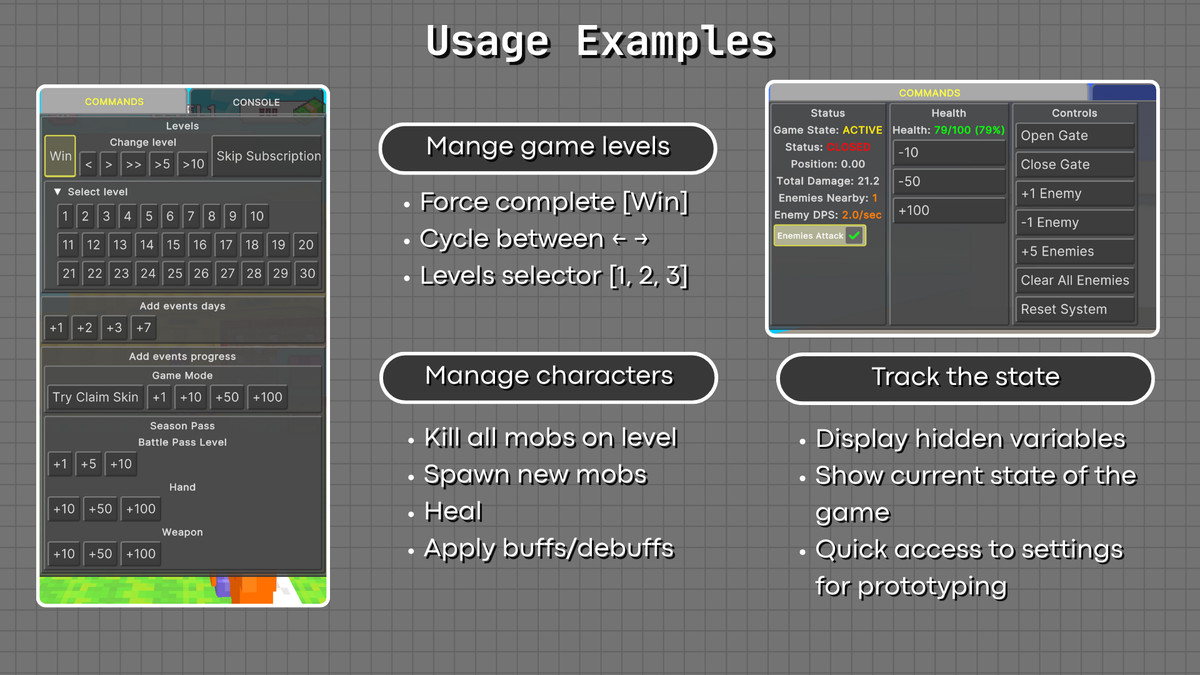
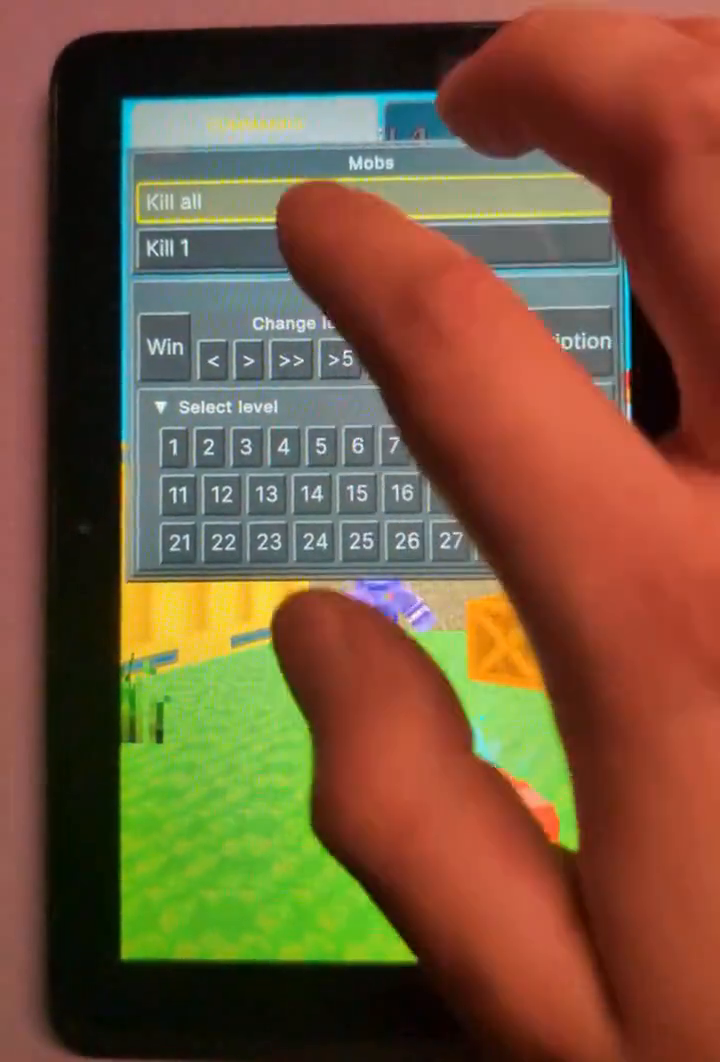
Created to easily test mobile games. Allows to add cheat buttons, like: 'Add currency', 'Switch between levels', 'Kill all mobs on level', etc. Fully manages UI layout for these cheats and provides a Tab and Groups system to pack a lot of Cheat UI on a small mobile screen.
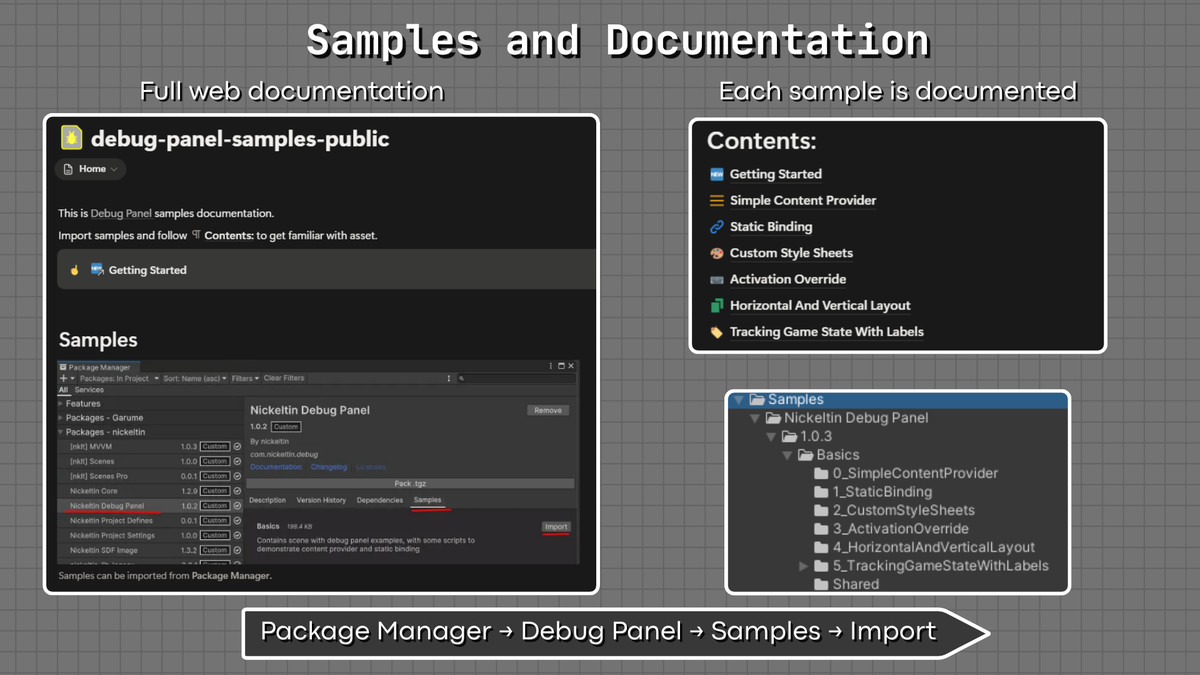
👁️Documentation👁️ (Samples available in package manager)
🟩Features🟩
- 📱Ideal for cheats in mobile games
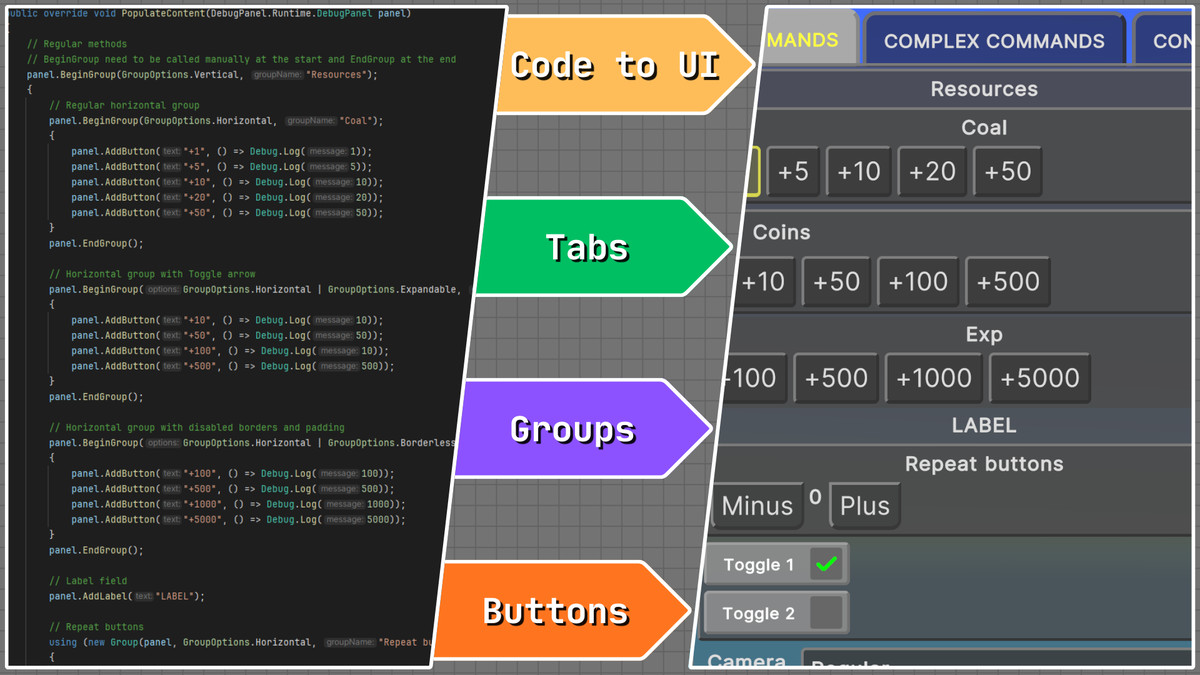
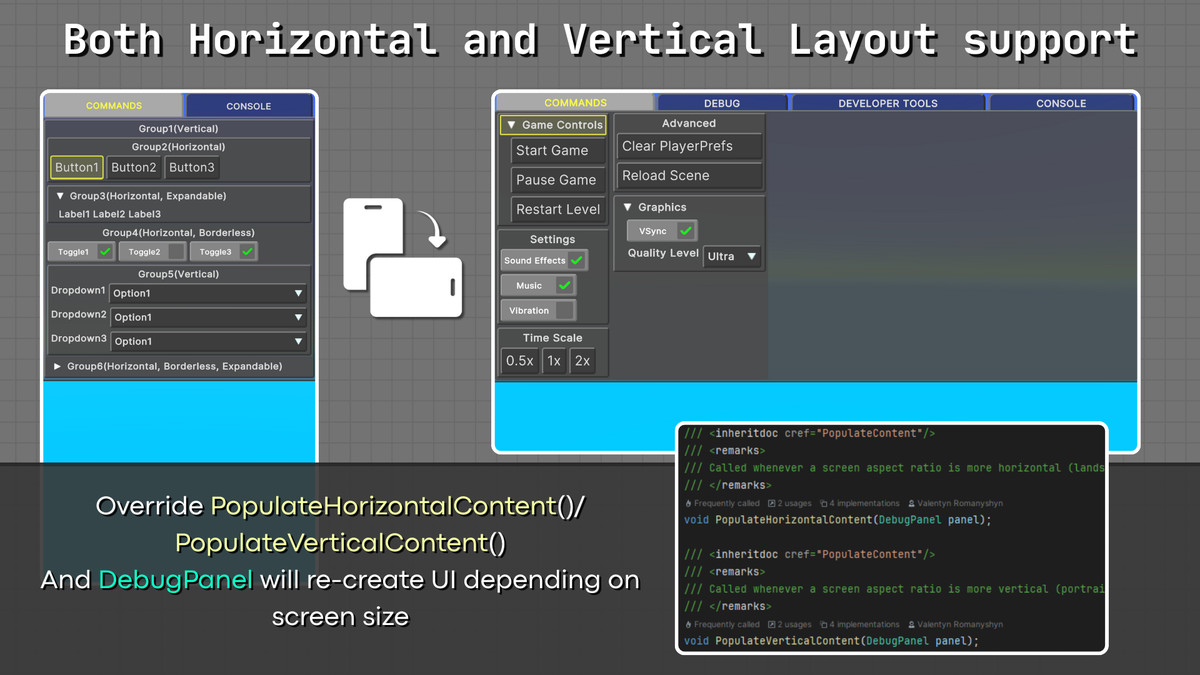
- 📃Build hierarchies: Tabs -> Groups (Vertical↕️↔, Horizontal↔️, Collapsible🔽) -> UIElemts (Buttons, Toggles, Dropdowns)
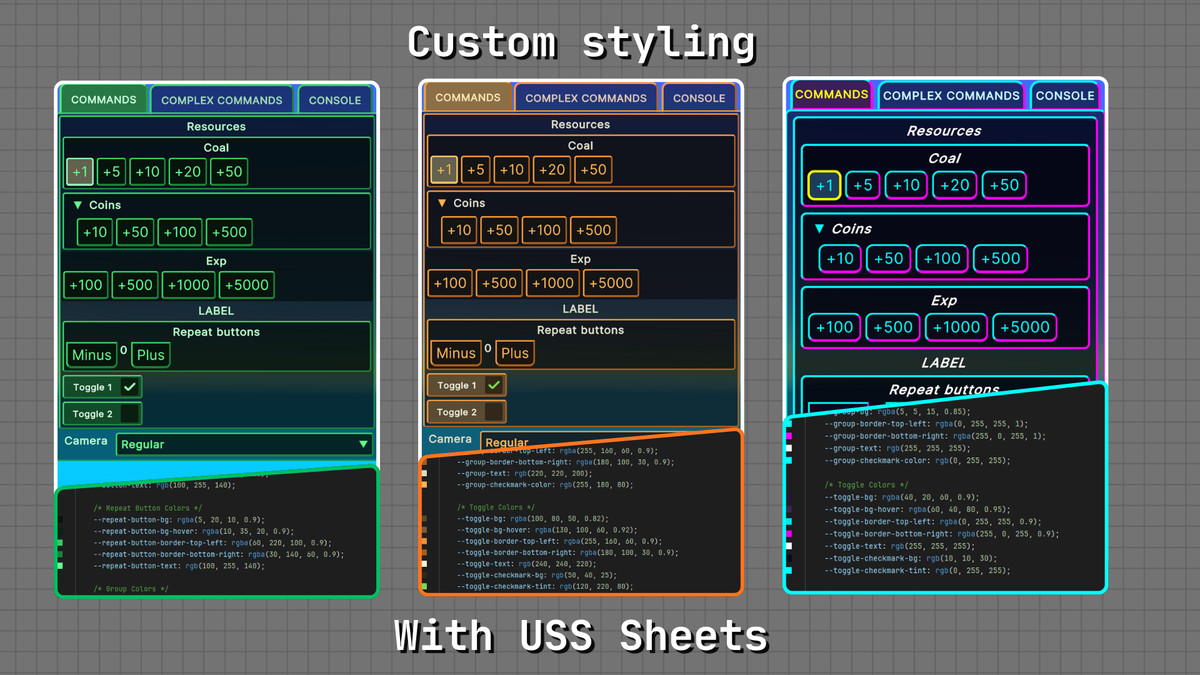
- 📈Built with UI Toolkit to minimize scene clutter and enable easy customization
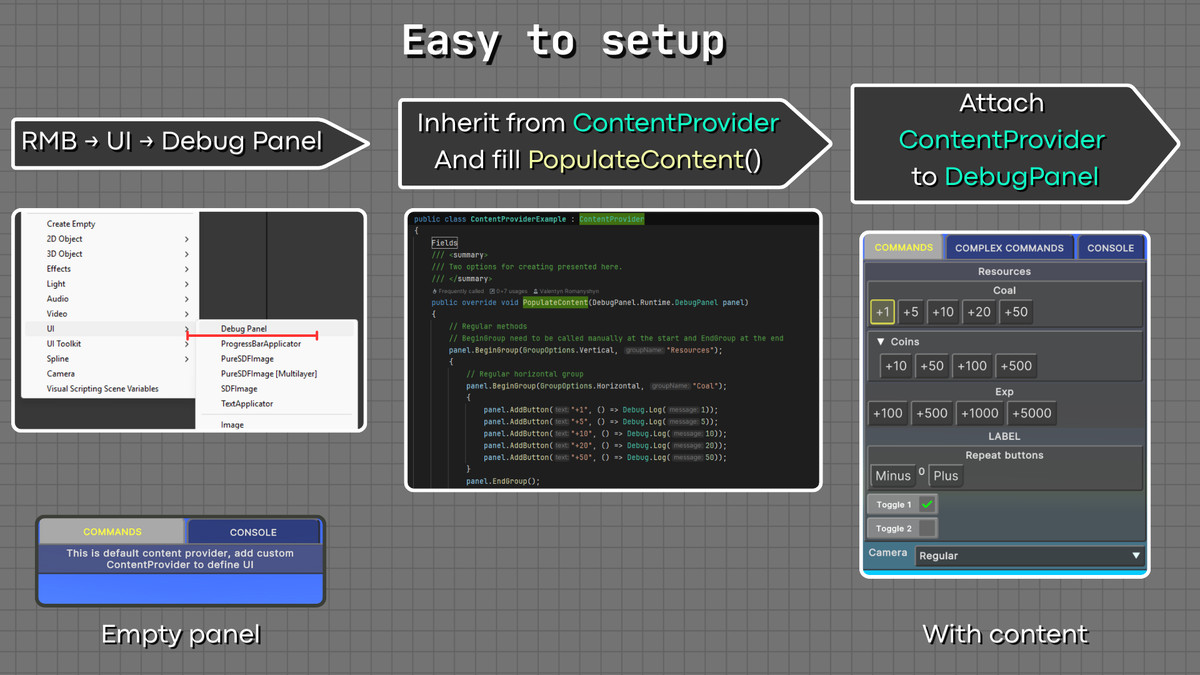
- 🚀Create complex layouts with a few lines of code
- 🔄️Iterate without playmode (Generated UI can be previewed without entering playmode)
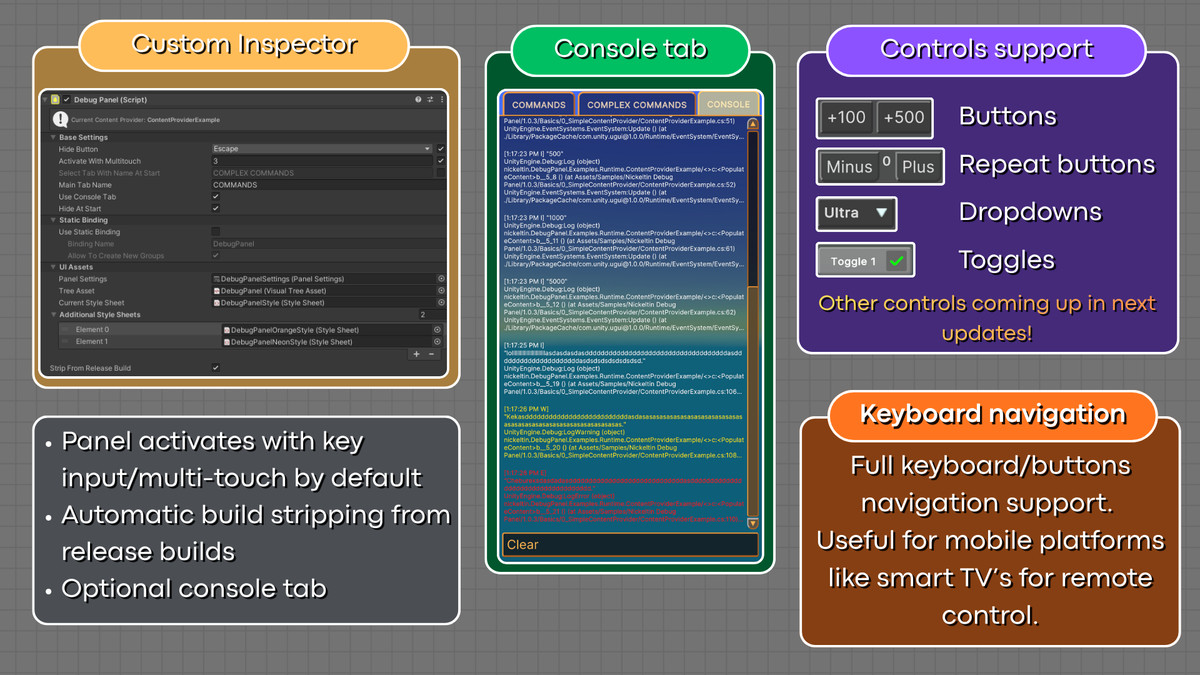
- 🗑️Automatic stripping from release build
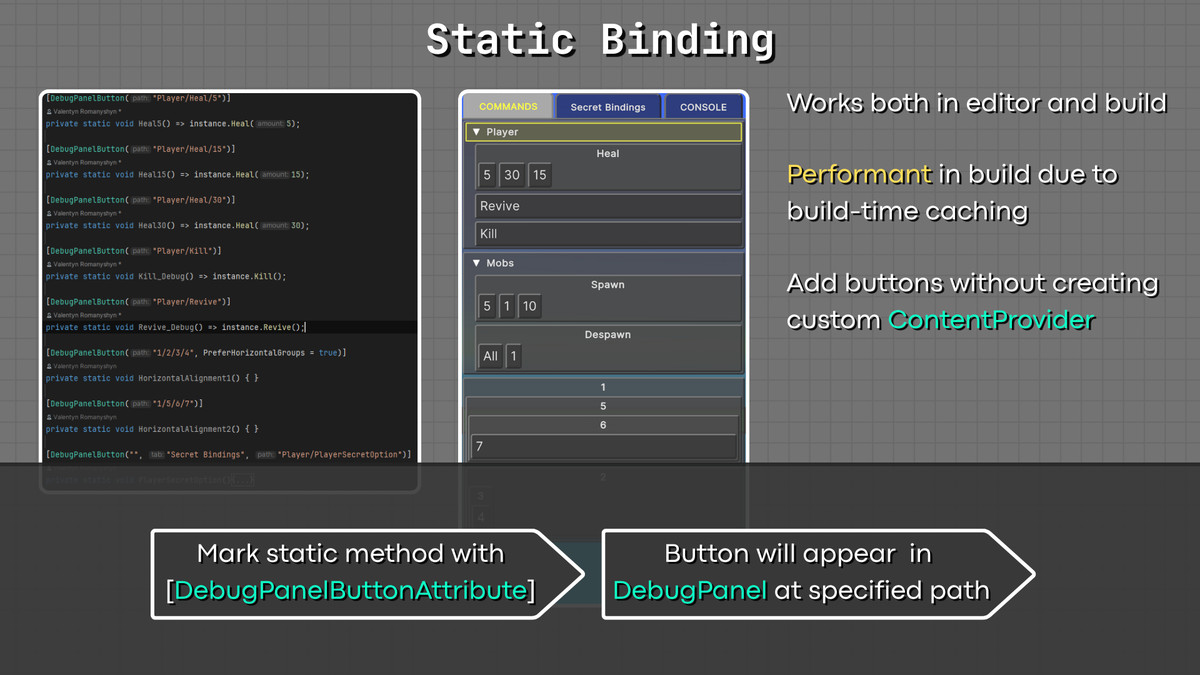
- 🔗Static Binding - define buttons from anywhere in the project with an attribute
- 🪵Built-in logs tab
- 🧑🏫Comes with built-in samples
Compatible with Unity 2022, Unity 6 and higher
About development
Essentially, it evolved from manually calling OnGUI() to draw a set of buttons to a fully responsive UI solution built with UI Toolkit. It manages text size, button sizes, layouts, etc, that regular OnGUI() does not.
Created initially for adding cheats in mobile games for testing purposes.
From the publisher's Asset Store listing.
Technical details
- Uses runtime UI Toolkit which allows for clear scene hierarchy, and customization
- Have automatic stripping of DebugPanelComponent's from scene upon release build
- Have a static binding feature, scans all codebase for StaticBoundButtonAttribute to populate them withing UI (upon build caches all this, to prevent expensive runtime lookup)
- Optional console tab that capture logs
Compatibility
| Unity version | Built-in | URP | HDRP | Custom |
|---|---|---|---|---|
| 6000.7.0a2 | Compatible | Compatible | Compatible | Compatible |
| 6000.3.15f1 | Compatible | Compatible | Compatible | Compatible |
| 2022.3.62f2 | Compatible | Compatible | Compatible | Compatible |
As listed on the Asset Store.