
 View on Asset Store (opens in new tab)
Package details
- Latest version
- 1.0
- Last updated
- First released
- Unity version
- 6000.0.45 or later
- Package size
- 49 KB
- Files
- 16
- Favorites
- 3
- Views in the past week
- 8
Price tracking
- Last checked
- Tracked since
- Lowest recorded
- $5.00 on
Keywords

Package Wizard
- Price drop
Manage and organize your Unity packages with ease. Upload, edit, preview, and sync assets directly with GitHub.
Discount -83%
Previous price
$30.00
Price $5.00
Lowest recorded price
Get 83% off on Asset Store (opens in new tab)Affiliate link · Purchases support this site
Price history
Last 6 months
USDAsset preview
1 / 3
Package Wizard screenshot 1
About this asset
Package Wizard is a Unity Editor extension designed to make asset management faster and more organized.
With Package Wizard you can:
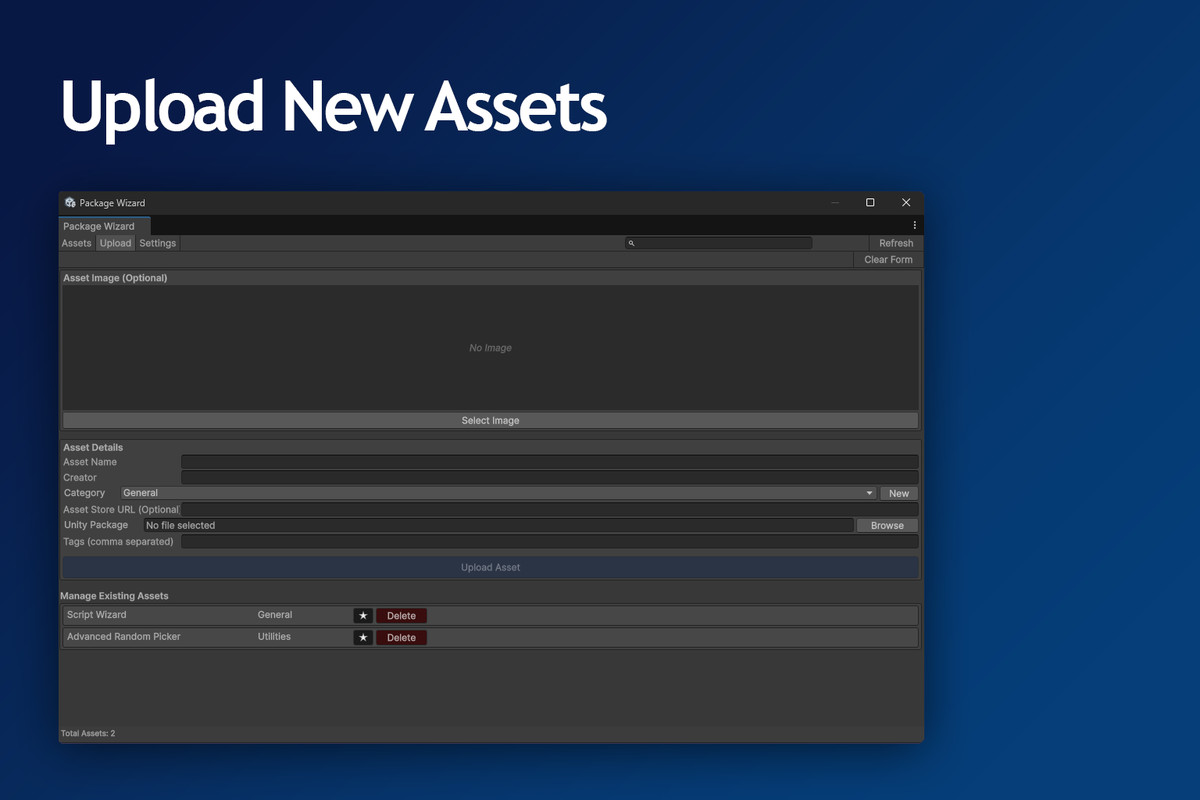
- Upload new Unity packages to GitHub with preview images and metadata.
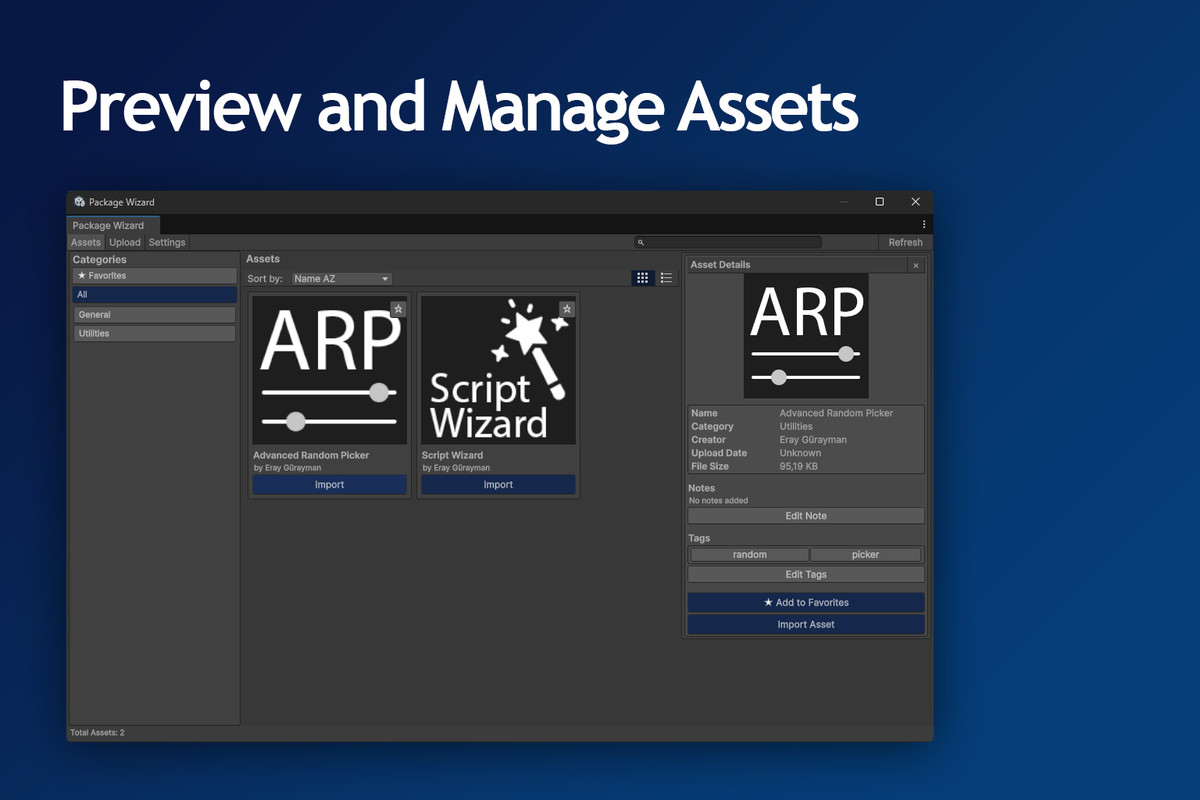
- Browse and search existing assets with instant previews.
- Edit tags and notes directly from the editor, synced to GitHub.
- Delete outdated assets, keeping your repository clean.
- Refresh anytime to stay in sync with the latest assets.json.
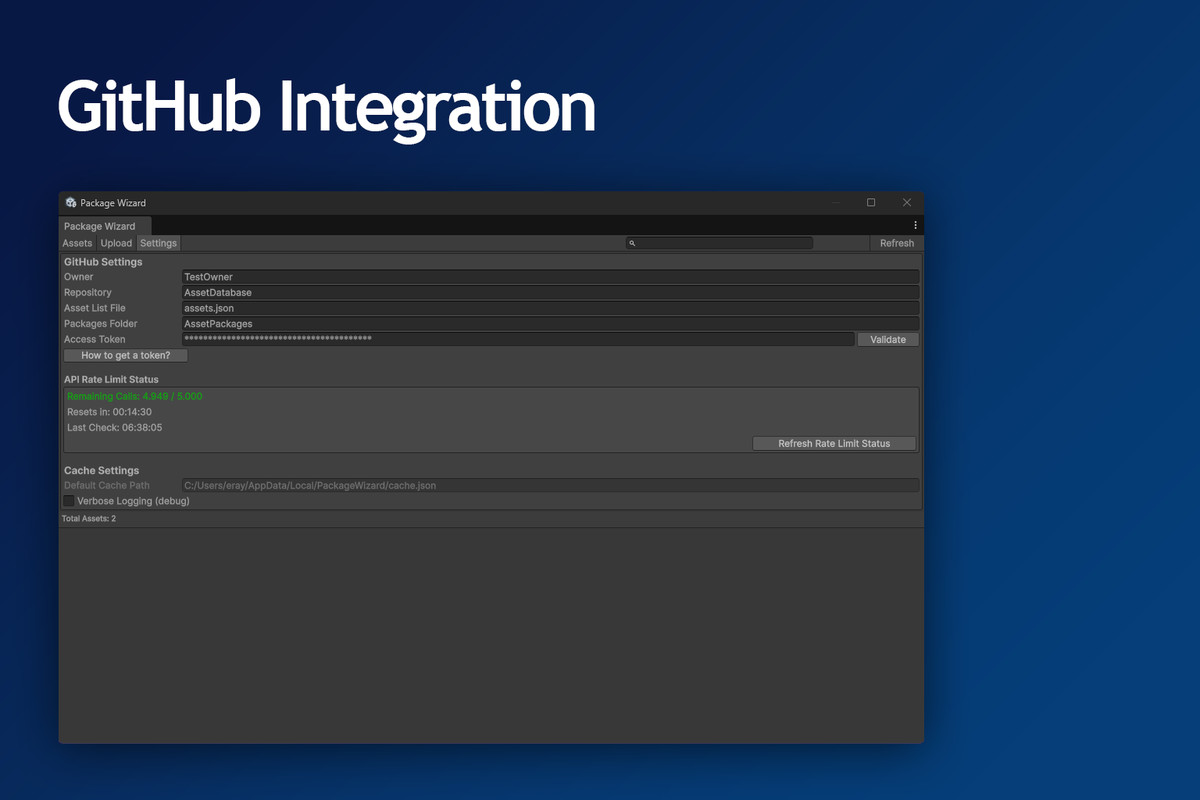
All settings are stored per-project using EditorUserSettings, so your configurations don’t leak between projects.
Whether you’re a solo developer or part of a team, Package Wizard keeps your packages organized and always up-to-date.
From the publisher's Asset Store listing.
Technical details
- Easy-to-use Unity Editor window under Tools > EG > Package Wizard
- Upload Unity packages with metadata (name, category, tags, creator, preview image)
- GitHub integration for syncing assets.json, package files, and images
- Local caching for fast browsing
- Project-specific settings stored in EditorUserSettings
- Delete or update assets with one click
- Preview images fetched automatically from your repository
- Supports com.unity.editorcoroutines dependency
Compatibility
| Unity version | Built-in | URP | HDRP | Custom |
|---|---|---|---|---|
| 6000.0.45f1 | Compatible | Compatible | Compatible | Compatible |
Works with all Unity versions.
As listed on the Asset Store.