
 View on Asset Store (opens in new tab)
Package details
- Latest version
- 1.0
- Last updated
- First released
- Unity version
- 6000.0.34 or later
- Package size
- 277 KB
- Files
- 9
- Favorites
- 1
- Views in the past week
- 4
Price tracking
- Last checked
- Tracked since
- Lowest recorded
- $7.90 on
Keywords

Smart Search - Advanced Hierarchy Filtering
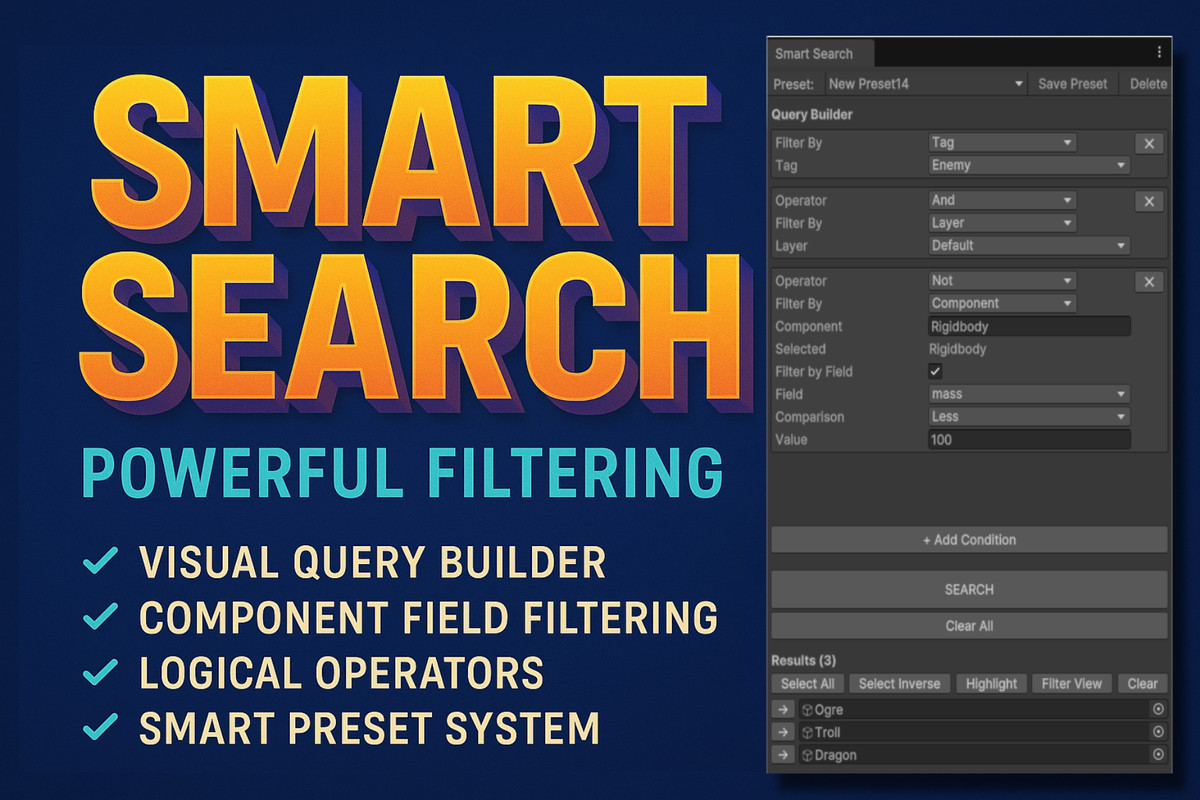
Smart Search transforms Unity's basic hierarchy search into a powerful filtering system with visual query builder, logical operators, and instant results.
Affiliate link · Purchases support this site
Price history
Last 6 months
USDAsset preview
1 / 3
Smart Search - Advanced Hierarchy Filtering screenshot 1
About this asset
Smart Search transforms Unity's basic hierarchy search into a powerful filtering system with visual query builder, logical operators, and instant results. Perfect for large scenes, complex prefabs, and productivity-focused developers.
🎯 Why Smart Search?
Working on a scene with hundreds of GameObjects? Need to find all enemies with Rigidbody on a specific layer? Want to batch-edit objects with certain component values?
Unity's built-in search falls short. Smart Search fills the gap with:
- ✅ Visual Query Builder - No typing complex queries, just click and select
- ✅ Component Field Filtering - Search by component property values (health > 50, speed <= 10)
- ✅ Logical Operators - Combine filters with AND, OR, NOT
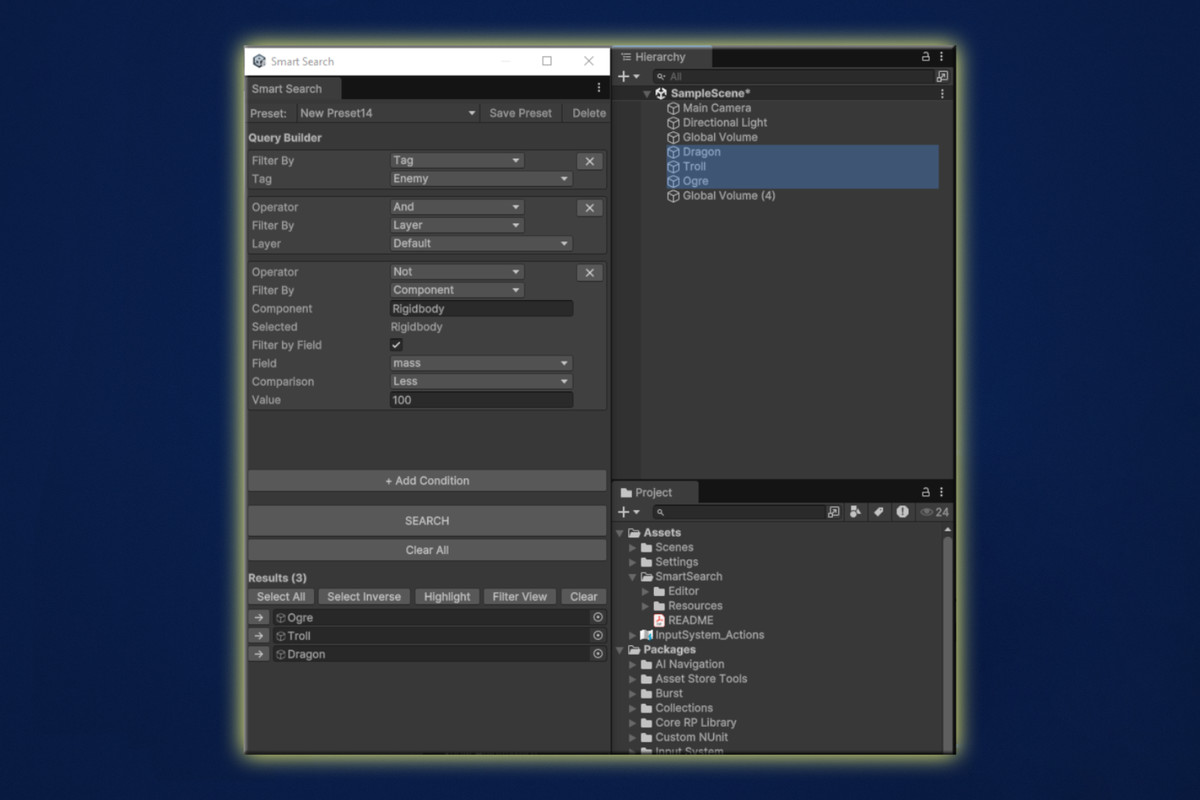
- ✅ Multiple Result Actions - Select, Highlight, or Filter View with one click
- ✅ Preset System - Save and reuse common searches instantly
- ✅ Zero Learning Curve - Intuitive interface, start using in 30 seconds
🚀 Key Features
Visual Query Builder
Build complex searches without typing a single query string:
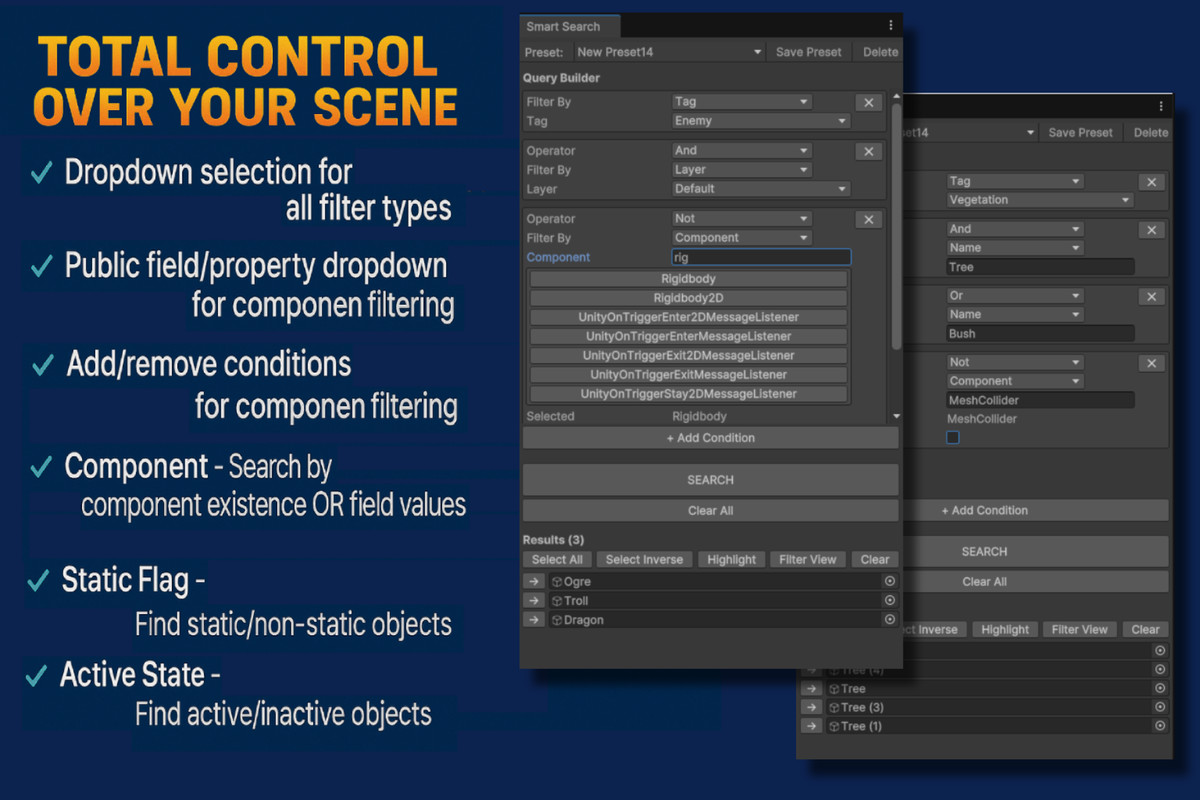
- Dropdown selection for all filter types
- Auto-complete component search
- Public field/property dropdown for component filtering
- Add/remove conditions with single clicks
- Real-time feedback as you build
Powerful Filtering Options
- Name - Contains, exact, starts/ends with matching
- Tag - Select from project tags
- Layer - Select from project layers
- Component - Search by component existence OR field values
- Static Flag - Find static/non-static objects
- Active State - Find active/inactive objects
- Logical Operators - AND, OR, NOT between any filters
Component Field Search
Component: Player
Field: health
Comparison: >
Value: 50
Finds all Player components where health is greater than 50. Works with:
- Int, Float, Bool, String fields
- Public properties
- Any comparison operator (=, !=, >, <, >=, <=)
Four Result Actions
Select All - Select all matching objects for batch editing
Select Inverse - Select everything EXCEPT matches
Highlight - Blue highlight in hierarchy (non-intrusive)
Filter View - Hide non-matching objects (like Unity's native search)
Smart Preset System
- Save frequently used searches as reusable presets
- One-click application from preset library
- Update existing presets anytime
- Lightweight ScriptableObject assets
- Perfect for team workflows
💼 Perfect For
Level Designers
- Find all trigger colliders in specific areas
- Locate all lights on environment layer
- Batch-edit spawn points and waypoints
- Filter decoration objects by type
Technical Artists
- Find all renderers on specific layers
- Locate objects with certain materials
- Batch-process LOD groups
- Optimize scene rendering
Teams
- Share preset libraries across team
🎨 Workflow Examples
Example 1: Find All Enemies with AI
Component: Enemy
AND Component: NavMeshAgent
AND Tag: Enemy
AND Layer: Default
One search, perfect results. Select All → Batch edit properties.
Example 2: Debug Low Health Players
Component: PlayerHealth
Field: currentHealth
Comparison: <
Value: 30
Instantly find all players in critical health state.
Example 3: Cleanup Scene
Name: Test
OR Name: Debug
OR Active: False
Find all test/debug objects and inactive GameObjects. Delete in one go.
Example 4: Optimize Rendering
Component: MeshRenderer
AND Layer: Environment
AND Static: True
Find all static environment renderers. Batch lightmap settings.
⚡ Performance
- Fast Search - Searches 1000+ objects in milliseconds
- Non-Blocking - UI remains responsive during search
- Efficient Filtering - Uses Unity's native HideFlags system
- Lightweight - Minimal memory footprint
- No Runtime Impact - Editor-only, zero performance cost in builds
From the publisher's Asset Store listing.
Technical details
- Unity Version: 2020.3 or higher
- Platform: Editor only (no runtime components)
- Dependencies: None - pure C# Unity Editor API
- Integration: Zero setup, works immediately after import
- Scripting Backend: Compatible with Mono and IL2CPP
- Code Quality: Clean, documented, maintainable
Compatibility
| Unity version | Built-in | URP | HDRP |
|---|---|---|---|
| 6000.0.34f1 | Compatible | Compatible | Compatible |
As listed on the Asset Store.