
 View on Asset Store (opens in new tab)
Package details
- Latest version
- 1.0.0
- Last updated
- First released
- Unity version
- 6000.2.8 or later
- Package size
- 3.8 MB
- Files
- 8
- Favorites
- 2
- Views in the past week
- 3
Price tracking
- Last checked
- Tracked since
- Lowest recorded
- $4.99 on
Keywords
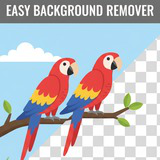
Easy Background Remover
Quickly remove backgrounds from 2D sprites directly inside the Unity editor. This intuitive tool streamlines your workflow by eliminating the need for external image editors. Click, refine, and save!
Affiliate link · Purchases support this site
Price history
Last 6 months
USDAsset preview
1 / 3
Easy Background Remover screenshot 1
About this asset
Stop the tedious back-and-forth between Unity and external image editors! Easy Background Remover is a powerful and intuitive editor tool that lets you quickly remove backgrounds from your 2D sprites directly inside the Unity Editor. Streamline your 2D workflow and save hours of development time with this essential utility.
With a simple point-and-click interface and live previews, you can see your changes in real-time. Whether you're cleaning up placeholder art or finalizing production assets, this tool gives you the control you need to get the job done fast.
Key Features
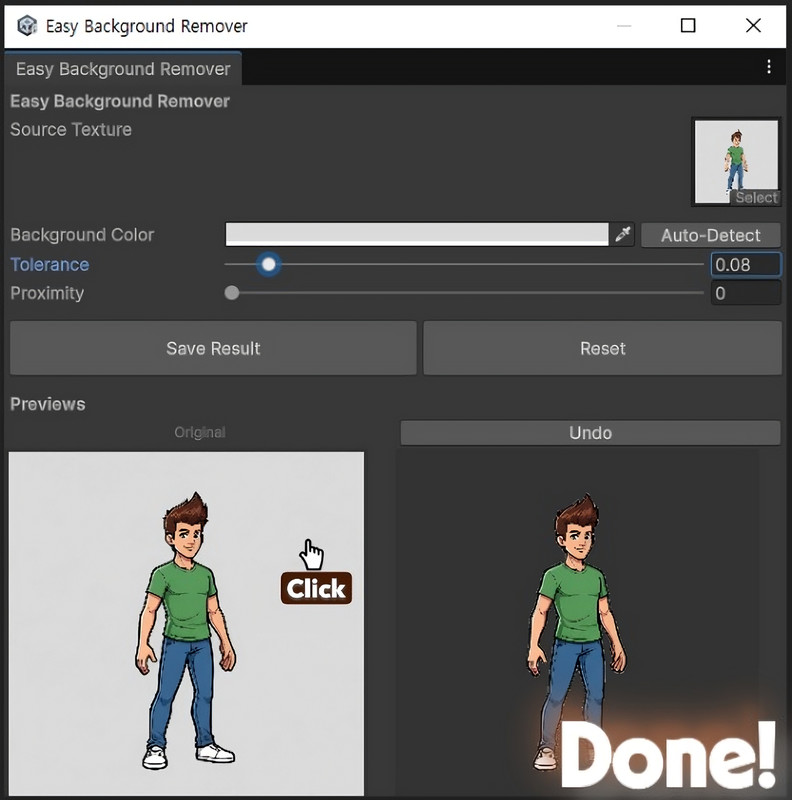
- Interactive Point-and-Click Removal: Simply click on the part of the image you want to remove.
- Live Side-by-Side Preview: Instantly see your changes without having to guess the outcome.
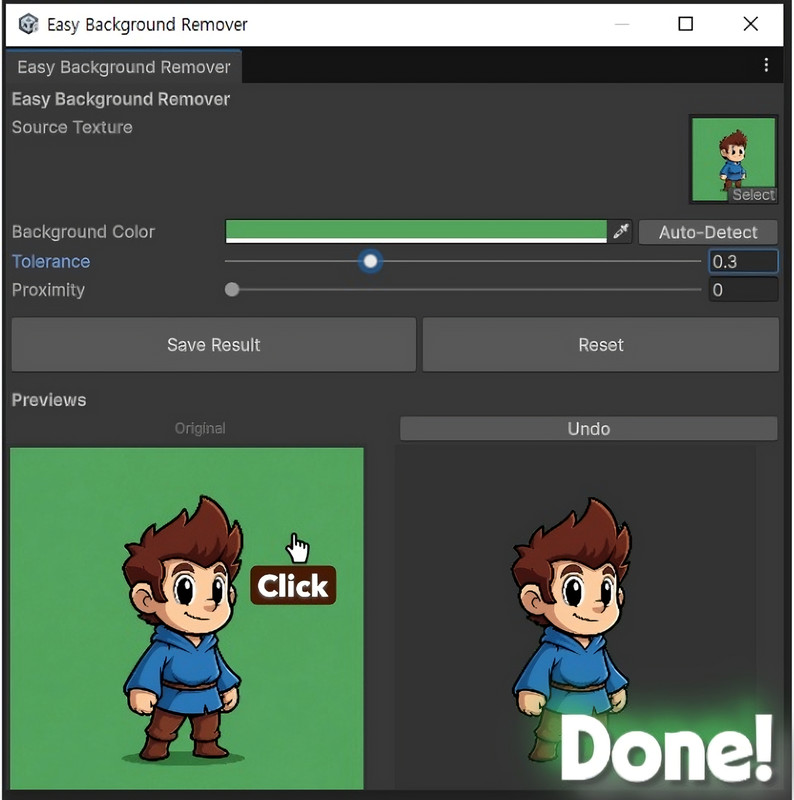
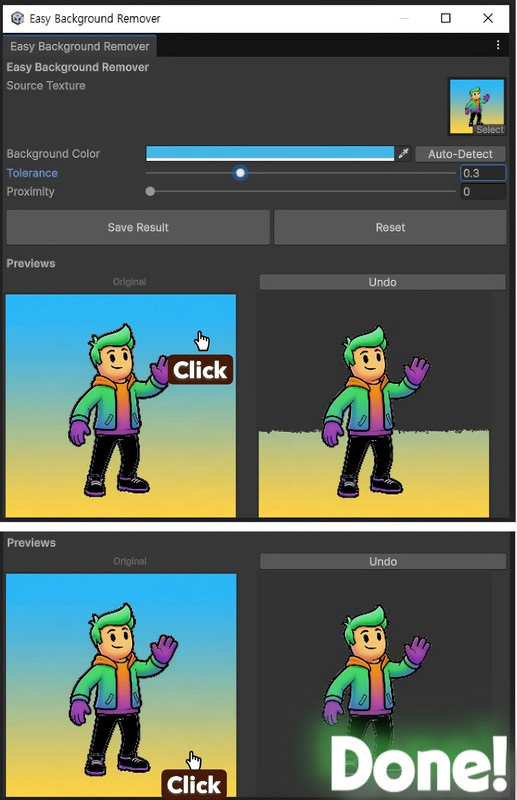
- Powerful Control Sliders: Use the Tolerance and Proximity sliders to fine-tune the removal process, handling everything from solid colors to anti-aliasing artifacts.
- Non-Destructive Workflow: Easily correct mistakes with Undo and Reset functionality.
- Save as Transparent PNG: Export your cleaned-up sprite as a new transparent PNG with a single click.
- Automatic Read/Write Helper: The tool will prompt you to enable the necessary texture import settings automatically.
Is the content customizable?
Yes, the background removal process is highly customizable. The Tolerance and Proximity sliders give you fine-grained control over the selection, allowing you to handle a wide variety of images. The iterative workflow lets you chip away at complex backgrounds piece by piece until you achieve the perfect result.
Is it suitable for a particular genre?
This tool is a must-have for any developer working with 2D assets. It is not genre-specific and is incredibly useful for:
- 2D Platformers, RPGs, Puzzle games, and more.
- UI elements, icons, and buttons.
- Rapid prototyping with art found online.
- Any project that requires sprites with transparent backgrounds.
From the publisher's Asset Store listing.
Technical details
- Interactive Background Removal: Visually select and remove backgrounds from textures directly within the Unity Editor.
- Intuitive Color Selection: Automatically detect background colors or manually pick them using a color field or by clicking on the image.
- Fine-tuned Control: Adjust background removal with customizable tolerance and proximity settings.
- Live Previews: Instantly see the original and processed images side-by-side.
- Undo/Redo Functionality: Easily revert changes with a built-in undo system.
- Save Transparent Images: Export processed images as transparent PNG files.
- Dedicated Editor Window: Access all features through a user-friendly Unity Editor window.
Compatibility
| Unity version | Built-in | URP | HDRP | Custom |
|---|---|---|---|---|
| 6000.2.8f1 | Compatible | Compatible | Compatible | Compatible |
As an editor tool, this asset is fully compatible with all render pipelines.
It operates on Texture2D assets at the editor level and does not depend on any rendering systems. The transparent sprites generated by this tool are standard assets that can be used seamlessly in any project, regardless of the render pipeline you choose.
As listed on the Asset Store.