
 View on Asset Store (opens in new tab)
Package details
- Latest version
- 0.2.0
- Last updated
- First released
- Unity version
- 6000.3.22 or later
- Package size
- 1.1 MB
- Files
- 21
- Favorites
- 9
- Views in the past week
- 31
Price tracking
- Last checked
- Tracked since
- Lowest recorded
- Free on
Keywords
UX Importer for UI Toolkit
Import UI designs from web tools to Unity UI Toolkit, establishing your UI development starting point. Directly loading exported JSON design data streamlines manual UI construction.
Affiliate link · Purchases support this site
Price history
Last 6 months
USDAsset preview
1 / 1
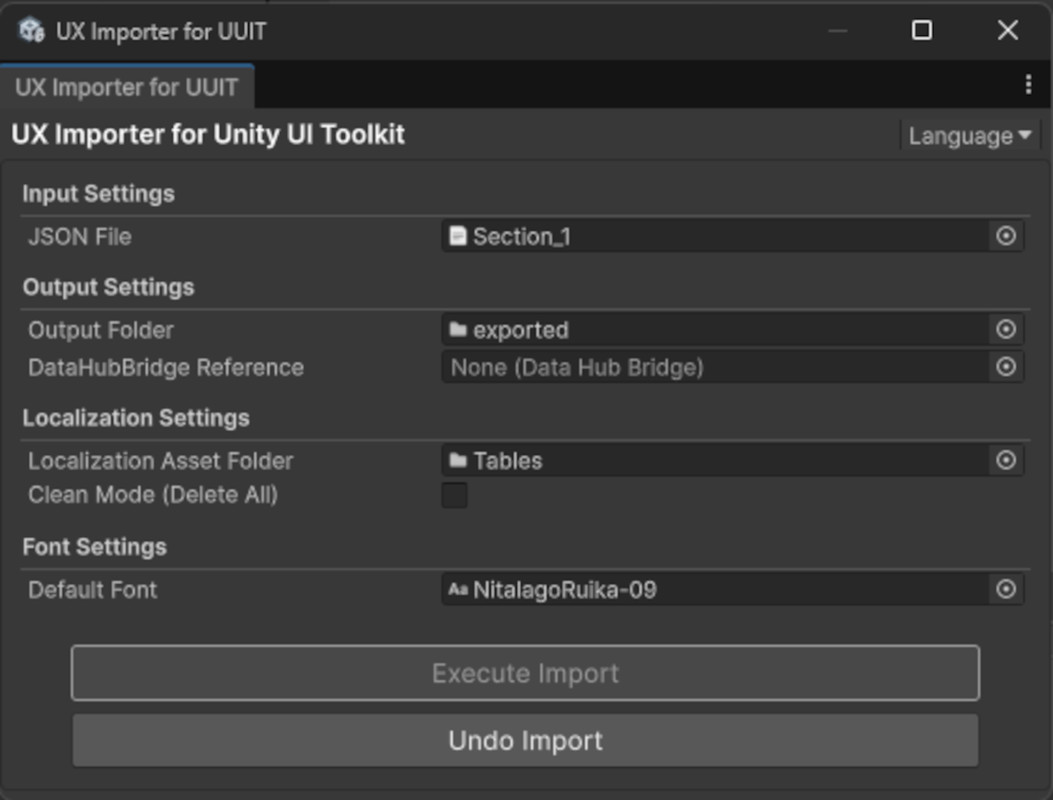
UX Importer for UI Toolkit screenshot 1
About this asset
This free version serves as a functional preview of UX Importer Plus (Pro Version). While it provides the core functionality to convert your Figma designs into UXML and USS—including Localization String Table synchronization—advanced features such as Custom Properties data binding require an upgrade. Please use this version to verify the core conversion quality and workflow compatibility with your project.
UX Importer for Unity UI Toolkit is a toolset for converting UI designs created in web-based design platforms into Unity's UI Toolkit format (UXML and USS). It consists of an external design tool plugin (UX Exporter) and a Unity editor extension, smoothing the collaboration between designers and developers.
Export a JSON file with all scene information and necessary asset files as a ZIP using the UX Exporter plugin. Simply import that ZIP file into your Unity project to faithfully reproduce the layout from the original design.
Please obtain the external design plugin (UX Exporter) here.
From the publisher's Asset Store listing.
Technical details
- Data Flow:
- The UX Exporter plugin (TypeScript) analyzes design files, collects data required for UI recreation, and outputs JSON.
- The Unity-side tool (C#) reads this JSON and converts/automatically generates UXML and USS stylesheets usable with the UI Toolkit.
- Supported Design Data:
- Layout: Size, Position (width, height, etc.)
- Design Elements: Color (fill, stroke), Opacity
- Text: Basic font name, font sizing, text alignment
- Assets: Reference information for exported image assets
Compatibility
| Unity version | Built-in | URP | HDRP | Custom |
|---|---|---|---|---|
| 6000.3.22f1 | Compatible | Compatible | Compatible | Compatible |
As listed on the Asset Store.