
 View on Asset Store (opens in new tab)
Package details
- Latest version
- 1.0.0
- Last updated
- First released
- Unity version
- 6000.0.49 or later
- Package size
- 472 KB
- Files
- 5
- Favorites
- 4
- Views in the past week
- 7
Price tracking
- Last checked
- Tracked since
- Lowest recorded
- $22.50 on
Keywords
- Search for Data management
- Search for Project Cleaner
- Search for project management
- Search for asset organizer
- Search for Project Organization
- Search for file browser
- Search for Project Cleanup
- Search for asset cleaner
- Search for Manager
- Search for File management
- Search for Batch Rename
- Search for Scene Organizer

Project Cleaner
Project Cleaner is an all-in-one tool to keep your projects clean, organized, and efficient!
Affiliate link · Purchases support this site
Price history
Last 6 months
USDAsset preview
1 / 4

Project Cleaner screenshot 1

About this asset
Easily find and remove unused assets, bulk rename files, and auto-organize everything into the right folders — all from a simple, powerful Editor window.
Key Features:
Instantly scan for unused assets and safely delete or move them to Trash
Organize assets into type-based folders (Scripts, Textures, Prefabs, etc.) with one click
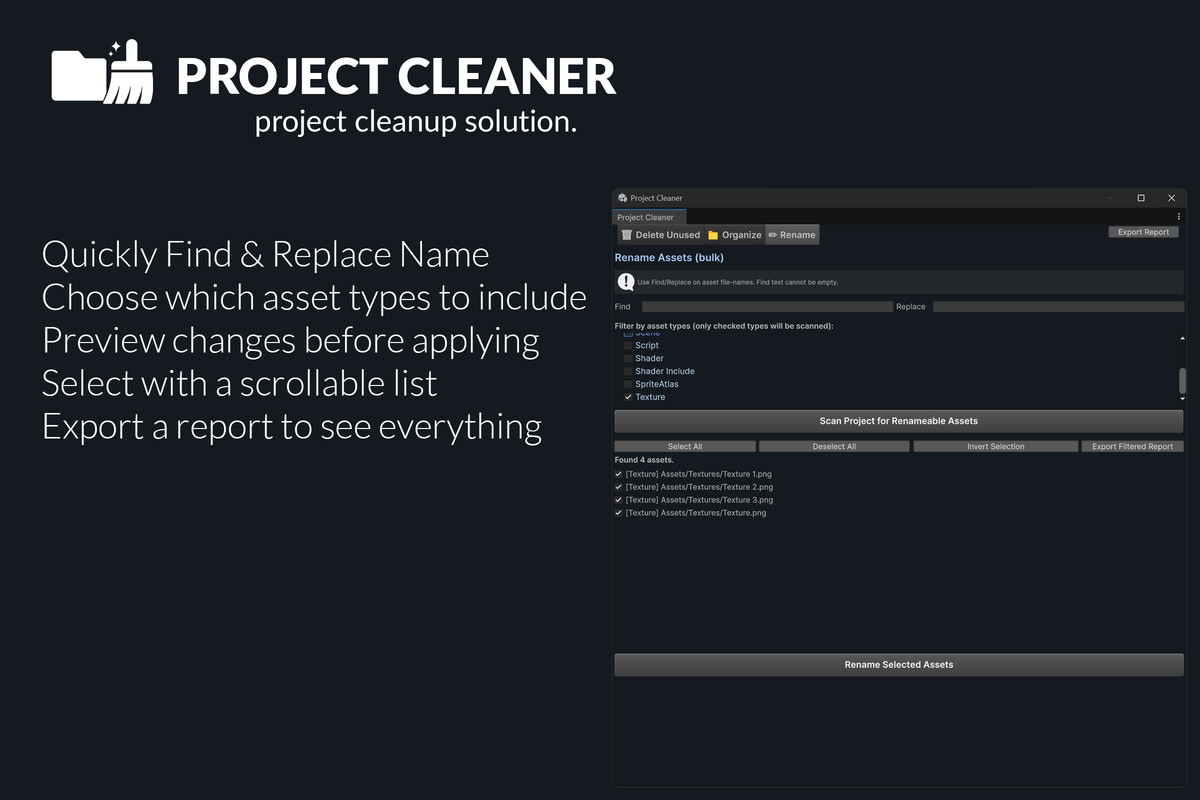
Bulk rename asset files with find & replace, including powerful filtering
Preview all changes before you apply them
Exclude specific folders (like Plugins or Editor) to protect your important files
Export asset reports for audits or documentation
Project Cleaner makes project housekeeping fast, safe, and easy for any Unity team.
Perfect for preparing releases, reducing build size, or just keeping your workspace tidy!
From the publisher's Asset Store listing.
Technical details
Project Cleaner Tabs is a comprehensive Editor extension, designed to automate and streamline asset management.
- Single-window workflow with three main tabs: Delete Unused, Organize, and Rename.Editor Window:
- Unused Asset Detection:Scans project assets and cross-references with scene dependencies and MonoBehaviour usages to accurately identify unused files.
Exclusion system for custom folders and paths. - Organization:Automatically sorts assets into dedicated folders (e.g., Assets/Scripts, Assets/Textures) based on type mappings.
Preview mode provides a full dry-run report before making changes. - Bulk Renaming:Find & Replace functionality across asset filenames.
Asset type filtering and multi-selection UI.
Prevents renaming outside the Assets directory or affecting folders. - Reporting & Safety:Export full or filtered asset lists as .txt reports.
Move-to-Trash or permanent delete options; all destructive actions supported by Preview (dry-run) mode.
Save project and open scenes directly from the tool. - Performance:Uses incremental, non-blocking scanning within the Editor update loop. Thumbnail previews and fast selection toggles for large asset lists.
Compatibility
| Unity version | Built-in | URP | HDRP | Custom |
|---|---|---|---|---|
| 6000.0.49f1 | Compatible | Compatible | Compatible | Compatible |
Compatible with all Render Pipelines — Custom, Built-in, URP, and HDRP.
As listed on the Asset Store.