
 View on Asset Store (opens in new tab)
Package details
- Latest version
- 1.0.2
- Last updated
- First released
- Unity version
- 2022.3.62 or later
- Package size
- 72 KB
- Files
- 6
- Favorites
- 5
- Views in the past week
- 10
Price tracking
- Last checked
- Tracked since
- Lowest recorded
- Free on
Keywords

Fast Play Mode
Instant Play Mode Switching from Scene View
Affiliate link · Purchases support this site
Price history
Last 6 months
USDAsset preview
1 / 1
Fast Play Mode screenshot 1
About this asset
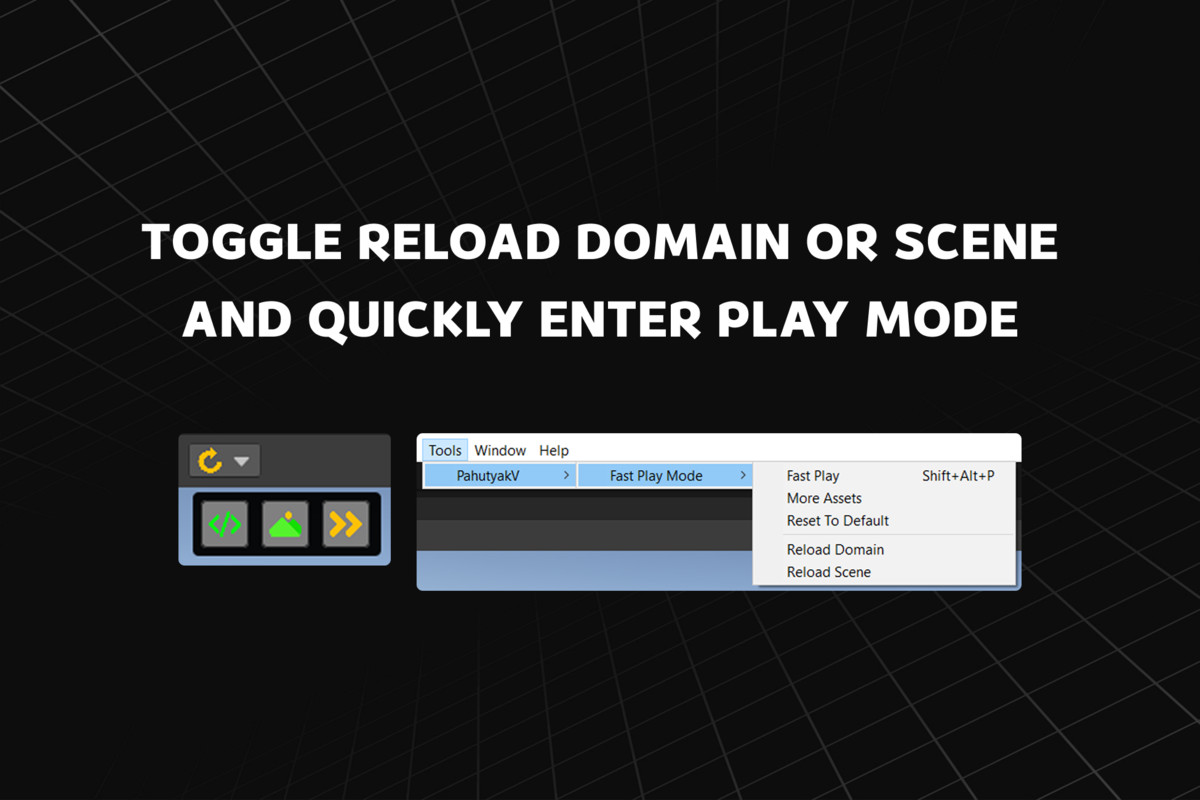
Speed up your Unity workflow with instant access to Enter Play Mode Options directly from the Scene View.
Fast Play Mode lets you toggle Domain Reload and Scene Reload without opening Project Settings, and quickly enter Play Mode using the SceneView overlay or the shortcut Shift + Alt + P.
Stop wasting time navigating menus — iterate faster, test gameplay quicker, and keep your development flow uninterrupted.
Features
- Instant Fast Play — enter Play Mode with optimized reload settings
- Toggle Domain Reload directly from Scene View
- Toggle Scene Reload directly from Scene View
- Custom shortcut support for quick Play Mode entry
Note: Disabling Domain Reload or Scene Reload can cause static variables or scene data to persist between Play Mode sessions. Enable reloads again before final testing or building your project.
From the publisher's Asset Store listing.
Compatibility
| Unity version | Built-in | URP | HDRP | Custom |
|---|---|---|---|---|
| 2022.3.62f3 | Compatible | Compatible | Compatible | Compatible |
As listed on the Asset Store.