
 View on Asset Store (opens in new tab)
Package details
- Latest version
- 1.0
- Last updated
- First released
- Unity version
- 6000.2.2 or later
- Package size
- 217 KB
- Files
- 18
- Favorites
- 3
- Views in the past week
- 6
Price tracking
- Last checked
- Tracked since
- Lowest recorded
- $7.50 on
Keywords
Ultra Performance Tools - LITE
A professional, real-time performance monitor. Track FPS, Frametime, CPU/GPU, Memory, and advanced stats like 1% Low FPS.
Affiliate link · Purchases support this site
Price history
Last 6 months
USDAsset preview
1 / 5
Ultra Performance Tools - LITE screenshot 1
About this asset
Ultra FPS Counter Lite
Your Professional, Lightweight Performance Monitor.
Stop guessing if your game is running smoothly. Ultra FPS Counter Lite is a powerful, professional-grade tool that gives you the essential, real-time data you need to understand and optimize your project's performance.
Designed for developers who need more than a basic FPS number, this asset provides advanced metrics like 1% and 0.1% Low FPS, giving you true insight into performance consistency and stuttering. It's the perfect, affordable solution for data-driven optimization.
📈 Key Features
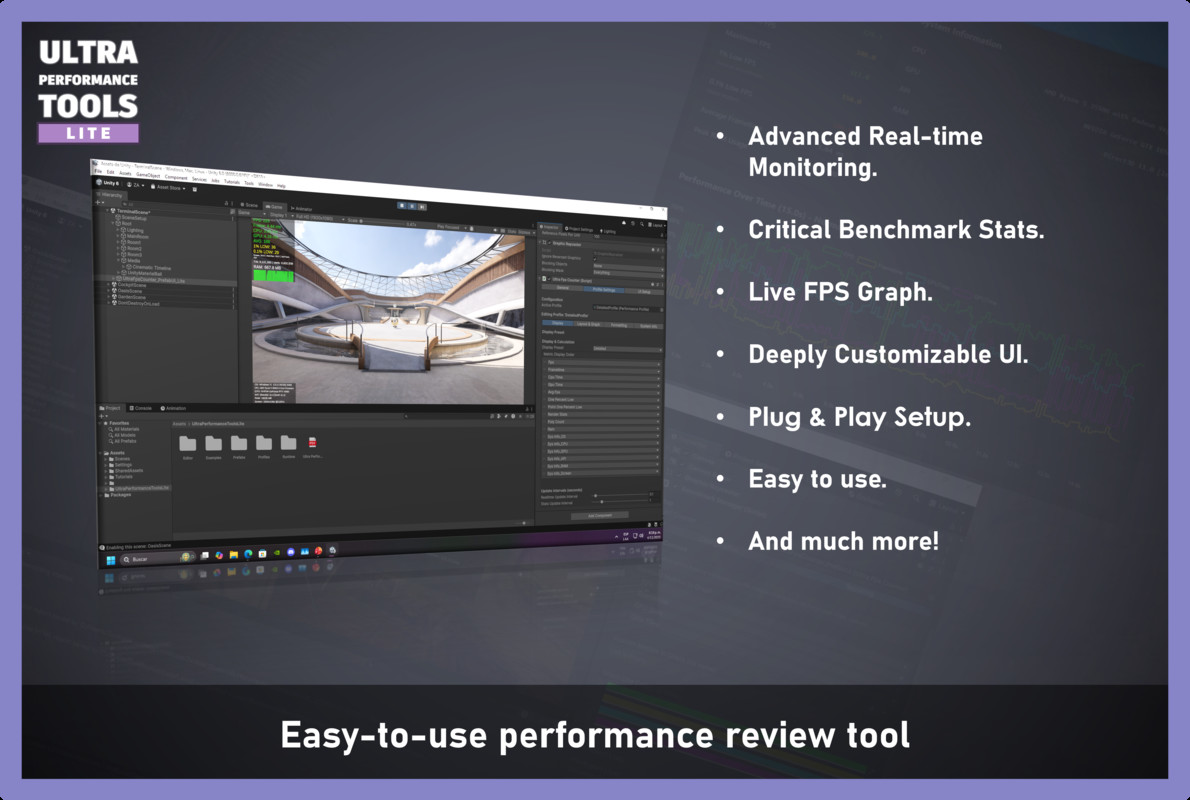
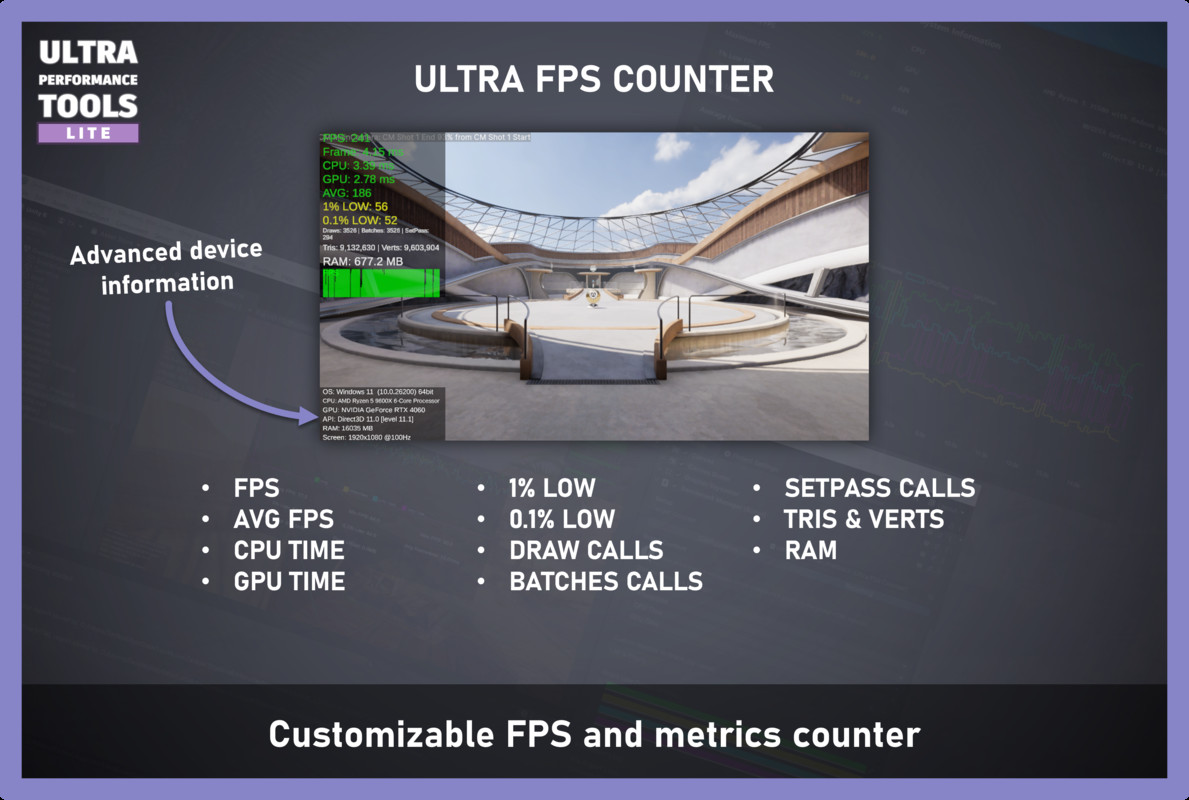
- Advanced Real-time Monitoring: Track not just FPS, but also Frametime, CPU/GPU Time, Memory (RAM), Draw Calls, Batches, and more with high precision.
- Critical Benchmark Stats: Instantly see your Average FPS, 1% Low, and 0.1% Low FPS updated in real-time on the counter, helping you identify performance drops and stuttering as they happen.
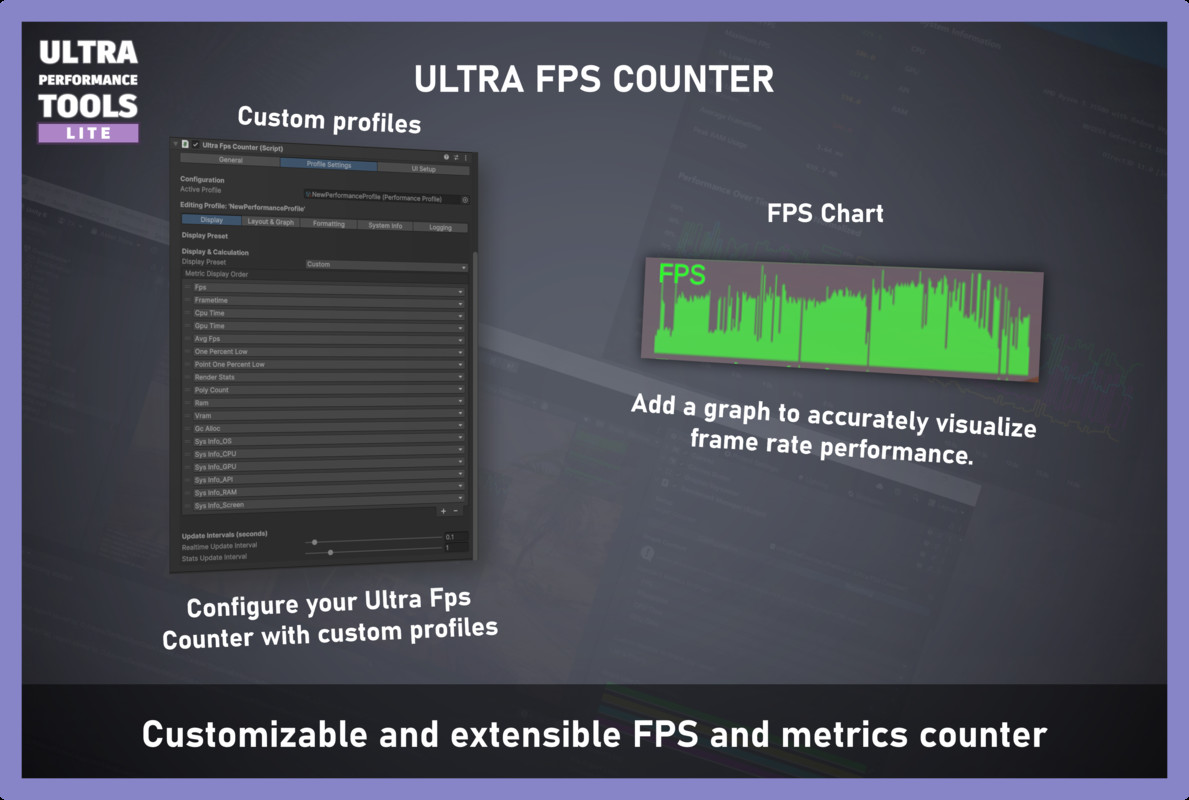
- Live FPS Graph: Visualize your performance with a clean, live-updating graph for your FPS, right on your screen.
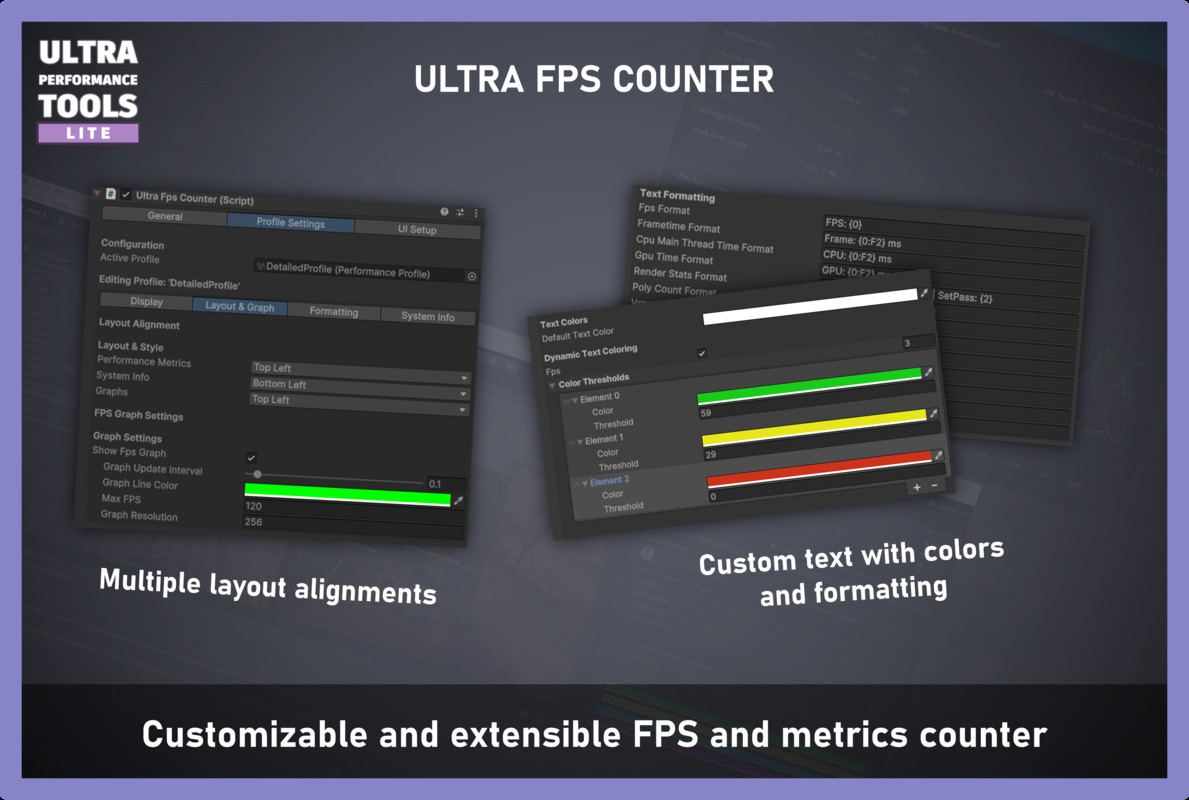
- Deeply Customizable UI: Use PerformanceProfile ScriptableObjects to create, save, and switch between different monitoring layouts. Control everything from colors and text formatting to UI alignment.
- Plug & Play Setup: Get started in seconds with a dedicated menu item that creates a fully configured counter UI with a single click.
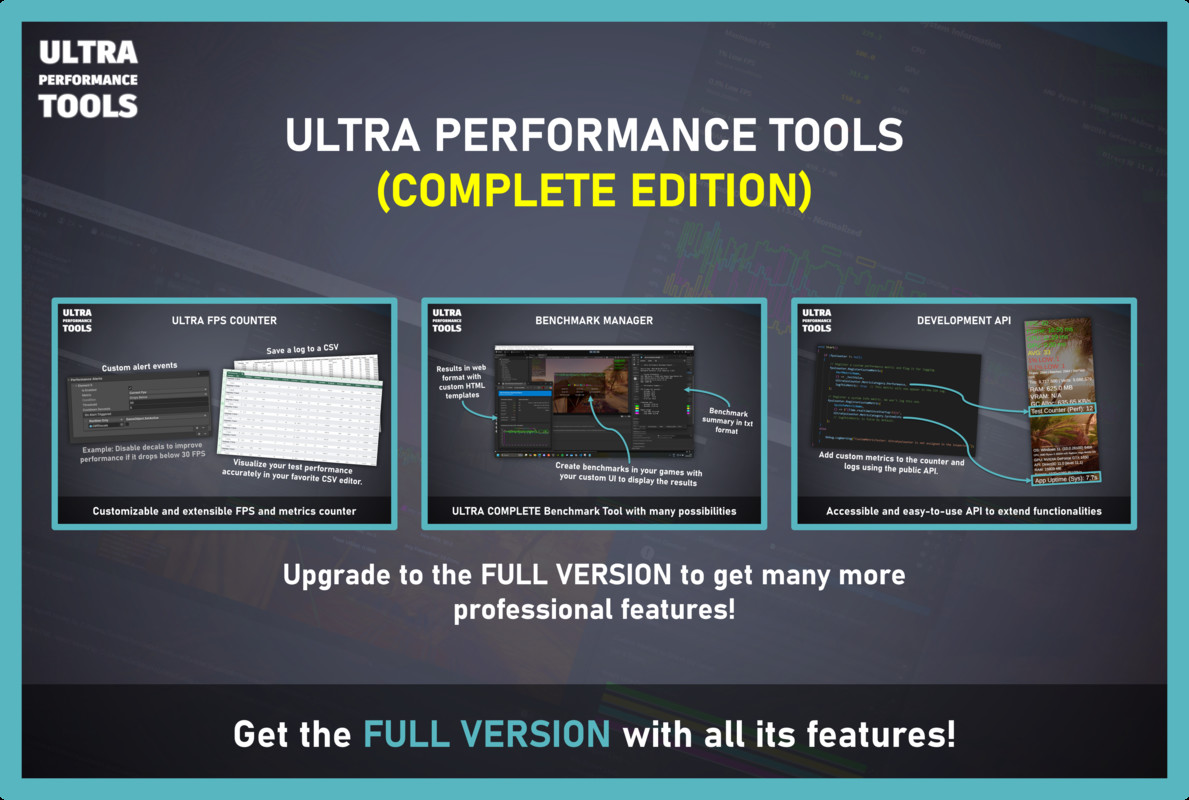
⭐ Upgrade to Ultra Performance Tools (Full Version) to Unlock:
Love the Lite version? Take your optimization to the next level with the complete professional suite!
- Advanced Benchmarking Module: Run controlled tests and generate stunning, interactive HTML reports.
- More Real-time Graphs: Visualize Frametime, CPU, and GPU time.
- In-Depth Metrics: Monitor VRAM usage and Garbage Collector allocations.
- Performance Alerts: Trigger events when performance drops.
- CSV Logging & Custom Metrics API: Log all data and even track your own game variables!
UPGRADE TO THE FULL VERSION HERE:
ULTRA PERFORMANCE TOOLS - COMPLETE EDITION
Why Choose Ultra FPS Counter Lite?
Go Beyond a Simple FPS Counter
Most free or basic tools just show you the current FPS. We provide the metrics that truly matter for game performance. With stats like 1% Low FPS, you can see how consistent your framerate is, which is crucial for a smooth player experience.
Total Visual Control
The entire system is designed for flexibility.
- Performance Profiles: Create multiple monitoring layouts using ScriptableObjects—a minimal view for gameplay testing, a detailed view for debugging—and switch between them on the fly.
- Dynamic Coloring: Configure color thresholds to instantly spot when your FPS drops below a certain target (e.g., green for 60+, yellow for 30-59, red for <30).
- Custom Text Formatting: You have full control over how every piece of data is displayed.
Designed for Your Workflow
- One-Click Installer: Use the Tools > Ultra Performance Tools menu to instantly add the Counter UI to your scene.
- Clean Inspector: The components feature a clean, organized, and tabbed inspector to make configuration a breeze.
- Optimized Core Engine: The core data collection is decoupled into a pure C# class, ensuring minimal performance impact on your game.
What's Included?
- UltraFpsCounter - The main UI controller.
- UltraPerformanceEngine (Lite Version) - The core data collection engine.
- PerformanceProfile (Lite Version) - The ScriptableObject for UI configuration.
- Powerful, intuitive custom editor inspectors.
- One-click menu installer for easy setup
- A pre-configured prefab for the Counter UI.
- Full C# source code.
- Comprehensive PDF documentation.
From the publisher's Asset Store listing.
Technical details
📈 Real-time Performance Monitor
- Track FPS, Frametime, CPU & GPU Time (ms).
- Monitor Memory: Managed RAM Usage.
- Analyze Rendering Stats: Draw Calls, Batches, SetPass Calls, Triangles & Vertices.
- Get Critical Benchmark Stats directly on the counter: Average FPS, 1% Low FPS, and 0.1% Low FPS.
🎨 Customizable UI & Configuration
- Performance Profile System: Create and switch between UI layouts using ScriptableObjects.
- Dynamic Coloring: Set custom color thresholds for any metric.
- Custom Text Formatting: Full control over how data is displayed.
- Real-time FPS Graph: Display a live-updating graph for FPS.
- Flexible Layouts: Align UI blocks to any corner of the screen.
🚀 Editor Integration & Workflow
- One-Click Installer: Add the Counter to your scene via a simple Tools menu item.
- Clean, Tabbed Inspectors: Easy-to-navigate custom editors.
- Full C# Source Code Included.
- Comprehensive PDF Documentation.
Compatibility
- Supports all scriptable render pipelines (Built-in, URP, HDRP).
- Compatible with Unity 2020.3 LTS and newer. (Gracias a la modificación que hicimos).
Compatibility
| Unity version | Built-in | URP | HDRP | Custom |
|---|---|---|---|---|
| 6000.2.2f1 | Compatible | Compatible | Compatible | Compatible |
As listed on the Asset Store.