
 View on Asset Store (opens in new tab)
Package details
- Latest version
- 1.0
- Last updated
- First released
- Unity version
- 6000.0.30 or later
- Package size
- 62 KB
- Files
- 2
- Favorites
- 1
- Views in the past week
- 10
Price tracking
- Last checked
- Tracked since
- Lowest recorded
- $4.99 on
Keywords

SnapShot Pro – Screenshot Tool
- Price drop
SnapShot Pro is your all-in-one Unity editor extension for capturing and exporting high-quality screenshots directly from the Game View or Scene View.
Lowest recorded price
Get 67% off on Asset Store (opens in new tab)Affiliate link · Purchases support this site
Price history
Last 6 months
USDAsset preview
1 / 3
SnapShot Pro – Screenshot Tool screenshot 1
About this asset
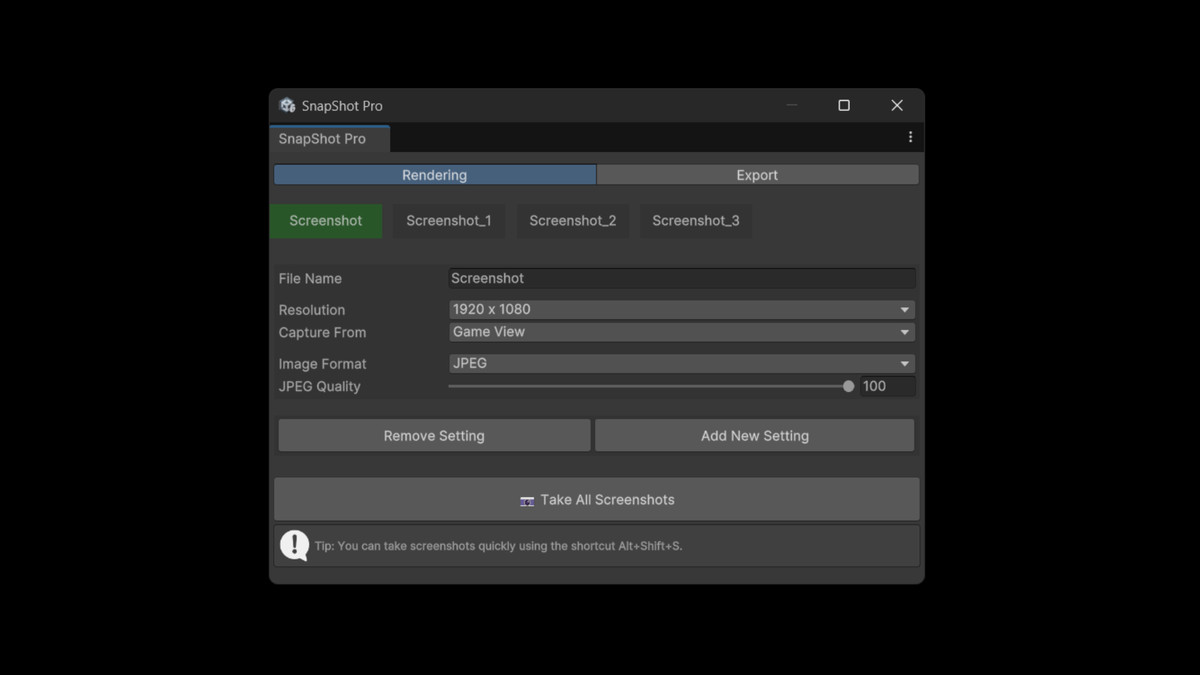
SnapShot Pro makes taking and managing screenshots inside Unity fast, customizable, and professional. Whether you need quick captures during development or polished, high-resolution exports for marketing materials, this tool gives you complete control.
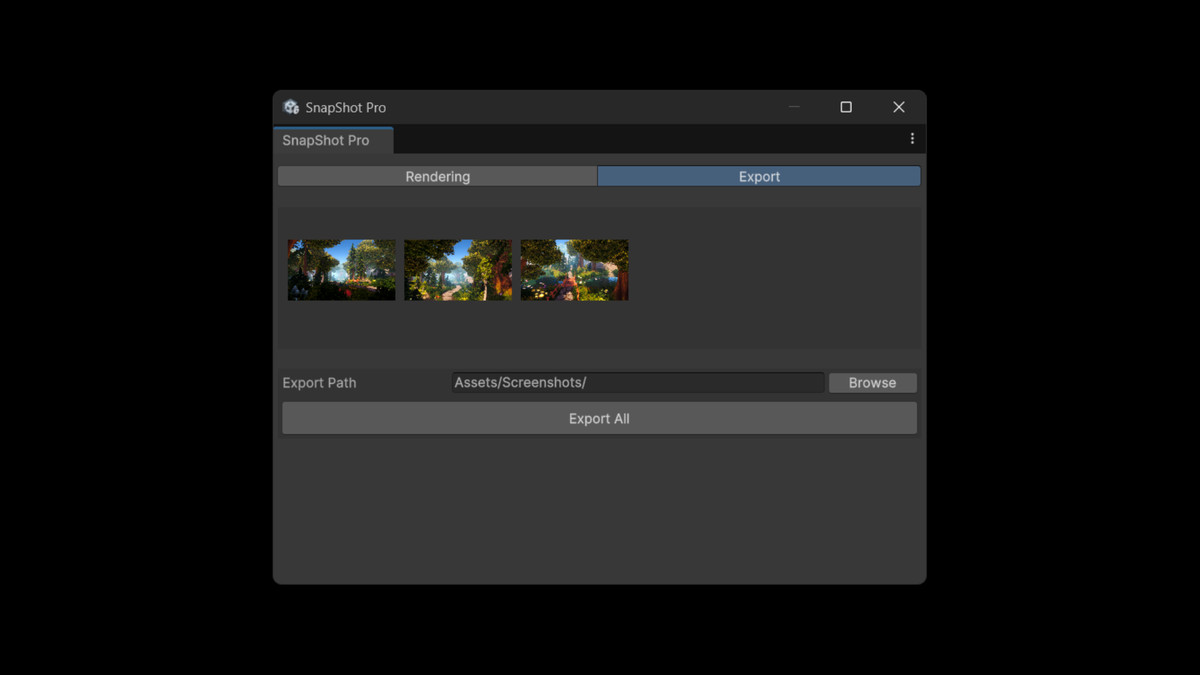
With multiple presets, customizable resolutions, support for transparent backgrounds, and a simple export workflow, SnapShot Pro fits into any project pipeline. Capture screenshots in bulk, organize them directly inside the editor, and export them to your chosen folder in PNG, JPEG, or EXR formats.
Features
- Capture from Game View or Scene View
- Preset and custom resolutions (including 4K and square formats)
- Support for transparent backgrounds
- Multiple image formats (PNG, JPEG with adjustable quality, EXR)
- Batch capture with multiple settings at once
- Built-in gallery preview before exporting
- One-click export to any folder
- Handy Alt+Shift+S shortcut for instant screenshots
- Simple, intuitive UI directly inside Unity
From the publisher's Asset Store listing.
Technical details
- Works inside the Unity Editor (no runtime overhead)
- Uses RenderTextures for accurate camera capture
- Supports multiple screenshot profiles with independent settings
- Compatible with Unity’s Game View and Scene View
- Exports directly to project folders or external directories
- Supports resolutions: Screen Size, 1920×1080, 2560×1440, 3840×2160, 1080×1080, or fully custom
- Output formats: PNG, JPEG (1–100% quality), EXR
- Editor shortcut: Alt+Shift+S for fast captures
Compatibility
| Unity version | Built-in | URP | HDRP |
|---|---|---|---|
| 6000.0.30f1 | Compatible | Compatible | Compatible |
As listed on the Asset Store.