
 View on Asset Store (opens in new tab)
Package details
- Latest version
- 1.6
- Last updated
- First released
- Unity version
- 2021.3.45 or later
- Package size
- 36.7 MB
- Files
- 141
- Favorites
- 30
- Views in the past week
- 4
Price tracking
- Last checked
- Tracked since
- Lowest recorded
- $17.49 on
Keywords

Terrain Interaction Toolkit
Terrain Interaction Toolkit enables interaction with terrain and foliage by converting detail layers into scene GameObjects or lightweight runtime placeholders and optional custom shaders.
Affiliate link · Purchases support this site
Price history
Last 6 months
USDAsset preview
1 / 10
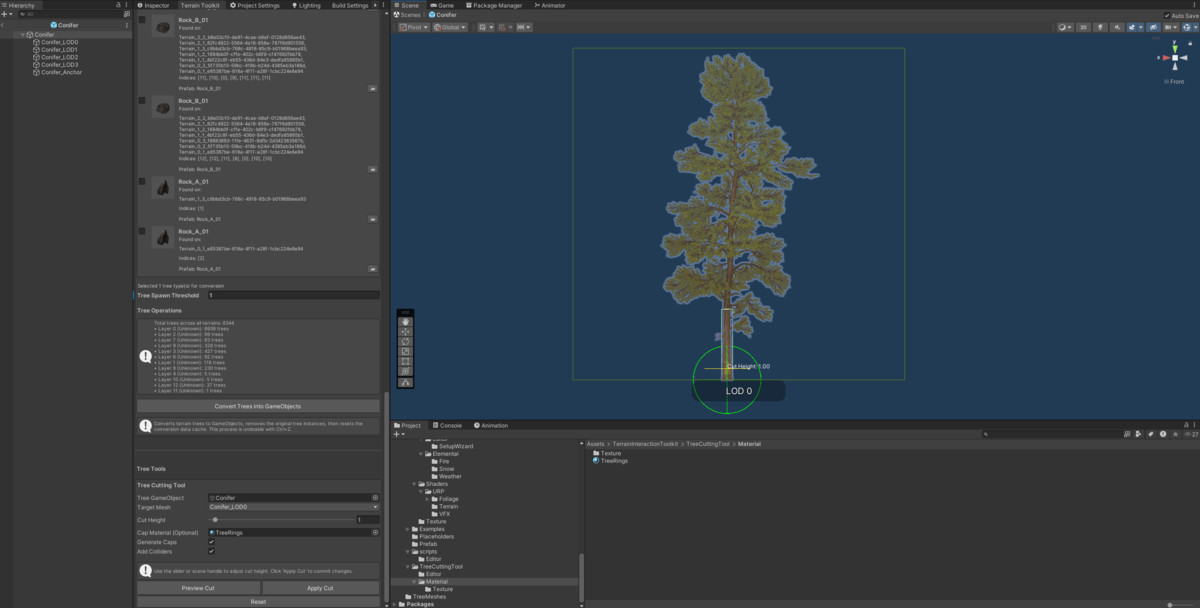
Terrain Interaction Toolkit screenshot 1


About this asset
Terrain Interaction Toolkit solves the fundamental problem that Unity terrain details—grass, rocks, vegetation—cannot be interacted with during gameplay. They exist purely as visual decorations rendered by the terrain system. This toolkit enables dynamic interaction with terrain foliage by converting detail layers into real GameObjects or lightweight runtime placeholders that can be collected, destroyed, animated, or modified through physics and gameplay logic.
The toolkit provides two distinct conversion workflows. The first converts terrain details into fully instanced GameObjects in the editor or at runtime, giving complete control over meshes, materials, colliders, and scripting. The second generates invisible runtime placeholders that maintain terrain rendering while enabling interaction through a grid-based culling system designed for performance. When a placeholder is interacted with, the corresponding terrain detail is removed from the underlying detail map in real time.
Both systems include backup and restoration workflows that preserve original terrain state. Backups use GUID-based validation to prevent mismatched restorations across scenes, terrain assets, and converter instances. The toolkit works seamlessly in multi-terrain environments through centralized management and batch operations.
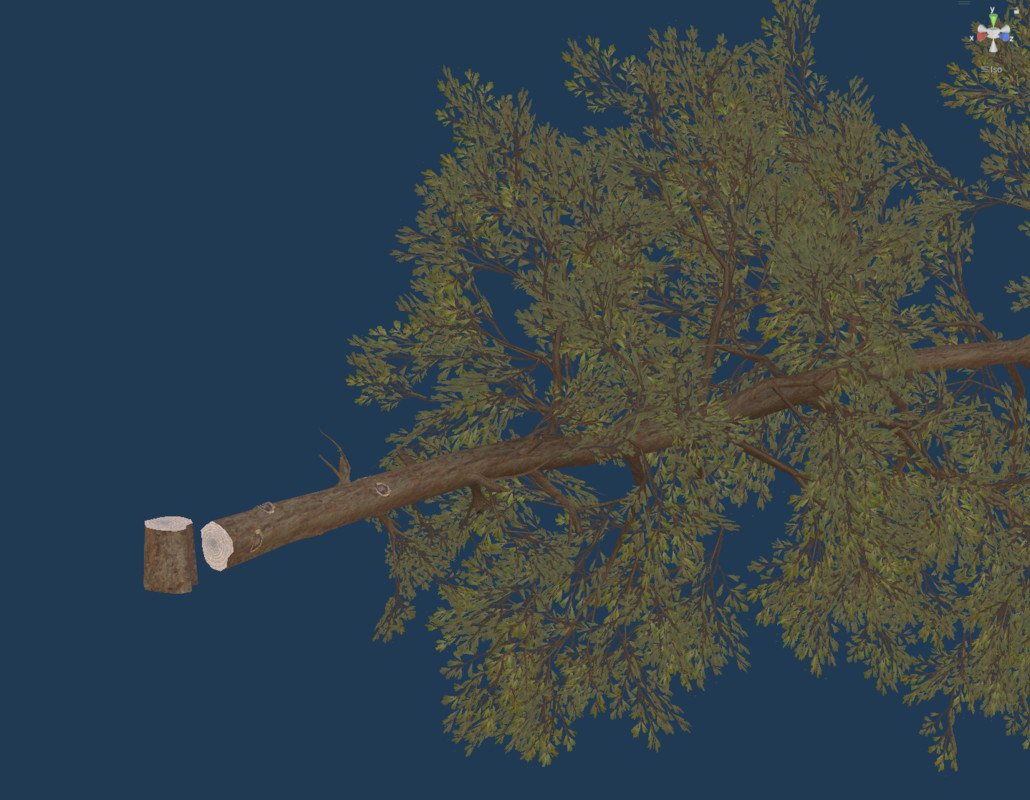
Beyond detail conversion, the toolkit includes a tree cutting system that slices tree meshes at arbitrary heights in the editor. It separates trunk geometry from foliage, generates procedural cap geometry at the cut plane, and reassembles the pieces into gameplay-ready stump and falling tree assets with optional physics colliders.
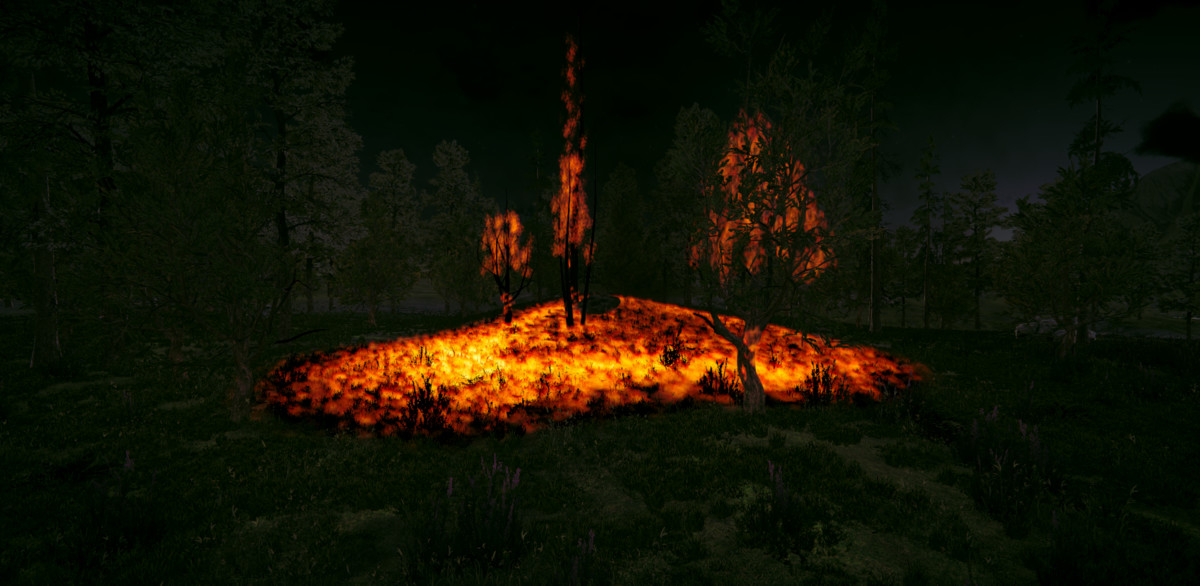
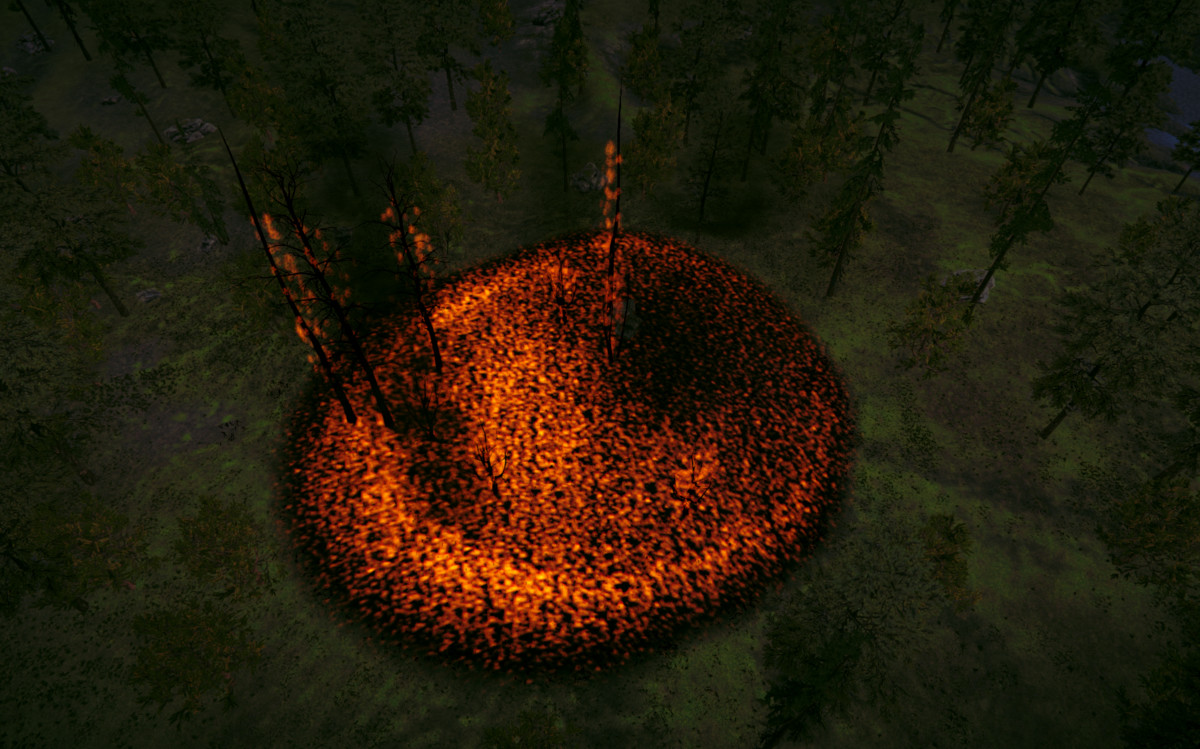
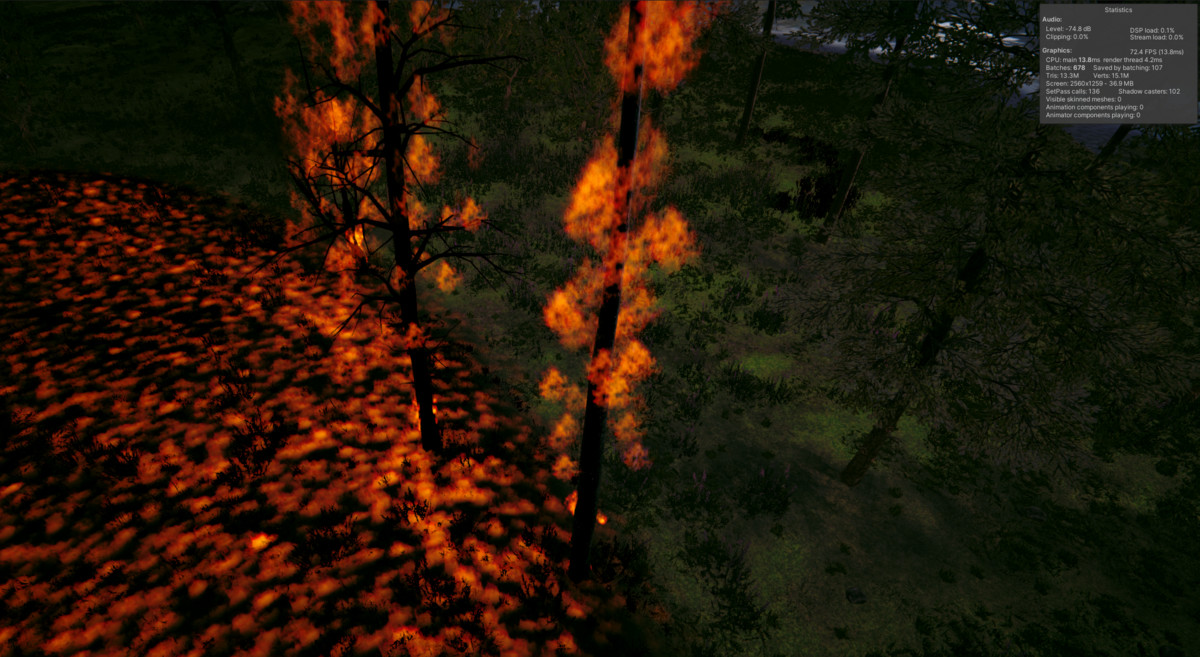
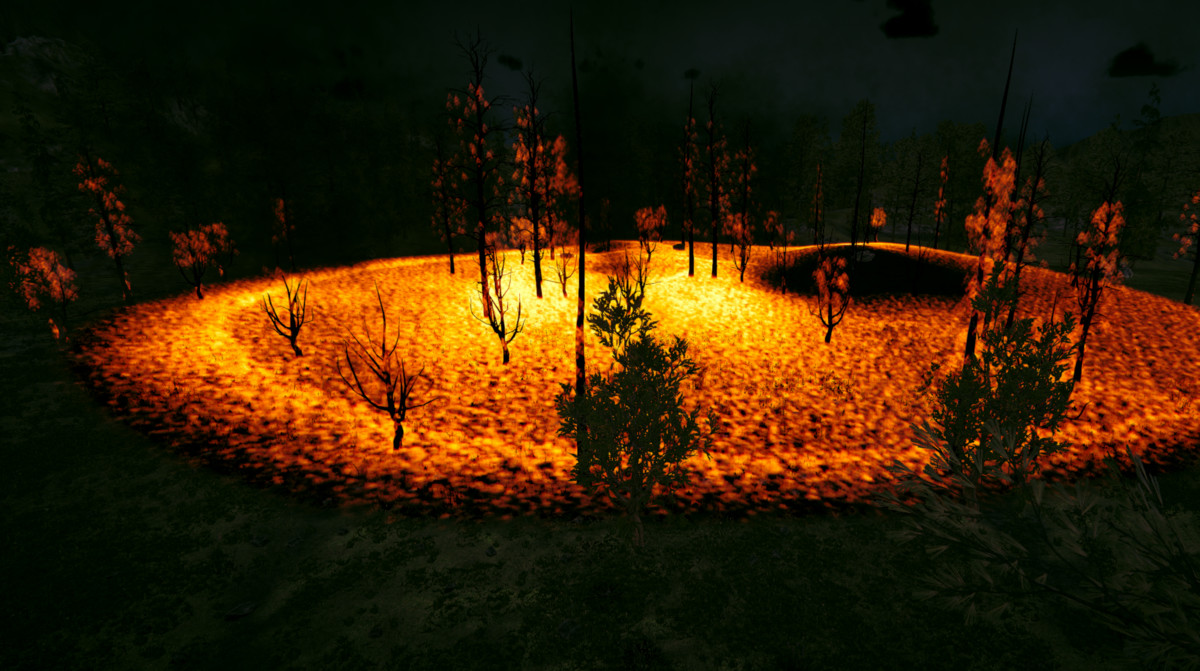
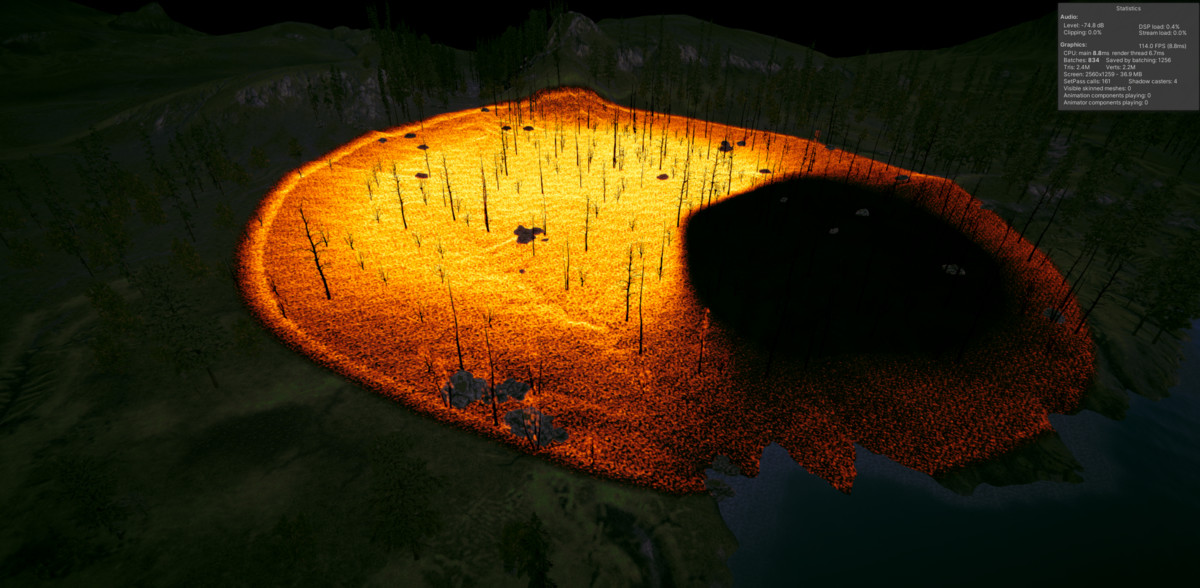
The Elemental system extends the toolkit with environmental interactions across fire, snow, and rain. Fire simulation uses performance optimized GPU-accelerated propagation driven by terrain texture fuel data and wind parameters. Snow accumulation renders through shader-driven depth maps with support for footprint deformation synchronized to animation events. Weather effects integrate through a unified hub that controls global wetness, puddle formation, and exclusion zones for covered areas. All Elemental shaders support Built-in, Universal, and High-Definition Render Pipelines.
A centralized editor window consolidates setup workflows, conversion controls, tree cutting tools, Elemental integration, and backup management. The window validates terrain configurations, guides multi-step processes, and provides real-time feedback on system status.
Unity 6 compatible.
From the publisher's Asset Store listing.
Technical details
Key Features:
Terrain Detail and Tree Conversion
- Converts Unity terrain detail layers into interactive systems
- Supports full GameObject replacement or lightweight runtime placeholders
- Layer-specific targeting with configurable inclusion/exclusion
- Editor-time baking or runtime generation supported
- Direct terrain detail density modification on interaction
Runtime Placeholder System
- Spatial container organization aligned with terrain detail patches
- Distance-based container activation and deactivation
- Configurable interaction radius for terrain density removal
- Designed to preserve terrain rendering performance
Backup & Restoration
- Automatic terrain detail backups before modification
- Scene- and terrain-specific validation to prevent cross-scene conflicts
- Full detail layer restoration support
- Compatible with multi-terrain environments
Tree Cutting Tool (Editor)
- Horizontal trunk slicing at configurable height
- Preserves UVs, normals, tangents, and vertex colors
- Automatic cap generation with user-defined material
- Outputs stump and tree-top hierarchies ready for physics integration
Elemental Environmental Systems
Fire
- GPU-based propagation of energy based simulation
- Compute shader acceleration for large-scale fire simulation
- Terrain burn mask integration
- Detail and tree fuel mapping support
Snow
- Render texture–based depth system
- Clipmap support for large worlds
- Footprint deformation support
- Shader-based displacement and coverage
Weather
- Centralized shader parameter control
- Wetness and snow accumulation management
- Box and circle exclusion zones
- Cross-system coordination with fire and snow
Shader Support
- Built-in Render Pipeline (BIP)
- Universal Render Pipeline (URP 14+)
- High Definition Render Pipeline (HDRP 14+)
- Per-pipeline shader implementations
Platform Requirements (Elemental only)
- Unity 2022.3 LTS
- Desktop and console platforms only
- DirectX 11 / Metal / Vulkan
- Compute shader support required
- 4 GB VRAM minimum (6 GB+ recommended)
Compatibility
| Unity version | Built-in | URP | HDRP | Custom |
|---|---|---|---|---|
| 2021.3.45f2 | Compatible | Compatible | Compatible | Compatible |
Optional Elemental Compatibility
Unity Version:
2022.3 LTS (Minimum Required)
Recommended: 2022.3.20f1+
Render Pipelines:
- Built-in Render Pipeline (BIP)
- Universal Render Pipeline (URP 14.0+)
- High Definition Render Pipeline (HDRP 14.0.12)
Platforms Supported:
- Windows (DX11/DX12)
- macOS (Metal)
- Linux (Vulkan)
- PlayStation 4 / 5
- Xbox One / Series
Elemental is not mobile or WebGL compatible.
As listed on the Asset Store.