
 View on Asset Store (opens in new tab)
Package details
- Latest version
- 1.2
- Last updated
- First released
- Unity version
- 6000.0.25 or later
- Package size
- 720 KB
- Files
- 19
- Favorites
- 8
- Views in the past week
- 3
Price tracking
- Last checked
- Tracked since
- Lowest recorded
- $9.99 on
Keywords
- Search for quick actions
- Search for Workflow Booster
- Search for editor productivity
- Search for scene manager
- Search for navigation tools
- Search for custom toolbar
- Search for command center
- Search for Scene View Overlay
- Search for project organizer
- Search for Editor HUD
- Search for Utility Toolkit
- Search for Virtual Stream Deck

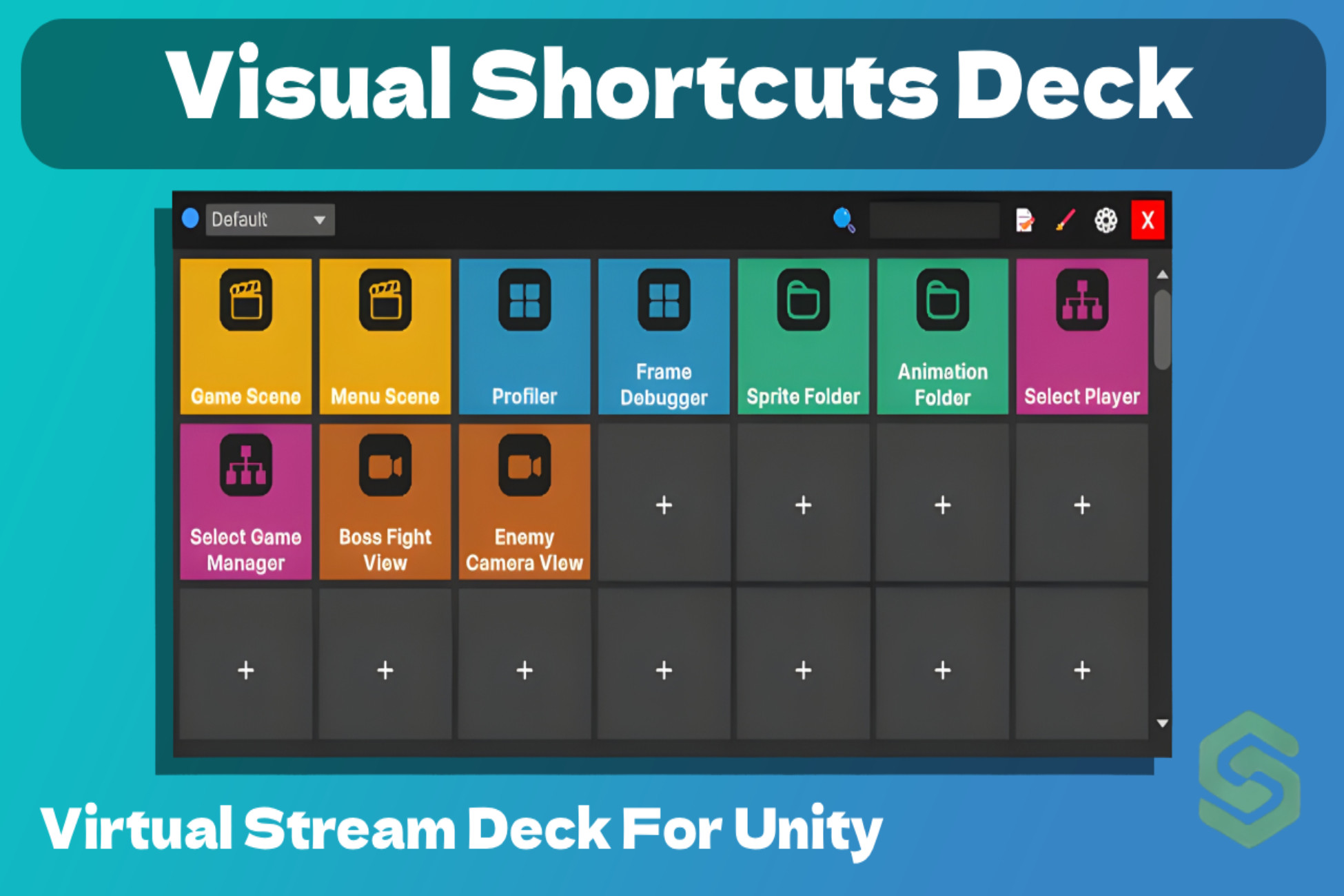
Visual Shortcuts Deck: Editor Productivity Tool
- Price drop
The Ultimate Virtual Stream Deck for Unity. Custom Shortcuts, Scene Manager, and Workflow Booster.
Affiliate link · Purchases support this site
Price history
Last 6 months
USDAsset preview
1 / 5

Visual Shortcuts Deck: Editor Productivity Tool screenshot 1


About this asset
Transform your Unity Editor into a high-speed Command Center.
Visual Shortcuts Deck is a professional-grade productivity toolkit designed to eliminate repetitive navigation and menu-diving. Inspired by the efficiency of a physical Stream Deck, this lightweight editor extension puts up to 200 customizable quick-action buttons directly in your Scene View.
Whether you are a Level Designer switching between environments or a Developer executing complex menu commands, Visual Shortcuts Deck keeps your most-used tools exactly one click away.
Key Features:
- Virtual Action Deck: Create a visual grid of up to 200 buttons with custom icons and labels.
- Scene View Overlay: A floating, movable HUD that stays where you need it. No more switching between tabs.
- Powerful Profile System: Create unlimited profiles for different projects or workflows (e.g., Level Design, Coding, Lighting). Switch profiles instantly via a clean dropdown.
- One-Click Actions:
Quick Scene Switching: Open any scene in your project instantly.
Execute Menu Items: Bind any Unity Editor command (e.g., "Build Settings", "Clear Console", or custom scripts) to a button.
SceneView Bookmarks: Save specific camera angles and positions to jump back to them in a second.
Asset & Hierarchy Shortcuts: Instantly select specific assets in the Project folder or GameObjects in the Hierarchy. - Visual Organization: Use Color-Coded Groups to categorize your buttons (e.g., Blue for Scenes, Red for Tools).
- Intuitive UX: * Drag & Drop Reordering: Swap button positions instantly.
Smart Search Bar: Find any button by name in a crowded deck.
Custom Icon Picker: Choose from presets or upload your own textures to make your deck truly yours.
Why Choose Visual Shortcuts Deck?
- Speed Up Your Workflow: Reduce hundreds of daily clicks to single actions.
- Context-Based Productivity: The Profile system allows you to adapt your workspace to the task at hand.
- Minimalist & Lightweight: Designed to be non-intrusive and highly optimized.
- Total Customization: Fully adjustable grid size (rows/columns), button sizes, and spacing.
Target Audience:
- Solo Devs: Stay organized without losing focus.
- Level Designers: Effortlessly jump between scenes and camera bookmarks.
- Tech Artists: Quick access to custom tools and menu commands.
- Teams: Share standardized profiles to keep everyone’s workflow in sync.
Compatibility:Fully optimized for Unity 6 and Unity 2022 LTS. (Note: Compatibility with versions older than 2021.3 may be limited).
From the publisher's Asset Store listing.
Compatibility
| Unity version | Built-in | URP | HDRP | Custom |
|---|---|---|---|---|
| 6000.0.25f1 | Compatible | Compatible | Compatible | Compatible |
As listed on the Asset Store.