
 View on Asset Store (opens in new tab)
Package details
- Latest version
- 1.0
- Last updated
- First released
- Unity version
- 6000.0.50 or later
- Package size
- 56 KB
- Files
- 3
- Favorites
- 8
- Views in the past week
- 6
Price tracking
- Last checked
- Tracked since
- Lowest recorded
- $13.99 on
Keywords
Prefab Spawner Pro
ORGANIZE, MANAGE, and SPAWN PREFABS anywhere, directly inside the Unity Editor.
Affiliate link · Purchases support this site
Price history
Last 6 months
USDAsset preview
1 / 5
Prefab Spawner Pro screenshot 1
About this asset
Prefab Spawner Pro helps you ORGANIZE, MANAGE, and SPAWN PREFABS anywhere, directly inside the Unity Editor.
It provides category-based prefab management, quick-search functionality, and fast in-editor prefab spawning via a dedicated scene menu.
Currently, this is an early release (beta), primarily focusing on 2D projects. We are actively working on improvements and greatly value your feedback.
If you encounter any issues, please contact us directly on our Discord or check out our Website. We're quick to address bugs and release updates.
❤️ We appreciate your feedback and look forward to hearing your suggestions for new features in the next release!
From the publisher's Asset Store listing.
Technical details
Tested On:
- Unity Version: Unity 6000.0.50f1
Configuration:
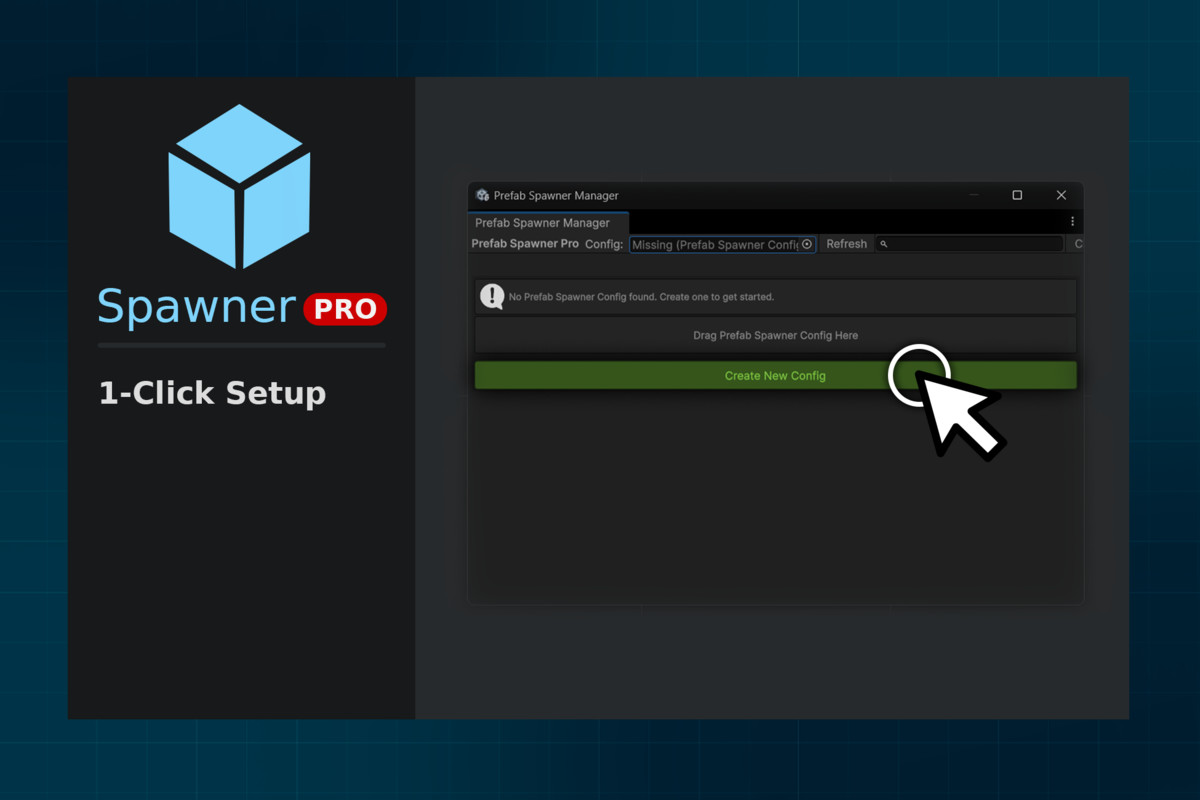
- Configurations are stored in `PrefabSpawnerConfig` ScriptableObjects.
- Create new config via:
- Tools > CreepyTools > Prefab Spawner Manager > "Create New Config"
- Or - Assets > Create > CreepyTools > Prefab Spawner Config
- Or - Alt + Right-Click in editor > Open Manager > "Create New Config"
Workflow Example:
- Open Prefab Spawner Manager.
- Tools > CreepyTools > Prefab Spawner Manager
- or - Alt + Right-Click in editor > "⚙️Manage"
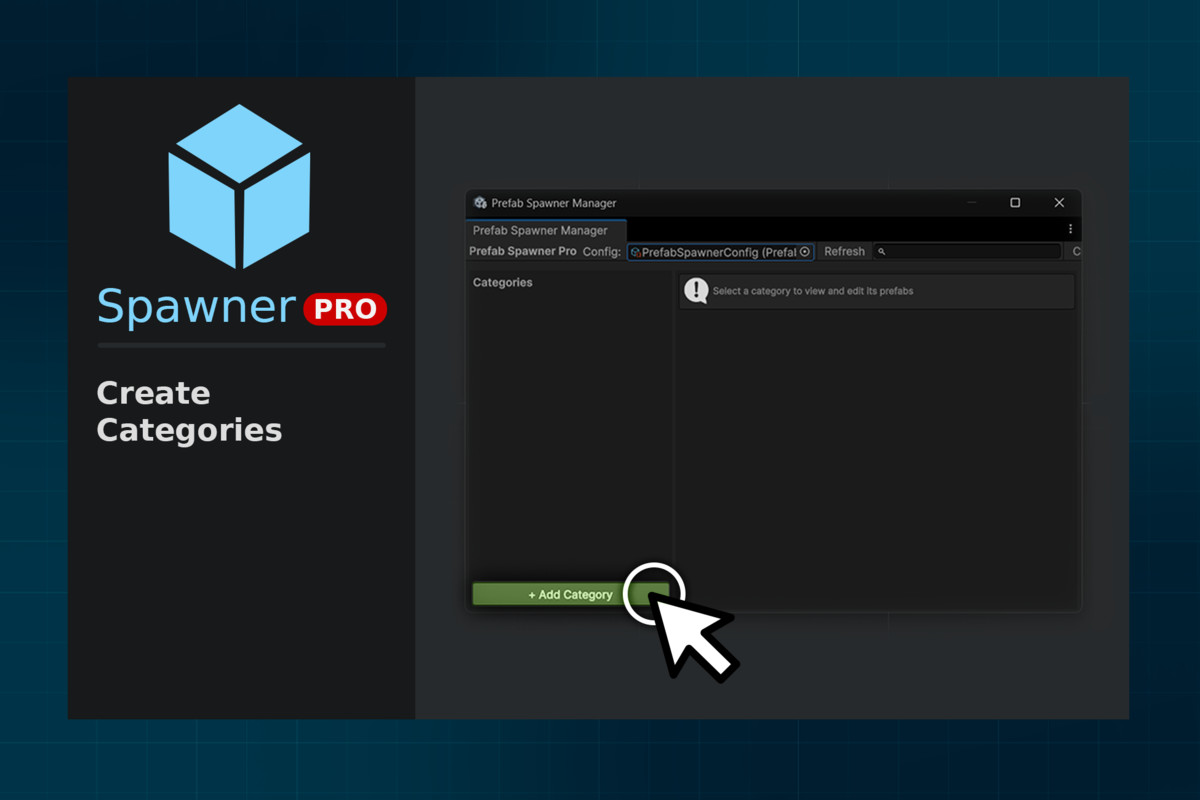
- Create categories such as "Environment", "Enemies", "Props".
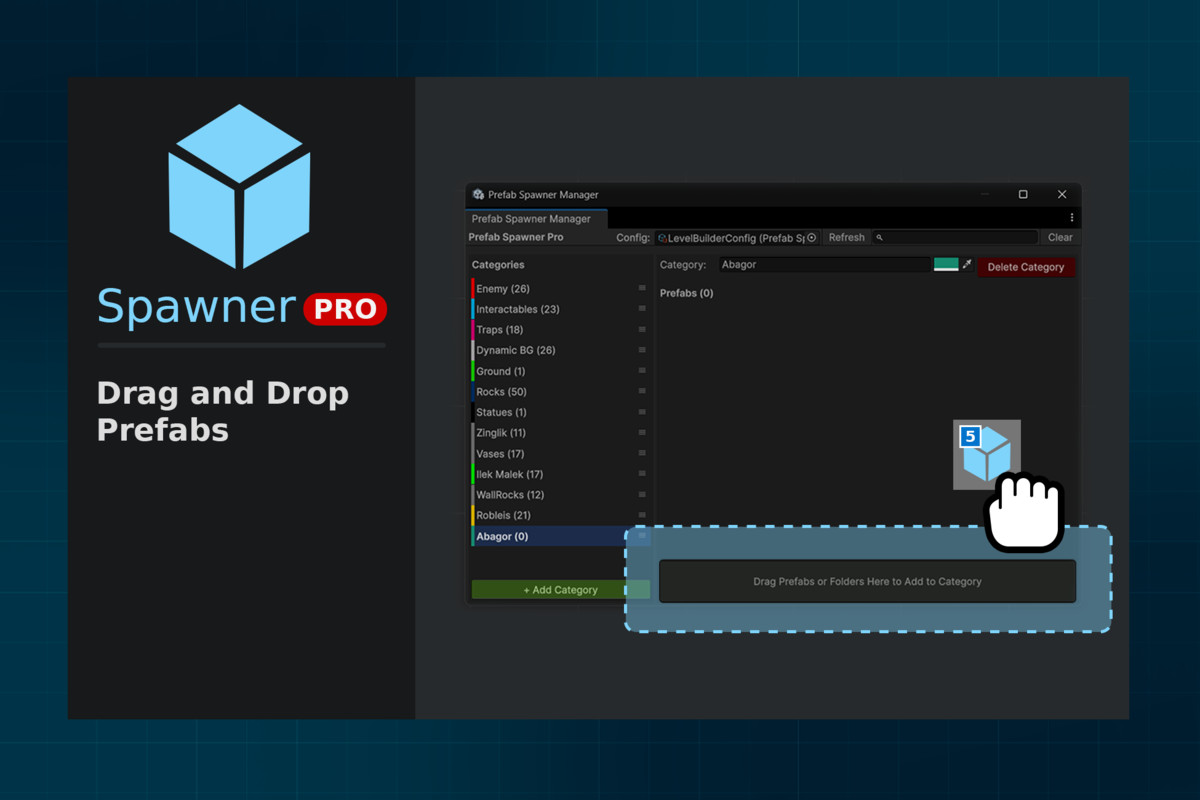
- Drag & drop prefabs from the Project Window
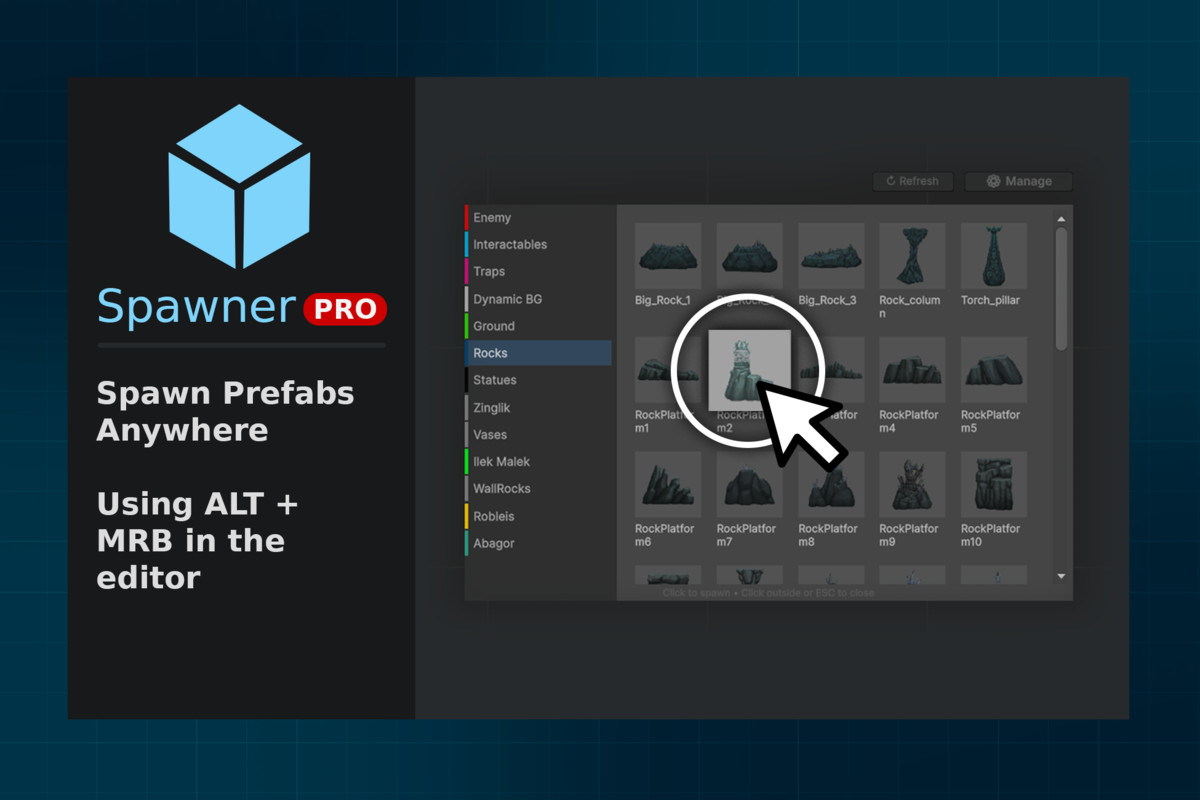
- Spawn prefabs directly in Scene View, using the spawner menu Alt + Right-Click.
- + Additional Features:
- Assign hotkeys for your most-used prefabs
- Assign Custom Thumbnails/Icons
- Adjust Spawn Scale per prefab
- Adjust Color per Category
- Batch Selection Tools (by prefab root or layer)
- Add Prefabs (Advanced) (by layer, name contains/excludes, tags, folder scan, automatic search in Assets or open scenes).
Compatibility
| Unity version | Built-in | URP | HDRP | Custom |
|---|---|---|---|---|
| 6000.0.50f1 | Compatible | Compatible | Compatible | Compatible |
As listed on the Asset Store.