
 View on Asset Store (opens in new tab)
Package details
- Latest version
- 1.0.0
- Last updated
- First released
- Unity version
- 6000.0.51 or later
- Package size
- 724 KB
- Files
- 70
- Views in the past week
- 9
Price tracking
- Last checked
- Tracked since
- Lowest recorded
- $4.99 on
Keywords
Generic Keyboard & Mouse Sprites (+Script Animation)
Ready-to-Use Sprites and Animations for a Generic Keyboard & Mouse UI
Affiliate link · Purchases support this site
Price history
Last 6 months
USDAsset preview
1 / 7
Generic Keyboard & Mouse Sprites (+Script Animation) screenshot 1
About this asset
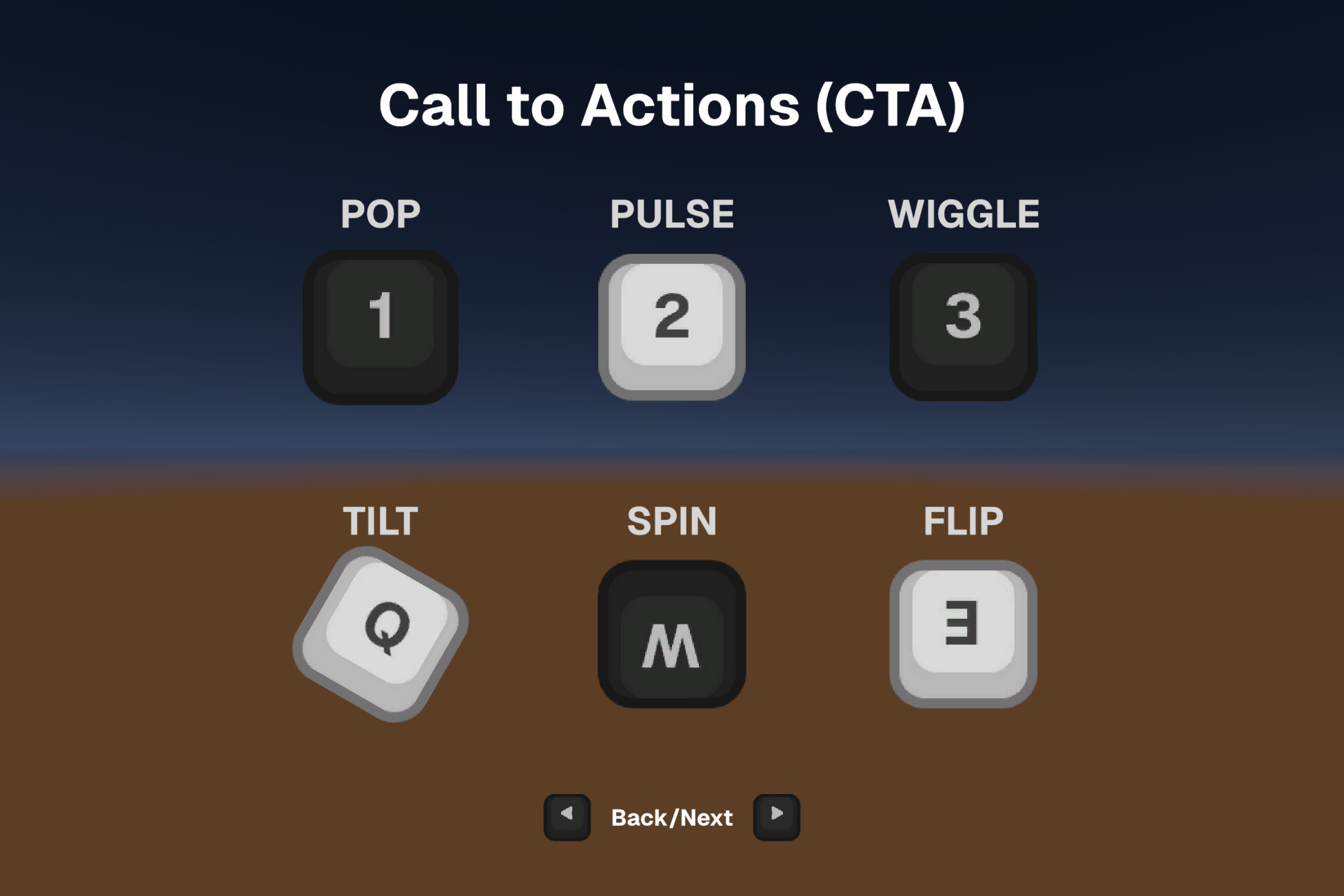
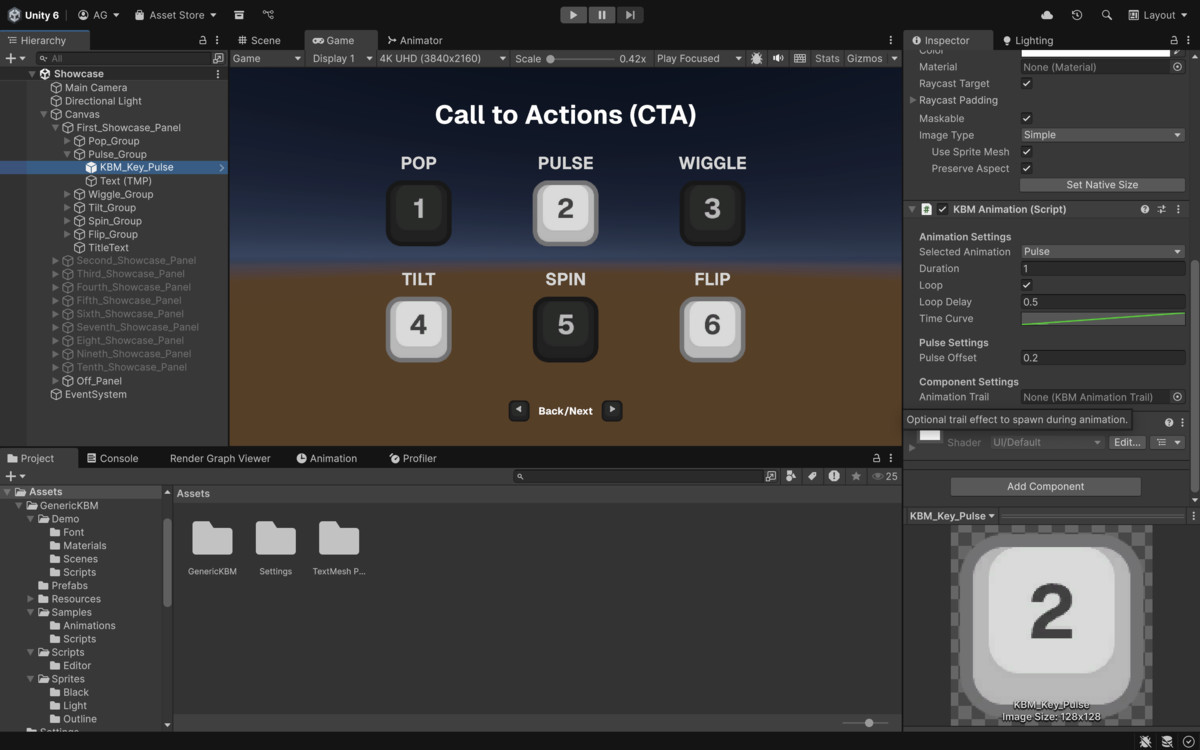
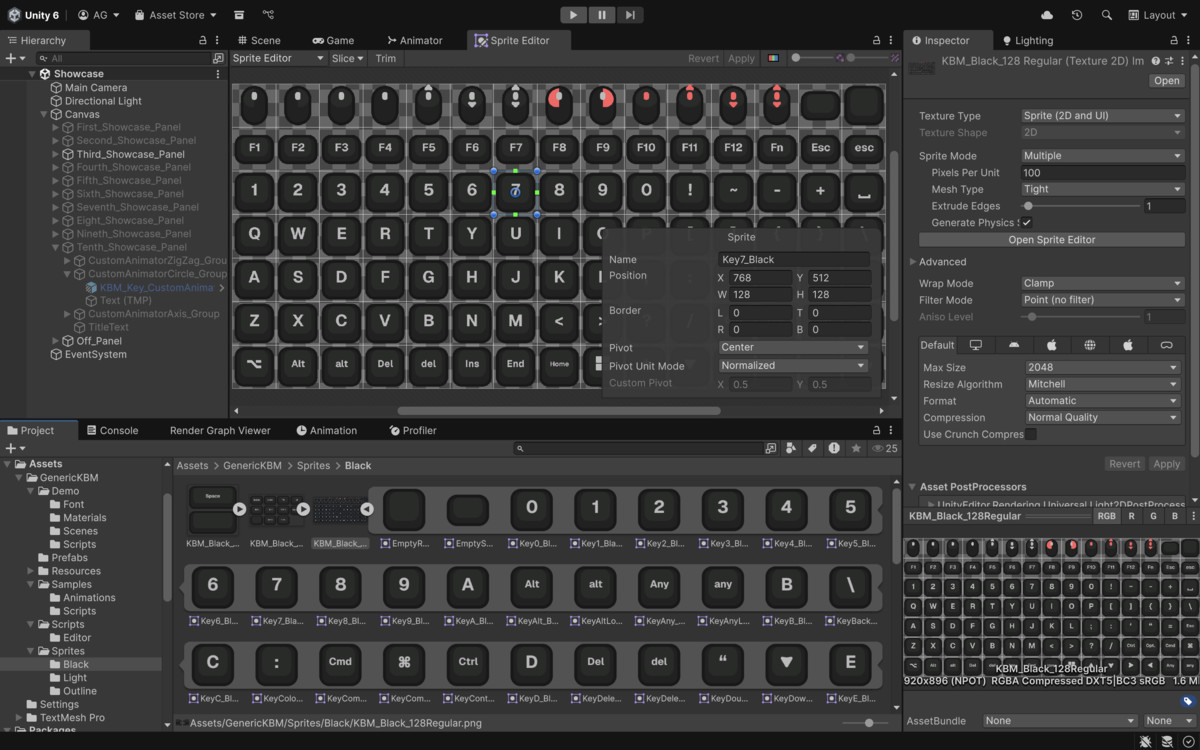
GenericKBM is a Keyboard & Mouse Sprite and Animation Library for UIs. Comes with 3 variations that is highly customizable within Unity to fit your looks. The package also comes with an extensive performant Animation Library to invoke CTA (Call-to-Actions) for QTE Events, Visual Guides, etc.
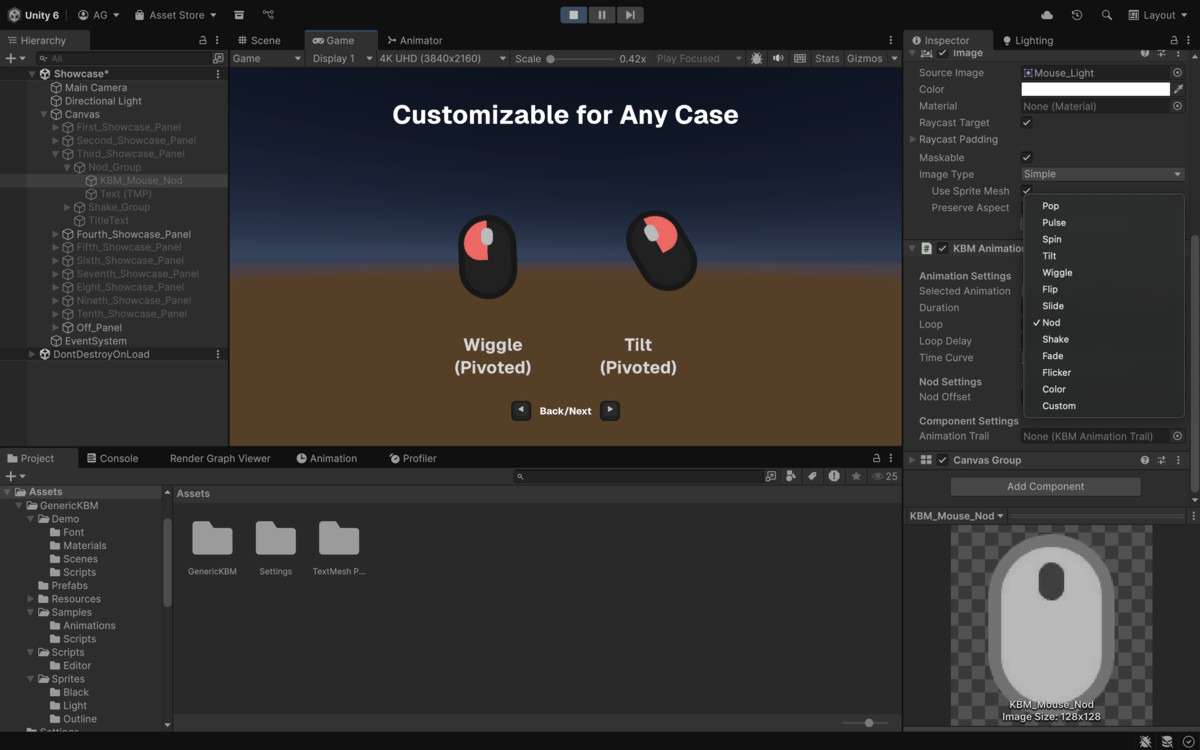
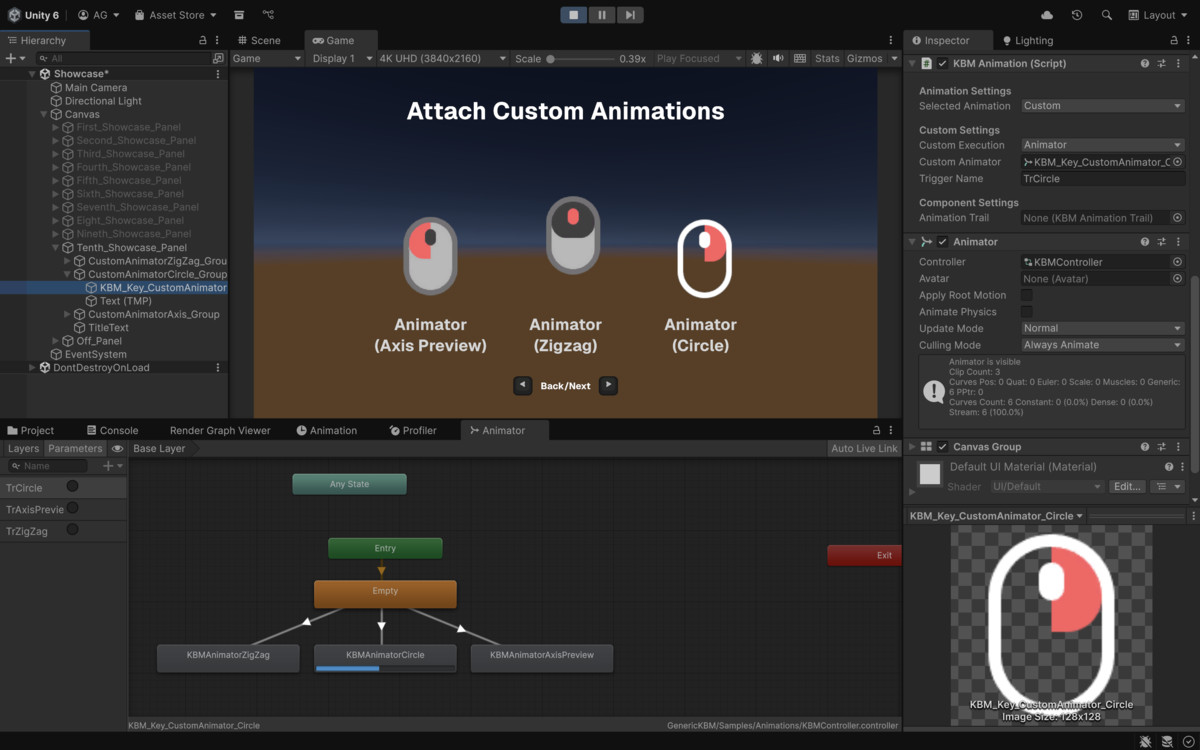
With 13+ Built-in Animation and Custom Settings to use your own Animation, GenericKBM helps Level Designers, UI Designers, Developers, etc. to tweak their own Animation Style with ease using a few basic parameters.
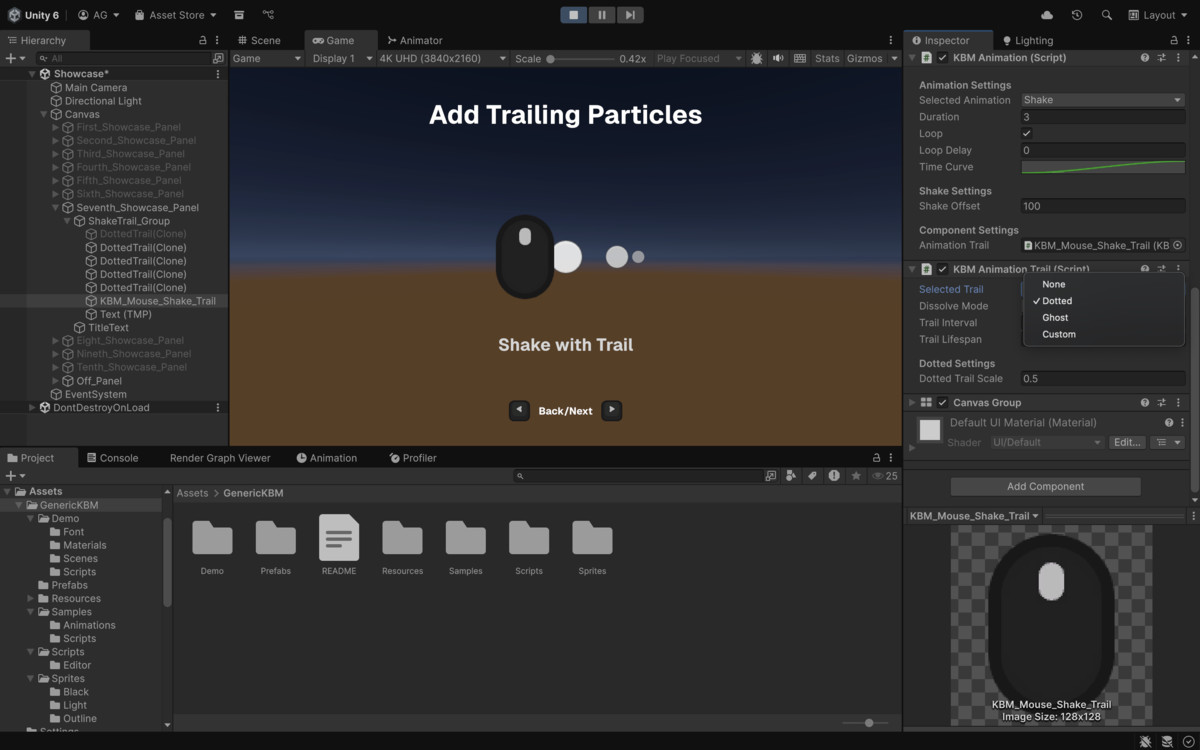
Animations can also be combined together to create unique visual guidelines that fit every case. GenericKBM also comes with Animation Trails to draw visual elements to spice up your UI visual guidelines.
Generic KBM is highly performant, as it takes little overhead for running the animations. It uses Scripted Animations that are modular to use and customizable to create your own Scripted Animation or use your own Animation Clips.
From the publisher's Asset Store listing.
Technical details
Package Contents:
- Asset Name: KBM 128 Keys Regular (Basic Keys & Mouse)
- Variant : Black, Light, Outline
- Dimension : 1920x896 px (Sliced into 105 Sprites Each Variant into 128x128 px)
- Format: PNG
- Color Depth: 32-bit
- Transparency: Yes (Alpha)
- Asset Name: KBM 128 Keys Medium (Medium Keys)
- Variant : Black, Light, Outline
- Dimension : 672x384 px (Sliced into 11 Sprites Each Variant into 168x128 px)
- Format: PNG
- Color Depth: 32-bit
- Transparency: Yes (Alpha)
- Asset Name: KBM 128 Keys Large (Space Keys)
- Variant : Black, Light, Outline
- Dimension : 256x256 px (Sliced into 2 Sprites Each Variant into 128x128 px)
- Format: PNG
- Color Depth: 32-bit
- Transparency: Yes (Alpha)
- Asset Name: KBM 128 Keys Extra Large (Full Space Keys)
- Variant : Black, Light, Outline
- Dimension : 512x256 px (Sliced into 2 Sprites Each Variant into 512x128 px)
- Format: PNG
- Color Depth: 32-bit
- Transparency: Yes (Alpha)
- Asset Name: KBM 128 Keys Shaped (Enter Keys)
- Variant : Black, Light, Outline
- Dimension : 336x160 px (Sliced into 2 Sprites Each Variant into 168x160 px)
- Format: PNG
- Color Depth: 32-bit
- Transparency: Yes (Alpha)
Setting up Sprites
To use GenericKBM Sprites, you can open an Image component and find the key / mouse action that you need within. All the sprites are neatly labelled to index quickly.
Using Animations
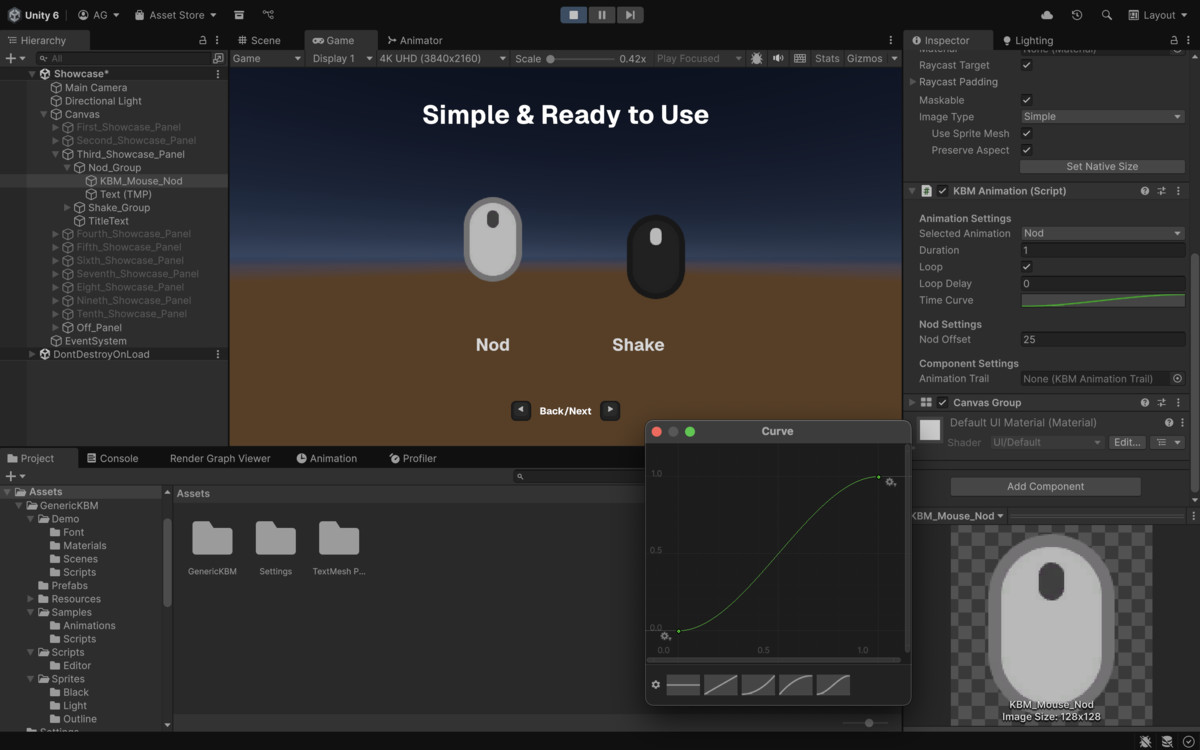
Animations are ready-to-use from the box. Simply click on `Add Component` on your UI Elements Editor (Image, Button, etc.) and Find `KBM Animation`. Here, you will find an array of options and parameters to tweak to your likings.
Using Trails
Trails adds a nice visual flair to your Animation. It requires a UI Element to firstly have a `KBM Animation` component in place. You can find the guide above with the title Using Animations.
Once the `KBM Animation` component is in place, you can click on `Add Component` and find `KBM Animation Trail`. Here you will find a couple options to play with, you can tweak them as you like. However, to start drawing trails on your Canvas, you need to set the `Animation Trail` from your `KBM Animation` component within the Component Settings with your newly added `KBM Animation Trail`. To do this, you can simply drag the component to the asset finder.
Using Multiple Animations
Once you have successfully added a`KBM Animation` (follow guide Using Animations). You can add more `KBM Animation` within the same UI element, creating an ansemble of animations that might harmonize or clash depends on how you want to achieve your looks. It's flexible for many cases.
Compatibility
| Unity version | Built-in | URP | HDRP |
|---|---|---|---|
| 6000.0.51f1 | Compatible | Compatible | Compatible |
As listed on the Asset Store.